Explore Features
Every AI tool in the studio — design, models, try-on, tech packs and video — each with its own page.
 Virtual Try-On ClothesPut your clothes on any model with AI. Upload the person and the garment, and see it worn in seconds, along with shoes, bags and accessories.
 AI Generated Fashion Models from Your Product PhotosCreate AI generated fashion models from your product photos: clothing, shoes, jewelry and accessories worn by realistic virtual models you choose, in any setting, without a photoshoot.
 AI Clothing Fashion Video GeneratorTurn any fashion image into a video in seconds: upload your visual, pick a duration, and get AI clothing videos for e-commerce and social.
 Reimagine Your Model in New ScenesCreate a back view, a side view or a close up of a fashion photo with AI: upload the original model and describe the angle you want to see.
 UGC Video: your product presented to cameraTurn a product photo into a short UGC-style clip: a presenter shows the piece and speaks to camera, smartphone feel, with voice.
 Model Walk: a runway video from one imageAnimate a model image into a runway clip: walking toward the camera, turning, posing, with the face, outfit and background kept exactly as in the picture.
 Product 360: a turntable video from the front and the backTwo photos of a product, front and back, become a turntable clip on a white background, with both views seen exactly as photographed.
 Virtual Try-On Video: your model wears your garment and movesTwo photos, a model and a garment, become a short clip where the model wears the piece and moves: a turn, a few steps, a pose.
 Outfit Transition: one look becomes the other in a single moveTwo photos of the same person in two outfits become the social-media transition: a spin, a snap, and the first look is the second.
 Fashion Ad: a cinematic spot around your productA product photo becomes a 15 to 30 second brand film: elegant shots, a model in motion, close-ups, a hero shot, with music and a voice-over line.
 Detail Close-up: the camera glides over your productA product photo becomes a macro clip: the camera moves slowly over the fabric, the seams, the buttons, the print, under soft studio light.
 Editorial Lookbook: your model in a magazine-style shotA model photo becomes a slow, editorial clip: subtle movement, wind, light, a gentle camera move, campaign look.
 Swap Fashion Models with AIChange the model in a fashion photo with AI and keep the outfit intact: same fabric, folds, lighting and shadows, on a new face and body type.
 Turn Fabric Print into Design with AITurn a fabric or textile photo into a clothing design in seconds. Upload your print, describe the garment and the model, and see the design come out.
 AI Ghost Mannequin Clothes from an ImageTurn any garment photo into a clean ghost mannequin image in seconds: the AI removes the model and rebuilds the hidden parts, ready for e-commerce.
 AI Clothing Flat Lay GeneratorGenerate flat lay or ghost mannequin garment images from a text description: front and back views, no model, no mannequin, no photoshoot.
 Turn Sketch into Design with AITurn a fashion sketch into a realistic design image with AI. Upload your drawing, describe the colors and the details, and get unlimited variations.
 Extract a Fabric Print Pattern from a Design with AITurn a garment photo into a seamless textile print: the AI isolates the fabric, corrects perspective and lighting, and unwraps a true scale repeat.
 Change Clothes Colors with AIRecolor any garment on a photo with AI: name the part to change, pick a color or type a HEX code, and get a realistic result in seconds.
 Change Fabric or Print on a Fashion ImageSwap the fabric on a clothing photo with AI: upload the garment and a new textile, describe the piece, and see the print applied realistically.
 Turn an Image into a Flat 2D SketchTurn any clothing photo into a clean flat sketch in seconds, then export it as SVG to edit in Illustrator and drop it into your tech pack.
 Apply Fabric Print Pattern on Sketch with AIMap any fabric or print onto a flat fashion sketch with AI: upload the sketch and the textile, and get an aligned, shaded mockup in seconds.
 Free AI Color Analysis: Find Your Personal Color PaletteUpload a natural light selfie and the AI reads your undertones, contrast and brightness to give you your seasonal color palette, free.
 Create AI Clothing Design VariationsGenerate a new variation of any clothing design in about 30 seconds. The AI edits only the clothes and leaves the model, the pose and the rest untouched.
 AI Fashion Photo Background ChangerChange the background of any fashion photo with AI. Describe the backdrop you want, from a plain studio to a city street, and get it in seconds.
 Upscale a Video to HDUpscale any fashion video to high definition with AI: more resolution, sharper detail, fabric texture and movement preserved, ready to publish.
 Enhance an Image to HDUpscale any fashion image to high definition with AI: more resolution, sharper details, preserved textures and colors, ready for professional use.
 Expand an Image with AI: Zoom Out or Change FormatExpand a fashion photo with AI: zoom out or change its format, your picture kept pixel for pixel and only the space around it painted, with an optional description of what goes around.
 Create a 3D Model from an ImageTurn any clothing photo into a realistic 3D clothing model with AI. Upload an image, convert it in about two minutes, and use the result anywhere.
 AI Clothes ChangerChange the clothes in any photo with AI: upload the picture, add the garment you want as an image or in words, and get the outfit changed in seconds. Free credits at signup.
 AI Jewelry Design GeneratorDesign rings, necklaces, bracelets and earrings with AI: pick the metal, the stones and the style, and get detailed jewelry concepts in seconds.
 AI Shoe Design GeneratorDesign sneakers, heels and boots with AI: describe the last, the sole and the materials, then put your shoes on AI models or try them on.
 AI Jewelry Video GeneratorTurn a jewelry photo into a video with AI: sparkle, macro detail and slow rotation from a single image, no product film shoot needed.
 AI Bag Design GeneratorCreate AI bag designs: set the shape, the handle and the hardware, generate new concepts or rework your own bags from a photo or a sketch.
 AI Textile and Fabric Print Design GeneratorGenerate original textile and fabric print designs with AI: describe a style and colors, get unique seamless repeats, and refine or upload your own.
 AI Virtual Try On ShoesSwap shoes on any photo with AI: upload a model and a new pair, and the original shoes are replaced with realistic proportions and lighting.
 AI Watch Design GeneratorDesign watches with AI: describe the case, the dial and the strap, and get realistic timepiece concepts you can refine and put on a model.
 AI Fashion Model for JewelryTurn a jewelry product shot into a model photo: rings, necklaces, bracelets, earrings and sunglasses worn by an AI model you control.
 Add a Logo on Clothing with AIPlace your logo on any clothing image with AI: upload a PNG, pick light or dark fabric, and get it blended into the garment in 10 to 20 seconds.
 AI Virtual Try On JewelryTry jewelry on any photo with AI: upload a model and a ring, bracelet, necklace or earrings, and see the piece worn with realistic scale and light.
 Animate a Sketch with AI VideoAnimate a fashion sketch with AI: upload a drawing and get a short video where the illustration itself moves, for presentations and moodboards.
 AI Fashion Ad GeneratorMake an editorial fashion campaign photo from your own product with AI: your piece worn by a model or by your own model, in the scene you describe, with no text on the image.
 AI Perfume and Fragrance Design GeneratorDesign perfume bottles with AI: your brand name on the label, the glass, the cap and the mood, rendered as market ready fragrance visuals.
 AI Runway Fashion Model GeneratorDescribe a model and an outfit and get runway visuals with catwalk lighting and an audience, generated by AI in seconds from a text description.
 Blend 2 Images with AI Style TransferMerge two images with AI: the first sets the structure, the second brings the style, a fabric, a palette or an inspiration photo. One blended result.
 Turn a Shoe Image into a 3D Model with AIUpload a shoe photo and get an interactive 3D model in about 2 minutes: every angle of your sneaker, ready for previews and marketing.
 AI Generated Models for BagsTurn a bag photo into model visuals in seconds: upload a handbag, purse, tote, or backpack and get realistic AI models carrying it, no photoshoot.
 Generate AI Models for Head AccessoriesUpload a hat, cap, or beanie photo and get AI models wearing it in seconds. Choose the age, type, and pose of the model. No photoshoot, no samples.
 Create an AI Fashion Model for a DressUpload a dress photo and get a realistic AI model wearing it: choose the pose, age, and type, and cover your whole collection without a photoshoot.
 AI Fashion Models for Beauty and Cosmetic ProductsTurn a cosmetic product photo into an AI model visual: editorial beauty images without a photoshoot, with a model whose age and country you choose.
 AI Fashion Models for Shoes and SneakersTurn a shoe or sneaker photo into model visuals: upload the product and get high quality models wearing it in lifestyle or studio settings.
 Create Video from Text or Image: AI Fashion VideoTurn a still into a clip, or make the clip from words alone: start image, optional end image, format, 5 to 30 seconds, generated audio, 720p in Standard and 1080p in Pro. From 11 credits.
 Free AI Tech Pack GeneratorA free AI tech pack generator: start blank or from photos of a garment, draw the flat, place the measurements, fill the bill of materials and export the PDF. Building is free.
 AI Fashion Design for Kids, Toddlers and BabiesDesign kids fashion with AI: pick the age, from toddler to teenager, describe the outfit and get original children's clothing concepts.
 AI Fashion Models for EarringsTurn an earrings photo into a close AI model shot: the ear, the skin, and the detail of your piece, without booking a macro photoshoot.
 Create an AI Fashion Model for SocksUpload a sock photo, describe the model and the scene, and get visuals framed so the socks stay the point: no shoes, no photoshoot.
 AI Sunglasses VideoTurn a sunglasses photo into a video with AI: face turns, lens reflections and light play from a single image or a text description.
 AI Fashion Models for SunglassesUpload a sunglasses photo and get an AI model wearing them: see how the frame sits on a face and build eyewear visuals without a photoshoot.AI Shoes and Sneakers VideoTurn a shoe or sneaker image into a video with AI: on foot movement, sole flex and turning angles from one photo or a text description.
 Create Kid Fashion Clothing Models with AIUpload a kids clothing photo and get a child AI model wearing it in about 30 seconds: no casting, no studio, visuals ready for your store.
 AI Clothing Brand Logo GeneratorDescribe your clothing brand and the logo you picture, and the AI designs fashion logo options in seconds. No design skills needed.
 Change and Swap Face with AISwap a face on any photo from a single reference image. Keep the same model across a whole photoshoot, or try a new look on your own picture.
 Consistent AI Model Across Your PhotoshootsKeep the same AI model on every photo: one model reference reused in Product to Model, try-on and bulk generation, a profile in words, no training. Swap Model when the person must change.
 AI Moodboard GeneratorMake a moodboard online: place your studio images and words on one board, create missing images with AI on the board, and export it as a PDF. Composing is free.
 AI Sunglasses Design GeneratorDesign sunglasses with AI: lens shapes, frame lines and colors, rendered on a real face so the fit and attitude read at first glance.AI Bag Video GeneratorTurn a bag photo into a video with AI: carried movement, swaying hardware and true scale from one image, no product film shoot.
 AI Fashion Sketch Generator: Flat Sketch or Designer Sketch from TextDescribe a garment and get a technical flat sketch for your tech pack, or a designer's fashion sketch on a walking model. Front, back or both. 1 credit.
 Virtual Try On Head Accessories with AISee any hat, cap, or beanie worn before buying: AI fits the headwear to the face, the hairstyle, and the perspective of your photo.
 AI Generated Models for BraceletsTurn a bracelet photo into an AI model wrist shot: natural hand poses and real skin contact for your jewelry pages, no photoshoot required.Create AI Generated Model VideosTurn a clothing photo into an AI model video: create the model, then bring the still to life with realistic motion, no photoshoot needed.
 Create Front and Back Fashion Designs with AIGenerate the front and back of a fashion design in one image with AI: matched details, proportions and style from a single prompt.
 AI Beauty Cream Product GeneratorDesign cream jars and skincare packaging with AI: the jar, the lid, the label and the texture of the formula itself, ready for your brand.
 AI Virtual Try On BagsSee any bag on a model in seconds: upload a photo and a handbag or purse image, and the AI matches lighting, proportions, and perspective.
 Edit an Area: Retouch a Fashion Image with AIRetouch any fashion image with AI: describe the change in words, or use Retouch a Zone to outline the area and edit only what you paint. Add sleeves, change a collar, swap a colour or a fabric.
 Create an AI Video of a Fashion Model Turning AroundTurn a front and a back photo into a smooth AI turnaround video with Model 360: the model turns on the spot or the camera orbits, every detail of the outfit kept from every side.
 Erase and Remove Image Details with AIMask an area on your image, say what to remove, and the AI erases it in 10 to 15 seconds: logos, zippers, pockets, any detail you do not want.
 AI Virtual Try On Necklace (Jewelry)Preview any necklace on a model with AI: upload a model photo and the necklace design, and see it sit on the neckline at the right chain length.
 AI Virtual Try On Bracelet (Jewelry)Preview bracelet designs on a real wrist with AI: upload a wrist photo and your bracelet, and get a lifelike worn shot with accurate scale.
 Visual style: Train the AI on Your Reference ImagesGive every picture the same photographic style: Visual style reads the light, colours, grain, framing and mood of 3 to 6 reference images, created in the studio in one click.
 SVG Clothing Sketch AI GeneratorGenerate clothing sketches as SVG vectors with AI: scalable flats you can open in Illustrator, edit line by line, and use in tech packs.
 Generate AI Fashion in Bulk for Your CatalogGenerate a whole catalog in one run: upload up to 30 product photos, pick a workflow, write one brief for the batch, and get AI models, try-ons or videos for every item at once.
 Create a Team and Design Collections TogetherDesign fashion collections together: invite teammates to your account, share a project with them in the studio, and work on the same creations. Seats come with the plan, from 3 on Starter.
 Publish AI Product Images to Your Shopify StoreConnect your Shopify store once, then publish any image or video made in the studio straight to a product page: no download, no upload. Available in the studio, by API and by MCP.
 AI Clothing GeneratorGenerate a garment from a description: name the piece, fabric and colour, see it worn by a model in seconds, then take it to try-on, video, tech pack and your store. Free credits at signup.
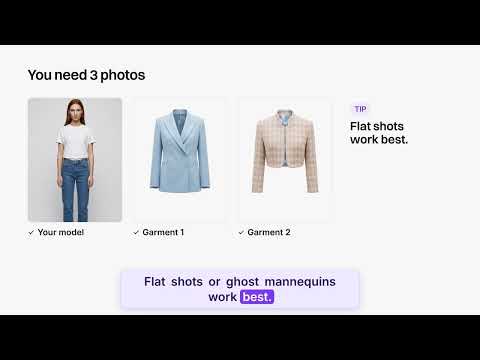 AI Fashion Reels: Trending Outfit Transition VideosMake trending AI fashion reels from one photo: outfit transitions as people pass, as your model walks, at a finger snap, after a jump, and more. 10-second 9:16 videos for Reels, TikTok and Shorts.
 AI Fashion Video from Reference ImagesPut your model, your garment and a place into one video: add up to three reference pictures, describe the scene, and get a 5 to 15 second fashion clip in 9:16, 1:1 or 16:9.
 Publish Fashion Posts to Threads from the StudioConnect Threads in Connectors, then post or schedule your fashion images and videos to Threads from the Brand Manager's social agenda, next to Instagram and TikTok.
 AI Voice Over for Fashion VideosAI voice-over for fashion videos: write a text, choose one of 14 voices and get an MP3 to put under a product video or an ad. About half a credit for a 30-second script.
 Remove or Extract the Sound of a VideoRemove the sound of a video, extract it as an MP3 or replace it with your own music, in one Audio button. Remove and extract are instant and free with a plan or a credit pack.
 Fashion Reel Templates & AI Motion DesignEighteen Motion Design templates for fashion reels: drop your photos or clips, edit the words, render a 10-second video in 9:16, 4:5, 1:1 or 16:9. One credit, every plan.
 Google Shopping Free Listings: Impressions, Clicks, Approved ProductsThe Store's Google Shopping view reads a Shopify brand's free listings from Merchant Center: impressions, clicks, click-through rate, approved listings and a product-by-product table.
 Google Shopping: Fix Missing Color, Age Group, Gender on ShopifyA Fix button on the Store's Google Shopping view: a missing color, age group, gender or other Google attribute is proposed, confirmed, and written on the Shopify product for Google to re-read.
 Shopify Profit & Loss: Net Sales, Cost of Goods, Ads, Your CostsA Profit & loss on the Store page of a Shopify fashion brand: this month and the one before, net sales, cost of goods, ad spend, shipping, fees and your own costs, down to profit and margin.
 Shopify Inventory: Stock, Days of Stock, Cost per ItemThe Inventory view of the Store page: per Shopify product and variant, the stock left, the days it lasts, the units sold, and the stock and cost per item, typed here and written to Shopify.
 Newsletter & Social Analytics: Klaviyo, Instagram, Facebook, YouTube, TikTokAn Analytics view per channel in the Store's Newsletter & social tab: Klaviyo, Instagram, Facebook, YouTube and TikTok on the window you chose, against the period before, with every post's figures.
 Shopify Variants: One Picture per Variant, from Your CreationsThe Variants tab of the Shopify product window: every variant with its price, SKU and picture, set from your creations, from a file, or from a creation's tile with Use for a variant.
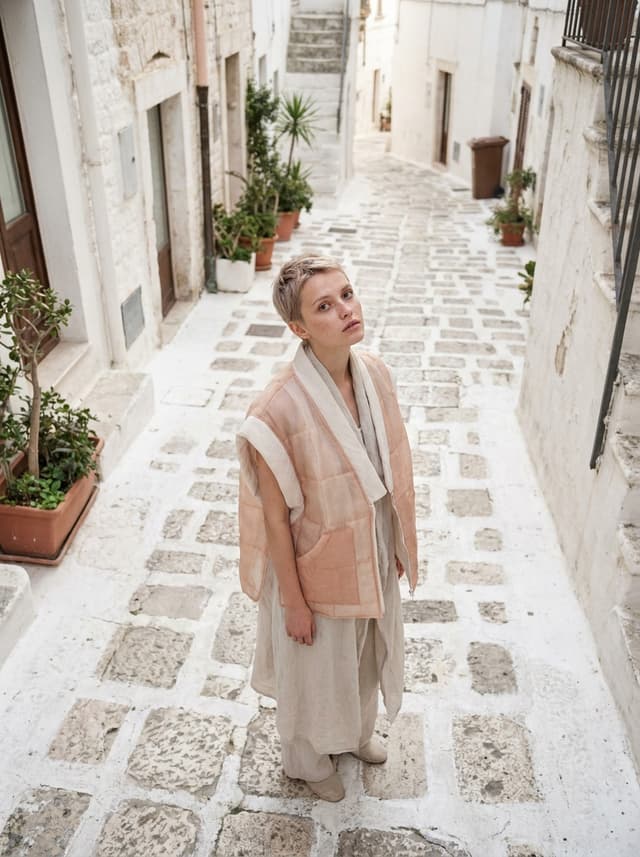 AI Clothes Maker, Design Clothes Online: The New Black AIDesign clothes online with an AI clothes maker: describe the piece, see it worn in seconds, iterate, then send a tech pack to your factory. 1 credit per design.
 Ads for a Fashion Store in One Place: The New Black AIMeta, Google, Pinterest and X ad campaigns for a fashion store on one screen: spend, purchases and return over the same window, pause or re-budget from the table.
 AI Music for Fashion Videos: The New Black AICompose an original soundtrack for a fashion video from a few words: mood, instruments, tempo, sung or instrumental. 15 to 60 seconds, mixed under your clip, 2 credits.
 Favourites in the StudioPress the little heart on a creation and the heart in the gallery bar to see only your liked ones, in the grid, in a project or in the Shopify view. Your selection after a shoot, one click away.Store Dashboard: Sales, Traffic, Ads, One PeriodOne switch on the Store page drives every figure: 24h, 7d, 30d or a custom range up to 60 days back, each number shown against the previous period. Works with or without a Shopify store.
 AI Fashion API: the OpenAPI 3.1 DocumentThe whole API as a public OpenAPI 3.1 document at /api/v1/openapi.json, generated at request time: every route and every workflow as a schema, readable by a code generator or an AI agent.
 Social Media Agenda for Fashion BrandsA week agenda in your Store with a row per network: Instagram, Facebook, Threads, Pinterest, X, YouTube and TikTok. Schedule creations or your own files; existing posts appear on their day.
 Create Shopify Products from the StudioIn the studio's Shopify view, a Create a product button asks for a title and creates the product in your store, then the visuals you generate publish straight to its page.
 Publish to Instagram, TikTok, X, Pinterest and YouTube from the APIA program that creates a visual can also put it online: the API posts your creations to Instagram, TikTok, X, Pinterest and YouTube Shorts through the accounts connected in your profile.
 AI Blog Writer for Shopify StoresWrite and rewrite your Shopify blog articles and pages with AI: studio pictures placed inside, excerpt, SEO title and meta written, then Publish or Save as draft in Shopify.
 Claude MCP Connector for AI Fashion DesignConnect The New Black AI to Claude through MCP and everything the API does happens in conversation: generate designs, model photos, videos and tech packs, read your account.
 AI Fashion CLI for Claude Code, Codex and CursorOne command per workflow: the tnb CLI (@thenewblack/cli on npm) gives every studio workflow to a coding agent, a shell script or a CI job.
 AI Fashion Agents from Your Own ScriptsTalk to your account's AI agent from your own app or scripts: send a message, read the thread and the answer, put jobs on its calendar, and read your whole account in one call.
 Bulk Generation for Fashion CataloguesSelect the images, pick the workflow and its settings, choose Standard or Pro, and every image goes through it: a whole range on models, backgrounds removed across a catalogue, a clip per product.
 Publish Fashion Videos to TikTok from the StudioConnect your TikTok account and publish a clip or a picture from the Store's week agenda, New post, the same way Instagram, Facebook, Pinterest, X and YouTube already work.Shopify Product Performance: Traffic, Add-to-Cart and ConversionA pixel you enable in one click on Shopify feeds your Store page with traffic, add-to-cart rate and conversion rate per product, combined with sales into one performance score.
 Shopify Sales Next to Your VisualsIn the studio's Shopify view, each product's Performance tile reads your store's sales: enable it once and the creations you make for a product sit next to what that product sells.
 Google Search Console for Your Shopify StoreConnect Search Console and your Store's SEO tab shows the queries and pages of your store, with clicks, impressions and positions, next to the tools that write the content those queries ask for.
 Upload Your Own Photos and Videos into the StudioUpload JPG, PNG, WebP, MP4, MOV or WebM straight from the main grid, a project or the Shopify view: the file lands where you sent it and works as the input of any workflow.
 Publish AI Visuals to Shopify Product PagesOpen a creation, choose the product, and the image or video lands on its Shopify product page. Unpublish from the same tab. Also available from the API with the publish scope.Shopify Sales Channels per ProductEach product on your Store page shows on how many sales channels it is sold. Click the number to put it on Online Store, Shop, Instagram, Google, or take it off. The change is written to Shopify.
 YouTube Analytics in Your StoreConnect YouTube Analytics in Connectors and the Newsletter & social tab of your Store gets a YouTube view: views, watch time and subscribers, next to the videos you publish there.
 Shopify Product Page Optimization ScoreEach Shopify product gets a score for how well its page is optimised: photos, videos, description, SEO fields. Open the score to see what is missing and fix it from the studio.
 Edit a Video with AIChange a video with a sentence, in your own words: the light, the setting, the mood, a garment. The instruction goes to the model as written; the clip keeps its length and its sound.
 AI Background Remover for Fashion and Product PhotosCut the subject out of any fashion or product photo and keep it on a transparent background: a model, a garment, a bag, a shoe, in one click, ready for your shop or your layouts.
 AI Image Generator for Fashion: Create or Edit Any ImageWrite what you want and get the image, or upload up to three references and describe the change: the free-prompt tool that creates or edits any fashion visual, in any format.
 Change the Background of a Video with AIPut the model of a video somewhere else, a street, a studio, a beach, with a sentence. The person, the outfit and the movement stay; the setting, the light and the shadows change.
 Create Similar Outfits with AIUpload an outfit image and get close variations of it: same spirit, same silhouette, new pieces. The fast way to build a capsule around one look that works.
 Edit the Outfit in a Video with AIChange the clothing in a video with a sentence: a new colour, another print, a different garment. The person, the movement and the setting stay as filmed.
 Model 360: a full turn from a front and a back photoTwo photos of your model, front and back, become a full-turn video: the model turns on the spot, or the camera circles around them. Every detail of the outfit kept, from every side.
 Reframe a Video to Any Format with AITurn a landscape clip into a vertical one, or a vertical into a square, without cropping: the subject is recentred and the missing edges are generated. One clip, every channel.
 Remove the Background of a Video with AICut a model or a product out of any video and keep it on a transparent, white, black or green background, no green screen. The clip keeps its length and its shape.
 Swap the Model in a Video with AIAnother person in the same video: give a photo of the new model, and the outfit, the movement and the setting stay exactly as filmed. One shoot, several faces.
 AI Image Vectorizer for Fashion: Logo, Print and Artwork to SVGTurn a logo, a print or an illustration into a real SVG: colour shapes that scale to any size, ready for screen printing, embroidery, labels and Illustrator. 1 credit.
 AI Tech Pack from PhotosStart a tech pack from photos of your garment: add the pictures, a brief and the size range, and get a drafted pack with sketch, callouts and size chart for two credits.
 Tech Pack Size Chart, Measurements and GradingThe size chart of a tech pack: one line per measurement with its code, one value per size from XS to XL, the tolerance, the measuring notes and the unit. The AI draft proposes, your fit corrects.
 Export a Tech Pack to PDFPreview a tech pack page by page, in the orientation you chose, then export the whole pack as one PDF for the factory. Exporting is free, as many times as you need, at every revision.
 AI Tech Pack Review: Read It Like a Factory WouldAI analysis reads your tech pack like a factory would and lists what it would ask: contradictions between text and table, missing measurements, materials without a reference. Two credits.
 Tech Pack Bill of Materials (BOM)The bill of materials of a tech pack: one line per material with picture, category, placement, supplier and reference, quantity per garment, price, colourway and notes. All the factory buys.
 Tech Pack Canvas: Flat Sketch and CalloutsThe canvas of a tech pack: place an image, add text, draw the flat sketch with AI, and add callouts, the arrows, lines and circles that point at a seam or a hem, each with its size chart code.
Questions about the features
- What are the features of The New Black AI?
- Ninety plus AI workflows for fashion brands, grouped in four families: e-commerce (AI fashion models, virtual try-on, ghost mannequin, product photography, publishing to Shopify and social platforms), design (AI clothing generator, sketch to design, flat sketches, fabric and print changes, moodboards, lookbooks), video (model walk, product 360, UGC, fashion ads, detail close-ups, image to video) and HD (upscale of images and videos). Tech packs have their own studio.
- Which feature should I start with?
- If you sell online, start with AI fashion models or virtual try-on: a product photo becomes an on-model image in under a minute. If you design, start with the AI clothing generator or sketch to design. If you produce, start with the AI tech pack generator from a photo or a sketch.
- Do the features work with my own product photos?
- Yes. Most workflows start from your photo: a flat lay, a mannequin shot, a worn garment or a sketch. The garment is kept as it is, and the AI changes the model, the scene, the format or the medium around it.
- How much does a feature cost?
- Plans start at 15 dollars a month and include credits. Most image workflows cost 1 credit on Standard and 3 on Pro; video workflows are priced per second, and the exact price is always shown on the button before you generate. HD 4K and the guided video workflows open from the Pro plan; AI agents open from the Business plan.
Your brand needs a better AI platform.
Start creating today — no credit card required.