AI Fashion Shopify Brand Manager
The step after the studio: every creation you make becomes a product page, an article, a newsletter, an ad, a post — and the analytics that come with it.

Products
Analyze your store products
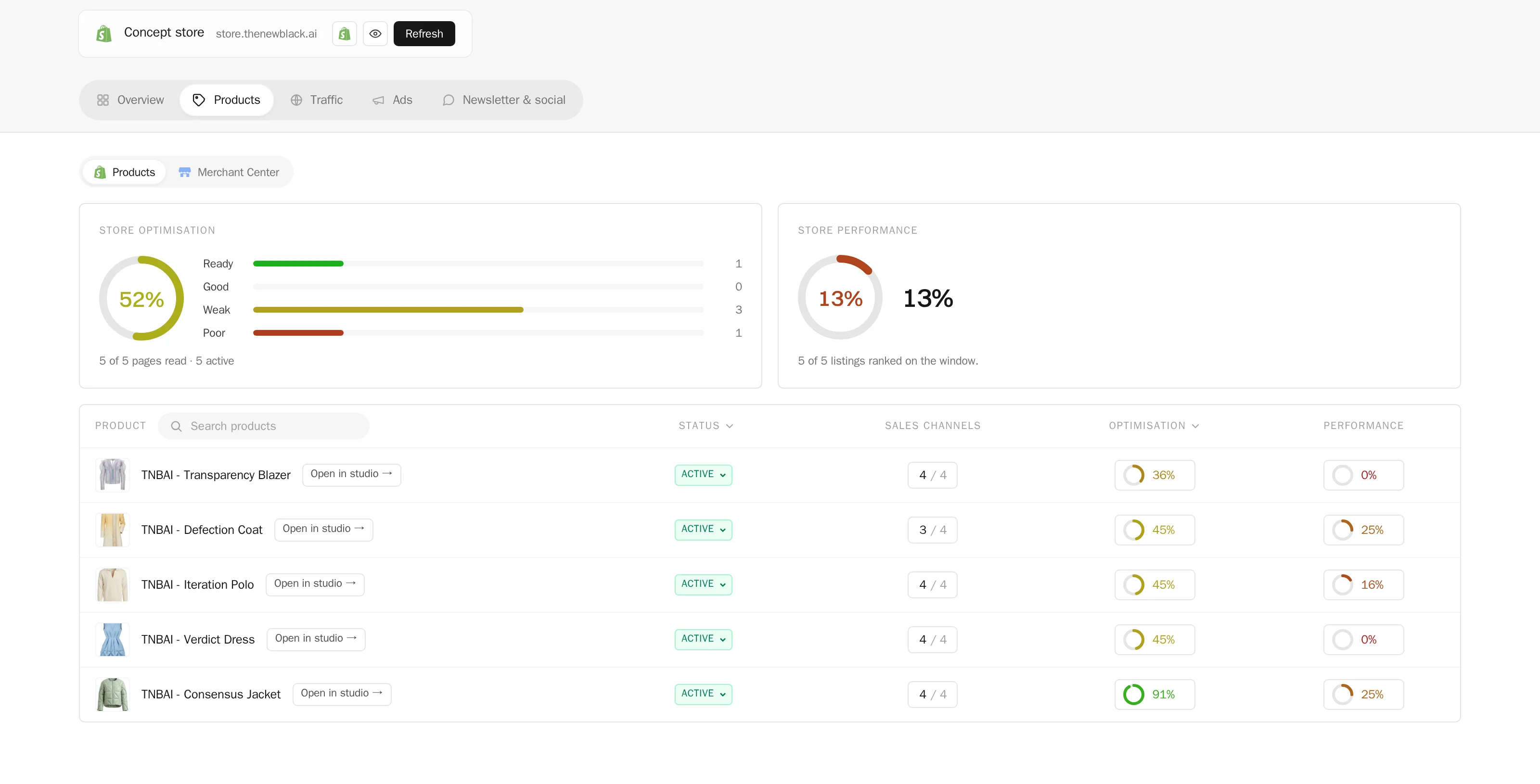
Every product page of your Shopify store, scored out of 100 on the eleven checks a good page passes — enough photos, sharp enough, a video, alt texts, a title and a description of the right length, an SEO title and description, a readable URL, a category, a product type — and ranked by what it sells. What each page lacks is named, and the fix is one click away: an on-model photo, a video or an HD upscale made in the studio, a text rewritten, a category set, saved to Shopify the moment you approve it.
Traffic
Create blog articles and pages with AI, and analyze your traffic
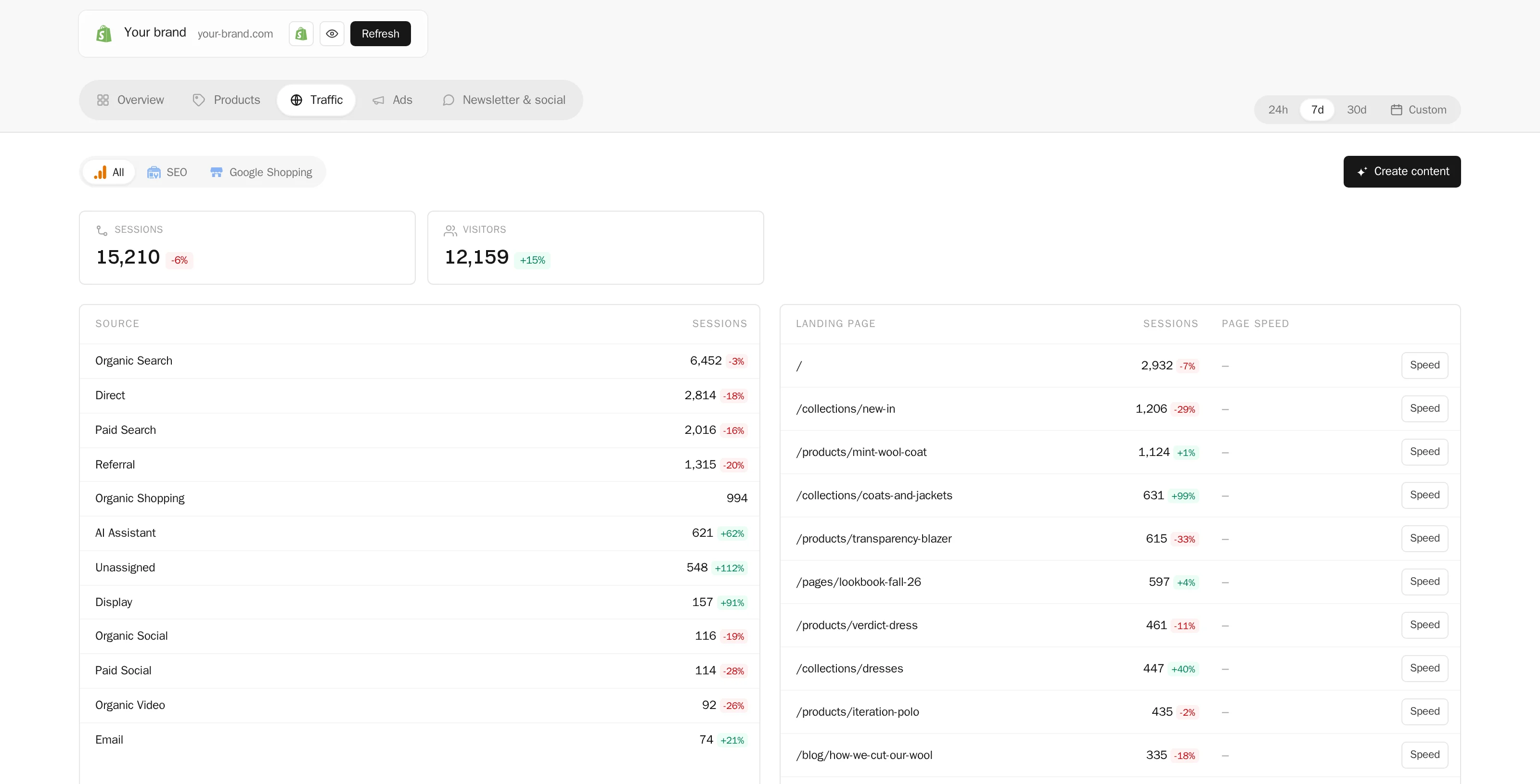
Sessions, visitors and where they come from, the pages people land on, from Google Analytics; the queries that bring you clicks, the pages that rank and the ones that could, the indexing of every product page, from Search Console; your free Shopping listings from Merchant Center. And from the same page, the articles and pages that grow it: written from a brief in your brand’s voice, illustrated with your own creations, saved to your Shopify blog as drafts you publish.
Ads
Read and run your ads from one place
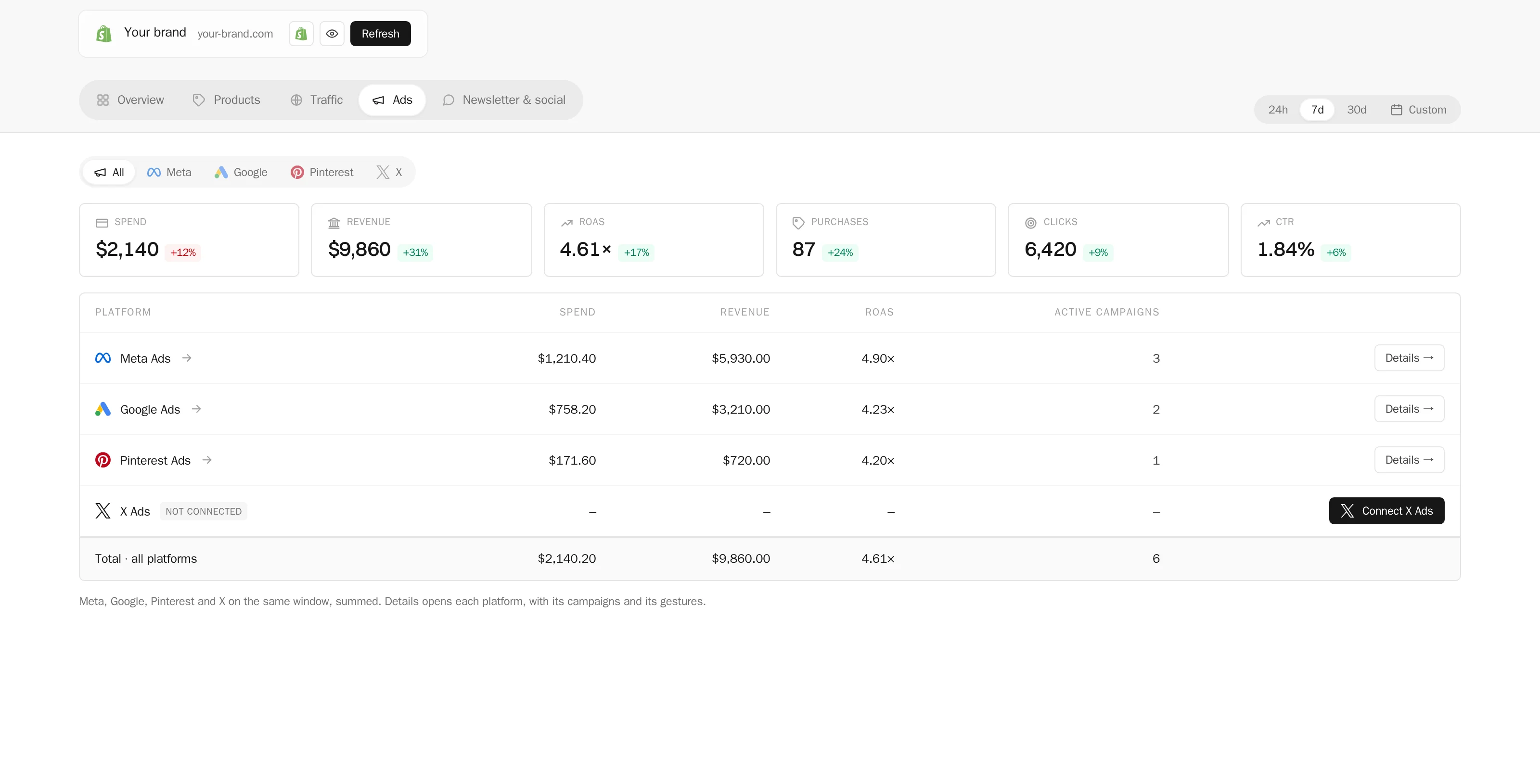
Meta, Google and Pinterest campaigns on one window — spend, purchases, return, clicks — each against the period before, summed in one line and detailed per platform. Pause, resume or change a budget from the table; launch a Meta campaign from a visual made in the studio, on your own ad account, with a confirmation step before anything spends. X Ads joins as soon as X opens its API to us.
Newsletter & social
Plan your socials and newsletters on one agenda
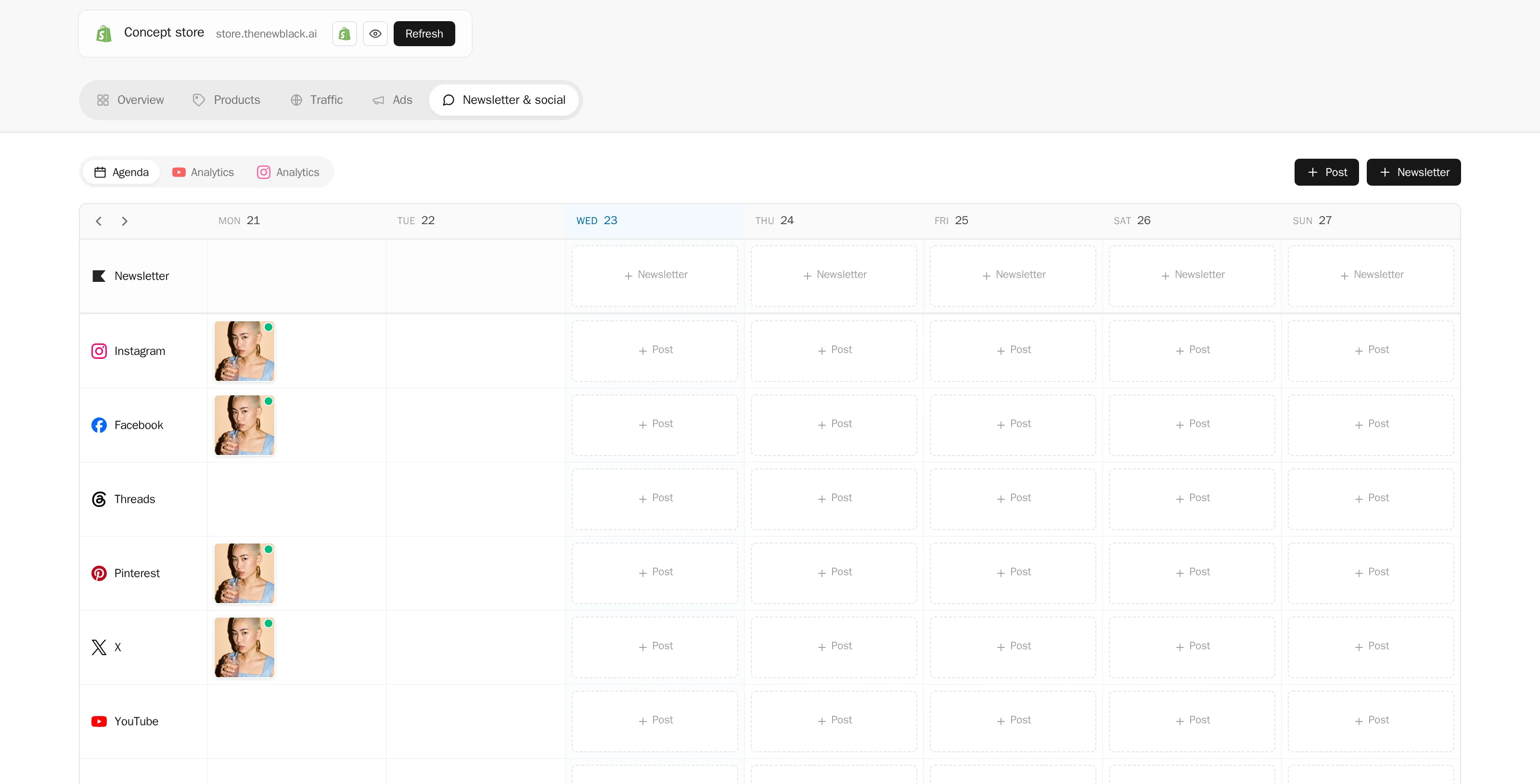
The week, Monday to Sunday, one row per network: what went out and what it brought — likes, comments, views — read from the networks themselves; what is scheduled; an empty slot to fill with a post written here from one of your creations. The replies under your YouTube and X posts, answered from the same page. Newsletters drafted from your newest visuals and saved to Klaviyo, ready to send. Each network’s analytics beside it.
Included with every plan. One account, one library, your whole team inside it.
Learn
Every product page scored
Eleven checks a good page passes, and what each of yours lacks — photos, video, alt texts, texts, category — with the fix a click away.
ReadArticles and pages for your store
Blog articles and pages written from a brief, illustrated with your own creations, saved to Shopify as drafts you publish.
ReadPublish AI product images to Shopify
An on-model photo, a video, an HD upscale made in the studio, put on the product page without leaving it.
ReadA Store without a Shopify shop
Ads, SEO, traffic and the social agenda work with Google, Meta and your accounts alone — the shop is one source among others.
Read