AI Tech Pack Generator
Draft the brief your factory makes the garment from: flat sketch, measurements, bill of materials and construction.
Start free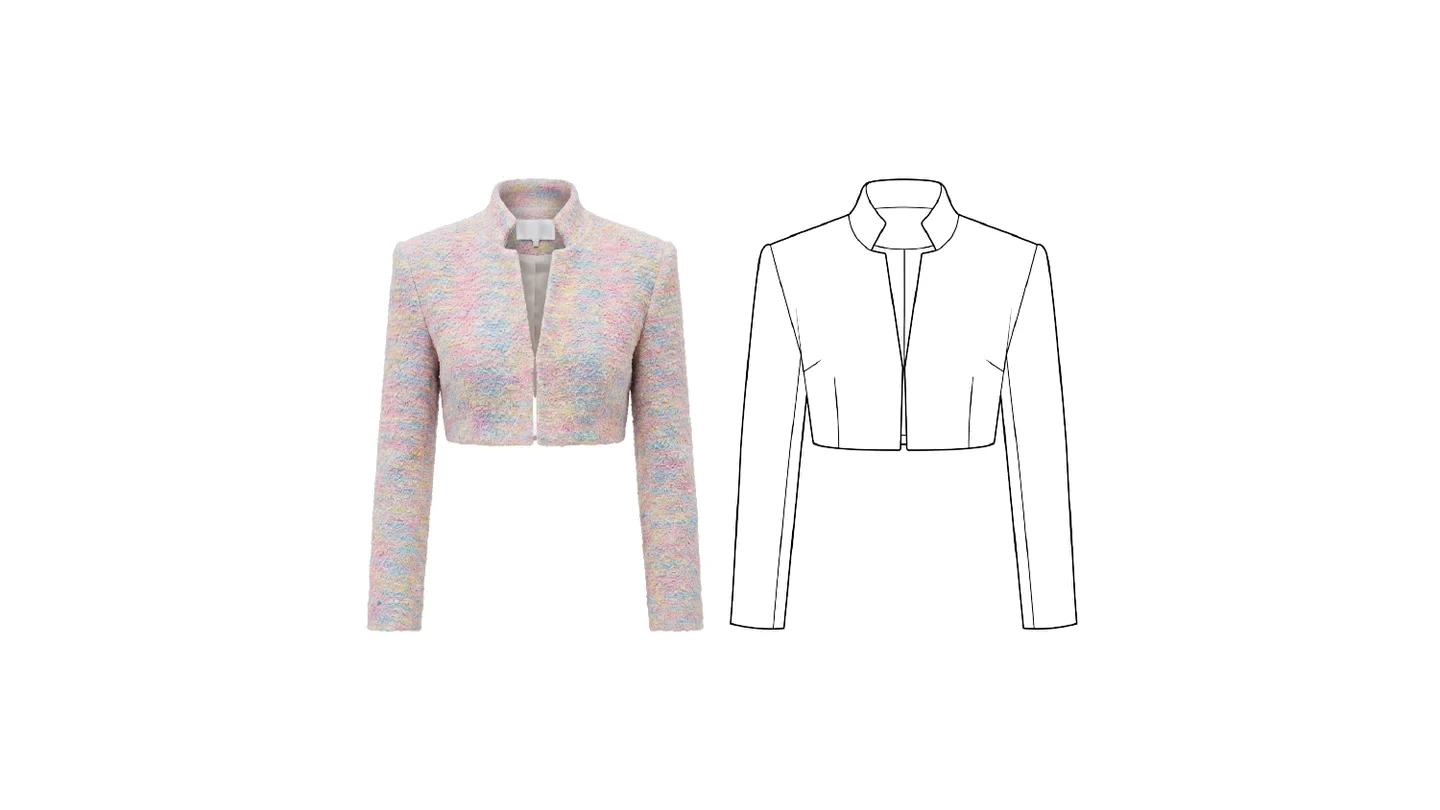
What a pack is made of here
The AI writes the first draft
Point it at a finished design and the pack comes back written: the description, the measurements, the materials, the construction notes. It reads the garment from your photographs, so what it proposes is your piece rather than a generic one. Every value is yours to correct afterwards.
Nothing is a fixed template
Add a section, move it, hide it, delete it, across as many pages as the pack needs. Most tools hand you a form and ask you to fit your garment into it. Here you build the document your factory asks for, not ours, and a pack for a knit does not have to look like a pack for a coat.
Size charts and grading
Measurements across every size, in your own labels and your own units. Rename a row, add a size, switch between centimetres and inches. The grading is a table you own rather than a calculation you have to accept.
Bill of materials
Fabrics, trims and components with their suppliers, quantities and prices. The half of the pack that decides what a garment costs, and the half a design tool usually leaves out entirely.
Annotated flats
Place, scale and rotate your sketches on a free canvas, and label them exactly where the detail is. A callout on the seam it refers to says more than a paragraph under the picture, which is why every factory drawing has been made this way for a century.
Exported to PDF
The whole pack, laid out by us rather than by a browser's print dialog, every page at the size of what is on it. It is the file you attach to an email, and it looks the same on the other end as it does here.
Learn
What is a tech pack
The complete guide: what the document carries, who reads it, and why a factory asks for one before a single sample is cut.
ReadHow to make a tech pack, step by step
By hand or with AI: the sections, the order they come in, and the omissions that cost a sample round.
ReadAI tech pack generators compared
Five tools side by side, on what they write for you, what they export, and what each one costs.
ReadThe tech pack feature, in detail
How the generator works inside the studio, from your photographs to the PDF a factory opens.
ReadWhat a tech pack is, and why the factory asks for one
A tech pack is the document that turns a design into something a stranger can make. It carries the flat sketches, the measurements at every size, the fabrics and trims with their suppliers, the construction notes, the labels and the finishing. A person on the other side of the world, who has never spoken to you, reads it and produces your garment.
Everything upstream of it is a picture. A rendering, a photograph, a sample somebody made once. Pictures are for deciding; the pack is for building, and the difference is that a picture can be interpreted while a pack is meant to remove interpretation.
Which is why it is the least glamorous part of a collection and the one that decides whether the collection exists. A design nobody can specify does not get made.
What the AI writes, and what it cannot know
Give it photographs of the finished design, a description if you have one, and the size range you want. It reads the garment from the images and returns a complete first draft: the description, the measurement table across your sizes, the bill of materials, the construction notes. In under a minute, and in your units.
What it is doing is not guessing prettily. It is naming what is visible: the silhouette, the closures, the seams, the components a piece like this is made of, the measurements a garment of that shape carries. That is most of the typing, and typing is most of what a tech pack costs in hours.
What it cannot know is worth stating exactly, because it is what you must read before sending anything. It does not know your intended fit, so a measurement it proposes is a plausible one rather than yours. It does not know your suppliers, so a material it lists is a description rather than a purchase. And it does not know your tolerances, which are a decision between you and the factory that no photograph contains. Correct those four things and the pack is yours.
Nothing here is a fixed form
Most tools in this category hand you a template and ask you to fit your garment into it. That works until the garment is not the one the template was drawn for, and then you spend the afternoon deleting rows you cannot delete.
Here the document is built from sections you control. Add one, move it, hide it, delete it, spread the pack across as many pages as it needs. A pack for a knit does not have to look like a pack for a tailored coat, and a factory that wants its own order of information can have it.
The practical consequence: your document converges on what your manufacturer actually reads. That is a thing you learn over a few seasons, and it should be possible to keep.
Do I need Illustrator or Excel?
No, and that question is asked so often that it deserves a straight answer rather than a slogan.
The pack is assembled and exported here, so the measurement table is a table you type in and the bill of materials is a list you fill, without a spreadsheet in the loop and without a version of that spreadsheet on somebody else's laptop.
But if you want Illustrator you keep it. A flat sketch generated in the design studio exports as SVG, which opens as editable vector lines rather than as a picture of a drawing, so a technical designer can correct a seam by moving the line rather than by redrawing it. The sketch comes back onto the canvas here, where it is placed, scaled and labelled where the detail is.
What it costs, and how the work divides
Building a pack by hand costs nothing beyond your plan: the editor, the pages, the tables, the canvas and the PDF are the product. Letting the AI write the first draft spends credits, like any other generation, and a new account opens with three free credits.
That division is deliberate, and it matches where the value is. The typing is the expensive part in hours and the cheap part in judgement, so that is the part worth automating. The reading, the correcting, and the decision about what your factory needs to be told stay with the person who knows the garment.
Where it sits in the rest of the studio
A tech pack is the last step, and everything before it lives in the same account. A design generated in Studio 01 becomes a flat sketch; that sketch becomes the drawing on the canvas here; the measurements are written around it; the pack exports as the file you send. Nothing is retyped between those steps and nothing is redrawn.
That continuity is the argument for building the pack where the design was made. Most tech pack tools begin at the moment a design already exists somewhere else, which means the first thing you do is re-import your own work.
Invite your team
Seats come with every plan, unlimited from Business. Work on projects, edit and publish together.
Tutorial
FAQ
A tech pack is the document a factory works from. It carries the flat sketches, the measurements across every size, the bill of materials, the construction notes and the finishing details, so that a person who has never spoken to you can make your garment correctly. Without one, a sample is a guess.
You give it photographs of the finished design, a short description if you have one, and the size range you want. It reads the garment from the images and writes the first draft: the description, the measurement table, the materials, the notes. The draft comes back in under a minute, and every field in it can be changed.
Completely, and that is the point. Every value is a field you can type in, every section can be moved, hidden or removed, and you can add as many pages as the pack needs. The AI gives you a starting document, not a locked one.
No. The pack is built and exported here. If you want to work in Illustrator you still can: a flat sketch generated in the design studio exports as SVG, which opens as editable vector lines rather than as a picture of a drawing.
It is ready to be reviewed, not ready to be sent unread. The AI proposes measurements and materials from photographs, and a photograph cannot know your intended fit, your supplier, or the tolerance you work to. What it saves is the hours of typing, not the judgement. Read it once, correct what only you know, and then it is ready.
Yes. Templates open a pack with its sections already in place, which is the faster path when you make the same kind of garment repeatedly and already know the shape of your own document.
To PDF, built page by page at the size of its contents rather than through a print dialog. The whole pack goes into one file, and each page keeps the orientation you chose for it, portrait and landscape mixed if that is how you laid it out. Exporting costs nothing, as many times as you need.
Yes. Packs are filed in the same projects as everything else you make, and a team shares them on the seats its plan includes.
Building and exporting a pack is free beyond your plan: the editor, the pages, the tables, the canvas and the PDF are the product. Only the AI steps spend credits. The first draft written from your photographs costs 1 credit for the reading, plus 1 credit for each flat sketch you ask it to draw; an AI review of a finished pack costs 2 credits; importing a tech pack you already have costs 2 credits. A new account opens with free credits, enough to try a first draft.
Yes. Give it the PDF of an existing pack and it transcribes what the document carries into the editor's fields: the header, the description, the size chart, the bill of materials, without inventing a value the document does not hold. Whatever it could not place is listed for you to decide. It costs 2 credits.