How to Extract a Fabric Print Pattern from a Design with AI
9 January 2026
Designers and fashion brands lean on AI to speed up creative work and to reuse existing assets in smarter ways. One of the most valuable cases is pulling a fabric print pattern straight out of a design image. With AI fabric tools you can isolate the textile from a garment, a visual, or a photo, and turn it into a reusable print for new collections, mockups, or digital production.
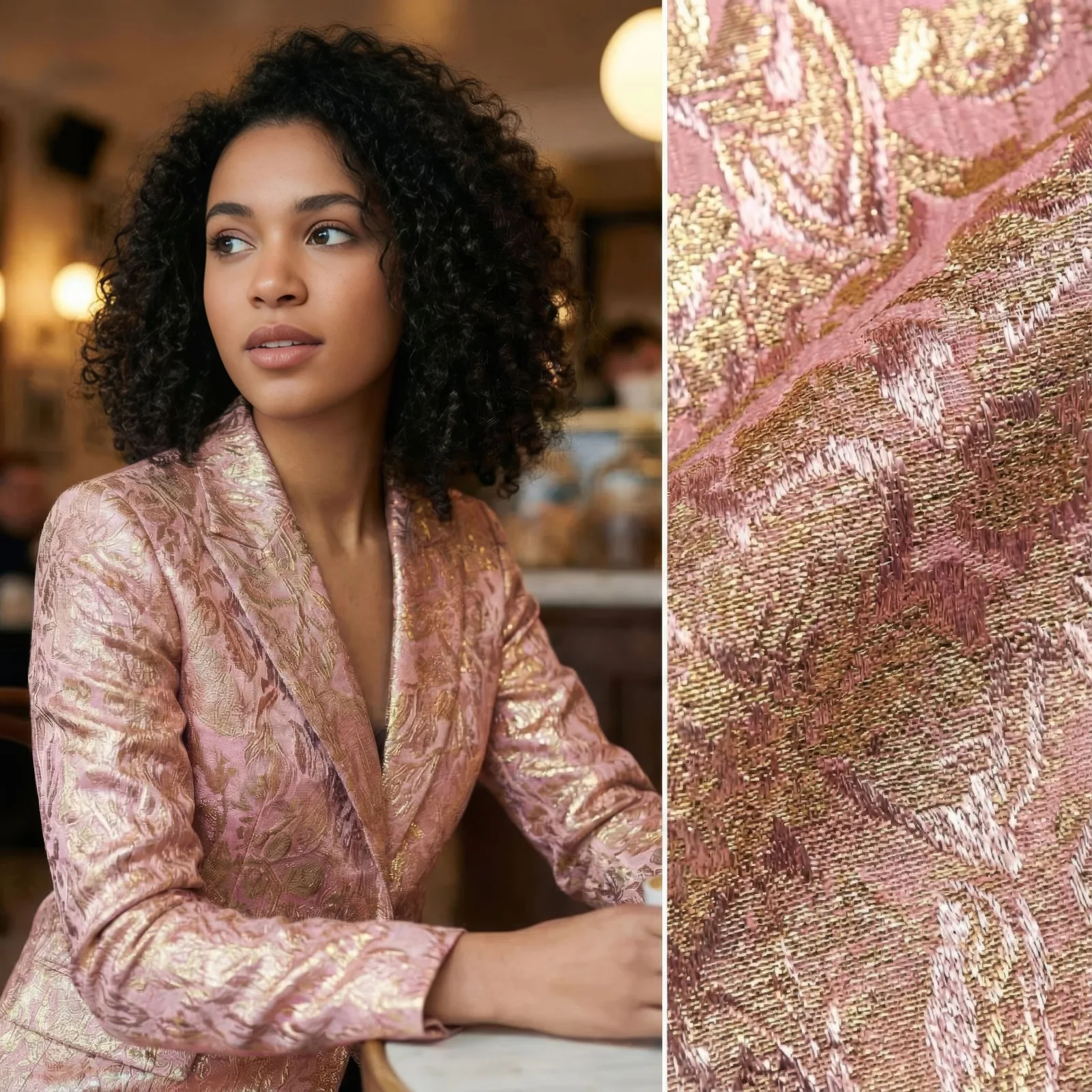
What fabric pattern extraction means
Extraction is the act of isolating the textile or the print from a design image while removing the model, the background, and the structure of the garment. The AI keeps only the surface: texture, color, and the repeatable pattern that defines the material. Once separated, the fabric lives independently from the design it came from.
How the AI isolates the textile
An image to fabric print pattern feature analyzes the visual structure of a garment and detects where the textile appears. It separates the fabric from folds, shadows, and surrounding elements. What comes out is a clean fabric image that reflects the original texture, colors, and pattern as closely as possible.
From design image to repeatable print
Once isolated, the fabric can be turned into a repeatable print. That matters when the same textile has to run across several garments: the AI helps keep scale and placement consistent, which is what holds a collection together visually. The extracted print can then be applied to a clothing sketch or used to build a new garment from the fabric itself.
Why designers use it
Extracting fabric prints with AI saves time and removes manual work. Rather than recreating a textile from scratch, you reuse a visual you already have and turn it into a new asset in seconds. That supports faster experimentation and lets creative teams test different applications of the same fabric without booking another shoot.
Practical use cases
Fashion brands use fabric extraction for digital sampling, lookbooks, and e-commerce visuals. The isolated textile can be applied to new silhouettes, color variations, or seasonal designs. For independent creators, it is a simple way to build a fabric library and widen what is possible with very few resources.
Get a better result from a better input
The quality of the extracted print depends heavily on the input image. Clear lighting, visible texture, and minimal distortion all help the AI isolate the textile accurately. High quality images give sharper patterns and more realistic results when the fabric is reused. The same input rule applies when you change the fabric on an existing clothing photo.
Where AI fabric workflows are going
These tools are becoming a normal part of fashion workflows. As image to fabric print pattern features improve, designers gain more control over textile reuse and customization, which lets teams work faster, stay consistent, and turn existing designs into fabric assets they can scale.
Pull a pattern from your own design
Take one garment image you already own and see what the fabric looks like on its own. Open the design studio and extract your first print.