Extract a Fabric Print Pattern from a Design with AI
Photograph or upload any garment, a floral dress for instance, and the vision AI isolates the textile, corrects the perspective and the lighting, then unwraps the print into a seamless, true scale repeat that is ready for production.
Updated 3 October 2026
- 1Upload your fashion design
- 2Describe the part to recreate
- 3Download your fabric image
How it works
Upload your fashion design
The design can be a woman in a coat, a bag, or anything at all made of fabric. The AI only needs to see the material clearly.
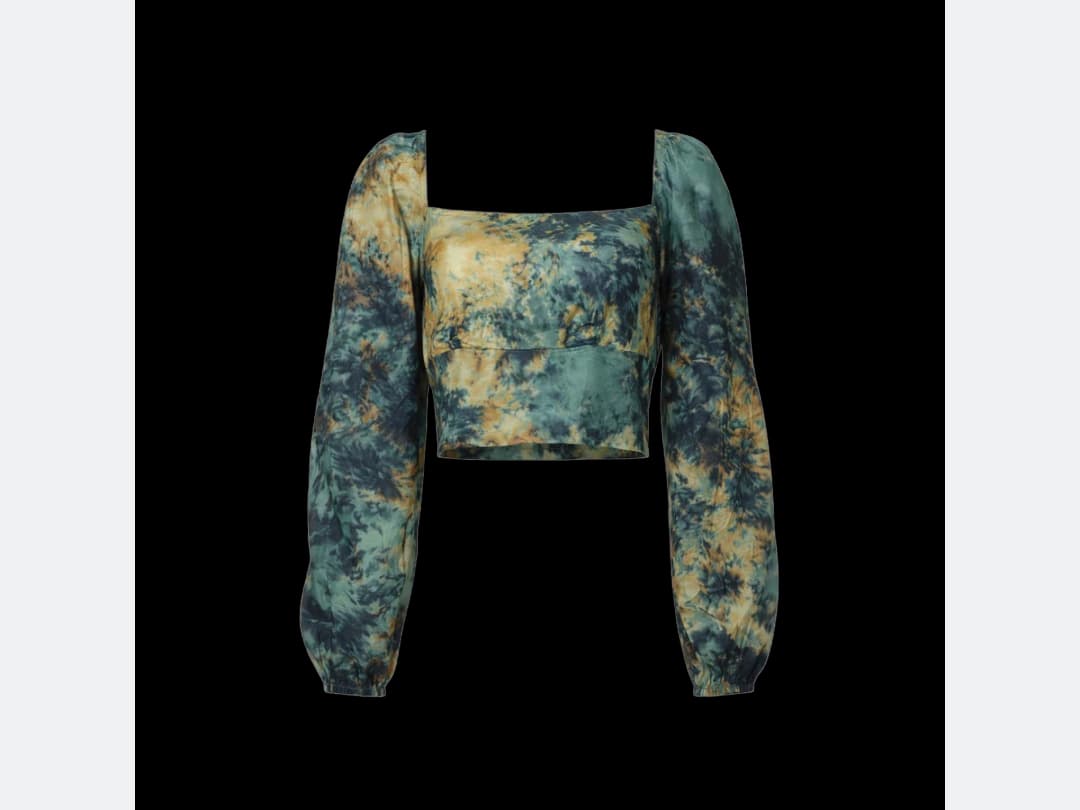
Describe the part to recreate
Point the AI at the right area. If you want the fabric of the coat, write "coat" in the field. That one word is what separates the print you are after from everything else in the frame.
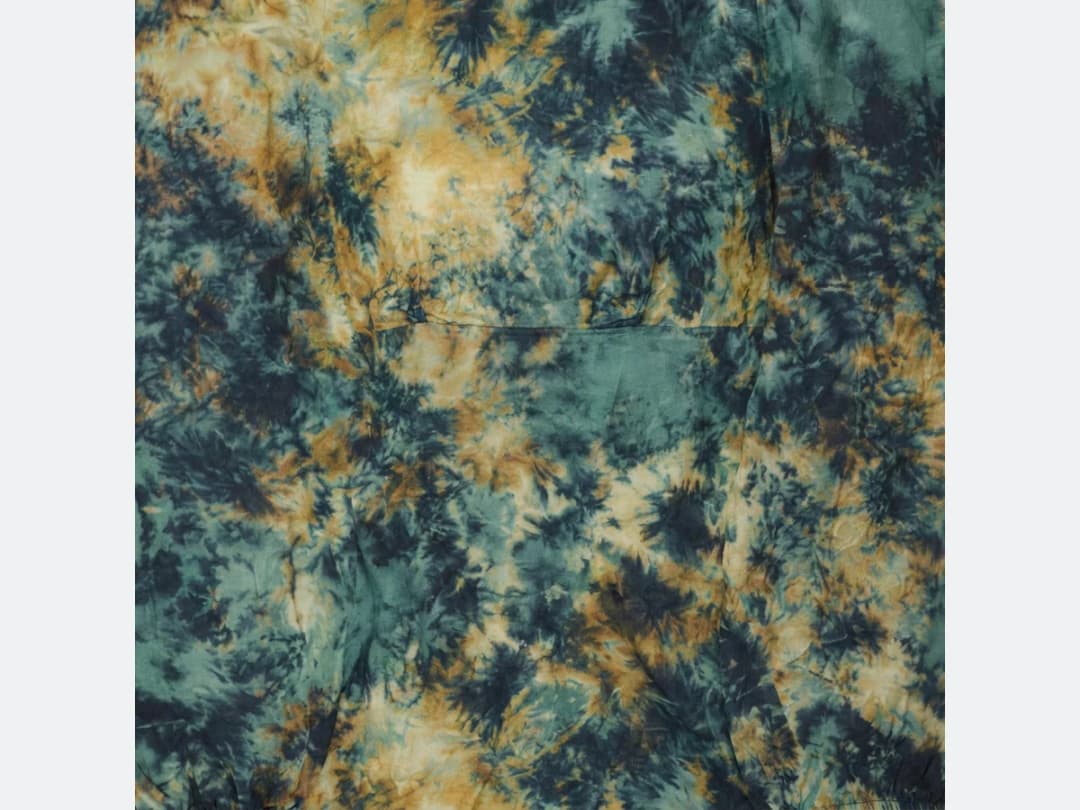
Download your fabric image
The repeat comes back as a flat, seamless tile you can download and use.
Frequently asked questions
What images can I extract a fabric from?+
Any design made of fabric: a woman in a coat, a bag, a dress. The one requirement is that the AI can see the material clearly, since it isolates the textile, corrects the perspective and the lighting, and unwraps the print from what the photo shows.
How do I tell it which fabric I want?+
Describe the part to recreate. If the print you are after is on the coat, write "coat" in the field. That one word is what separates your fabric from everything else in the frame.
Is the repeat really ready for production?+
The result comes back as a flat, seamless, true scale repeat that you download as a tile. The perspective and lighting corrections happen before the unwrap, so the tile is the print itself, not a photograph of it.
What can I do with the extracted pattern?+
It lands in your studio grid, organised in projects, alongside your other creations. From there you can download it for production, or feed it back into the studio's other fabric tools, for instance applying it to a clothing sketch.
Can I use the extracted prints commercially?+
Yes, on any plan: everything you generate is yours to sell, print and publish. The extraction runs in the browser with nothing to install, and free credits at signup cover your first patterns.
Can I run Image to Fabric on many photos at once?+
Yes, with bulk generation on the Pro, Business and Enterprise plans: upload up to 30 photos, choose Image to Fabric, set the instructions for the pattern once for the whole batch, and every photo comes back processed. Each photo costs the same credits as a single run.
Try it yourself
Everything on this page was made in the studio. Your first designs are minutes away.
Open the studioRelated features
- AI Fashion Video from Reference ImagesPut your model, your garment and a place into one video: add up to three reference pictures, describe the scene, and get a 5 to 15 second fashion clip in 9:16, 1:1 or 16:9.
- Fashion Reel Templates & AI Motion DesignEighteen Motion Design templates for fashion reels: drop your photos or clips, edit the words, render a 10-second video in 9:16, 4:5, 1:1 or 16:9. One credit, every plan.
- AI Clothes Maker, Design Clothes Online: The New Black AIDesign clothes online with an AI clothes maker: describe the piece, see it worn in seconds, iterate, then send a tech pack to your factory. 1 credit per design.
- AI Image Generator for Fashion: Create or Edit Any ImageWrite what you want and get the image, or upload up to three references and describe the change: the free-prompt tool that creates or edits any fashion visual, in any format.
- Create Similar Outfits with AIUpload an outfit image and get close variations of it: same spirit, same silhouette, new pieces. The fast way to build a capsule around one look that works.
- AI Image Vectorizer for Fashion: Logo, Print and Artwork to SVGTurn a logo, a print or an illustration into a real SVG: colour shapes that scale to any size, ready for screen printing, embroidery, labels and Illustrator. 1 credit.
- Create an AI Video of a Fashion Model Turning AroundTurn a front and a back photo into a smooth AI turnaround video with Model 360: the model turns on the spot or the camera orbits, every detail of the outfit kept from every side.
- AI Fashion Design for Kids, Toddlers and BabiesDesign kids fashion with AI: pick the age, from toddler to teenager, describe the outfit and get original children's clothing concepts.
- Extend an Image to a New Ratio with AIChange the aspect ratio of any photo with AI. Pick a new format such as 1:1, 9:16 or 16:9 and the AI extends the scene to fill it, instead of cropping what is already there.
- Free AI Color Analysis: Find Your Personal Color PaletteUpload a natural light selfie and the AI reads your undertones, contrast and brightness to give you your seasonal color palette, free.