AI Fashion Video from Reference Images
A fashion video from reference pictures puts your own elements into a scene you describe: the model, the garment and the place, each given as a picture, become one clip. Add up to three references, write what happens, and the video stages them together, instead of animating a single first frame.
Updated 4 October 2026
- 1Add up to three references
- 2Describe the scene
- 3Generate the clip
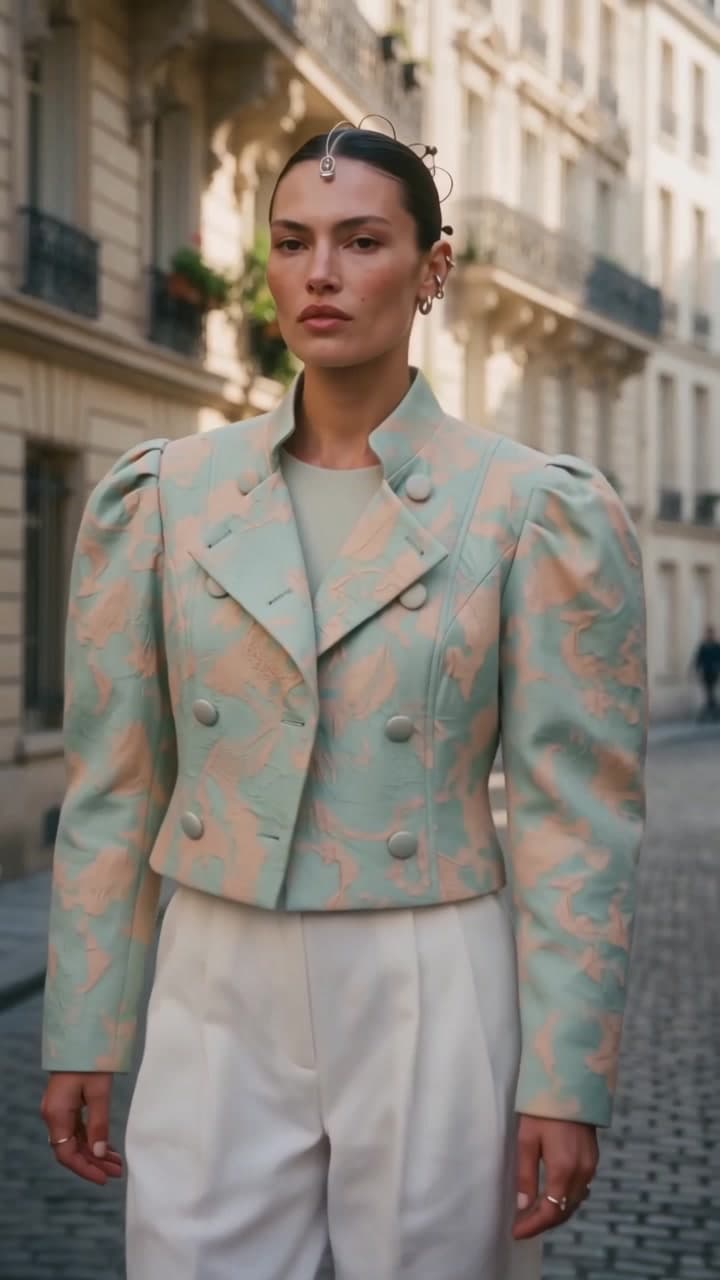
How it works
Add up to three references
In the studio, open Create video from text or image and choose Use references. Add up to three pictures: a person, a garment, a place. A model photo from your catalogue, a product shot or a ghost mannequin, a location picture, any of your creations or your own uploads.
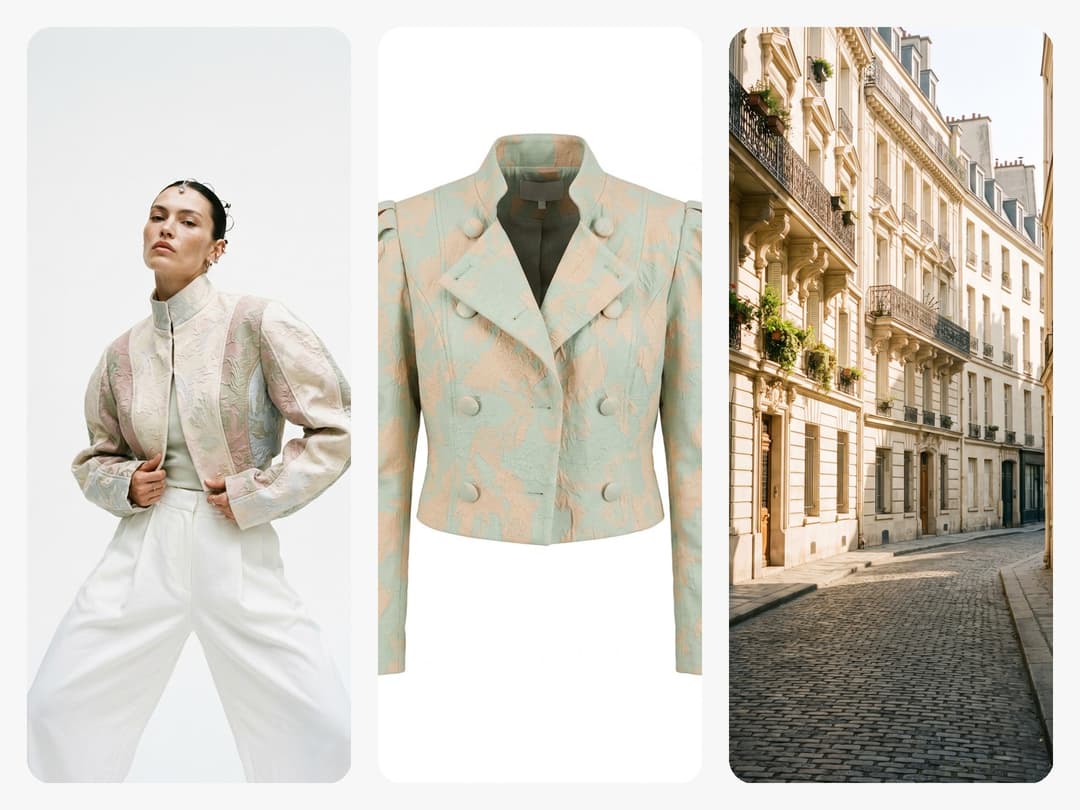
Describe the scene
Write what should happen, naming each picture by its place: "the woman from image 1 wears the jacket from image 2 and walks down the street from image 3 toward the camera". Choose the format, 9:16 for a reel, 1:1 or 3:4 for a post, 16:9 for a banner, and the length: 5, 10 or 15 seconds.
Generate the clip
The video puts the person in the garment, in the place, moving the way you described. It lands in your studio like any creation, ready to publish on a product page or a social network, or to go into an ad.
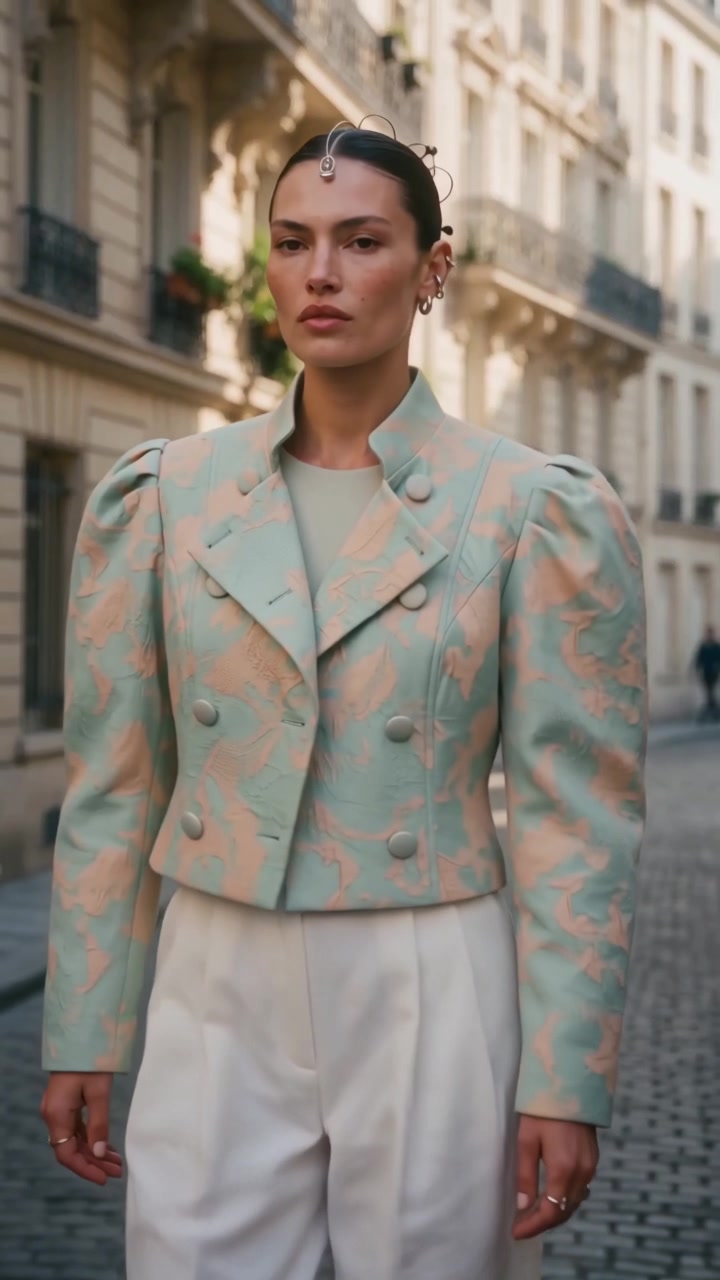
Animate an image or use references: which one?
Create video from text or image offers three ways to make a clip, and they answer different needs.
| You have | Choose | What the video does |
|---|---|---|
| Only an idea | a prompt alone | invents the whole scene |
| One finished picture | Animate an image (start image, optional end image) | brings that exact picture to life |
| Separate elements: a model, a product, a place | Use references | stages them together in a new scene |
References are the answer when the picture you would animate does not exist yet: your model has never worn the new jacket, or never been to that street. Instead of making the photo first and animating it second, the clip is made in one step from the parts.
What it costs
References cost the same as any clip of Create video from text or image, per second of video: 2.2 credits on Standard AI, 4.4 on Pro AI and 23 on Ultra AI. A 5 second Standard clip is 11 credits. Standard is open to every account; Pro AI and Ultra AI come with any plan.
Tips for references that hold
Give each reference one job. A model photo where the face and the body are clear, a garment on a plain background (a ghost mannequin shot is ideal), and a place without people in it. Then name them in the prompt by their number, so the video knows which picture is the person and which is the jacket, and say the movement in plain words: walks toward the camera, turns around, sits on the steps.
From a creation's window, the same thing is one click away: press Workflows and choose Reference image on Create or Edit Videos, or open Video and switch to Use as reference. The picture you are looking at becomes image 1 of the scene.
Your AI agent can make the same clip for you: ask it to put a model, a product and a place into a video, and it runs the same workflow with your references. Developers use the `references` parameter of the AI video API.
Frequently asked questions
How many reference pictures can I use?+
Up to three in one video, for example a person, a garment and a place. One or two also work, such as a model and a product.
What is the difference with animating an image?+
Animating an image keeps that exact picture as the first frame and brings it to life. References are separate pictures, a model, a product, a place, that the video puts together in a new scene you describe.
Can I choose the format and the length?+
Yes: 16:9, 4:3, 1:1, 3:4 or 9:16, and 5, 10 or 15 seconds.
How much does a video from references cost?+
The same as any clip of the workflow, per second: 2.2 credits on Standard AI, 4.4 on Pro AI, 23 on Ultra AI. A 5 second Standard clip costs 11 credits.
Can I use the video commercially?+
Yes, on any plan: everything you generate is yours to publish, on your product pages, your social networks and in your ads.
Try it yourself
Everything on this page was made in the studio. Your first designs are minutes away.
Open the studioRelated features
- Fashion Reel Templates & AI Motion DesignEighteen Motion Design templates for fashion reels: drop your photos or clips, edit the words, render a 10-second video in 9:16, 4:5, 1:1 or 16:9. One credit, every plan.
- Create an AI Video of a Fashion Model Turning AroundTurn a front and a back photo into a smooth AI turnaround video with Model 360: the model turns on the spot or the camera orbits, every detail of the outfit kept from every side.
- Create AI Generated Model VideosTurn a clothing photo into an AI model video: create the model, then bring the still to life with realistic motion, no photoshoot needed.
- Animate a Sketch with AI VideoAnimate a fashion sketch with AI: upload a drawing and get a short video where the illustration itself moves, for presentations and moodboards.
- AI Jewelry Video GeneratorTurn a jewelry photo into a video with AI: sparkle, macro detail and slow rotation from a single image, no product film shoot needed.
- AI Sunglasses VideoTurn a sunglasses photo into a video with AI: face turns, lens reflections and light play from a single image or a text description.
- AI Shoes and Sneakers VideoTurn a shoe or sneaker image into a video with AI: on foot movement, sole flex and turning angles from one photo or a text description.
- AI Bag Video GeneratorTurn a bag photo into a video with AI: carried movement, swaying hardware and true scale from one image, no product film shoot.
- Create Video from Text or Image: AI Fashion VideoTurn a still into a clip, or make the clip from words alone: start image, optional end image, format, 5 to 30 seconds, generated audio, 720p in Standard and 1080p in Pro. From 11 credits.
- AI Clothing Fashion Video GeneratorTurn any fashion image into a video in seconds: upload your visual, pick a duration, and get AI clothing videos for e-commerce and social.