AI Sunglasses Video
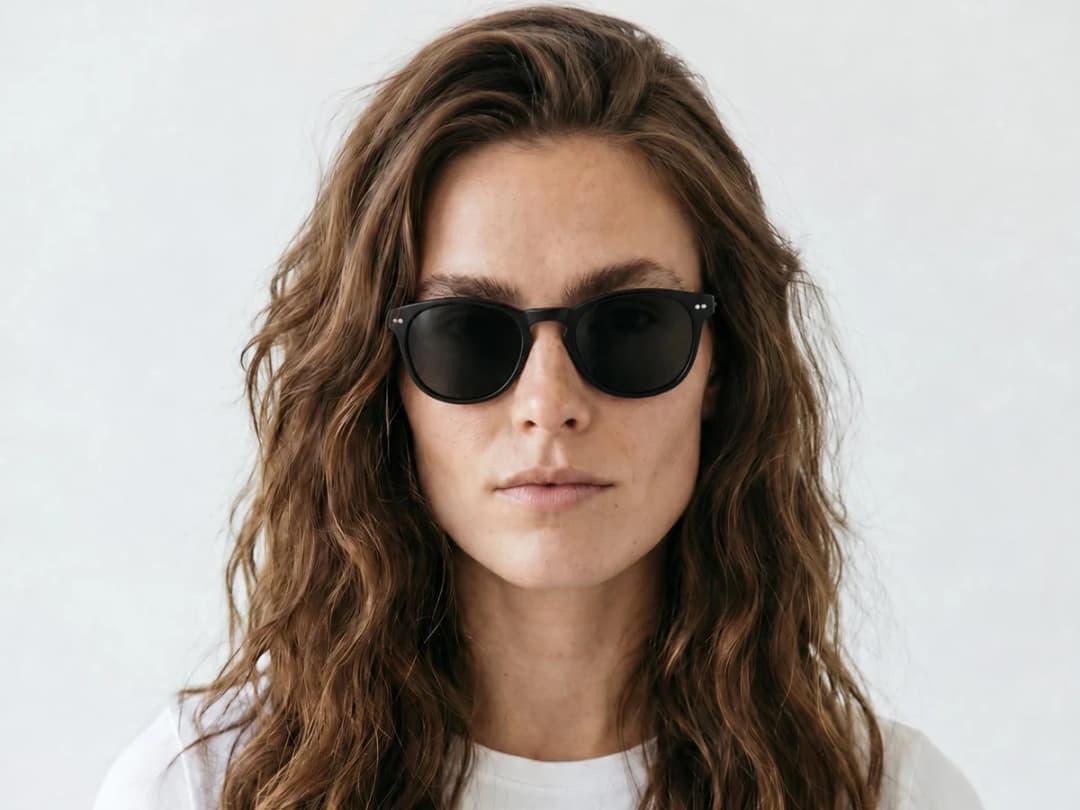
Sunglasses live on two things a photo can only freeze: the turn of a face and the light moving across the lenses. The AI sunglasses video generator takes one image of your design, on a face or as a product shot, and returns a short clip where the head turns, the reflections travel, and the frame shows how it actually sits at the temples and on the nose.
Updated 2 September 2026
- 1Upload your sunglasses image or describe the design
- 2Choose the length and the format
- 3Generate and publish
How it works
Upload your sunglasses image or describe the design
Use a photo in JPG, PNG, or WebP format. A model wearing the frames gives you the face-turn kind of clip; a clean product shot gives you a rotating object. No photo at all? Describe the design and generate the image first.
Choose the length and the format
Pick 5 or 10 seconds and the format that matches the destination. A slow head turn fits comfortably in five seconds; ten leaves room for a scene.
Generate and publish
The clip lands in your studio grid with your other creations. Use it on your brand site, on a product page, or to bring an eyewear prototype to life before it exists.
The face is the fitting room
Eyewear is the accessory people are least willing to buy unseen, because fit is the whole product: how wide the frame reads on a face, where the browline sits, what the lens tint does in daylight. A moving face answers those questions faster than any flat image. For still shots of frames on generated faces, see AI models for head accessories, then open the studio to put your frames in motion.
Frequently asked questions
Should I start from a worn shot or a product shot?+
Both work, and they give different clips. A photo of the sunglasses on a face produces the head-turn, reflection-play kind of video that shows fit. A product shot on a plain background produces a clean rotating object for a product page. Many brands generate one of each from the same design.
What input does it need?+
A single image in JPG, PNG, or WebP format, or a text description if the design has no photo yet. The AI generates the image first and the video from it.
How long are the videos?+
5 or 10 seconds, in the format you choose at creation, so the same frames can loop wide on your site and vertical on social.
Can the clips go in my ads and store?+
Every clip stays organised in your studio projects, ready to reuse in other workflows.
Try it yourself
Everything on this page was made in the studio. Your first designs are minutes away.
Open the studioRelated features
- AI Fashion Video from Reference ImagesPut your model, your garment and a place into one video: add up to three reference pictures, describe the scene, and get a 5 to 15 second fashion clip in 9:16, 1:1 or 16:9.
- Fashion Reel Templates & AI Motion DesignEighteen Motion Design templates for fashion reels: drop your photos or clips, edit the words, render a 10-second video in 9:16, 4:5, 1:1 or 16:9. One credit, every plan.
- Create an AI Video of a Fashion Model Turning AroundTurn a front and a back photo into a smooth AI turnaround video with Model 360: the model turns on the spot or the camera orbits, every detail of the outfit kept from every side.
- Create AI Generated Model VideosTurn a clothing photo into an AI model video: create the model, then bring the still to life with realistic motion, no photoshoot needed.
- Animate a Sketch with AI VideoAnimate a fashion sketch with AI: upload a drawing and get a short video where the illustration itself moves, for presentations and moodboards.
- AI Jewelry Video GeneratorTurn a jewelry photo into a video with AI: sparkle, macro detail and slow rotation from a single image, no product film shoot needed.
- AI Shoes and Sneakers VideoTurn a shoe or sneaker image into a video with AI: on foot movement, sole flex and turning angles from one photo or a text description.
- AI Bag Video GeneratorTurn a bag photo into a video with AI: carried movement, swaying hardware and true scale from one image, no product film shoot.
- Create Video from Text or Image: AI Fashion VideoTurn a still into a clip, or make the clip from words alone: start image, optional end image, format, 5 to 30 seconds, generated audio, 720p in Standard and 1080p in Pro. From 11 credits.
- AI Clothing Fashion Video GeneratorTurn any fashion image into a video in seconds: upload your visual, pick a duration, and get AI clothing videos for e-commerce and social.