AI Clothing Generator
An AI clothing generator creates a new garment from a written description: you name the piece, the fabric, the colour and the mood, and the generator returns it in seconds, worn by a model or on its own, ready to iterate, to photograph and to send to the factory. On The New Black AI it is the Create a Product workflow of the design studio, and the design it makes is not a picture to admire but a product to carry on: the same creation becomes a try-on, a video, a tech pack and a listing on your store.
Updated 20 September 2026
- 1Describe the garment
- 2Set the model and the scene
- 3Generate, refine, carry on
How it works
Describe the garment
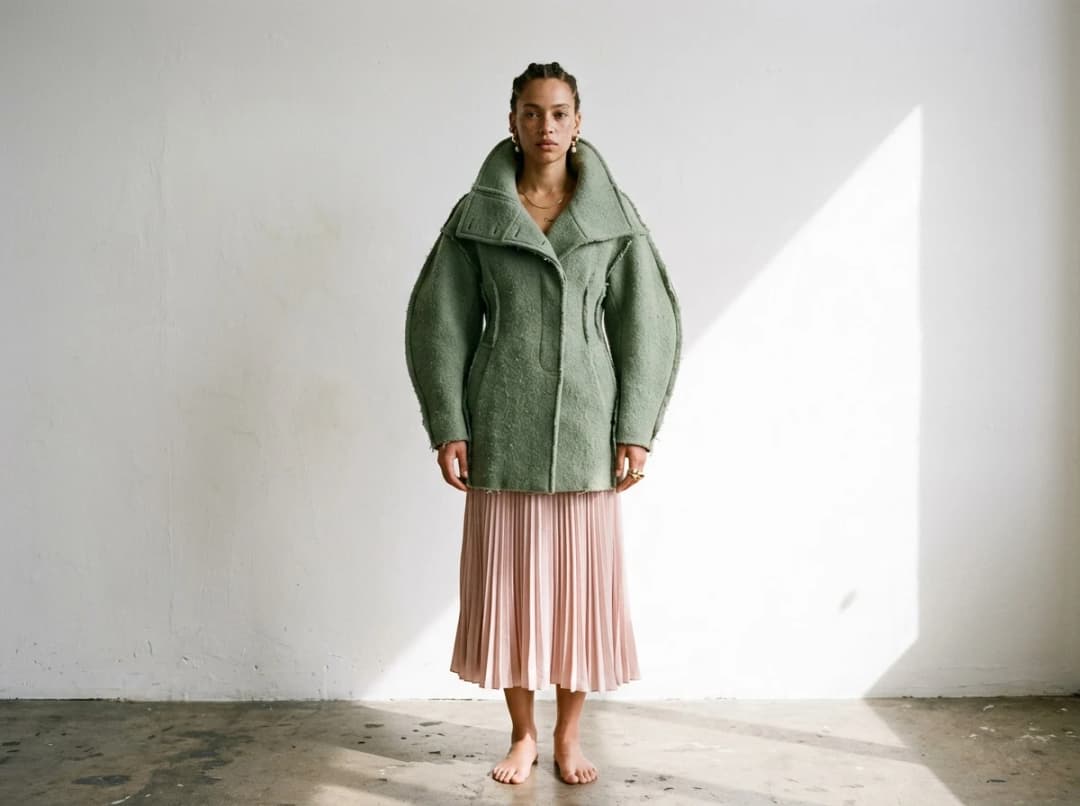
Type the piece as you would brief a designer: a cropped boiled-wool jacket with a funnel collar, sage green, oversized shoulders. Choose the garment type, the view, on model or product only, and the creative booster, from a faithful rendering to a free interpretation.
Set the model and the scene
Pick the model from the library or describe your own, hair, age, origin, and the scene, a white studio or a street at noon. The Visual DNA keeps every generation in your brand's palette and light, so a collection reads as one hand.
Generate, refine, carry on
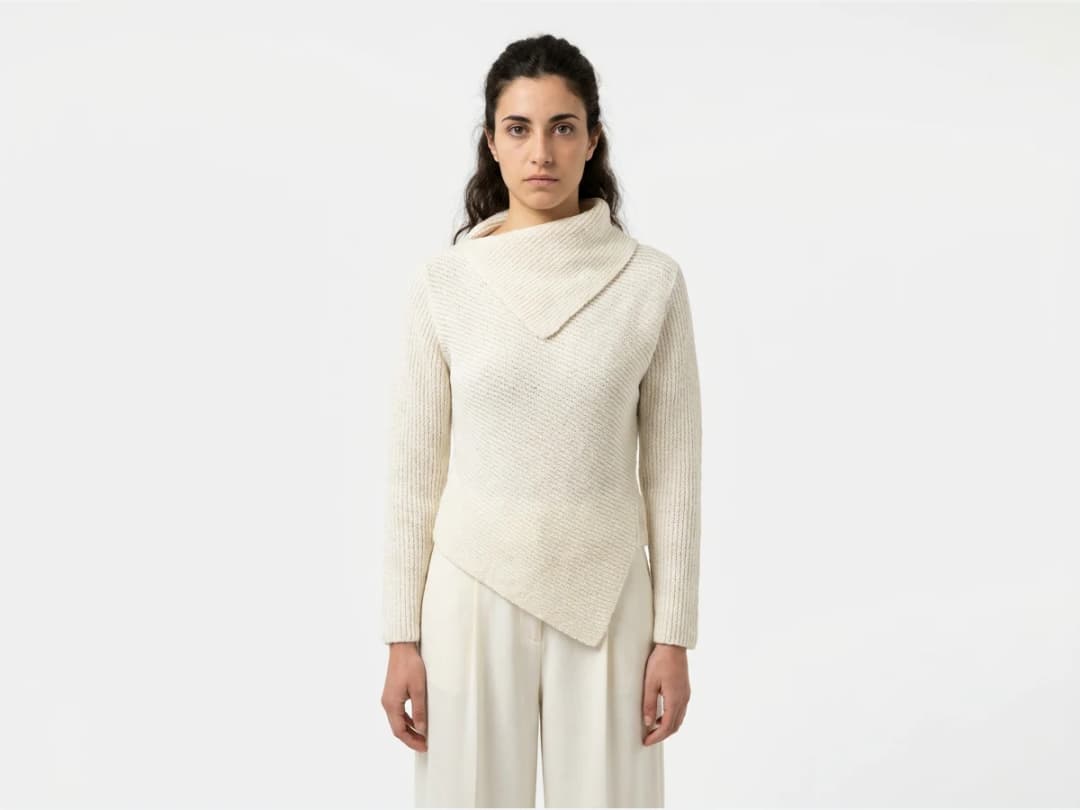
One credit on Standard, three on Pro. Run it again with a different colour or fabric, keep the versions you like in a project, then send the design to virtual try-on, to a short video, to HD, or draft its tech pack. Publish the product image to your Shopify store from the same window.
What an AI clothing generator is for
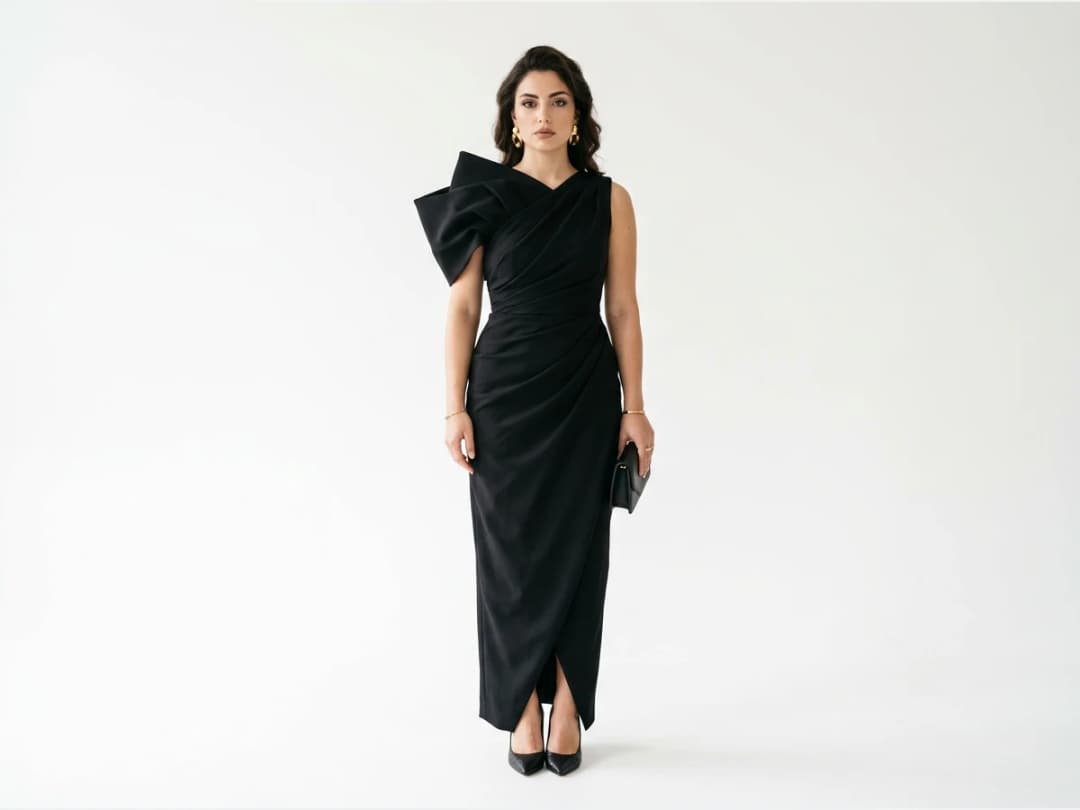
For a brand, it replaces the first weeks of a collection: instead of sketching twenty ideas and rendering three, you render twenty and keep the three that hold. For a shop, it is the fastest way to see a new product before it exists, in the colourways you are hesitating between. For a designer, it is a sketchbook that answers.
Free, and what the credits pay
A new account opens with free credits, so the first designs cost nothing. Afterwards each generation spends one credit on Standard and three on Pro; plans start at $15 a month with 200 credits. ## Generate your first piece
Open the design studio and describe a garment. From a sketch instead of words, use sketch to image; from a fabric, fabric to image. To choose a tool, read what is AI fashion design and the comparison of AI fashion tools.
Frequently asked questions
What is an AI clothing generator?+
A tool that creates a garment from a description or a sketch and renders it as a finished product, on a model or alone. Here it is the Create a Product workflow, and the result carries on into product photos, videos, tech packs and your store.
Is the AI clothing generator free?+
New accounts come with free credits, so the first designs are free. Each generation then spends one credit on Standard or three on Pro; plans start at $15 a month.
Can I generate clothes from a sketch or a fabric instead of text?+
Yes. Sketch to image turns a flat sketch into a finished garment, fabric to image makes a garment from a photo of a fabric, and a reference image can guide the generator alongside the text.
Can I keep the same model and the same style across designs?+
Yes. A model reference keeps the same person on every image, and the Visual DNA keeps the palette and the light of your brand across the whole collection.
Can I sell what I generate?+
Yes, on any paid plan. The designs can go into a real collection, a tech pack and a store listing.
Are my uploads and my creations private?+
Yes. Everything you upload and everything you generate is private to your account, never shown to other users, never published without an action of yours, and never used to train any model, on any plan. Details on the Security page.
Can I use the models, garments and backgrounds provided in the studio commercially?+
Yes. The house templates are free for commercial use: your campaigns, your product pages, your lookbooks, with no separate licence and no attribution.
Try it yourself
Everything on this page was made in the studio. Your first designs are minutes away.
Open the studioRelated features
- AI Fashion Video from Reference ImagesPut your model, your garment and a place into one video: add up to three reference pictures, describe the scene, and get a 5 to 15 second fashion clip in 9:16, 1:1 or 16:9.
- Fashion Reel Templates & AI Motion DesignEighteen Motion Design templates for fashion reels: drop your photos or clips, edit the words, render a 10-second video in 9:16, 4:5, 1:1 or 16:9. One credit, every plan.
- AI Clothes Maker, Design Clothes Online: The New Black AIDesign clothes online with an AI clothes maker: describe the piece, see it worn in seconds, iterate, then send a tech pack to your factory. 1 credit per design.
- AI Image Generator for Fashion: Create or Edit Any ImageWrite what you want and get the image, or upload up to three references and describe the change: the free-prompt tool that creates or edits any fashion visual, in any format.
- Create Similar Outfits with AIUpload an outfit image and get close variations of it: same spirit, same silhouette, new pieces. The fast way to build a capsule around one look that works.
- AI Image Vectorizer for Fashion: Logo, Print and Artwork to SVGTurn a logo, a print or an illustration into a real SVG: colour shapes that scale to any size, ready for screen printing, embroidery, labels and Illustrator. 1 credit.
- Generate AI Fashion in Bulk for Your CatalogGenerate a whole catalog in one run: upload up to 30 product photos, pick a workflow, write one brief for the batch, and get AI models, try-ons or videos for every item at once.
- Create an AI Video of a Fashion Model Turning AroundTurn a front and a back photo into a smooth AI turnaround video with Model 360: the model turns on the spot or the camera orbits, every detail of the outfit kept from every side.
- AI Fashion Design for Kids, Toddlers and BabiesDesign kids fashion with AI: pick the age, from toddler to teenager, describe the outfit and get original children's clothing concepts.
- Extend an Image to a New Ratio with AIChange the aspect ratio of any photo with AI. Pick a new format such as 1:1, 9:16 or 16:9 and the AI extends the scene to fill it, instead of cropping what is already there.