Best AI Fashion Design Software 2026: The New Black AI
Published 7 September 2026 · Updated 25 September 2026
AI fashion design software is any tool that uses generative models to create, edit or photograph clothing from a description, a sketch, a fabric or a product photo: design generators, AI model and virtual try-on generators, sketch-to-render tools, and the platforms that combine them with tech packs and publishing. This is the most exhaustive comparison of them available for 2026, with 24 platforms covering every corner of the category, where most roundups stop at seven or eight. AI has worked its way into nearly every stage of building a fashion brand: sketching garment concepts, generating on-model product photos and video, letting shoppers try a piece on before buying, and turning a single flatlay into a full catalog without a studio, a model, or a retoucher. The category got crowded fast, and the tools split into genuinely different types rather than one uniform list. A design generator, a model generator for products, a virtual try-on app, and a Shopify plug-in for model photos solve different problems, even though all of them are marketed under the same "AI fashion tools" umbrella.
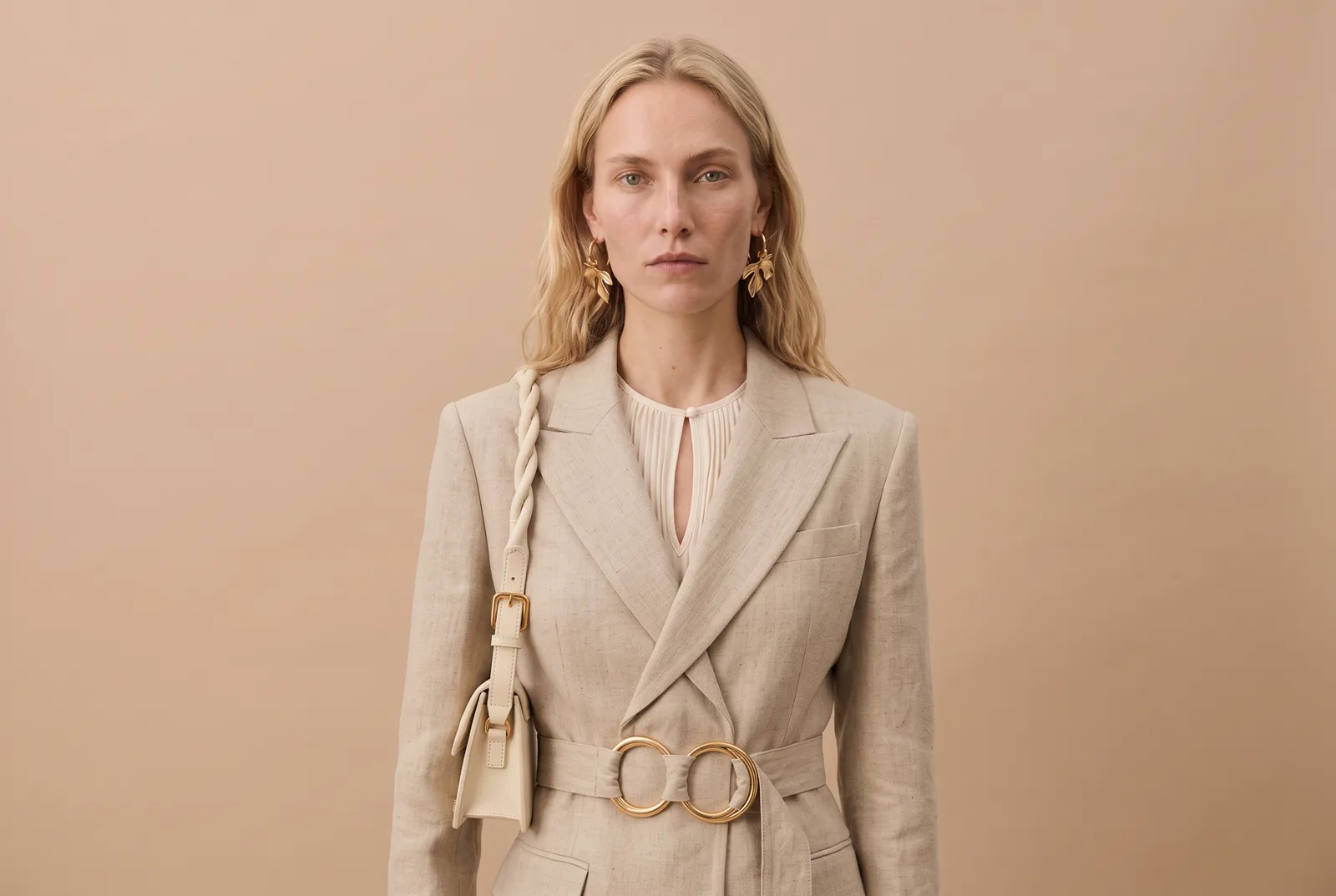
Quick comparison: which tool for which job
Updated 25 September 2026, prices read on each vendor's pricing page that day. They are starting points; check each site before you decide.
| Tool | Best for | Starting price | Free tier |
|---|---|---|---|
| The New Black AI | Design, models, try-on, tech packs, video, Store and publishing in one account; Shopify app, API, MCP, AI agents | $15 a month, 200 credits | 3 credits at signup |
| WearView | High resolution product-to-model output, up to 4K | Paid from the first tier | No meaningful trial |
| SellerPic | Social and video assets from one product photo, native Shopify app | About $29 a month, roughly 500 credits | Limited |
| HuHu | Model diversity, concierge tier for larger brands | About $20 a month | Limited |
| Botika | The simplest Shopify upload-to-storefront workflow | About $40 a month billed yearly; 1 credit per photo, 5 per video | Free trial |
| Modelia | Shopify brands that also want video of the same model | About $30 a month | Watermarked |
| Uwear.ai | Pay as you go, no commitment | About $0.10 per credit, plans from about $57 | Credits |
| fashn.ai | Try-on, model swap and packshots through an app and an API; now framed as an agent for e-commerce brands | $19 a month, 200 credits | 10 credits |
| Fitroom.ai | A shopper-facing try-on widget on your own store | About $16 a month | 10 credits a month |
| VModel.ai | Irregular shoot volume: credits never expire, no subscription | Bundles from $10 | About $10 of credits |
| Canva, X-Design, Fotor, insMind | Teams in a general design suite that want a model image now and then; weaker garment preservation | Free to about $13 a month | Yes, limited |
| StyTrix | A fashion design canvas with daily free credits, style training on the Pro plan | $19 a month, 250 credits | 3-day trial |
| Yoona, NewArc, LookFashion, Style3D, fashionINSTA, FashionDiffusion | The design side: sketch to render, pattern, 3D, before there is a product to photograph | Credits; FashionDiffusion from $12 a month for 100 credits; enterprise on Style3D and fashionINSTA | Mostly; none on FashionDiffusion |
| Lalaland, Raspberry, The Fabricant | Enterprise and digital-only specialists, sold by demo or built for 3D pipelines | By demo; The Fabricant from about $19 | Rarely |
How we evaluated. For each tool we looked at what image it starts from (flatlay, mannequin, on-model photo, sketch or text), how well it keeps the garment exactly as it is, what it costs per image at a realistic monthly volume, whether the output can be published somewhere on its own, and whether one model can stay consistent across a whole catalogue. Where we are on the list, we say so, and the tradeoffs we name for ourselves are real.
Free tiers and first plans, side by side
The question people ask an assistant first is "is there a free one". The honest answer is: free to try, almost never free to run a catalogue on. What the free tier really gives you, and what the first paid plan costs, read on 25 September 2026:
| Tool | What you get for free | First paid plan | Credits on that plan | One image costs |
|---|---|---|---|---|
| The New Black AI | 3 credits at signup, every workflow open | $15 a month | 200 | 1 credit on Standard AI, 3 on Pro |
| fashn.ai | 10 credits | $19 a month | 200, rolling over up to 600 | credits per generation, by resolution |
| StyTrix | 3-day trial, daily credits | $19 a month | 250 | credits per generation |
| Botika | free trial | about $40 a month, billed yearly | 1,000 a year on Advanced | 1 credit per photo, 5 per video |
| FashionDiffusion | nothing | $12 a month | 100 | about 1 credit per image |
| Fitroom | 10 credits a month | about $16 a month | credits | 1 credit per try-on |
| VModel | about $10 of credits | bundles from $10, no subscription | never expire | credits |
| Canva | a limited AI allowance | about $13 a month | monthly AI credits | not fashion-specific |
Two things the table cannot say. A "credit" is not the same size everywhere: on The New Black AI one credit is one image on Standard AI and three on Pro AI, a ten-second video is 22 credits on Standard and 44 on Pro, a 3D model is 10. And a free tier that watermarks the image, or caps the resolution, is a demo, not a plan.
How the market breaks down
Rather than a flat ranking, it is more useful to think of these tools in six groups.
- All-in-one creative platforms (The New Black AI, WearView, SellerPic, HuHu) go beyond photography, adding editing, video, styling, or publishing on top of image generation.
- Shopify-first generators (Botika, Modelia, Uwear.ai) are built around one fast upload-to-storefront workflow.
- Developer and API-first tools (fashn.ai, Fitroom.ai, VModel.ai) are priced per call or per credit, for teams embedding try-on or model generation into their own product.
- General design tools with fashion features (Canva, X-Design, Fotor, insMind) treat model generation as one feature inside a much broader suite.
- Design and sketch-to-render tools (Yoona.ai, NewArc.ai, LookFashion.ai, Style3D.ai, fashionINSTA.ai, FashionDiffusion.ai, StyTrix) sit earlier in the pipeline, turning sketches, prompts, or pattern data into new garment concepts rather than photographing finished products.
- Enterprise and adjacent specialists (Lalaland.ai, Raspberry.ai, The Fabricant.ai) sit next to this market rather than squarely inside it: enterprise merchandising, or digital-only fashion.
All-in-one creative platforms
1. The New Black AI
The New Black AI starts from a different premise than most tools on this list: a fashion brand does not just need a generated image, it needs that image to move through an entire production pipeline. The platform is organized into five connected studios, Design, Models, Virtual Try-On, Tech Pack, and Stylist, so a garment concept travels from sketch to on-model photo to a live product listing without leaving the app.
Upload a flatlay, a mannequin shot, or an existing on-model photo, pick from a diverse AI model library, and generate photorealistic images or short videos. A Visual DNA system keeps that output visually consistent as a catalog grows, which is a common failure point once brands start generating hundreds of SKUs across different sessions.
What separates it from a typical generator is everything downstream of the image itself:
- Shopify integration: a dedicated app on the Shopify App Store publishes generated visuals directly to a live product listing, not just an export folder.
- API access: generation and other platform actions can be called programmatically, so the studios wire into a brand's own tools rather than only working through the web app.
- MCP server for Claude: an official Model Context Protocol server lets teams trigger generation and other actions from an AI assistant instead of a browser tab, which almost no other tool here offers.
- Built-in photo editor for retouching and adjustments without switching apps.
- Built-in video editor to turn stills into ads, reels, and product clips.
- Direct social publishing to Instagram, Facebook, TikTok, Threads, Pinterest, and YouTube from the same workspace.
It is used by thousands of paying subscribers across more than 120 countries. The tradeoff for all that range is a steeper learning curve than a single-purpose upload-and-generate tool, and a short tutorial goes a long way on the more advanced workflows.
2. WearView
WearView packages product-to-model generation, text-to-model creation, virtual try-on, pose control, consistent brand model identities, and AI fashion video into a single self-serve workspace. Output goes up to 4K, higher than most competitors at similar pricing, and exports are tuned for Shopify, Amazon, and Etsy listings. There is no meaningful free trial, since pricing starts at a paid tier from the outset.
3. SellerPic
SellerPic turns one product photo into a batch of marketing assets: model shots, lifestyle scenes, multi-angle views, and lip-sync video aimed at TikTok and Reels, with a native Shopify app pulling and pushing images automatically. Plans commonly start around $29 a month for roughly 500 credits. It is strong on social and video output, but it offers less precise pose and lighting control than more specialized studios, and it lacks a locked model seed for keeping one identity consistent across a whole catalog.
4. HuHu
HuHu handles flatlays, hanger shots, ghost mannequins, and existing model photos, with solid control over model attributes such as body type, age, and skin tone, including inclusive categories. At the top end it adds a studio and concierge tier that pairs generative AI with a human creative marketplace for larger brands. Paid plans start around $20 a month. The breadth can feel like a lot for a small team that just wants one-click output, and its video tools are more limited than dedicated video-first platforms.
Shopify-first generators
5. Botika
Botika is built around a tight Shopify workflow: upload a flatlay, ghost mannequin, or existing model shot, pick a model and a background, and it generates on-model images and short videos through a Shopify app. There is a free trial; the Pro plan is about $46 a month billed yearly for 600 credits a year at 2K, Advanced about $40 a month billed yearly for 1,000 credits a year at 4K with every model and background, and a photo costs one credit, a video five. It is simple and low friction, but lighting and composition control are limited compared with fuller platforms, and most teams end up needing a separate tool for finer edits.
6. Modelia
Modelia follows a similar Shopify-first pattern, with a video generator layered on top so brands can animate the same AI model for ads and social. Free-tier exports carry a watermark, and paid plans start around $30 a month. The tool is Shopify only for now, which is a limitation if a brand also sells on Amazon or Etsy.
7. Uwear.ai
Uwear.ai runs on its own proprietary Drape model for flatlay-to-model generation, and separately offers a shopper-facing try-on app. Pricing is pay as you go at roughly $0.10 per credit, or monthly plans from about $57. It is fast and commitment free on the credit tier, though a public API is not available on every plan, and the per-credit cost runs higher than some pay-as-you-go alternatives.
Developer and API-first tools
8. fashn.ai
fashn.ai started as the API-first option: virtual try-on, model swap, product-to-model, packshots and image-to-video as REST endpoints, plus a web app, a mobile app and an Elements library. In September 2026 it repositioned its whole site as "the fashion AI agent for e-commerce brands": an agent that picks the right process (try-on, edit, video) from a sentence. Plans are $19 a month for 200 credits, $49 for 750 and $99 for 1,500, with 10 free credits at signup; credits roll over. There is no plug-and-play Shopify app, and the agent creates visuals rather than acting on a store.
9. Fitroom.ai
Fitroom is centered on virtual try-on rather than catalog production: shoppers upload a photo and see themselves in a garment, and brands can embed the same technology as an on-page try-it-on widget through an API that plugs into Shopify, WooCommerce, and Magento. A free plan includes 10 monthly credits, and paid plans run from about $16 to $29 a month, with full API access typically reserved for paid tiers.
10. VModel.ai
VModel.ai uses a universal credit system: buy credits once, spend them across the model library, and they never expire, with no subscription required. New accounts get roughly $10 in free credits, and bundles run from $10 up to $1,000. It is a strong fit for brands with seasonal or unpredictable shoot volume, though it does not bundle the wider workflow features (design, tech packs, publishing) that full platforms offer.
General design tools with fashion features
11. Canva
Canva was never built as a fashion tool, but its Magic Studio AI suite can produce model-style images from text prompts and clean up product photos alongside everything else teams already use Canva for. The free plan covers the basics, and Pro runs roughly $9 to $13 a month with a monthly credit allowance. It is versatile and affordable, but it is not tuned for exact garment preservation, so treat it as a supplement rather than a replacement for a dedicated generator on a real catalog.
12. X-Design
X-Design bundles one-click fashion model generation into a wider e-commerce creative suite that also handles background removal, branding, and video. Paid plans start under $6 a month. It is low friction and bulk friendly, but it behaves more like a general design tool than an e-commerce specialist, and brands needing strict model consistency across a catalog tend to outgrow it.
13. Fotor
Fotor is a long-running photo editor that added text-to-image fashion model generation as one module inside a much larger general design suite. AI generation is not part of the free tier, and paid plans start around $3 to $4 a month. It is a natural fit for teams already using Fotor for other design work, but it is not tuned for strict product accuracy or bulk catalog production.
14. insMind
insMind ships with a large prebuilt gallery of AI models spanning ages, genders, body sizes, and skin tones, which makes it fast to get started with minimal setup. Free plans carry a watermark, and paid plans start around $7 a month. There is less control over a specific brand look, and neither API access nor bulk tooling is the focus.
AI fashion design and sketch-to-render tools
15. Yoona.ai
Yoona.ai sits a step earlier in the pipeline than most of this list. It is a design-generation tool that turns text, sketches, or data into new garment concepts and full collection plans, informed by trend and market data. It does not produce on-model product photography, because the job is generating what to make, not photographing what is already made.
16. NewArc.ai
NewArc.ai turns hand-drawn or digital fashion sketches into photorealistic renders in seconds, with mask-based fabric application, a materials library, and an image-to-video tool for presentations. A virtual try-on feature can also place a finished design, or a real product photo, onto a model, so it doubles as a lightweight photography tool once a design is locked. Pricing is credit based with a free tier, and an enterprise tier adds custom onboarding and SOC 2 Type II security without public pricing. It is built for the concept and presentation stage rather than full catalog production.
17. LookFashion.ai
LookFashion (LOOK AI) focuses on real-time sketch-to-image generation. It syncs with an iPad running Procreate so a hand-drawn line evolves into a photorealistic rendering as the designer draws, alongside text-to-image generation, style blending, and a model try-on simulation for fit checks. A free tier is available with limited daily credits, paid plans are reported in the roughly $25 to $99 a month range, and enterprise tiers above $100 a month add API access. It is aimed at individual designers and small studios iterating on concepts, not at e-commerce catalog output.
18. Style3D.ai
Style3D is a 3D-first platform: sketches become simulated garments with fabric draping and pattern engineering, which can then be rendered onto virtual models for marketing images and short videos. It sits closer to a CAD replacement, competing with tools like Browzwear, CLO3D, and Marvelous Designer, than to a simple image generator, and it reduces physical sampling by simulating fit and drape digitally. Paid plans start in the roughly $35 to $99 a month range for core tools, with higher tiers unlocking full pattern engineering and virtual try-on. It is built for design and production teams, not quick catalog photography.
19. fashionINSTA.ai
fashionINSTA takes a different angle than most tools here: instead of generating a pretty image, it converts sketches into production-ready DXF patterns, trained on a brand's own pattern library to preserve fit and construction logic. A node-based workflow adds fabric sourcing with real supplier pricing, cost estimation, feasibility checks, and tech pack generation, and patterns export to standard CAD systems such as Gerber, Lectra, and Optitex. Pricing runs from a free tier (150 credits) to an Enterprise Pilot around 5,000 euros and a full seat license around 23,900 euros a year. It is built for brands with an existing pattern archive, not for solo sellers.
20. FashionDiffusion.ai
Fashion Diffusion combines AI sketch generation, virtual try-on, face swap, and fabric recolor in one platform, with 32 listed features, a site in 15 languages and a large blog. Designers can go from a sketch or a text prompt to a rendered garment, then place it on a virtual model. Plans start at $12 a month for 100 credits (about 100 images), $29 for 320, $59 for 760, and there is no free tier. Most of its traffic comes from consumer queries outside fashion brands, which is worth knowing when you read its rankings.
21. StyTrix
StyTrix is a fashion design canvas: text and image generation, image to sketch, a style library, whiteboards, and on the Pro plan a "style training" that learns a brand's look, with short video generation. It is also the most prolific publisher of AI fashion comparisons on the web, and it ranks itself first in them. Plans are $19 a month for 250 credits, $49 for 750 with rollover and $99 for 1,500 with ten seats, after a 3-day trial. It stops at the image: no tech pack, no store, no publishing.
Enterprise and adjacent specialists
22. Lalaland.ai
Lalaland.ai earned its reputation on genuinely diverse AI models across body types, skin tones, and ages. Following its 2025 acquisition by Browzwear, reported by FashionUnited and WWD, the technology now lives inside Browzwear's enterprise digital-apparel platform rather than as a standalone signup. That suits larger brands already using Browzwear's 3D workflow, not smaller self-serve teams.
23. Raspberry.ai
Raspberry AI targets design and merchandising teams at large apparel, footwear, and accessories brands, with customers including names such as KnitWell Group and Deckers. It covers trend visualization, design generation, on-body lookbook visualization, and campaign background generation. It is sold through enterprise contracts and demos rather than self-serve signup, and it is built for teams with dedicated design and merchandising staff.
24. The Fabricant.ai
The Fabricant began as a fully digital, Web3-native fashion house, making clothing that exists only as 3D assets, and has since layered on AI creative tools: editorials combining garment, model, and environment references, an upscaler, prompt-based image generation, editing, and a video creator. Free and paid plans start around $19 a month. It fits digital-only drops and editorial imagery better than high-volume standardized catalog work.
How to actually decide
What is your starting image?
Flatlays and ghost mannequins need tools tuned to preserve exact SKU details, which is where The New Black AI, Botika, WearView, and Uwear.ai are built to work. Supplier or influencer photos benefit from strong background removal and restyling, where The New Black AI, Fotor, and insMind hold up well. If there is no photo yet because the garment is still a concept, that is a design-tool job (Yoona.ai, NewArc.ai, LookFashion.ai, or Style3D.ai), paired with a text-to-model tool such as WearView or Canva for early prototyping.
How much volume are you actually generating?
Under roughly 100 SKUs, a browser tool like Fotor, insMind, X-Design, or Canva is plenty. Once volume climbs into the hundreds or thousands, or the workflow spans design through publishing, automation and integration start to matter more than any single generation. That is where The New Black AI's studio structure and Shopify publishing, or the APIs from fashn.ai and VModel.ai, earn their keep.
Does the output need to end up somewhere on its own?
Most tools stop at "download the image." A smaller group offers built-in editing. Fewer still publish directly to a storefront or a social account. The New Black AI is one of the only platforms here that closes that loop end to end: a native Shopify app, a photo editor, a video editor, and direct publishing to Instagram, Facebook, TikTok, Threads, Pinterest, and YouTube all live inside the same workspace as the generator, and both a developer API and an MCP server mean the workflow can run from a brand's own tools or from Claude rather than the web app alone. If a team juggles a separate editor and a separate scheduler today, that consolidation is worth weighing against raw image quality alone.
How much does catalog-wide consistency matter?
The most common real-world complaint is that the model, pose, or lighting drifts between generations. Pose and angle control, reusable models, and a brand-consistency system such as Visual DNA all address this directly. Tools without one need more manual correction as a catalog grows.
What can you verify about usage rights?
Confirm that generated images are cleared for commercial use, that AI models are free of copyright issues, and that diversity and representation controls match the brand before a major campaign. Terms differ by vendor and do change over time, so it is worth re-checking rather than assuming last year's terms still apply.
Sources and further reading
- FashionUnited, Browzwear acquires Lalaland.ai (2025)
- WWD, Browzwear Acquires AI-generated Model Maker Lalaland.ai
- Wikipedia, Lalaland (company))
- BusinessWire, Raspberry AI Expands Its Gen-AI Platform for Fashion Creatives
- PitchBook, Lalaland company profile
Where The New Black AI fits into all this
Most tools on this list solve one part of the pipeline: generation, try-on, or editing. The New Black AI covers design, model photography, virtual try-on, tech packs, editing, the Store (sales, inventory, ads, social, profit and loss) and publishing to Shopify and social in a single platform, with a dedicated Shopify app, a developer API, an MCP server that connects the platform to Claude, and AI agents you hire that hold the same tools you do. Open the design studio to try it, or browse the features catalog to see the full set of studios.
Frequently asked questions
How does an AI fashion model generator actually work?+
It takes a garment photo or a text prompt and produces an image or video of an AI-generated model wearing that garment. The better tools handle pose, fabric drape, and lighting well enough to hold up for catalog and campaign use, not just a quick mockup.
Do any of these tools have a genuinely free plan?+
Most offer some free usage, whether a handful of credits or watermarked exports, but high-resolution, commercial-use, catalog-consistent output almost always requires a paid plan.
What is the best way to keep one model consistent across a whole collection?+
Look for reusable model templates, a brand-consistency system, or strong pose control. The New Black AI's Visual DNA, along with WearView, Botika, and insMind, all offer some version of this, and several platforms also let you upload a custom model for tighter control over identity.
Can a brand use its own real models instead of AI-generated ones?+
Yes. The New Black AI, HuHu, and Modelia all support uploading custom models.
Which of these platforms also produce video?+
The New Black AI, WearView, Botika, Modelia, SellerPic, HuHu, NewArc.ai, Style3D.ai, and The Fabricant.ai all offer some form of AI fashion video or animation from a static image.
Is there a completely free AI fashion design tool?+
Not one you can run a brand on. Every tool here gives something away, a few credits, a trial, a watermarked export, and the open-source route (Stable Diffusion, IDM-VTON) is free if you have the machine and the time. Commercial-use, high-resolution, catalogue-consistent output is paid everywhere, from about $12 a month.
Which AI fashion tool works with Shopify?+
The New Black AI, Botika, Modelia and SellerPic have a Shopify app. The New Black AI also reads the store back: products, variants, inventory, sales, Search Console and ads on one Store page, and its AI agents act on it.
Which tools make tech packs, not only images?+
The New Black AI, fashionINSTA and the dedicated tech pack tools (AI Tech Packs, Techpacker). The image generators on this list stop at the visual; the tech pack is the document the factory reads.
Should AI generation replace real photoshoots entirely?+
Not usually. For everyday e-commerce work such as catalog shots, seasonal drops, and A/B tests, AI generation cuts costs and speeds up production compared with a traditional shoot. Hero campaigns and brand-defining imagery still tend to benefit from a real shoot. Most brands end up running both, depending on what the asset is for.
Related articles
- Best AI Virtual Try-On Tools 2026: The New Black AIEleven AI virtual try-on tools compared for brands and for shoppers: free tier, first plan, shoes and jewellery, video try-on, Shopify, prices read on 25 September 2026, and which one for which need.
- Best AI Fashion Video Generators 2026: The New Black AIEight AI fashion video generators compared: what each starts from, the clips it makes, length and resolution, the price of a ten-second clip read on 25 September 2026, and where the video goes.
- Clothing Design Software: The New Black AIClothing design software explained: the five kinds of fashion design software, what each one does, how to choose, and where AI design tools fit from concept to tech pack.
- AI Product Photos for Shopify: The New Black AIAI product photos for a Shopify fashion store: the five shots a product page needs, how to make each from one photo, and how to publish them to Shopify without re-uploading.
- Google Images and Discover for Shopify: The New Black AISee your Shopify store's clicks from Google Images and Discover, the share of search traffic that did not know your brand, and your domain authority, beside your queries.
- Shopify Profit and Loss by Month: The New Black AIThe Store page of The New Black AI now shows a Profit & loss for a Shopify fashion brand: this month and the one before, net sales, cost of goods, ad spend, your own costs, profit and margin.
- Best AI Fashion Model Generator in 2026: The New Black AIThe best AI fashion model generators in 2026 compared: The New Black AI, FASHN, Botika and Modelia, with prices per image, video credits, consistency and what happens after the image.
- Fashion Store Dashboard Without Shopify: The New Black AISocial agenda, Meta Ads, Search Console, Shopping and Analytics open without a shop. Products, SEO by product and sales fill in the day you connect Shopify.
- AI Agents for Fashion Brands: What They Do, What They Cost, How to Hire OneWhat an AI agent does for a fashion brand, in practice: catalogue visuals, weekly posts, tech packs from photos. Prices, plans, ceilings, limits, and how to run the first week without wasting credits.
- Best Tech Pack Software 2026: The New Black AITech pack software compared for 2026: what each tool starts from, what the AI drafts, what is really free, export and price. The New Black AI, AI Tech Packs, Techpacker, The F* Word, Onbrand, Excel.