9 Best AI Jewelry Design and Photography Tools (2026)
Published 9 November 2026
The best AI tool for a jewelry brand in 2026 is The New Black AI if you want both jobs in one account: it designs the piece from a description, then photographs it worn on a model, on your own model photo, on a new background and in a short video, and sends it to a Shopify product page, from $15 a month. If you need a file a workshop can cast, Ruby Kinglet and Tashvi go further into CAD; if you only need product shots of pieces you already make, FormaNova and Jewelry Studio are focused choices; Photoroom suits teams editing product photos at volume. This list, updated November 2026, ranks nine tools on the two jobs a jewelry brand really has: designing the piece, then photographing it.
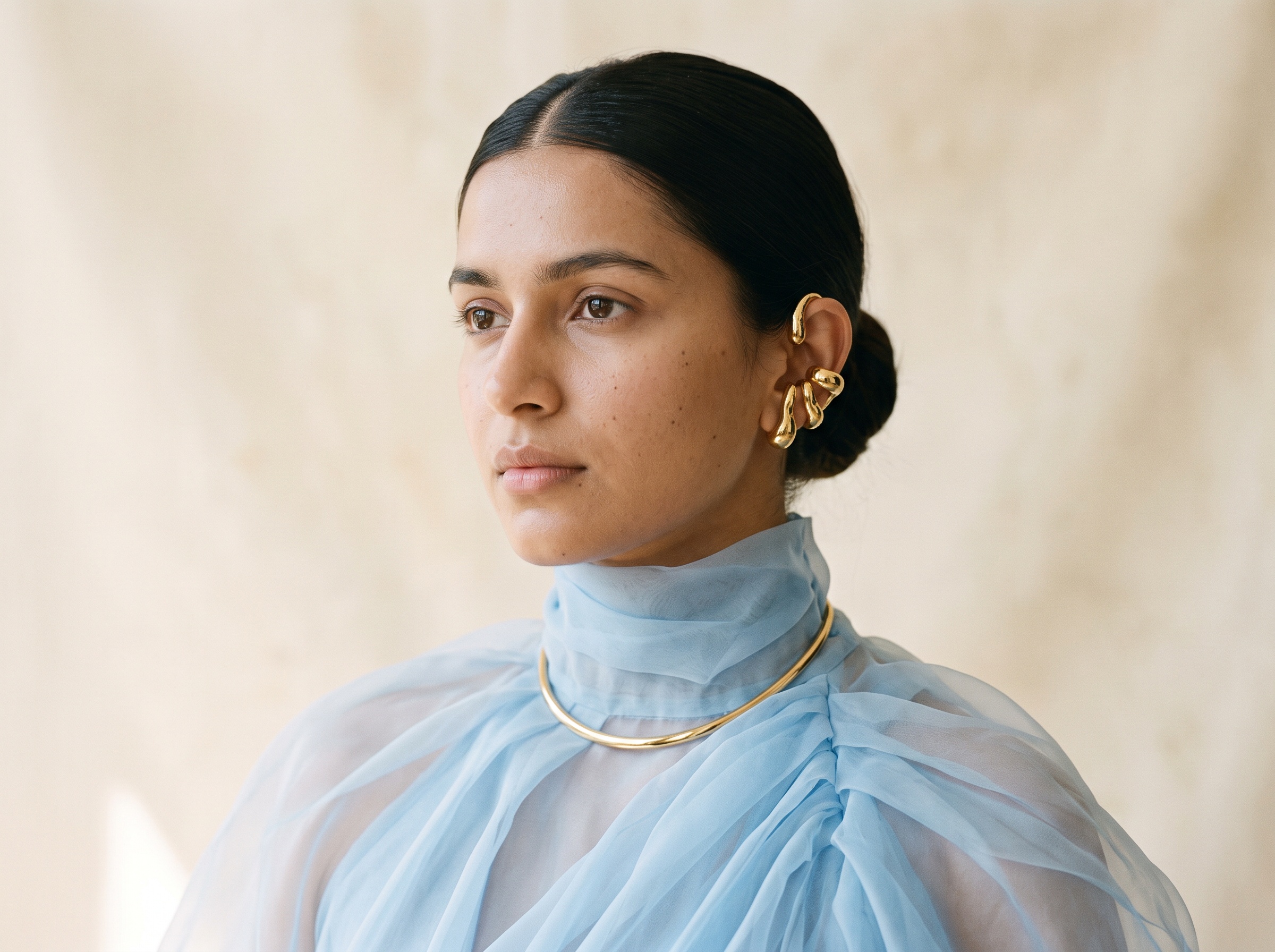
Two jobs, rarely in the same tool
A jewelry brand asks two different things of AI. First, design: see a ring, a pendant or a pair of earrings before anyone sets a stone, and compare versions side by side. Second, photography: show the finished piece on a hand, an ear or a neckline, and on clean product shots for the store. Most tools do one of the two. Design tools stop at the render or go on to a CAD file; photography tools start from a piece that already exists. Knowing which job you are paying for is the first choice to make.
Quick comparison
| # | Tool | Best for | Starting price | Free option |
|---|---|---|---|---|
| 1 | The New Black AI | Design and photography in one account, then Shopify | $15 a month | Free credits at signup |
| 2 | Tashvi | Concept renders with a path to a draft 3D mesh | $20 a month (read 9 Nov 2026) | Free plan |
| 3 | Ruby Kinglet | Designs built from settings and stones, exported as CAD | $7 a month (read 9 Nov 2026) | See their site |
| 4 | BLNG | Design houses that want polished renders | $49 a user a month (read 9 Nov 2026) | Free Starter, non-commercial |
| 5 | FormaNova | On-model and product shots of existing pieces, paid per pack | $2 for 50 credits (read 9 Nov 2026) | No, packs from $2 |
| 6 | Jewelry Studio | Jewelers who want renders and store images in one simple tool | $29 a month (read 9 Nov 2026) | One generation every 12 hours |
| 7 | Jeweler Studio | Retail jewelers designing custom pieces with clients | $149 a month (read 9 Nov 2026) | 7-day free trial |
| 8 | Claid | Product shots inside a general photo editing suite | See their site | 50 trial credits |
| 9 | Photoroom | Teams editing product photos at volume | $7.50 a month billed yearly (read 9 Nov 2026) | Free trial |
How we compared
We read each company's own site and pricing page on 9 November 2026. Where a pricing page did not load its prices for us (Ruby Kinglet, FormaNova), we took the figures from the comparison articles each company publishes on its own site, the same day. We asked what a jewelry brand asks: can it design a piece from words or a sketch, does it give a manufacturable file or a picture, can it put the piece on a hand, an ear or a neck, can it make clean product shots and video, and where does the image go next. The New Black AI is our own product; its limits are stated as plainly as the others'.
1. The New Black AI
Best for: jewelry brands that want to design a piece and then photograph it, without changing tools.
Both jobs happen in the same studio, and the image of the design is the starting point of the photographs:
- Design the piece. The AI jewelry design generator turns a description into a ring, a necklace, a bracelet or earrings as a product image: the metal, the setting, the cut of the stone, the finish. Add a photo of a bestseller as a reference and describe what should change, to turn one piece into a family. Watches have their own generator.
- See it worn on a model. Jewelry on an AI model puts the piece on a person you describe, with a framing named for each piece: Close-up on the hand for rings and bracelets, Portrait for earrings, Portrait or upper body for necklaces, Product detail worn for clasps and settings.
- Try it on your own photo. Virtual try-on for jewelry places the piece on a photo of your model, keeping the pose and the light, so a whole collection can share one face.
- Product shots. Change the background of a packshot, remove it, or upscale a photo in HD.
- Video. A jewelry video of 5 to 30 seconds turns one photo into a slow rotation or a macro move where facets catch the light.
- Then the store. Images and videos go to a Shopify product page from the same window, and a Visual style keeps the light and colours of the brand across every picture.
A design, a worn shot or a try-on costs 1 credit on Standard AI, 3 on PRO and 7 on Ultra in 4K from the Pro plan; a new background costs 1 credit, a background removal 0.5, and video 2.2 credits a second on Standard. The Starter plan is $15 a month for 200 credits, and every workflow is open on every plan. Mila, the AI agent included in every account, can run the same steps for you.
Limits: the design is a picture, not a CAD file with stone sizes and metal weights. Complex settings, exact stone counts and the symmetry of a pair need checking on every image; judge each result against the real piece.
2. Tashvi
Best for: jewelers who want concept renders from a written brief and a first step towards a 3D file.
Tashvi turns a description or a hand drawing into photorealistic renders, refines them through conversation, and can stage the piece on a hand, neck or ear. Paid plans add 360 videos and social reels, draft 3D meshes and, on Pro, a Parametric Studio for CAD in beta. There is a free plan with limited designs; Basic is $20 a month, Pro $60 and Studio $200 (read 9 Nov 2026).
Limits: its pricing page does not list credit counts per plan, its CAD studio is in beta, and it does not publish to a store.
3. Ruby Kinglet
Best for: brands and makers who need a manufacturable file, not only a picture.
Ruby Kinglet builds designs from jewelry components (settings, stones, metals), edits them with AI, and exports STL, 3DM, OBJ or GLB files for manufacturing. It also makes AI photoshoots and product video, with control over lighting, angles and display stands, and offers storefront customizers for Shopify and other platforms. Its own comparison lists plans at $7, $35 and $179 a month (read 9 Nov 2026).
Limits: it is a full jewelry workbench with a learning curve, and its site does not show on-model photography as a focus.
4. BLNG
Best for: design houses that want polished renders from a sketch, a photo or a prompt.
BLNG turns text, doodles, sketches or photos into photorealistic jewelry renders, with a chat to modify them. Its Studio converts CAD and 3D models into product images, on-body photos and videos and 360 videos, and its Retail offer runs custom design in stores. The free Starter plan is for personal, non-commercial use; Professional is $49 per user a month with 4K upscaling (read 9 Nov 2026). Studio and Retail are on request.
Limits: on-model photography sits in an enterprise plan without a public price, and the design plans do not produce a manufacturable file.
5. FormaNova
Best for: brands with finished pieces that want on-model and product shots, paid by the pack.
FormaNova makes jewelry photoshoots for rings, necklaces, earrings, bracelets and watches, worn on a model or as product shots, and sends them to Shopify as draft products through its app. There is no subscription: its own article lists a $2 starter pack of 50 credits, then $9 for 100, $39 for 500 and $99 for 1,500, with a 1K photo at 8 credits (read 9 Nov 2026). It also presents a CAD generator.
Limits: it starts from a piece that exists, so it is not a design tool, and its pricing page did not show prices when we read it.
6. Jewelry Studio
Best for: jewelers who want design renders and shop-ready images in one simple tool.
Jewelry Studio, by the jewelry software company Gem Logic, turns a description or a sketch into a render, swaps stones, metals and cuts, places pieces in editorial or natural scenes, changes the camera angle, removes backgrounds, and makes a product page pack (white background, lifestyle and on-model shots) from one photo. Plans count generations per rolling five hours: Starter $29 a month for 12, Studio $99 for 45, Business $249 for 140; a free account gets one generation every 12 hours (read 9 Nov 2026).
Limits: no video, and generations are capped per window rather than sold in a monthly allowance.
7. Jeweler Studio
Best for: retail jewelers who design custom pieces with their clients.
Jeweler Studio turns a shopper's description into a render with its Studio AI, and offers Ring Pro, a 3D ring configurator to embed on a store. Plans are Silver $149 a month, Gold $349 and Diamond $849, or 15% less billed yearly, with a 7-day free trial (read 9 Nov 2026).
Limits: it is built for the counter and the custom order, not for photography; its site does not mention on-model images or video.
8. Claid
Best for: brands that want jewelry product shots inside a wider photo editing suite.
Claid offers AI Photoshoot for product scenes, AI Fashion for clothing on models, video, upscaling, background removal, outpainting and AI shadows, on the web and through an API. Its trial holds 50 credits to use on any operation, at no cost; paid plans are Essentials, Pro and Business (see their site for prices).
Limits: its model tools are framed around clothing, so jewelry on a model is not its focus, and it does not design pieces.
9. Photoroom
Best for: teams already editing product photos at volume.
Photoroom is known for background removal and batch editing, with AI Backgrounds, product staging and AI Fashion Models on its plans, and a jewelry page among its product photography solutions. Pro was $7.50 a month billed yearly, Max $20.99 and Ultra $82.50, with a free trial (read 9 Nov 2026; prices depend on your region).
Limits: it is general product photography: no jewelry design, and 4K images only on the Ultra plan.
How to choose
- You design pieces and want to photograph them in the same place: The New Black AI.
- You need an STL or 3DM file for the workshop: Ruby Kinglet, or Tashvi for a draft mesh.
- You are a design house that wants polished renders: BLNG.
- You only photograph finished pieces and prefer to pay per pack: FormaNova.
- You want renders and a simple product page pack: Jewelry Studio.
- You sell custom pieces at the counter: Jeweler Studio.
- You already edit a large catalogue of product photos: Photoroom or Claid.
Our pricing page lists the credits each plan holds.
Frequently asked questions
What is the best AI jewelry design software in 2026?+
For a brand that wants to see a piece and then sell it, The New Black AI, because the same design goes on to a model, a try-on, a video and a Shopify page. If you need a manufacturable file, Ruby Kinglet exports STL and 3DM, and Tashvi offers a draft mesh.
Can AI make a jewelry CAD file?+
Some tools can: Ruby Kinglet exports STL, 3DM, OBJ and GLB, and Tashvi makes draft meshes with a CAD studio in beta. Image tools, ours included, give a picture to decide with, not a file to cast.
How do I photograph jewelry with AI?+
Start from a clean product shot of the piece on a plain background, then choose the framing: a hand for rings and bracelets, the face and neck for earrings, the neckline for necklaces. In The New Black AI, Product to Model or Virtual Try-On does this for 1 credit on Standard.
Can AI put my jewelry on a model?+
Yes. The New Black AI, FormaNova, Tashvi and Jewelry Studio all place pieces on a model; check every image against the real piece, since stone counts and fine settings can shift.
How much does AI jewelry photography cost?+
The New Black AI starts at $15 a month for 200 credits, at 1 credit per image on Standard. FormaNova sells packs from $2, Jewelry Studio starts at $29 a month and Photoroom at $7.50 a month billed yearly (read 9 Nov 2026).
Is there a free AI jewelry design tool?+
Tashvi and BLNG have free plans, BLNG's for non-commercial use, and Jewelry Studio gives one generation every 12 hours. The New Black AI opens with free credits at signup.
Related articles
- 9 Best AI Moodboard Tools for Fashion Designers (2026)The best AI moodboard tools for fashion designers in 2026, compared: references, colour, fabric and the step from board to designs. Prices read 9 November 2026.
- 10 Best AI Tools for Shopify Clothing Stores (2026)The best AI tools for a Shopify clothing store in 2026, sorted by job: product photos to the product page, SEO and Google Shopping, theme, ads and sales. Prices read November 2026.
- Best AI Virtual Try-On Tools 2026Eleven AI virtual try-on tools compared for brands and for shoppers: free tier, first plan, shoes and jewellery, video try-on, Shopify, prices read on 25 September 2026, and which one for which need.
- 10 Best AI Tools for Clothing Brands in 2026 (Compared)10 best AI tools for clothing brands compared, updated November 2026: what each is best for, first price, free tier, Shopify, tech packs, plus the other AI fashion design software worth knowing.
- 10 Best AI Ad Generators for Clothing Brands (2026)The best AI ad generators for clothing brands in 2026, ranked on making the ad with your real garment and running it on Meta, Google, Pinterest and X. Prices read November 2026.
- 9 Best Flat Lay to Model AI Tools in 2026 (Compared)9 best flat lay to model AI tools compared, updated November 2026: flat lays, hanger and ghost mannequin shots on a model, cost per image, same model across a collection, Shopify.
- 10 Best AI Fashion Studios for Brands in 2026 (Compared)10 AI fashion studios for brands compared, updated November 2026: what each makes, Shopify, video, tech packs, first plan prices and which one fits which brand.
- 8 Best Claid Alternatives for Fashion Brands (2026)The best Claid alternatives for clothing brands in 2026: background, upscaling and on-model tools compared on price, API, ghost mannequin, video and Shopify publishing.
- 8 Best WearView Alternatives for 4K Model Photos (2026)The best WearView alternatives in 2026: product to model tools compared on 4K cost, video, free plans, model consistency and Shopify publishing.
- 10 Best AI Fashion Design Software in 2026 (Compared)The 10 best AI fashion and clothing design software compared, updated November 2026: what each is best for, from sketch and fabric to 3D, patterns and tech packs, starting price and free option.