AI Virtual Try On Jewelry
The AI virtual jewelry try on puts your piece on a person without a shoot. Upload a photo of a model, or of yourself, then a product photo of the ring, the earrings or the necklace, and the AI places it on the ear, the neck or the finger it belongs to, at a believable size, in the light of the original picture. Brands and designers use it to show a product or a prototype worn before it is ever photographed.
Updated 13 November 2026
- 1Upload the model photo
- 2Add the jewelry
- 3Keep the scene and generate
How it works
Upload the model photo
In Model, add the photo of the person. Pick it for the piece: ears visible for earrings, neckline and collarbones clear for a necklace, an open hand close to the camera for a ring. The face, the clothes and the pose are kept.
Add the jewelry
In Products, upload a clean product photo of the piece on a plain background, up to three pieces at once, for example earrings, a necklace and a ring. Complete the look / add details takes anything you have no photo of.
Keep the scene and generate
In Scene, the box already reads « Same background as the model reference photo, kept exactly as it is »: keep it, or describe another setting. Then generate; the image lands in your studio grid in seconds.
Examples
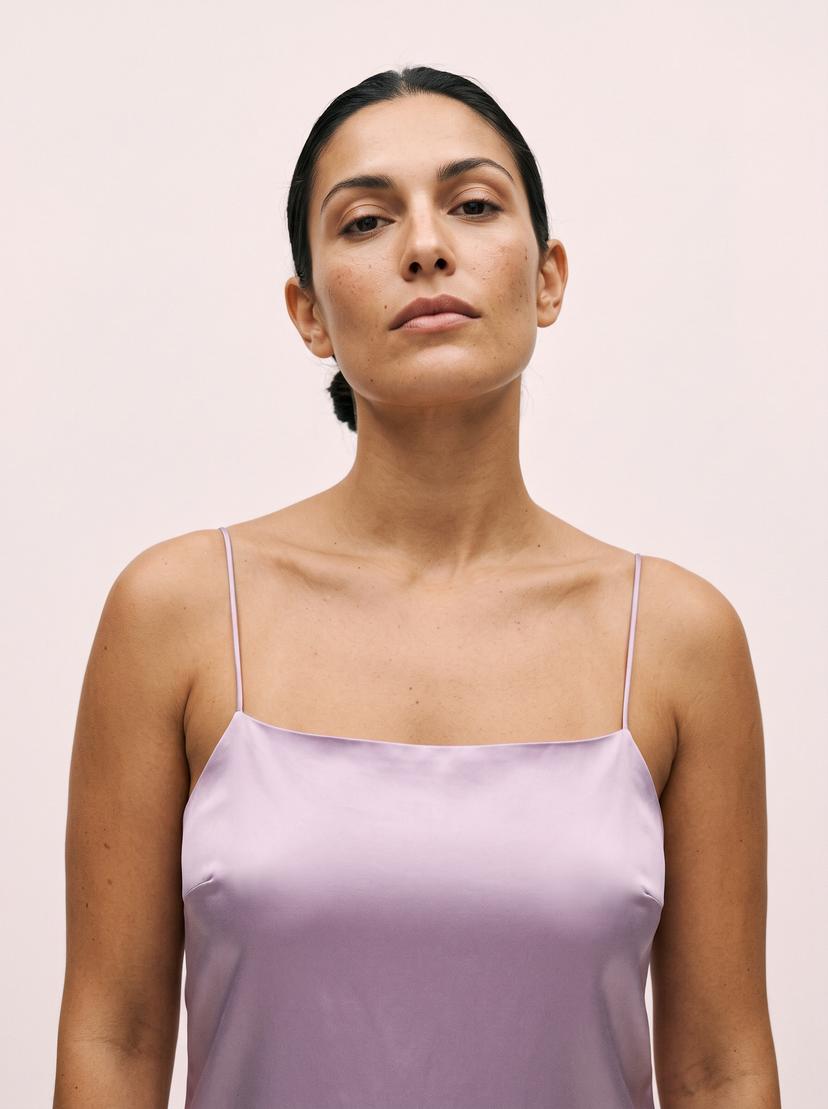
Statement earrings on a portrait with bare ears
The model photo was a close portrait of a woman with her hair slicked back into a low bun, in a lilac silk camisole against a blush backdrop, with no jewelry on.
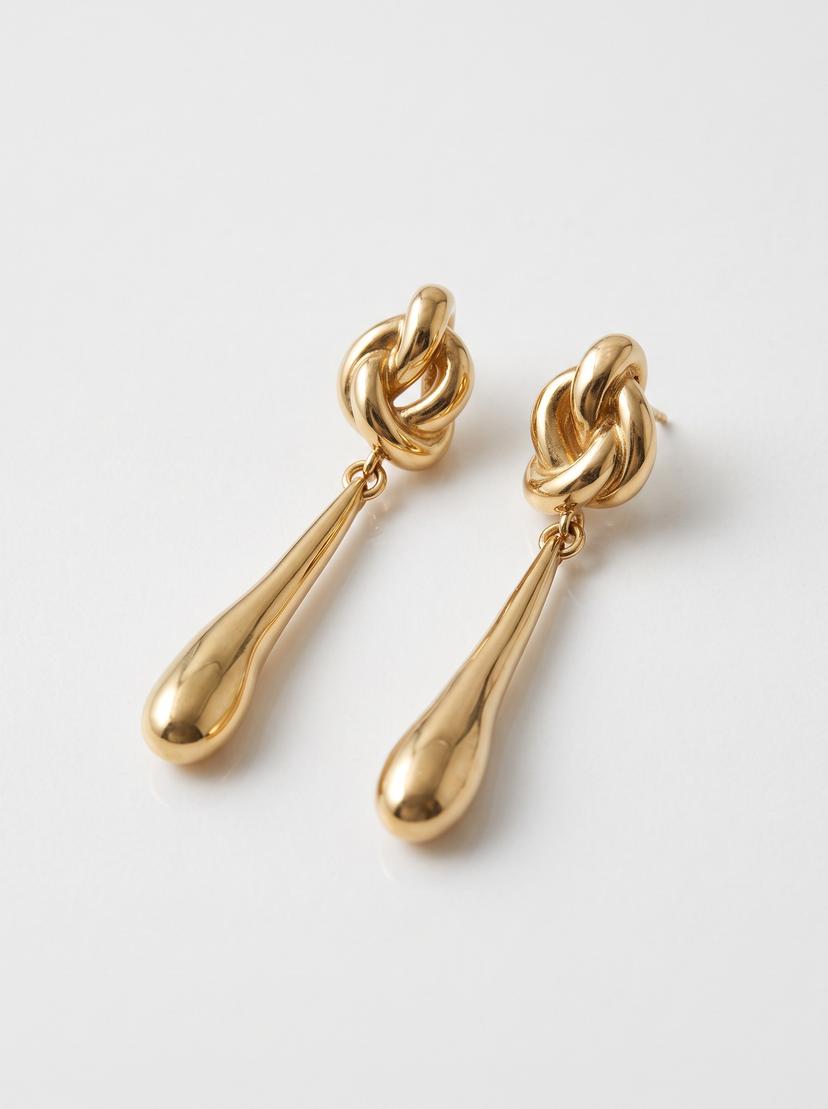
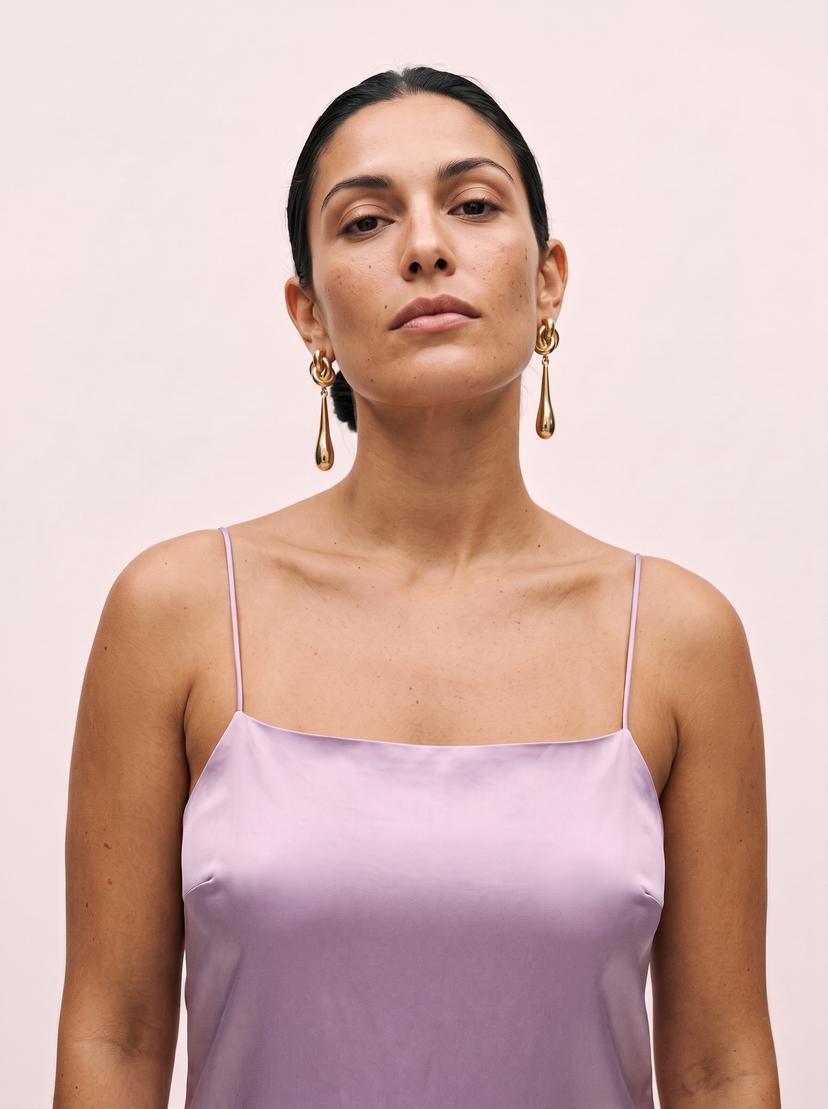
The product was a pair of polished yellow gold drop earrings, a knot at the lobe and a long teardrop below, made with Create a Product. Both earrings hang from the lobes at a realistic length, and the face and the light are untouched.
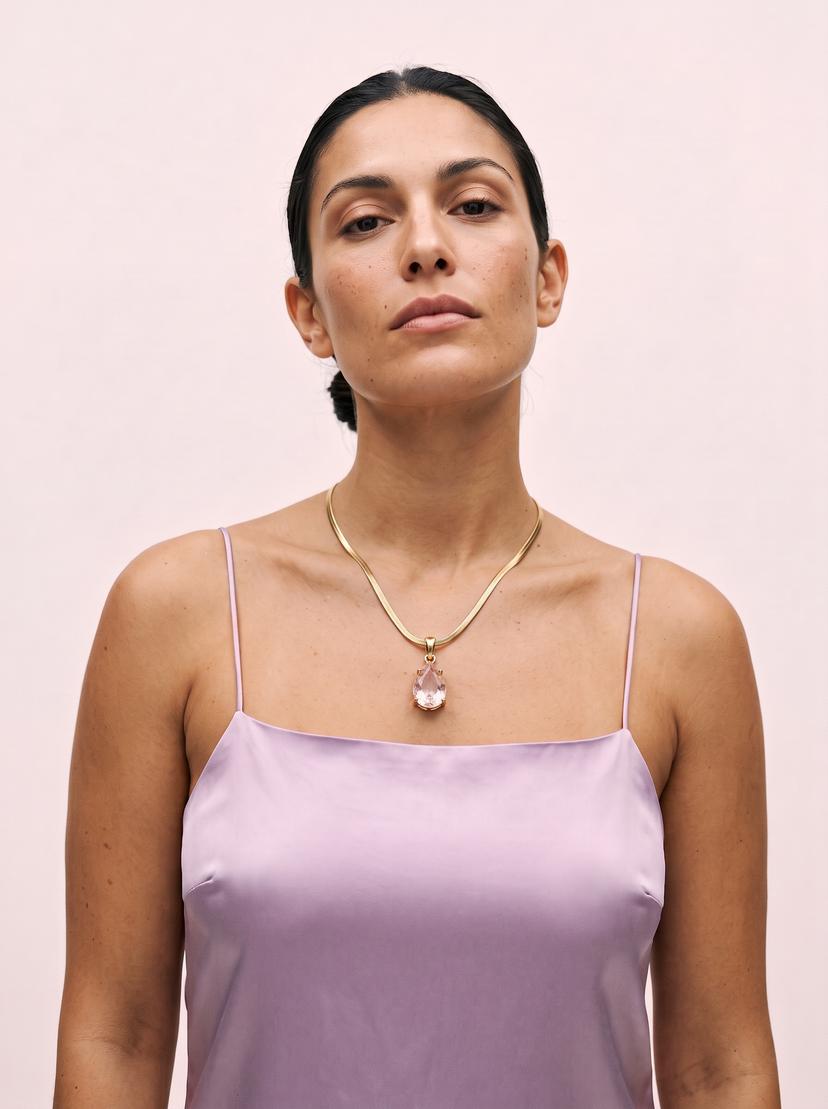
A pendant necklace on the same portrait
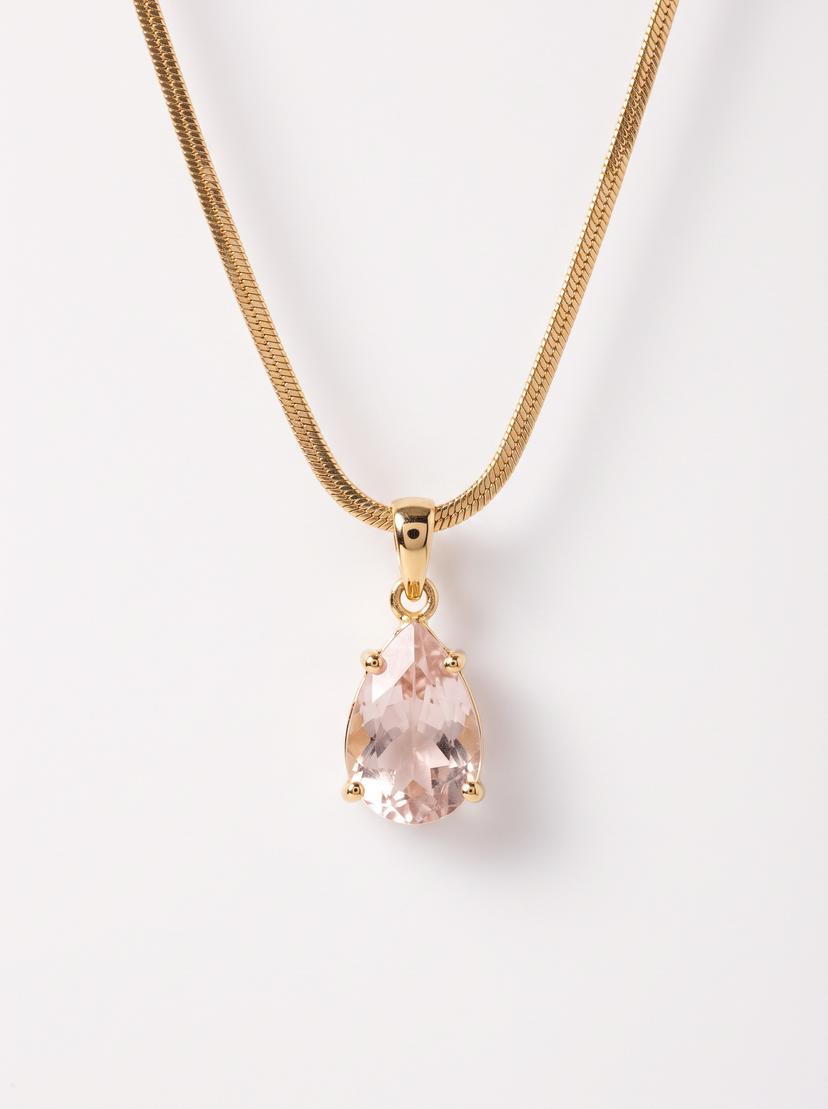
The same portrait, run again with one product photo: a flat gold snake chain carrying a pear cut pale pink stone in claws. The chain follows the collarbones and the pendant sits at the neckline, which is the part a buyer needs to see.
A cocktail ring on an open hand
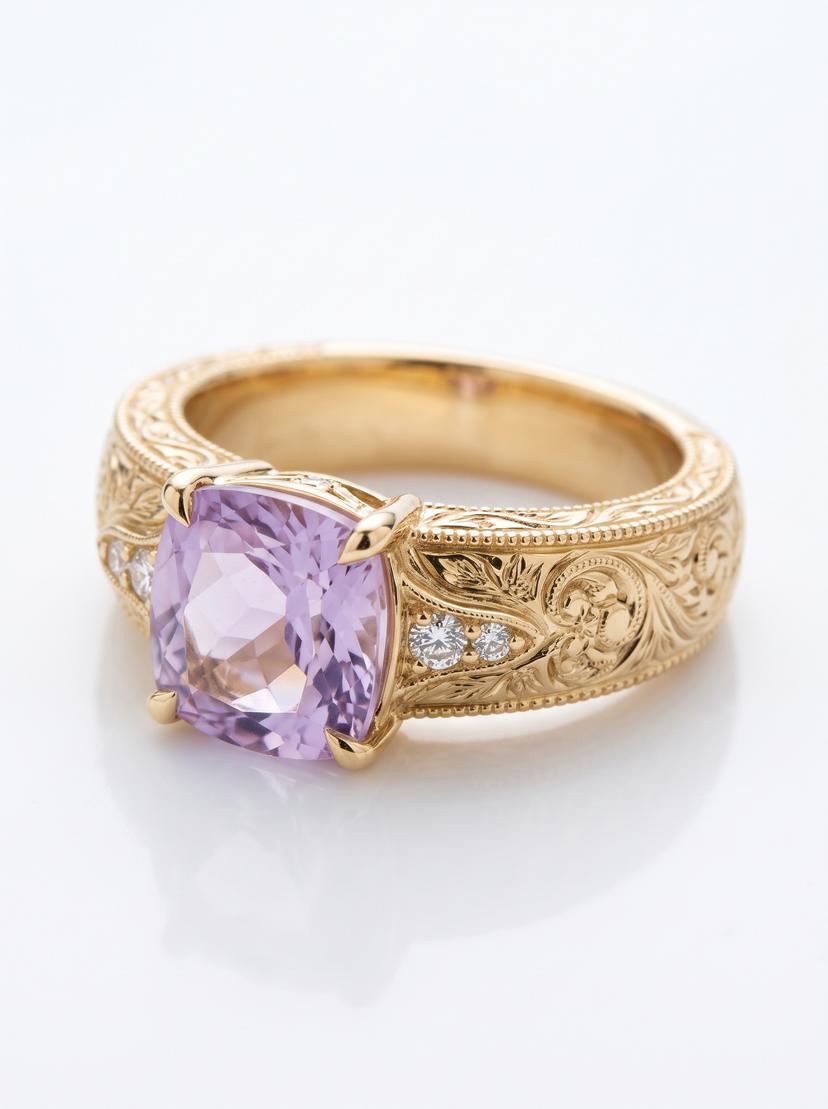
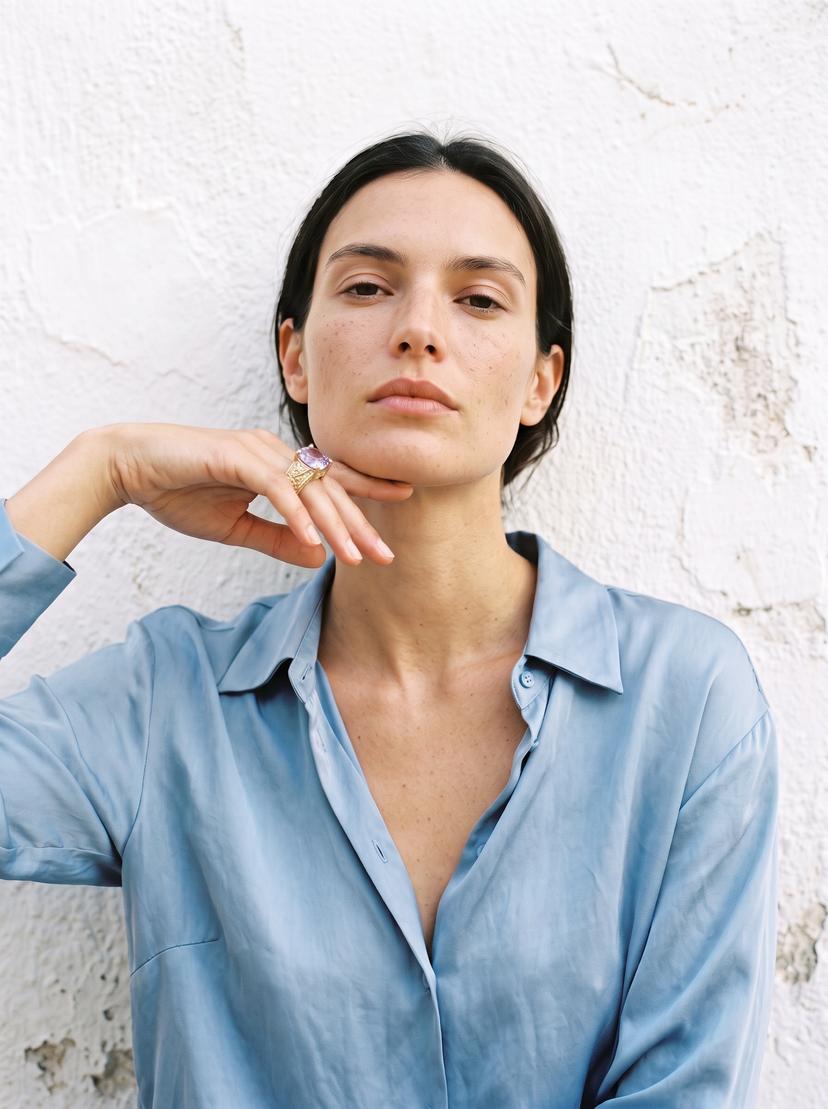
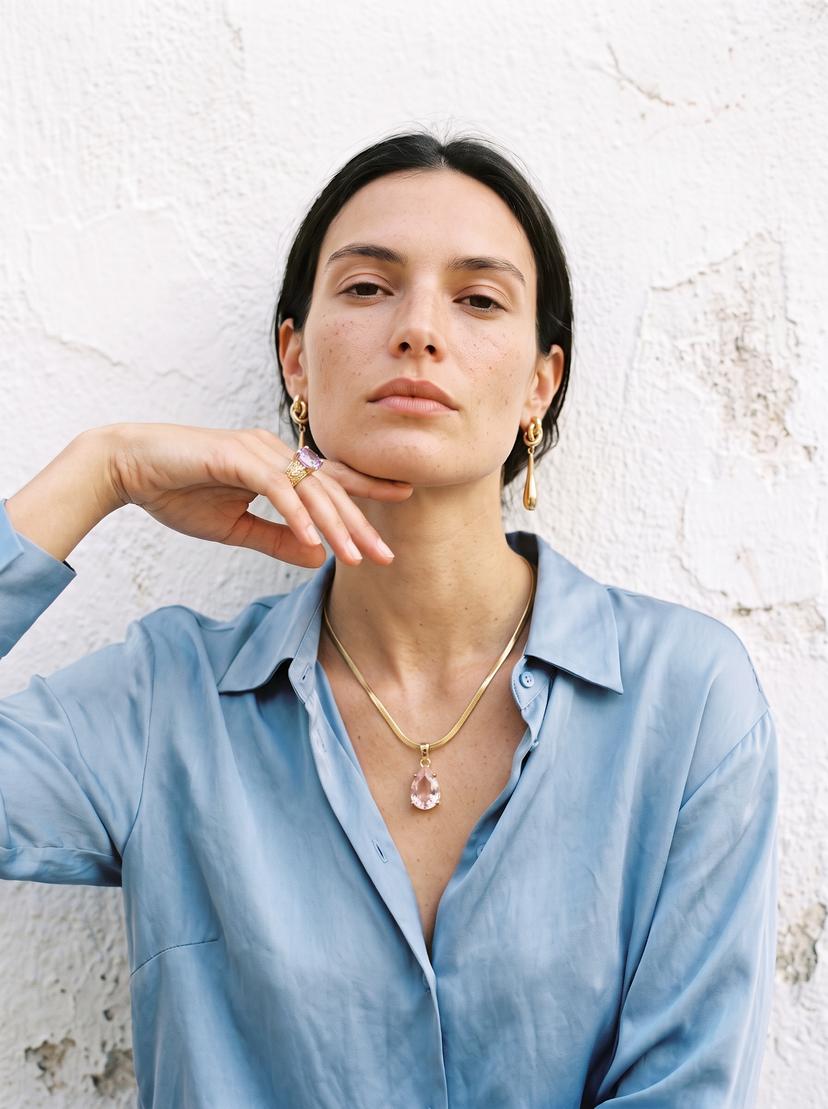
A waist up portrait of a woman in a powder blue silk shirt against white plaster, her hand resting along the jaw, no rings. The product was an engraved yellow gold ring with a cushion cut lavender amethyst and small diamonds on the shoulders. The ring lands on a finger, at the size of a real ring, with its engraving and its stone readable.
Earrings, necklace and ring in one pass
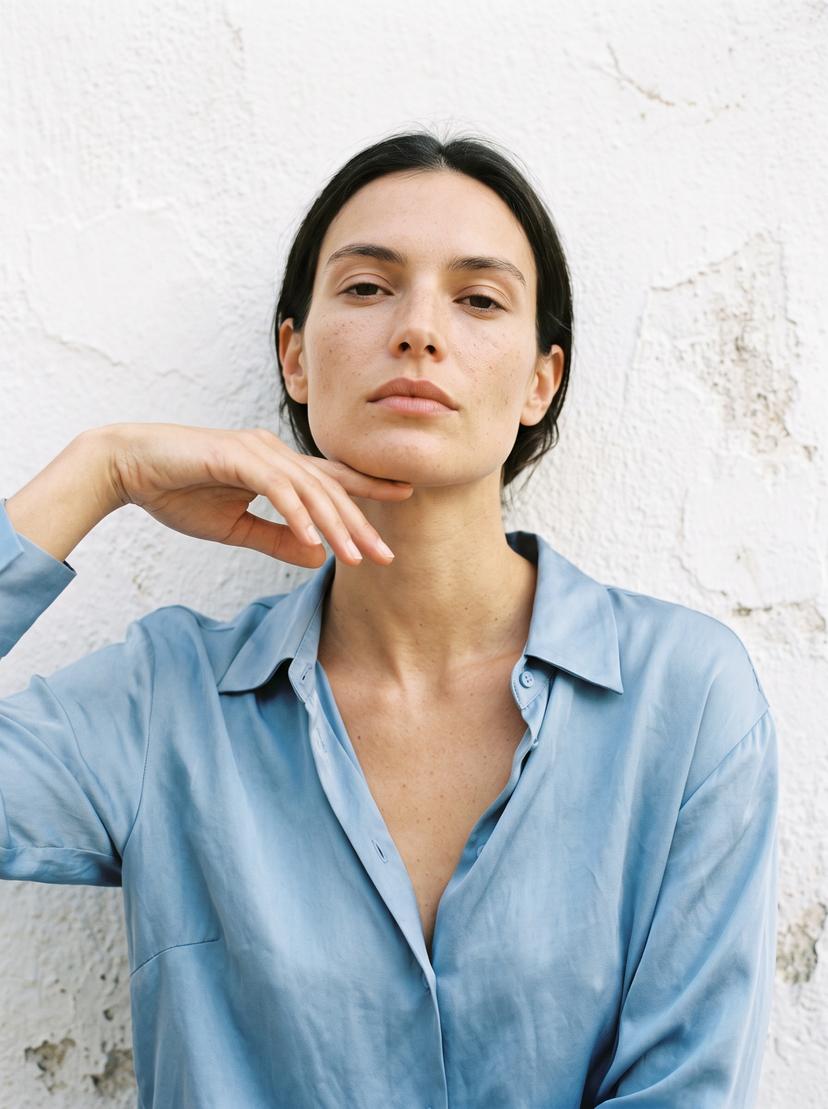
The powder blue portrait again, with all three product photos uploaded together. The earrings, the pendant and the ring are all worn and visible in one image, which is how a set becomes a single campaign picture.
Why worn photos sell jewellery
A piece is bought on how it sits: a drop earring by the distance it hangs from the lobe, a pendant by the length of its chain against a neckline, a ring by its size on a finger. None of that shows on a white background. Unlike a phone camera filter that pins a shape on a live face, this starts from a real photograph and returns another one, which is why the result belongs on a product page. Jewellery and jewelry are the same tool here.
What each piece needs, and the limits
The AI needs to see the part that will wear the piece. Earrings need the ear visible, hair tucked back. A necklace needs the neckline and collarbones clear, without a scarf or a high collar. A bracelet or a watch needs the wrist away from the body. A ring needs the hand open and close to the camera: at full body scale a hand is a few dozen pixels. The piece transfers best as a clean product shot on a plain ground, a necklace hanging rather than coiled flat.
Three things to expect. Jewellery already in the photo does not always leave, so start from a photo without it. Reflections in polished metal are recreated plausibly, not physically. And an image cannot promise a chain length or a ring size: what comes back is the look, not the measurement. A try-on costs 1 credit on Standard, 3 on Pro and 7 on Ultra, and an image comes back in about fifteen seconds, measured on our own platform in August 2026.
Frequently asked questions
What does the model photo need to show?+
The part of the body that will wear the piece. Jewelry sits directly on skin, which is what makes the photo choice matter more than for clothing: for earrings, upload a model whose ears are clearly visible; for a bracelet, the wrist has to be in frame. Give the AI the ear, the wrist, or the neck it will work on.
Which pieces can I try on?+
A ring, a bracelet, a necklace, earrings, or sunglasses. You upload the photo of the piece itself, and the AI lays it onto the original photo while keeping proportions, lighting, and angles believable at jewelry scale.
Can one photo carry a whole collection?+
Yes, and that is the efficient way to use it. Swap in another piece, run it again, and you have a second visual with the same model, the same pose, and the same light, which keeps a collection page looking like one shoot.
Who is this for?+
Brands and designers who need a product or a prototype shown on a real wrist, neck, or ear without a shoot, and anyone who wants to see a piece on their own photo before deciding. The same studio also covers footwear with AI virtual try on shoes.
Can I use the visuals commercially?+
Yes, on any plan: everything you generate is yours to sell, print and publish. Each try-on lands in your studio grid, organised in projects and reusable in workflows like video or HD upscale, and it all runs in the browser with free credits at signup.
Will earrings and necklaces sit in the right place?+
Placement follows the anatomy in the model photo: ears, neckline, wrists: which is why a clear view of the area matters more than resolution. If a piece lands oddly, a photo where the area is unobstructed almost always settles it on the second try.
What makes a good jewelry product photo for this?+
The same thing that makes a good listing photo: the piece sharp, well lit, on a plain ground, filling the frame. A packshot from your store works as-is; a lifestyle photo with the piece half-hidden gives the model less to carry over.
Can I use the models, garments and backgrounds provided in the studio commercially?+
Yes. The house templates are free for commercial use: your campaigns, your product pages, your lookbooks, with no separate licence and no attribution.
Are my uploads and my creations private?+
Yes. Everything you upload and everything you generate is private to your account, never shown to other users, never published without an action of yours, and never used to train any model, on any plan. Details on the Security page.
Is this a try-on widget for my store's shoppers?+
No. It is a studio for brands: you make the photographs of your jewelry worn, for your product pages, ads and lookbooks. Shoppers see the finished pictures; they do not run the try-on themselves.
Try it yourself
Everything on this page was made in the studio. Your first designs are minutes away.
Open the studioRelated features
- Prefill AI Fashion Photo Settings from InspirationPick a photo that inspires you and it fills the workflow for you: model, pose, styling, scene, framing, angle. You shoot your own product.
- AI Photoshoot for Fashion BrandsReplace a fashion photoshoot with AI: your product on an AI model or your own, any setting and angle, ghost mannequin, flat lay, 4K and video.
- AI Virtual Try On Necklace (Jewelry)Preview any necklace on a model with AI: upload a model photo and the necklace design, and see it sit on the neckline at the right chain length.
- AI Virtual Try On Bracelet (Jewelry)Preview bracelet designs on a real wrist with AI: upload a wrist photo and your bracelet, and get a lifelike worn shot with accurate scale.
- AI Virtual Try On BagsSee any bag on a model in seconds: upload a photo and a handbag or purse image, and the AI matches lighting, proportions, and perspective.
- Create Kid Fashion Clothing Models with AIUpload a kids clothing photo and get a child AI model wearing it in about 30 seconds: no casting, no studio, visuals ready for your store.
- Virtual Try On Head Accessories with AISee any hat, cap, or beanie worn before buying: AI fits the headwear to the face, the hairstyle, and the perspective of your photo.
- Create an AI Fashion Model for SocksUpload a sock photo, describe the model and the scene, and get visuals framed so the socks stay the point: no shoes, no photoshoot.
- AI Ghost Mannequin Generator: Invisible Mannequin PhotosCreate the ghost mannequin effect from one garment photo: the AI removes the model or mannequin and rebuilds the inner collar. Free to try, in seconds.
- Reimagine Your Model in New ScenesCreate a back view, a side view or a close up of a fashion photo with AI: upload the original model and describe the angle you want to see.