AI Photoshoot for Fashion Brands
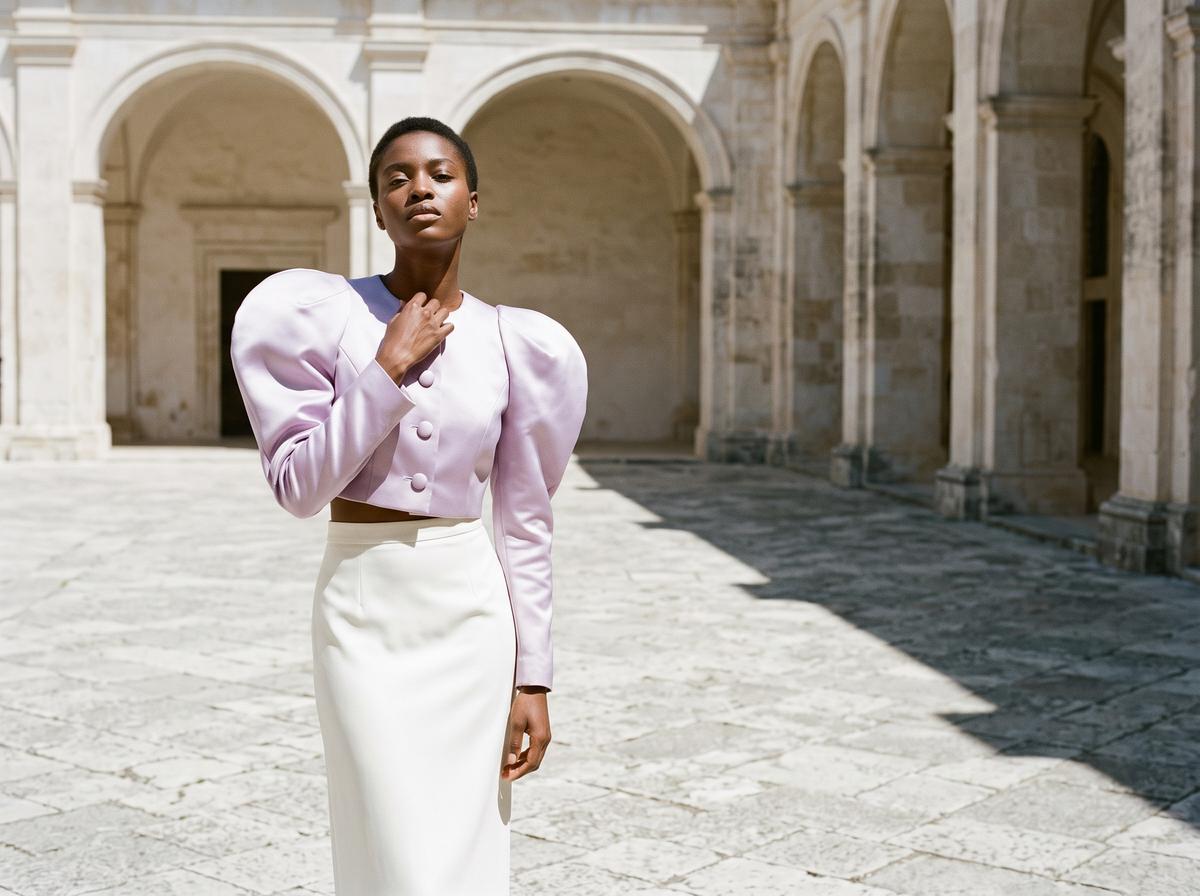
An AI photoshoot for a fashion brand starts from the photos you already have of a product, a packshot, a phone picture on a hanger, a flat lay on the floor, and returns the images a product page needs: the piece worn by an AI model or by your own model, in the setting you choose, from other angles, as a ghost mannequin or a flat lay, in close-up, in HD or 4K, and as a short video. In The New Black AI each of those shots is a workflow of the [AI Fashion Models studio](/ai-generated-models), most cost 1 credit on Standard, and the finished image goes straight to the Shopify product page.
Updated 9 November 2026
- 1Upload the product
- 2Cast the model and the shot
- 3Build the series and publish
How it works
Upload the product
Open the AI Fashion Models studio and choose Product to Model. Upload up to five photos of the same piece: the front, the back, a detail of the fabric or the clasp. The workflow is built to hold the product as it is, its cut, its colour, its print, rather than redraw a garment that looks like it.
Cast the model and the shot
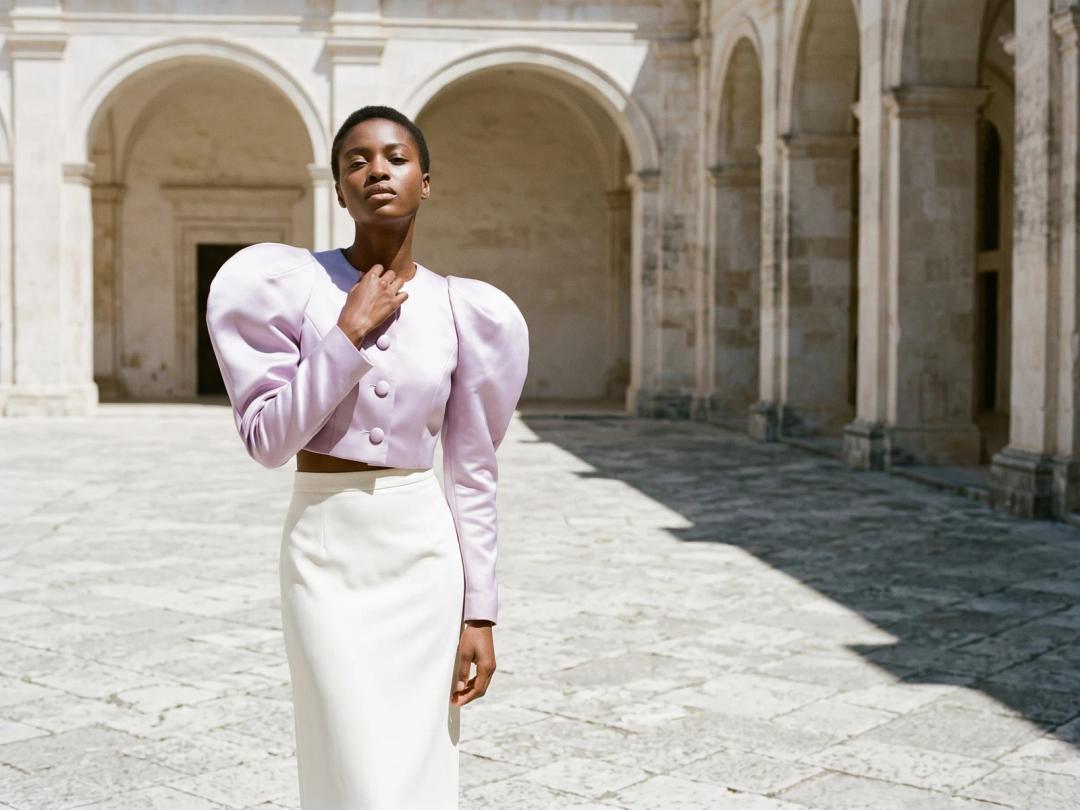
Set the model: gender, age, body shape, origin, plus a sentence for the features and the pose. Then the shot: the Framing row (full body, upper body, portrait, close-up on the hand or the feet, product detail worn), the Angle row (eye level, slightly above, slightly below, low from the ground), the scene and the format, from 9:16 for a story to 21:9 for a banner. To shoot on a person you already work with, give a photo of that model instead of a description.
Build the series and publish
Generate the main image, then the rest of the set from it: the back view, a new setting, a ghost mannequin, a detail, a video. Upscale the ones you keep to HD or 4K and press Publish to Shopify on the card to place the image on the product page you pick.
Can AI replace a photoshoot for my clothing store?
For the catalogue, mostly yes. A clothing store's photoshoot exists to produce a known list of images per product, and every image on that list now has a workflow behind it. This is the list, read from the workflows themselves:
| Shot the product page needs | Workflow | Credits (Standard / Pro / Ultra) |
|---|---|---|
| Main image, worn by an AI model | Product to Model, Full body | 1 / 3 / 7 |
| Worn by your own model | Virtual Try-On | 1 / 3 / 7 |
| Back view or another camera angle | Product to Model with the back photo, Angle row | 1 / 3 / 7 |
| Same model, another pose or scene | Reimagine your Model | 1 / 3 |
| Same image, another setting | Change Background | 1 / 3 |
| Same outfit, another model | Swap Model | 1 / 3 |
| Ghost mannequin, hollow as if worn | Image to Ghost Mannequin | 1 / 3 |
| Flat lay, seen from above | Image to Flat Lay | 1 / 3 |
| Detail close-up of fabric, seams, clasps | Product to Model, Product detail worn | 1 / 3 / 7 |
| Sharper and bigger file | Enhance Photo to HD | 1 (2K) / 3 (4K) |
| Model walking, turning or posing | Model Walk | 11 / 22 for 5 seconds |
| Camera gliding over the fabric | Detail Close-up video | 22 / 44 for 10 seconds |
Ultra AI renders in 4K and opens from the Pro plan, like the 4K upscale; 2K and every workflow are open on every plan. Videos are priced per second of output, 2.2 credits a second on Standard and 4.4 on Pro, and the Detail Close-up video starts at 10 seconds.
Two shots deserve a word. The ghost mannequin works from any photo of the piece, on a hanger, on a person, on a market stall, and returns the clean hollow shot marketplaces ask for; the ghost mannequin photography guide explains when a listing needs one. And the same model across the series is what makes forty products read as one shoot: generate the model once, then give that image as the model photo for every following product, and set a Visual style to hold the light, the palette and the framing. The method, with the framings that keep a face stable, is in keeping the same AI model across photoshoots.
AI product photography cost vs a photoshoot
A photoshoot is priced by the day: the photographer, the model, the studio, the stylist, the retoucher, then the time to ship samples and wait for the files. Its cost barely moves whether you shoot ten products or thirty, and a late product waits for the next shoot.
An AI photoshoot is priced by the image. The Starter plan is $15 a month and includes 200 monthly credits; Pro is $35 for 500, Business $65 for 1,000. A product photographed the way the table above describes, main image, back view, ghost mannequin, one detail, all on Standard, is 4 credits. Make the main image on Pro AI, the sharper tier, and it costs 3 credits instead of 1. What you pay for is what you keep trying: a pose you do not like costs one more attempt, not a reshoot.
The full arithmetic, image by image, is in AI product photography for clothing.
I have 200 products and no budget for a photoshoot
This is the case the studio was built for. Start with the photos you have, even phone pictures on a plain wall: the workflows read the product from them.
- 1.Set the series once. Generate the model on your best seller, keep that image, and set your Visual style.
- 2.Run the catalogue in bulk. From the Pro plan, bulk generation runs one workflow on a whole batch: upload the products, choose Product to Model, and the results land in a project of their own.
- 3.Count the credits before you start. 200 products with one image on a model and one ghost mannequin each, on Standard, is 400 credits, inside the Pro plan's 500 a month.
- 4.Publish as you go. Each image goes to its product with Publish to Shopify. Depending on your Shopify setting it is either filed under the product, unpublished, for you to release from the Shopify gallery, or placed live at once.
Start with the 20 products that sell most: if their pages convert better, the rest follows; if not, a few dozen credits told you so.
Do AI model photos sell as well as real photoshoots?
They sell as well as they are faithful. A shopper buys a garment because the photo tells the truth about it: the colour, the drape, the length on a body, the texture of the fabric. An AI image that keeps the product exactly does that job; one that softens a print or shortens a hem sells a piece you do not stock, and the return follows.
So judge each image as a product photo, not as a picture: put it beside the real piece and check the colour, the print, the buttons, the length. Then measure on your own store rather than trusting anyone's average. The product performance view of the Shopify Manager shows each product's traffic, add to cart and conversion, so you can compare a product's weeks before and after its new images.
What still needs a real photographer
Honestly, four things:
- The garment you have never photographed. Every workflow starts from at least one photo of the real piece; a design that exists only as a sketch needs a sample first.
- Fit for sizing. An AI model wears the garment convincingly, but nobody measured it on that body. If shoppers choose a size from your photos, keep one real fitting photo or a size guide.
- Small text and fine construction. Woven labels, small printed lettering and very fine stitching can come back approximate. Check them on every image and keep a real detail shot where they matter.
- A real person's campaign. An ambassador, a known face, an event or a show: the point of those images is that they happened.
Everything else, putting every product on a body, in a setting, from every side, is where an AI photoshoot pays. For a wider view of the tools, see the best AI fashion photoshoot generators.
Frequently asked questions
What is an AI photoshoot?+
It is a set of product images made by AI from photos you already have of the product: the piece on a model, in a setting, from other angles, as a ghost mannequin or a flat lay, and as a short video. No camera, studio or model booking is involved.
What photos do I need to start?+
One clear photo of the product is enough; up to five photos of the same piece (front, back, details) help Product to Model hold it. A packshot, a flat lay or a phone picture on a hanger all work.
Can I use my own model instead of an AI model?+
Yes. Virtual Try-On puts your product on a model you supply, from a photo of that model and a photo of the product. Use it with a model you have the rights to.
How much does an AI photoshoot cost?+
An image costs 1 credit on Standard, 3 on Pro and 7 on Ultra AI in 4K from the Pro plan; a model video costs 2.2 credits a second on Standard. The Starter plan is $15 a month with 200 monthly credits. You can also try it with the free credits you get at signup.
Can I use the images commercially?+
Yes, on any plan: everything you generate is yours to sell, print and publish, on your store, your marketplaces and your ads.
Can the images go straight to my Shopify store?+
Yes. Connect the store once in Connectors, then press Publish to Shopify on an image or a video card and choose the product. Images and videos both go to the product page.
Try it yourself
Everything on this page was made in the studio. Your first designs are minutes away.
Open the studioRelated features
- AI Virtual Try On Necklace (Jewelry)Preview any necklace on a model with AI: upload a model photo and the necklace design, and see it sit on the neckline at the right chain length.
- AI Virtual Try On Bracelet (Jewelry)Preview bracelet designs on a real wrist with AI: upload a wrist photo and your bracelet, and get a lifelike worn shot with accurate scale.
- AI Virtual Try On BagsSee any bag on a model in seconds: upload a photo and a handbag or purse image, and the AI matches lighting, proportions, and perspective.
- Create Kid Fashion Clothing Models with AIUpload a kids clothing photo and get a child AI model wearing it in about 30 seconds: no casting, no studio, visuals ready for your store.
- Virtual Try On Head Accessories with AISee any hat, cap, or beanie worn before buying: AI fits the headwear to the face, the hairstyle, and the perspective of your photo.
- Create an AI Fashion Model for SocksUpload a sock photo, describe the model and the scene, and get visuals framed so the socks stay the point: no shoes, no photoshoot.
- AI Virtual Try On ShoesSwap shoes on any photo with AI: upload a model and a new pair, and the original shoes are replaced with realistic proportions and lighting.
- AI Virtual Try On JewelryTry jewelry on any photo with AI: upload a model and a ring, bracelet, necklace or earrings, and see the piece worn with realistic scale and light.
- AI Fashion Models for Beauty and Cosmetic ProductsTurn a cosmetic product photo into an AI model visual: editorial beauty images without a photoshoot, with a model whose age and country you choose.
- AI Fashion Models for EarringsTurn an earrings photo into a close AI model shot: the ear, the skin, and the detail of your piece, without booking a macro photoshoot.