AI Fashion Photo Background Changer
The fashion photo background changer edits the backdrop of any photo. Remove a cluttered or distracting setting and replace it with something that puts the outfit first. Choose a plain studio setting, a city street, or upload your own background to match the look you are after.
Updated 7 September 2026
- 1Open the change background option
- 2Describe the background you imagine
- 3Press the change background button
How it works
Open the change background option
In the AI design generator, switch to edit mode and pick the change background option.
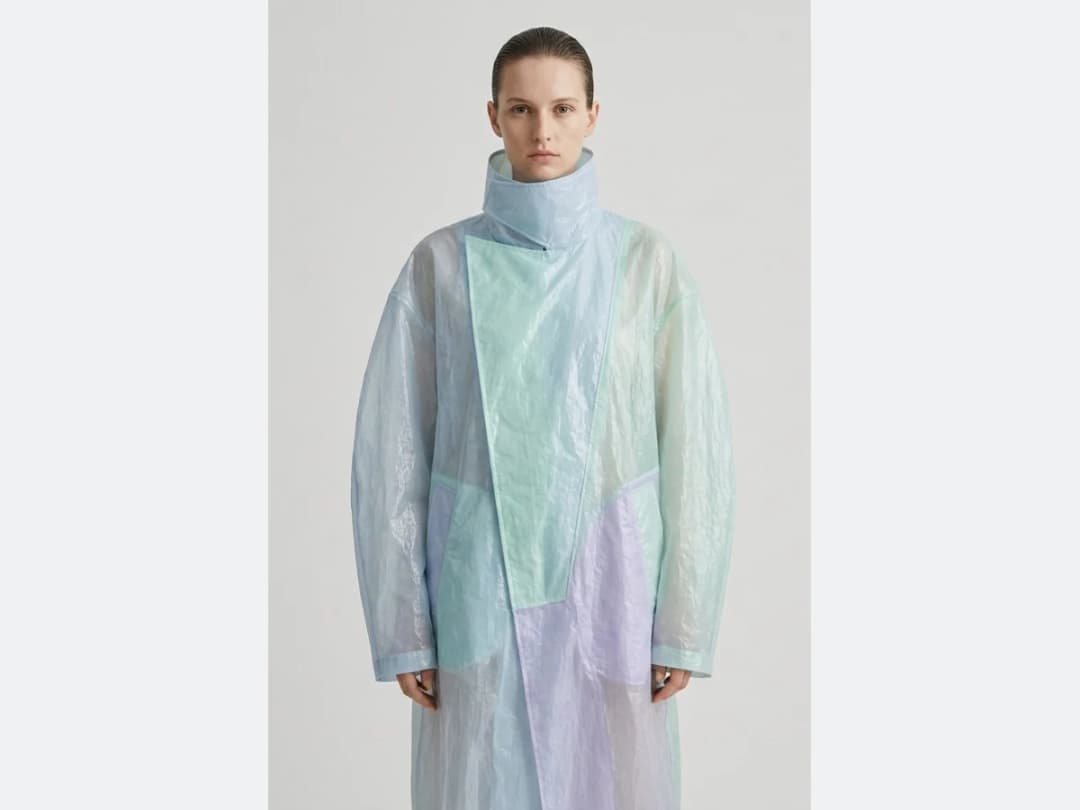
Describe the background you imagine
Write the setting you want in the text box. A ski resort, a concrete wall in full sun, a quiet studio: the description is the whole brief.
Press the change background button
The new image comes back with the subject untouched and the setting replaced.
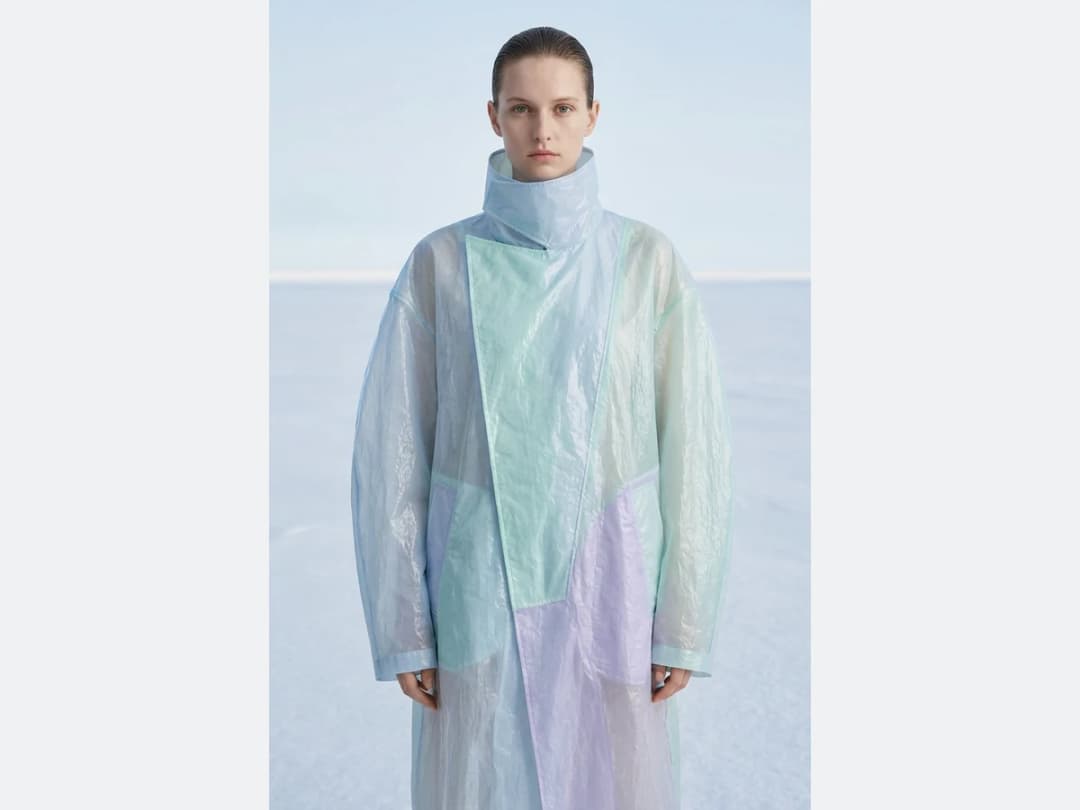
Any photo, any setting
Any photo works: a clothing design, a product shot, a portrait. The AI separates the subject from what is behind it, then rebuilds the background you describe, keeping the edges of the garment clean. It works for social content, for product images, and for personal photos you simply want to clean up.
Because a change takes seconds, trying five settings costs about as much time as arguing over one. Run the shot through the other design features afterwards to refine what comes back.
Change your first background
Open the studio, upload a photo, and describe the backdrop you want. From there you can retouch the details or enhance the image to HD before publishing it.
Frequently asked questions
What kinds of photos can I use?+
Any photo: a clothing design, a product shot, a portrait. The AI separates the subject from what is behind it and rebuilds only the background, keeping the edges of the garment clean.
How do I choose the new background?+
Write the setting you want in the text box: a ski resort, a concrete wall in full sun, a quiet studio. The description is the whole brief. You can also upload your own background image to match a look you already have.
Does the subject change at all?+
No. The new image comes back with the subject untouched and only the setting replaced, which is what keeps the outfit reading exactly as it was shot.
What can I do with the result?+
It lands in your studio grid, organised in projects, and stays reusable: retouch the details, upscale it to HD before publishing, or send it into another workflow such as video. The studio runs in the browser with nothing to install.
Can I use the images commercially?+
Yes, on any plan: everything you generate is yours to sell, print and publish. Signing up comes with free credits to try the feature on your own photos first.
Try it yourself
Everything on this page was made in the studio. Your first designs are minutes away.
Open the studioRelated features
- AI Background Remover for Fashion and Product PhotosCut the subject out of any fashion or product photo and keep it on a transparent background: a model, a garment, a bag, a shoe, in one click, ready for your shop or your layouts.
- Change the Background of a Video with AIPut the model of a video somewhere else, a street, a studio, a beach, with a sentence. The person, the outfit and the movement stay; the setting, the light and the shadows change.
- Remove the Background of a Video with AICut a model or a product out of any video and keep it on a transparent, white, black or green background, no green screen. The clip keeps its length and its shape.
- AI Fashion Reels: Trending Outfit Transition VideosMake trending AI fashion reels from one photo: outfit transitions as people pass, as your model walks, at a finger snap, after a jump, and more. 10-second 9:16 videos for Reels, TikTok and Shorts.
- AI Fashion Video from Reference ImagesPut your model, your garment and a place into one video: add up to three reference pictures, describe the scene, and get a 5 to 15 second fashion clip in 9:16, 1:1 or 16:9.
- Fashion Reel Templates & AI Motion DesignEighteen Motion Design templates for fashion reels: drop your photos or clips, edit the words, render a 10-second video in 9:16, 4:5, 1:1 or 16:9. One credit, every plan.
- Edit a Video with AIChange a video with a sentence, in your own words: the light, the setting, the mood, a garment. The instruction goes to the model as written; the clip keeps its length and its sound.
- AI Image Generator for Fashion: Create or Edit Any ImageWrite what you want and get the image, or upload up to three references and describe the change: the free-prompt tool that creates or edits any fashion visual, in any format.
- Edit the Outfit in a Video with AIChange the clothing in a video with a sentence: a new colour, another print, a different garment. The person, the movement and the setting stay as filmed.
- Model 360: a full turn from a front and a back photoTwo photos of your model, front and back, become a full-turn video: the model turns on the spot, or the camera circles around them. Every detail of the outfit kept, from every side.