AI Fashion Reels: Trending Outfit Transition Videos
Four trending fashion reels you make from one photo of your model and your own pieces: the outfit changes as passers-by cross the frame, as your model walks down a crosswalk, at the snap of a finger, or after a jump while the clothes fall from the sky. Each reel is a 10-second video with natural street or room sound, ready for Instagram Reels, TikTok and YouTube Shorts.
Updated 6 October 2026
- 1Pick a reel and add your photos
- 2Describe the setting
- 3Generate
How it works
Pick a reel and add your photos
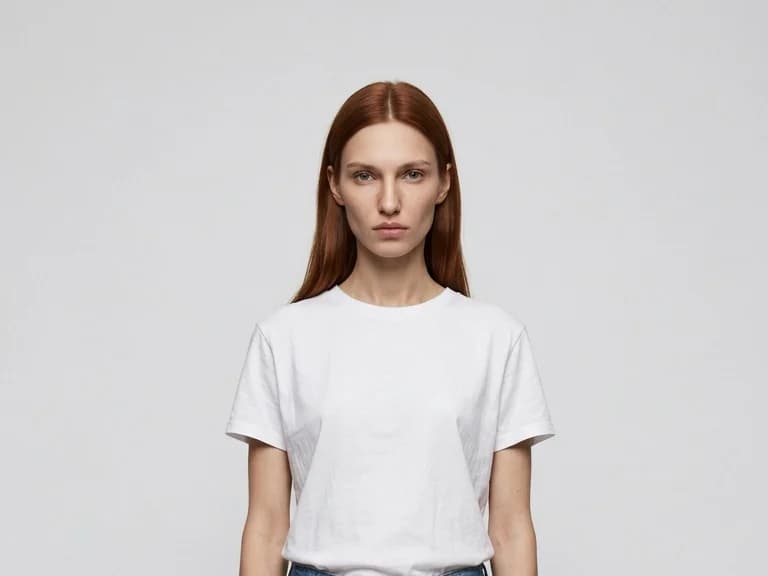
In the studio, open the workflow catalog and filter by Reels. Each reel asks for a full-body photo of your model and two pieces from your catalogue. Flat shots or ghost mannequin pictures of the garments work best.
Describe the setting
One line is enough: a sunny Paris crosswalk, a white room, a seaside promenade. Keep the audio on natural sounds, or describe the music you want.
Generate
The studio makes a 10-second reel in 9:16. Change the setting and generate again to get the same look in another city.
The four reels
| Reel | What happens | What you add |
|---|---|---|
| Passer-By Transition | Passers-by cross in front of the camera and each one reveals your model in the next look | Model + two garments |
| Look Switch Walk | Your model walks toward the camera down a crosswalk and the look switches every few steps | Model + two garments |
| Snap Freeze | A raised palm stops your model, the camera looks over the first piece, a finger snap switches it to the second | Model + the piece worn first + the piece it switches to |
| Outfit Drop | The pieces fall into the frame, your model jumps and lands wearing them | Model + two products, for example a jacket and trousers |
{{video:https://cloud.thenewblack.ai/storage/v1/object/public/media/a1e259ae-6bf6-4ae3-a2a3-c9a13809f1ba/efbff566-bf78-4af4-aea5-d6638c34c96a.mp4|Passer-By Transition, an AI outfit transition reel made on The New Black AI}}
{{video:https://cloud.thenewblack.ai/storage/v1/object/public/media/a1e259ae-6bf6-4ae3-a2a3-c9a13809f1ba/636b54d6-89c6-4939-a089-241d455ac2f4.mp4|Look Switch Walk, an AI outfit change reel on a crosswalk}}
{{video:https://cloud.thenewblack.ai/storage/v1/object/public/media/a1e259ae-6bf6-4ae3-a2a3-c9a13809f1ba/c31e99e3-1a4a-450e-b3ba-542bcd7d34f1.mp4|Outfit Drop, an AI reel where the clothes fall and the model lands wearing them}}
What it costs
| Quality | Credits for a 10-second reel |
|---|---|
| Standard AI | 22.00 |
| Pro AI | 44.00 |
| Ultra AI | 230.00 |
Standard AI works on every account. Pro AI and Ultra AI are open with any paid plan, see pricing.
Why it matters
Outfit transition reels are one of the formats brands and creators use most on Instagram and TikTok, because the change makes people watch to the end and watch again. Shooting one takes a model, a street, a camera operator and an editor. Here it takes your product photos and a sentence, so you can make one for every new arrival. Your AI agent can make them for you and place them on your social media agenda, and the same reels work as video ads.
For animated templates built from your existing pictures instead, see Fashion Reel Templates & AI Motion Design. For the whole method, read AI reel generator for fashion brands.
Frequently asked questions
What do I need to make an outfit transition reel?+
A full-body photo of your model and two pieces from your catalogue. The reel keeps your model's face and your garments as they are in the photos.
How long is a trend reel?+
Ten seconds, the length that performs best for Reels, TikTok and Shorts.
Which formats can I export?+
9:16 for every reel. Passer-By Transition, Look Switch Walk and Snap Freeze also render in 16:9, 4:3, 1:1 and 3:4.
How much does a trend reel cost?+
22.00 credits in Standard AI, 44.00 in Pro AI and 230.00 in Ultra AI for a 10-second reel.
Can I use my own garments?+
Yes. Upload your product photos or pick them from your library. Flat shots and ghost mannequin pictures give the cleanest result.
Can my AI agent make these reels for me?+
Yes. Ask your agent for a reel for each new product and it runs the same workflow with your photos, then schedules it on your social media agenda.
Try it yourself
Everything on this page was made in the studio. Your first designs are minutes away.
Open the studioRelated features
- AI Fashion Video from Reference ImagesPut your model, your garment and a place into one video: add up to three reference pictures, describe the scene, and get a 5 to 15 second fashion clip in 9:16, 1:1 or 16:9.
- Edit a Video with AIChange a video with a sentence, in your own words: the light, the setting, the mood, a garment. The instruction goes to the model as written; the clip keeps its length and its sound.
- Change the Background of a Video with AIPut the model of a video somewhere else, a street, a studio, a beach, with a sentence. The person, the outfit and the movement stay; the setting, the light and the shadows change.
- Edit the Outfit in a Video with AIChange the clothing in a video with a sentence: a new colour, another print, a different garment. The person, the movement and the setting stay as filmed.
- Model 360: a full turn from a front and a back photoTwo photos of your model, front and back, become a full-turn video: the model turns on the spot, or the camera circles around them. Every detail of the outfit kept, from every side.
- Reframe a Video to Any Format with AITurn a landscape clip into a vertical one, or a vertical into a square, without cropping: the subject is recentred and the missing edges are generated. One clip, every channel.
- Remove the Background of a Video with AICut a model or a product out of any video and keep it on a transparent, white, black or green background, no green screen. The clip keeps its length and its shape.
- Swap the Model in a Video with AIAnother person in the same video: give a photo of the new model, and the outfit, the movement and the setting stay exactly as filmed. One shoot, several faces.
- UGC Video: your product presented to cameraTurn a product photo into a short UGC-style clip: a presenter shows the piece and speaks to camera, smartphone feel, with voice.
- Model Walk: a runway video from one imageAnimate a model image into a runway clip: walking toward the camera, turning, posing, with the face, outfit and background kept exactly as in the picture.