AI Clothing Fashion Video Generator
Bring your fashion images to life with the AI fashion video generator. Any image becomes a video in seconds: upload your visual, choose a duration, and let the AI do the rest. The result is original clothing video content for an e-commerce product page or a social post, made from your own images.
Updated 15 October 2026
- 1Upload your fashion image
- 2Choose a duration
- 3Animate a design straight from the studio
How it works
Upload your fashion image
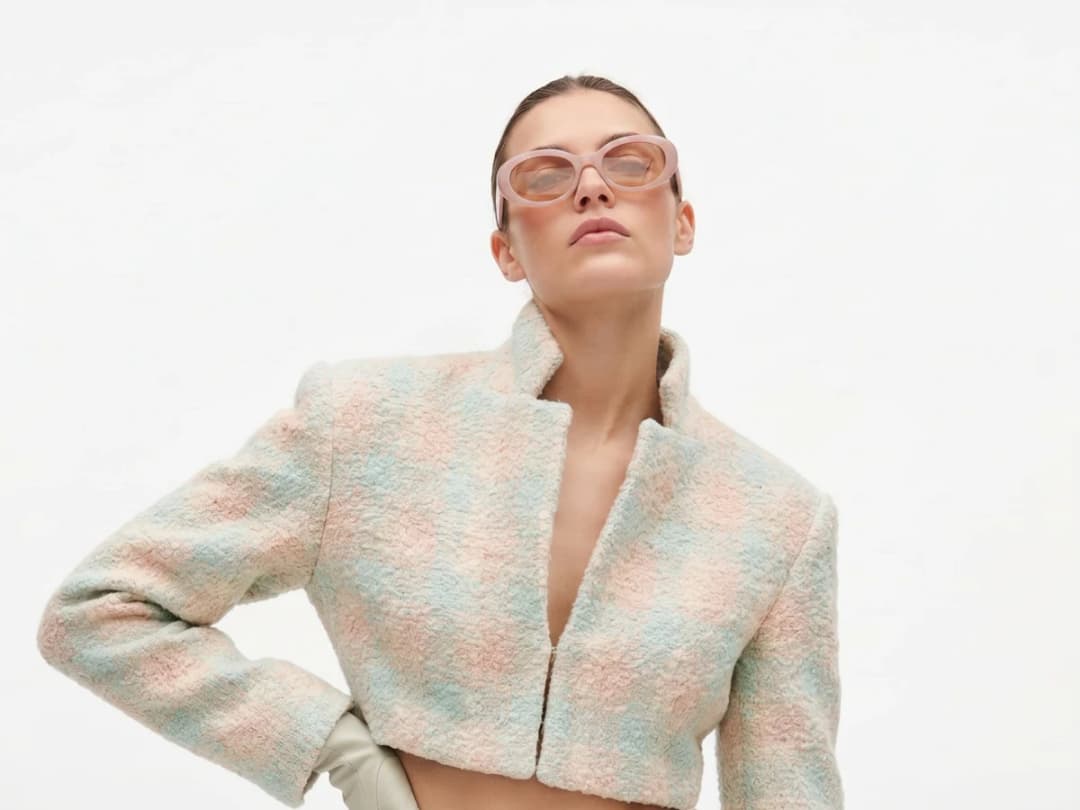
Start from the visual you want to see in motion. A model shot works, and so does a frame from a campaign; the AI builds the video from whatever image you give it.
Choose a duration
Pick how long the video should run. That is the only decision left before generating: the AI handles the rest.
Animate a design straight from the studio
Video sits next to the rest of the workflows in the design studio, so you can design a piece first and then animate it with the image to video feature. The static creation becomes a moving presentation of the same garment, and nothing else changes: the design you approved is the design that moves.
Is there an AI video generator for a clothing brand?
This is one, and the distinction that matters is where the video starts. A general text-to-video tool invents the garment along with the motion, so the piece in the clip is not the piece you sell. Here the video is animated from an image you supply, whether your product shot, your campaign frame, or a design you generated a minute earlier, so the garment on screen is the garment that exists. For a brand, that is the whole difference between a video of clothes and a video of your clothes.
It also means the tool has no opinion about your catalogue. A single frame is the entire input, so a ten-year-old lookbook photograph animates exactly as readily as something made this morning.
AI fashion video generator: three kinds of clip a brand needs
A clothing brand rarely needs one kind of video. It needs three, and each has its own door in the studio:
- A product or campaign shot that moves. That is this page: one image in, a short clip out, the garment exactly as it is in the picture. A model turns, the fabric moves, the camera pushes in.
- A trend reel. Outfit transitions, look switches, a model walking past a window: the formats that do the numbers on Instagram and TikTok, made from a photo of your model and the pieces from your catalogue. They are on the AI fashion reels page.
- The same video in another outfit. When the clip already exists and only the clothes should change, edit the outfit in a video keeps the person and the motion and swaps what they wear.
Start from the one that matches the clip you need; all three land in the same gallery, ready to post from the social agenda.
How long a clip takes, and what it costs
Videos are the slowest thing on the platform and still fast by the standards of the work they replace: a clip takes about a minute, measured on our own platform in August 2026, against roughly fifteen seconds for an image. Pricing follows the same shape: roughly one credit for an image and ten for a video, and the exact cost is shown before you generate rather than after.
A booked shoot for the same twenty seconds of usable footage is a day, a crew and a location. That is the comparison to hold in mind, not the one against another AI tool.
What animates well, and what to avoid asking for
Motion that belongs to the garment works best: fabric settling, a coat opening, a slow drift around a still model, the small movements that make a product look real rather than composited. Ask for that and the clip holds together.
Three things are worth avoiding. Long walks across a scene give the model's legs and hands time to drift, so a shorter clip of a smaller movement is more usable than a longer one of a bigger one. Printed text on a garment tends to reflow between frames. If a logo must stay legible, keep the camera close to still. And anything requiring two people to interact is beyond what a single starting frame can carry.
The cheap way to work is to accept that and generate twice: one clip for the movement, one for the detail, cut together afterwards.
For brands, e-commerce, and fashion designers
Fashion videos made with AI give a clothing brand a way to show a collection in motion rather than as a flat picture. The video keeps the character of the design and holds the viewer's attention longer than a still frame does. A few things people do with it: a pre-order video for a brand new design, made in seconds instead of booked as a shoot, or a collection viewed in several different environments without traveling to any of them. Turning static designs into clothing videos gives an online store and a social feed something to show that a product photo alone cannot.
Frequently asked questions
What images can I turn into a video?+
Any fashion image: a photo you upload, or a creation you just made in the studio. Because video sits alongside the other workflows, an AI model shot or a fresh design can be animated straight away, without leaving the page it was generated on.
What do I control in the generation?+
You choose the image and the duration; the AI does the rest. The point of the workflow is that the design you approved is the design that moves, so there is deliberately little to configure.
How fast is it?+
Under a minute in the ordinary case: a clip takes about a minute, measured on our own platform. That is what makes a pre-order video for a brand new design practical, or a collection shown in several environments without a single day of travel or shooting.
Where do my videos end up, and can I publish them?+
Every video lands in your studio grid, organised in projects next to the images it came from. The generator runs in the browser with nothing to install, and free credits at signup let you try a first clip.
Which aspect ratio should I generate for each platform?+
The video keeps the ratio of the image it starts from, so decide at the image stage: 9:16 for Reels, TikTok and Stories, 1:1 or 4:5 for feed posts, 16:9 for a site header. Generating the still in the right frame first costs nothing and saves re-rendering the clip.
What if the motion isn't what I wanted?+
Rewrite the motion line and run it again, each attempt is independent and billed as one run, so directing the camera is an iteration, not a commitment. Short, physical instructions work best: "the model walks forward", "slow zoom on the fabric".
Can I make fashion videos in 1080p?+
Yes, with Ultra AI: our best video model in 1080p, 15 credits a second, from 4 to 15 seconds. Details in 4K AI fashion images and 1080p video.
Can I start from a video instead of a picture?+
Yes. In Video, the Source row offers Image to animate a picture or Video to change a clip you already have: describe the change, a new outfit colour or another background, and the clip comes back edited, priced by its length.
Try it yourself
Everything on this page was made in the studio. Your first designs are minutes away.
Open the studioRelated features
- AI Fashion Video from Reference ImagesPut your model, your garment and a place into one video: add up to three reference pictures, describe the scene, and get a 5 to 15 second fashion clip in 9:16, 1:1 or 16:9.
- Fashion Reel Templates & AI Motion DesignEighteen Motion Design templates for fashion reels: drop your photos or clips, edit the words, render a 10-second video in 9:16, 4:5, 1:1 or 16:9. One credit, every plan.
- Create an AI Video of a Fashion Model Turning AroundTurn a front and a back photo into a smooth AI turnaround video with Model 360: the model turns on the spot or the camera orbits, every detail of the outfit kept from every side.
- Create AI Generated Model VideosTurn a clothing photo into an AI model video: create the model, then bring the still to life with realistic motion, no photoshoot needed.
- Animate a Sketch with AI VideoAnimate a fashion sketch with AI: upload a drawing and get a short video where the illustration itself moves, for presentations and moodboards.
- AI Jewelry Video GeneratorTurn a jewelry photo into a video with AI: sparkle, macro detail and slow rotation from a single image, no product film shoot needed.
- AI Sunglasses VideoTurn a sunglasses photo into a video with AI: face turns, lens reflections and light play from a single image or a text description.
- AI Shoes and Sneakers VideoTurn a shoe or sneaker image into a video with AI: on foot movement, sole flex and turning angles from one photo or a text description.
- AI Bag Video GeneratorTurn a bag photo into a video with AI: carried movement, swaying hardware and true scale from one image, no product film shoot.
- Create Video from Text or Image: AI Fashion VideoTurn a still into a clip, or make the clip from words alone: start image, optional end image, format, 5 to 30 seconds, generated audio, 720p in Standard and 1080p in Pro. From 11 credits.