Animate a Sketch with AI Video
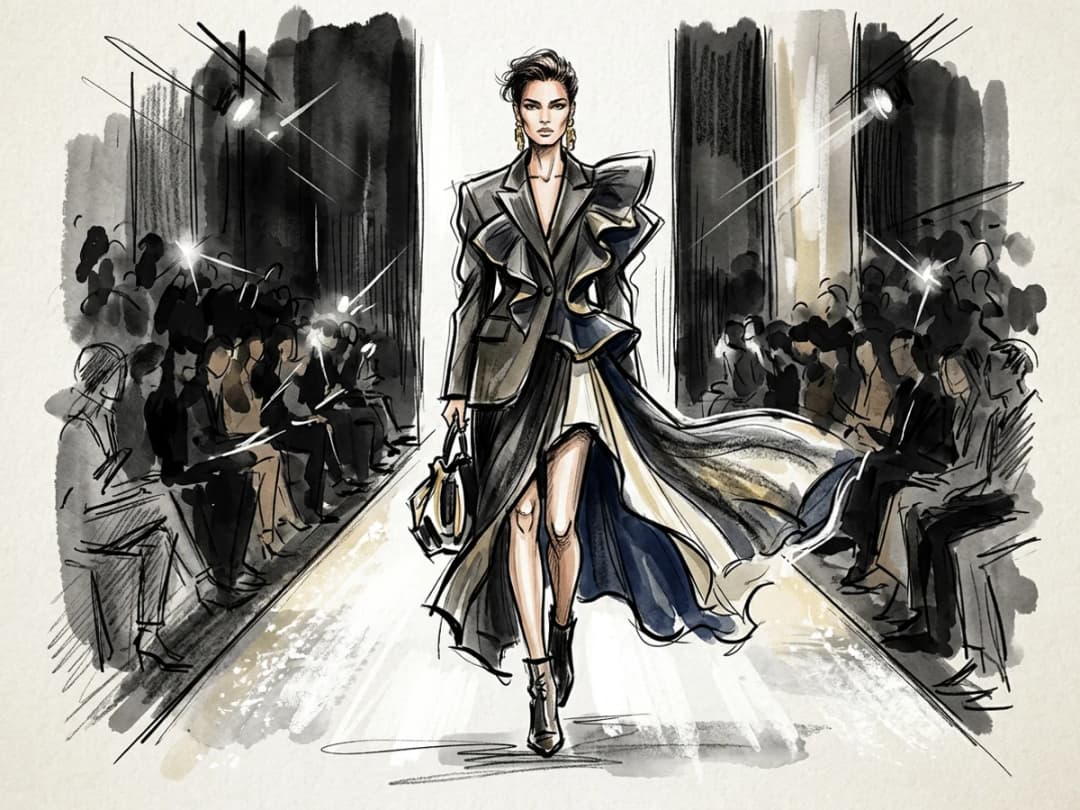
A sketch is the first life a design has, and this feature gives it literal movement. Upload a fashion drawing, hand drawn or digital, and the AI animates it into a short video: the illustrated figure shifts, the drawn fabric sways, the sketch breathes while staying a sketch. It turns the most personal artifact of the design process into something you can present.
Updated 26 September 2026
- 1Upload your sketch image
- 2Choose the length and the format
- 3Generate the animation
How it works
Upload your sketch image
Any drawing works: a pencil croquis, a marker illustration, a digital sketch. Upload it in JPG, PNG, or WebP format.
Choose the length and the format
Pick 5, 10, 15, 20 or 30 seconds and the format the clip should have. A short loop is usually enough for a drawing; the movement is the message.
Generate the animation
The clip lands in your studio grid. Use it on your brand site, in a moodboard, or in a collection presentation where a moving croquis says more than a pinned one.
Where an animated sketch belongs
The natural home of this feature is the presentation: a moodboard where the drawings move, a pitch where the collection appears as living illustrations before a single sample exists. It keeps the hand-drawn character that makes early design work charming, which a photorealistic render would erase. When you do want the realistic version instead, turn the sketch into a design first and then animate the result with image to video. Open the studio to bring a drawing to life.
Frequently asked questions
Does the video stay in the style of my drawing?+
The animation is generated from your sketch, so the illustrated style is what moves: the point is a living drawing, not a photo. If what you want is a realistic garment, convert the sketch to a design first and animate that image instead.
What kinds of sketches can I upload?+
Fashion illustrations of any technique, pencil, ink, marker, watercolor, or digital, uploaded as JPG, PNG, or WebP. A sketch with a clear figure and silhouette gives the AI the most to work with.
How long is the animation?+
You choose 5, 10, 15, 20 or 30 seconds, plus the format, when you create it. Short loops tend to suit sketches best.
What do designers use these clips for?+
Brand websites, moodboards, and presentations of sketch ideas: places where showing the design language in motion matters more than photorealism. The clips live in your studio projects and can be downloaded or reused like any other creation, with
Can I say how the drawing should move?+
Yes. Write the movement in the prompt, "the figure turns slowly, the skirt swings", and add an end image if you want the clip to land on a second drawing.
How many credits does an animation cost?+
It is priced by the second: 2.2 credits per second with Standard AI (11 credits for 5 seconds), 4.4 with Pro AI.
Can I animate a drawing that is not a fashion sketch?+
Yes. The same video workflow animates any image you upload; fashion drawings are simply what this page shows.
Can I turn the sketch into a realistic video instead?+
Yes, in two steps: turn the sketch into a design, then animate that image in the AI fashion video generator.
Try it yourself
Everything on this page was made in the studio. Your first designs are minutes away.
Open the studioRelated features
- AI Fashion Video from Reference ImagesPut your model, your garment and a place into one video: add up to three reference pictures, describe the scene, and get a 5 to 15 second fashion clip in 9:16, 1:1 or 16:9.
- Fashion Reel Templates & AI Motion DesignEighteen Motion Design templates for fashion reels: drop your photos or clips, edit the words, render a 10-second video in 9:16, 4:5, 1:1 or 16:9. One credit, every plan.
- Create an AI Video of a Fashion Model Turning AroundTurn a front and a back photo into a smooth AI turnaround video with Model 360: the model turns on the spot or the camera orbits, every detail of the outfit kept from every side.
- Create AI Generated Model VideosTurn a clothing photo into an AI model video: create the model, then bring the still to life with realistic motion, no photoshoot needed.
- AI Jewelry Video GeneratorTurn a jewelry photo into a video with AI: sparkle, macro detail and slow rotation from a single image, no product film shoot needed.
- AI Sunglasses VideoTurn a sunglasses photo into a video with AI: face turns, lens reflections and light play from a single image or a text description.
- AI Shoes and Sneakers VideoTurn a shoe or sneaker image into a video with AI: on foot movement, sole flex and turning angles from one photo or a text description.
- AI Bag Video GeneratorTurn a bag photo into a video with AI: carried movement, swaying hardware and true scale from one image, no product film shoot.
- AI Fashion Reels: Trending Outfit Transition VideosMake trending AI fashion reels from one photo: outfit transitions as people pass, as your model walks, at a finger snap, after a jump, and more. 10-second 9:16 videos for Reels, TikTok and Shorts.
- Edit a Video with AIChange a video with a sentence, in your own words: the light, the setting, the mood, a garment. The instruction goes to the model as written; the clip keeps its length and its sound.