Enhance an Image to HD
The AI HD upscaler enhances your visuals in high definition with incredible precision. Using advanced deep learning, it increases image resolution while preserving every detail, texture, and color. Whether you are refining a fashion design, improving a product photo, or enhancing artwork, it transforms low-resolution images into sharp, high-definition visuals ready for professional use.
Updated 30 September 2026
- 1Create an ultra realistic fashion design
- 2Create the HD version
- 3Use it where quality shows
How it works
Create an ultra realistic fashion design
Start from your best possible source. The pro model has the deepest understanding of fashion prompts and creates images with very realistic rendering and high detail, which gives the upscaler the most to work with.
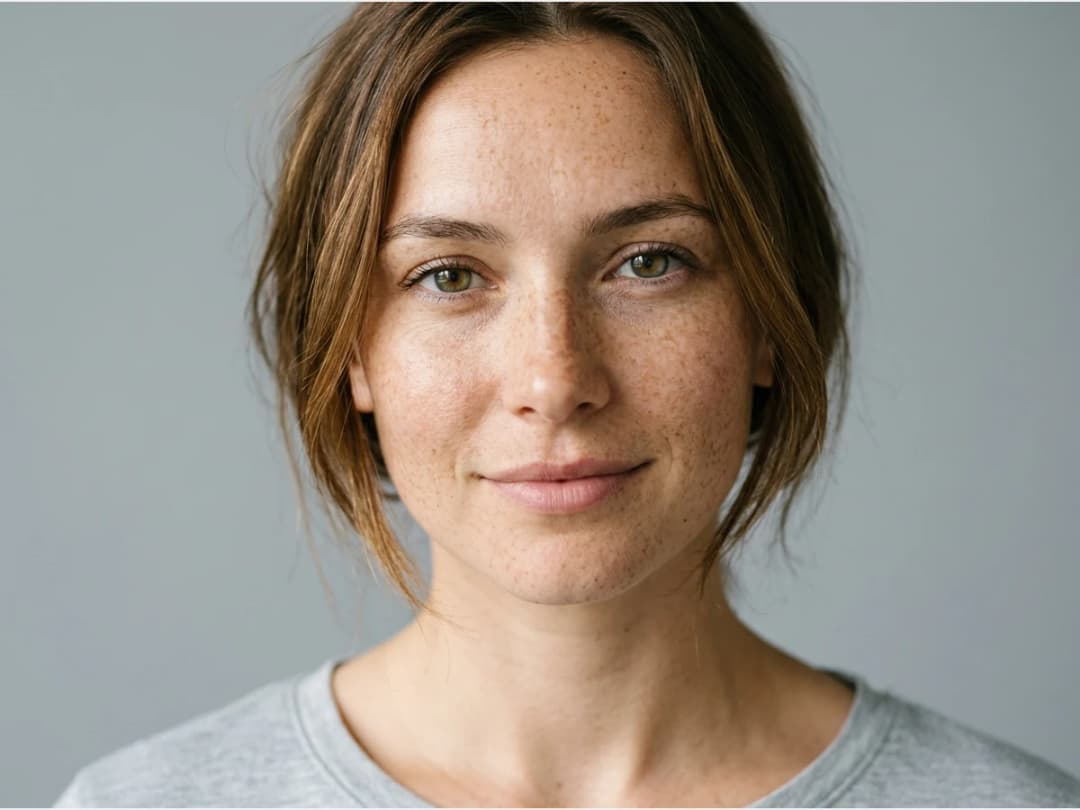
Create the HD version
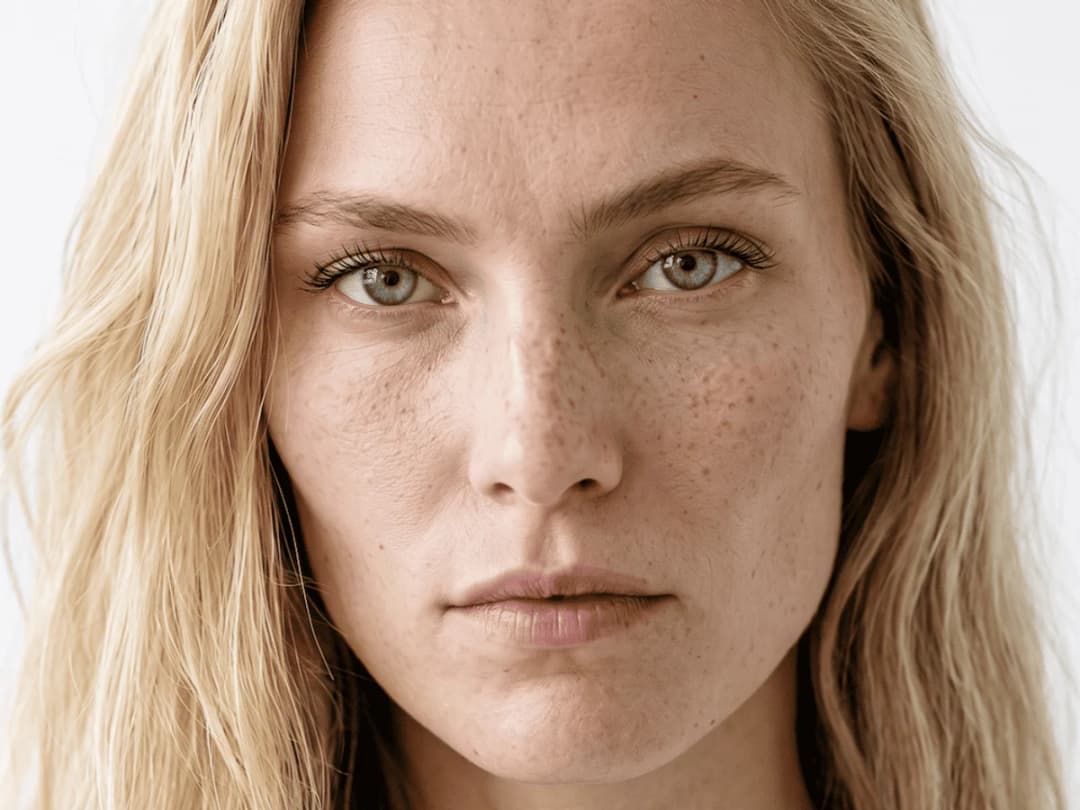
Ask for an HD version of the image. The upscaler raises the resolution and sharpens the details without flattening textures or shifting colors.
Use it where quality shows
HD versions are made for the places where every pixel is looked at: a fashion website, a lookbook, a client presentation, a print file.
Try it on your own images
Every creation in the studio carries an HD button, one press away. Open the studio and enhance your first image. The same pass exists for moving pictures: see upscale a video to HD. The rest is in the features catalog.
Frequently asked questions
What does the upscaler preserve?+
Every detail, texture, and color. The deep learning raises the resolution and sharpens the details without flattening textures or shifting colors, so the HD version reads as the same image, only sharper.
What images can I enhance?+
A fashion design, a product photo, or artwork: any low resolution image can come out as a sharp, high definition visual ready for professional use. Every creation in the studio also carries its own HD button, one press away.
When is the HD pass worth running?+
For the places where every pixel is looked at: a fashion website, a lookbook, a client presentation, a print file. It is usually the last step before publishing, once the design itself is settled.
Where does the HD version go?+
It lands in your studio grid next to the original, organised in projects, and feeds the other workflows: a sharper source helps the 3D conversion and any visual headed for a campaign. The studio runs in the browser, with free credits at signup.
Can I pause my plan between two collections?+
Yes. A plan can be paused for one, two or three months: no billing while paused, and the credits you already have stay usable the whole time.
Are my uploads and my creations private?+
Yes. Everything you upload and everything you generate is private to your account, never shown to other users, never published without an action of yours, and never used to train any model, on any plan. Details on the Security page.
Enhance to HD or Ultra AI: which one?+
Ultra AI makes a new picture in 4K from the start, with the detail generated, for 7 credits from the Pro plan. Enhance to HD enlarges a picture you already have. Both are explained in 4K AI fashion images and 1080p video.
Try it yourself
Everything on this page was made in the studio. Your first designs are minutes away.
Open the studioRelated features
- AI Clothes Maker, Design Clothes Online: The New Black AIDesign clothes online with an AI clothes maker: describe the piece, see it worn in seconds, iterate, then send a tech pack to your factory. 1 credit per design.
- AI Virtual Try On Necklace (Jewelry)Preview any necklace on a model with AI: upload a model photo and the necklace design, and see it sit on the neckline at the right chain length.
- AI Virtual Try On Bracelet (Jewelry)Preview bracelet designs on a real wrist with AI: upload a wrist photo and your bracelet, and get a lifelike worn shot with accurate scale.
- AI Virtual Try On BagsSee any bag on a model in seconds: upload a photo and a handbag or purse image, and the AI matches lighting, proportions, and perspective.
- Create Kid Fashion Clothing Models with AIUpload a kids clothing photo and get a child AI model wearing it in about 30 seconds: no casting, no studio, visuals ready for your store.
- Virtual Try On Head Accessories with AISee any hat, cap, or beanie worn before buying: AI fits the headwear to the face, the hairstyle, and the perspective of your photo.
- Create an AI Fashion Model for SocksUpload a sock photo, describe the model and the scene, and get visuals framed so the socks stay the point: no shoes, no photoshoot.
- AI Fashion Design for Kids, Toddlers and BabiesDesign kids fashion with AI: pick the age, from toddler to teenager, describe the outfit and get original children's clothing concepts.
- AI Ghost Mannequin Generator: Invisible Mannequin PhotosCreate the ghost mannequin effect from one garment photo: the AI removes the model or mannequin and rebuilds the inner collar. Free to try, about 15 seconds an image, ready for your store.
- Reimagine Your Model in New ScenesCreate a back view, a side view or a close up of a fashion photo with AI: upload the original model and describe the angle you want to see.