Create Kid Fashion Clothing Models with AI
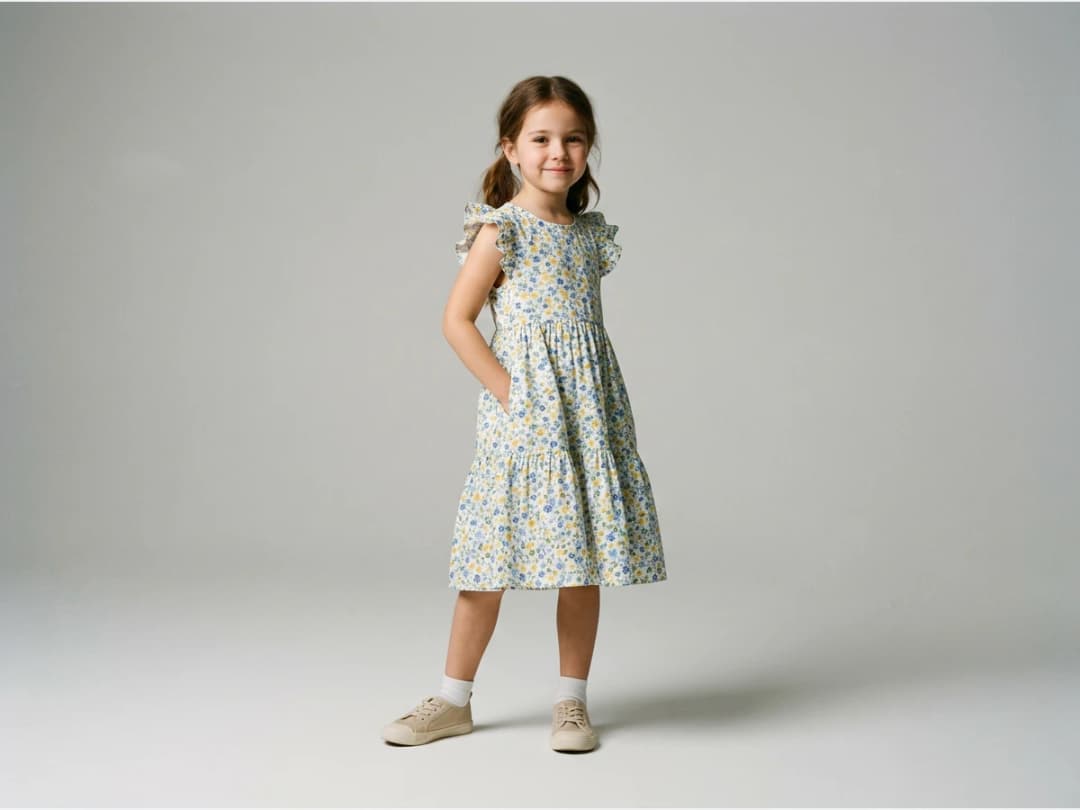
Kidswear has the hardest photoshoots in fashion: casting children, working around school and parents, and getting usable frames before the patience runs out. This feature turns an ordinary clothing photo into a realistic child AI model wearing the garment, in about 30 seconds, with no casting at all. Brands, designers, and retailers get age appropriate visuals for children's collections without putting a child in front of a camera.
- 1Select a kid age in the model profile
- 2Upload your clothing images
- 3No more kid photoshoots
This demo was recorded in our previous interface — an updated video of the new studio is on its way.
How it works
Select a kid age in the model profile
Go to the Models page and open the model profile. Set the age of your AI model to a kid age and choose the type. This is the casting step, done in two clicks instead of two weeks.
Upload your clothing images
Then upload the clothing photo, for example a t-shirt or a dress. A flat product shot is all the AI needs to dress the child model.
No more kid photoshoots
Your kid model is ready in about 30 seconds. Repeat for each piece in the children's line: the same garment photo to model photo pass works for boys' and girls' pieces alike.
Kid models are one age setting inside the AI models studio, next to the adult model generation the rest of your catalog uses.
Frequently asked questions
How do I get a child model instead of an adult?+
The age lives in the model profile on the Models page. Select a kid age and the type of model there before you upload the clothing image; the generation then produces a child model wearing your garment.
Does it work for both boys and girls?+
Yes. The model profile controls who wears the garment, and the same flow covers boys' and girls' clothing, from printed t-shirts to dresses.
How long does a generation take?+
About 30 seconds from uploading the clothing image to a finished kid model visual.
Where do the images go, and can I sell with them?+
Generations land in your studio grid, organised in projects, and can be reused in other workflows. The visuals can go on your store directly.
Try it yourself
Everything on this page was made in the studio. Your first designs are minutes away.
Open the studioRelated features
- AI Virtual Try On Necklace (Jewelry)Preview any necklace on a model with AI: upload a model photo and the necklace design, and see it sit on the neckline at the right chain length.
- AI Virtual Try On Bracelet (Jewelry)Preview bracelet designs on a real wrist with AI: upload a wrist photo and your bracelet, and get a lifelike worn shot with accurate scale.
- AI Virtual Try On BagsSee any bag on a model in seconds: upload a photo and a handbag or purse image, and the AI matches lighting, proportions, and perspective.
- Virtual Try On Head Accessories with AISee any hat, cap, or beanie worn before buying: AI fits the headwear to the face, the hairstyle, and the perspective of your photo.
- Create an AI Fashion Model for SocksUpload a sock photo, describe the model and the scene, and get visuals framed so the socks stay the point: no shoes, no photoshoot.
- AI Ghost Mannequin Clothes from an ImageTurn any garment photo into a clean ghost mannequin image in seconds: the AI removes the model and rebuilds the hidden parts, ready for e-commerce.
- Reimagine Your Model in New ScenesCreate a back view, a side view or a close up of a fashion photo with AI: upload the original model and describe the angle you want to see.
- AI Virtual Try On ShoesSwap shoes on any photo with AI: upload a model and a new pair, and the original shoes are replaced with realistic proportions and lighting.
- AI Virtual Try On JewelryTry jewelry on any photo with AI: upload a model and a ring, bracelet, necklace or earrings, and see the piece worn with realistic scale and light.
- AI Fashion Models for Beauty and Cosmetic ProductsTurn a cosmetic product photo into an AI model visual: editorial beauty images without a photoshoot, with a model whose age and country you choose.