AI Virtual Try On Shoes
The AI virtual shoe try on replaces the footwear in a photo with a pair of your own. Upload a picture of a model, or of yourself, then an image of the new shoe design, and the AI puts the selected pair in place of the original one while keeping proportions and lighting realistic. Built on computer vision and machine learning, it saves brands and designers a lot of the time that footwear visuals usually cost.
Updated 2 October 2026
- 1Upload your model feet photo
- 2Upload your new shoes image
- 3Try on different shoes with AI
How it works
Upload your model feet photo
Start with a photo where the feet are visible. This is the image the new shoes will be placed into.
Upload your new shoes image
Then add the picture of the pair you want to see worn. The AI swaps it into the original photo, on the same feet, in the same pose.
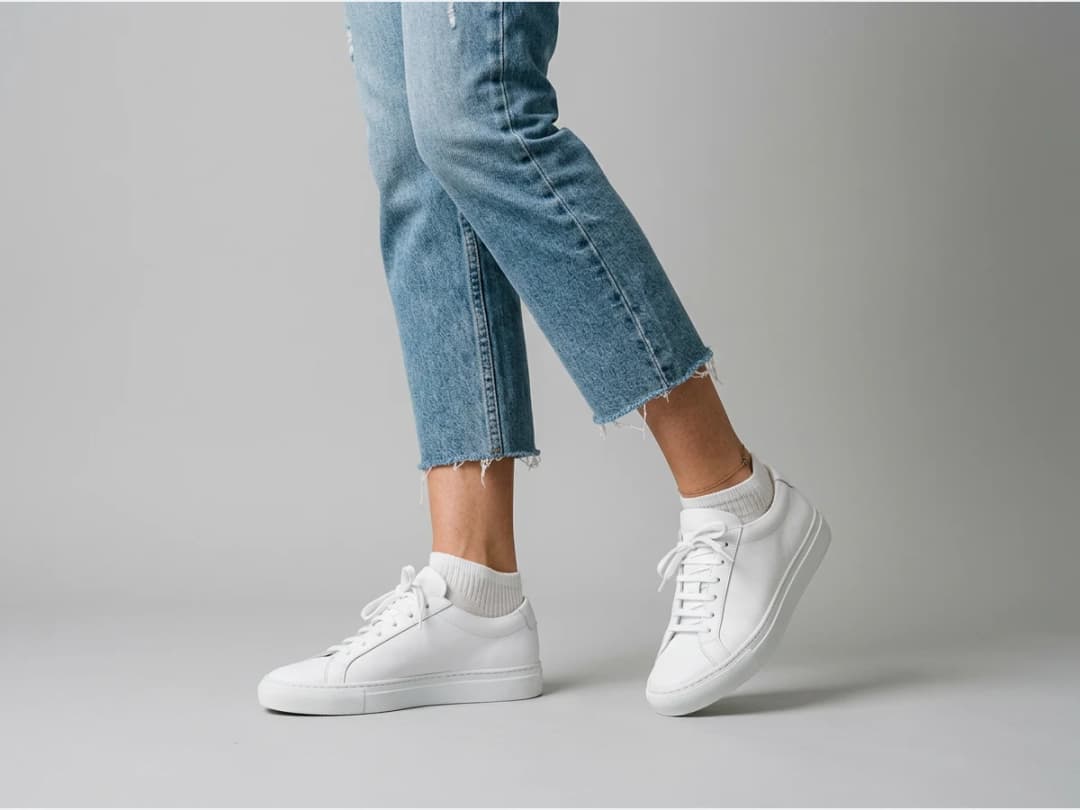
Try on different shoes with AI
Every type of shoe can go through the same pass, so one model photo can carry a full range. Change the pair, run it again, and the series stays consistent.
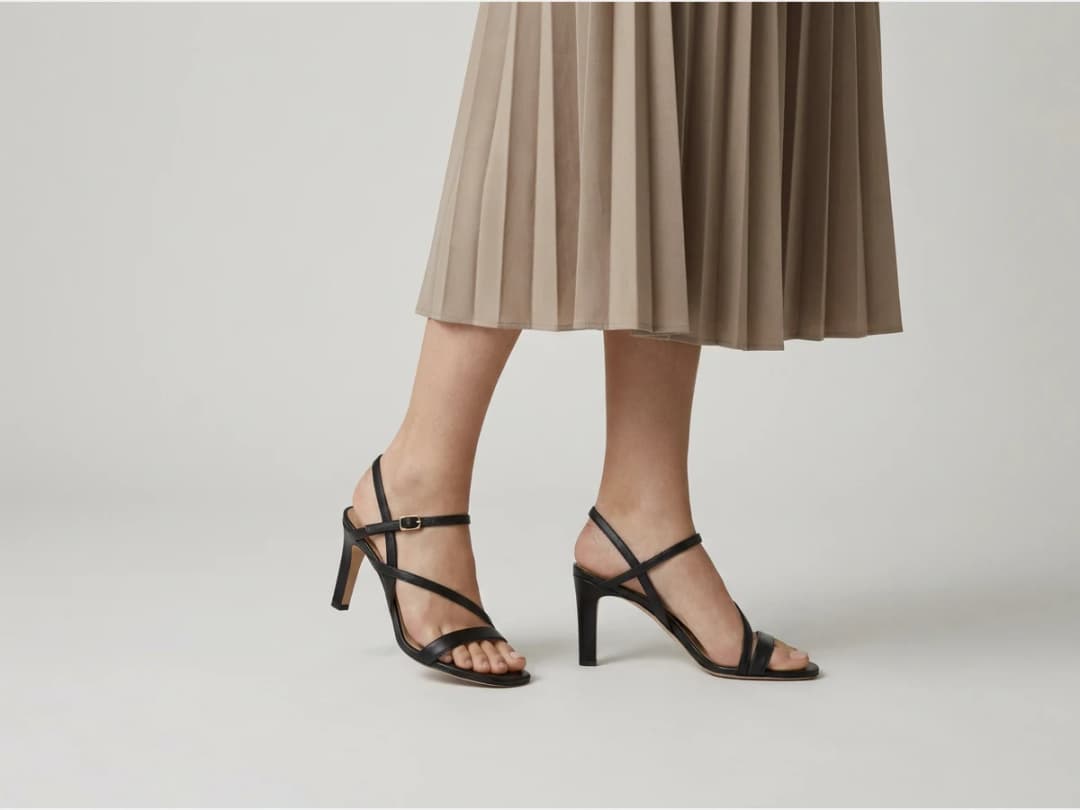
Can you change the shoes in a photo for free?
You can change the first pairs on the credits an account opens with, and after that each swap costs one credit on Standard or three on Pro. Uploading costs nothing, and neither does looking. The meter runs on the generation, so putting six pairs on the same photograph costs six.
It is worth being clear about what "try on" means here, because the phrase covers two different things. This is a photographic swap: the footwear in an existing picture is replaced by a pair you supply, keeping the pose, the light and the rest of the image. It is not a fitting: nothing measures a foot, and nothing tells you whether the shoe fits the person in the photograph. What it answers is how the pair looks worn, which is the question a product page and a lookbook are actually asking.
What makes a photo swap cleanly
Feet are small, near the bottom of the frame, and often partly hidden, which makes the source photograph matter more here than in a full-garment swap.
Four things help. Feet fully in frame, with a little ground around them, so the shadow the shoe casts has somewhere to land. A straight-on or three-quarter angle rather than a steep overhead, which flattens the shoe's profile and hides exactly the part that identifies it. Both feet visible if the pair is the subject: a hidden second shoe is invented, and invented shoes rarely match. And a still pose, because motion blur at the ankle gives the model nothing solid to attach to.
The pair you upload matters too. A clean product shot of the shoe, side or three-quarter, on a plain background, transfers far better than a styled photograph where the shoe is already worn by somebody else.
Where it struggles, and how fast you find out
Two honest limits. Extreme angles, a foot pointing directly at the camera or a shoe seen from behind, are where the swap loses the silhouette, and it is often quicker to reshoot the base photograph than to try again. And very tall boots interact with the trousers or the hem above them, so a knee boot under a long coat is a harder ask than a sneaker with a cropped jean.
Finding out is cheap and immediate: measured on our own platform in August 2026, an image comes back in about fifteen seconds. Trying the awkward angle costs less than reasoning about whether it will work.
Frequently asked questions
What does the starting photo need?+
Visible feet. Unlike the rest of try-on, this workflow is a replacement: the AI takes the pair already in the photo and swaps in yours, on the same feet, in the same pose, with proportions and lighting kept realistic. The feet are the anchor everything else is built on.
Does the pose or the rest of the photo change?+
No. The swap touches the footwear and nothing else. The model, the pose, the ground, and the light stay as photographed, which is why a series of swaps on one photo stays visually consistent.
What shoe styles can I swap in?+
Every type of shoe can go through the same pass: sneakers, heels, boots, platforms. Upload the image of the pair you want to see worn and the AI puts it in place of the original one.
How do I cover a whole footwear range?+
One model photo can carry the full range: change the pair, run it again, and the series stays consistent. For an entire catalog in one go, use bulk generation; for accessories, the same idea exists as AI virtual try on jewelry.
Can brands use the results commercially?+
Yes, on any plan: everything you generate is yours to sell, print and publish. The swapped visuals land in your studio grid, organised in projects and reusable in workflows like video or HD upscale, with the whole studio running in the browser and free credits at signup.
Can I use it beyond product pages, lookbooks, campaigns?+
Yes. Because the model, pose and light stay identical across swaps, a single strong photograph can carry a whole seasonal story: the campaign image stays art-directed once, and the footwear rotates through it. Product pages are the obvious use; consistency is the deeper one.
What if the feet are partly out of frame or in motion?+
The swap needs to see where the shoes live. A walking shot with one heel lifted works; feet cropped at the ankle or hidden in grass gives the model too little anchor. When a swap looks off, the frame is usually the reason, and retrying with a fuller view costs one attempt.
Is this an AR shoe try-on for my store's shoppers?+
No. It is a studio for brands: you make the photographs of your shoes worn, for your product pages, ads and lookbooks, and you can animate them with image to video. Shoppers see the finished pictures; they do not point their phone at their feet.
Try it yourself
Everything on this page was made in the studio. Your first designs are minutes away.
Open the studioRelated features
- AI Fashion Reels: Trending Outfit Transition VideosMake trending AI fashion reels from one photo: outfit transitions as people pass, as your model walks, at a finger snap, after a jump, and more. 10-second 9:16 videos for Reels, TikTok and Shorts.
- AI Virtual Try On Necklace (Jewelry)Preview any necklace on a model with AI: upload a model photo and the necklace design, and see it sit on the neckline at the right chain length.
- AI Virtual Try On Bracelet (Jewelry)Preview bracelet designs on a real wrist with AI: upload a wrist photo and your bracelet, and get a lifelike worn shot with accurate scale.
- AI Virtual Try On BagsSee any bag on a model in seconds: upload a photo and a handbag or purse image, and the AI matches lighting, proportions, and perspective.
- Create Kid Fashion Clothing Models with AIUpload a kids clothing photo and get a child AI model wearing it in about 30 seconds: no casting, no studio, visuals ready for your store.
- Virtual Try On Head Accessories with AISee any hat, cap, or beanie worn before buying: AI fits the headwear to the face, the hairstyle, and the perspective of your photo.
- Create an AI Fashion Model for SocksUpload a sock photo, describe the model and the scene, and get visuals framed so the socks stay the point: no shoes, no photoshoot.
- AI Ghost Mannequin Clothes from an ImageTurn any garment photo into a clean ghost mannequin image in seconds: the AI removes the model and rebuilds the hidden parts, ready for e-commerce.
- Reimagine Your Model in New ScenesCreate a back view, a side view or a close up of a fashion photo with AI: upload the original model and describe the angle you want to see.
- AI Fashion Models for Beauty and Cosmetic ProductsTurn a cosmetic product photo into an AI model visual: editorial beauty images without a photoshoot, with a model whose age and country you choose.