Swap Fashion Models with AI
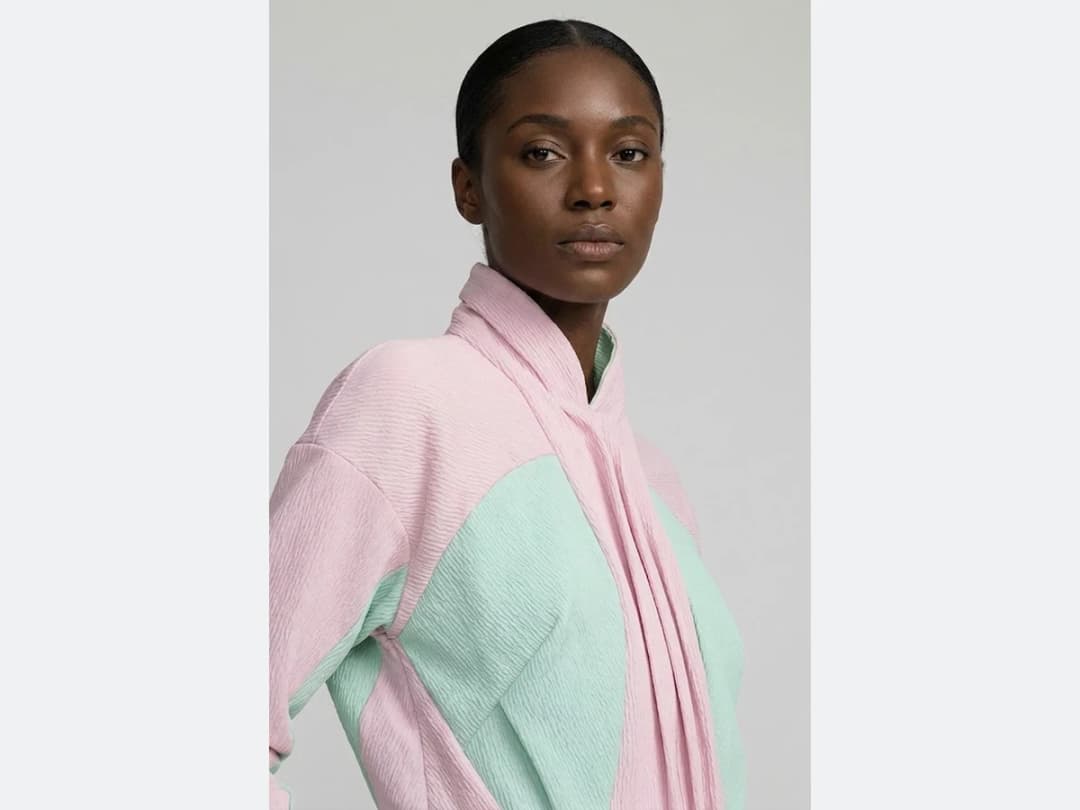
AI model swap lets designers and brands show a creation on someone else without reshooting it or rebuilding the garment. Upload an image and the AI replaces the model while every detail of the outfit stays where it was, from fabric textures and folds to lighting and shadows. It makes it easy to see how a design reads on different body types, skin tones, and poses, or to adapt a visual to another campaign or another market. For refining a collection, preparing lookbooks, or personalizing a client presentation, it saves time and resources that a second shoot would have cost.
Updated 3 October 2026
- 1Choose the image to image mode, then upload your image
- 2Choose the change model option and the new model type
- 3Change models on all your photos and explore different possibilities
How it works
Choose the image to image mode, then upload your image
Any photo with a model in it can go through the swap.
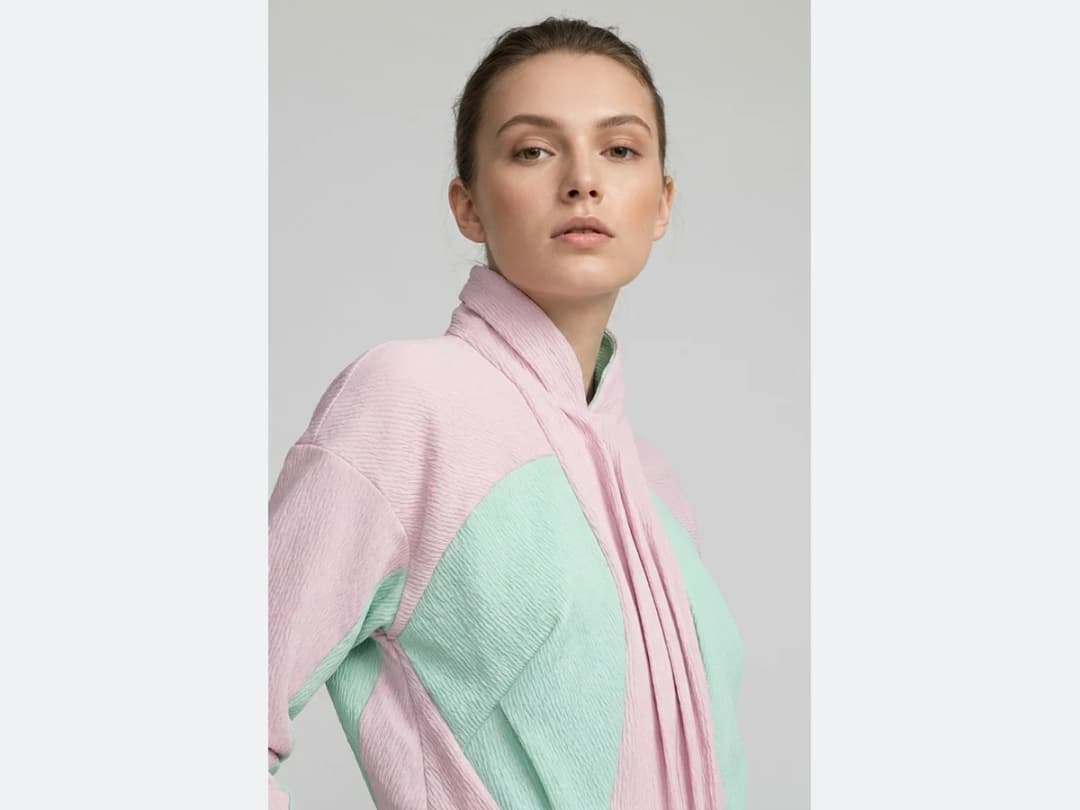
Choose the change model option and the new model type
You set who the new model is: gender, age, country type, and body shape. The outfit is not part of that choice, it carries over as it was photographed.
Change models on all your photos and explore different possibilities
Run the templates across your photos and the same garment appears on people from around the world, in seconds, which is what makes an inclusive set of visuals practical.
Frequently asked questions
Does the outfit really stay untouched?+
Yes, that is the whole contract of the swap. Every detail of the outfit stays where it was, from fabric textures and folds to lighting and shadows; only the person changes. The garment is not part of what you choose, it carries over as it was photographed.
What can I change about the new model?+
Gender, age, country type, and body shape. Those four settings define who now wears the creation, which is how one photo becomes a set of visuals across body types, skin tones, and poses.
Why swap the model rather than reshoot?+
Because the second shoot is exactly what this replaces. Adapting a visual to another campaign or another market, refining a collection, preparing lookbooks, or personalizing a client presentation all become an edit instead of a booking, in seconds per photo.
What if I do not have a model photo yet?+
Then start from the product instead: the AI models studio generates a model from a product shot, and alternative angles gives you other views of a scene you already like.
Can I publish the swapped visuals?+
The swaps land in your studio grid, organised in projects and reusable in other workflows like video or HD upscale, and the studio runs in the browser with free credits at signup.
Can I run Swap Model on many photos at once?+
Yes, with bulk generation on the Pro, Business and Enterprise plans: upload up to 30 photos, choose Swap Model, set the new model once for the whole batch, and every photo comes back processed. Each photo costs the same credits as a single run.
Try it yourself
Everything on this page was made in the studio. Your first designs are minutes away.
Open the studioRelated features
- AI Fashion Video from Reference ImagesPut your model, your garment and a place into one video: add up to three reference pictures, describe the scene, and get a 5 to 15 second fashion clip in 9:16, 1:1 or 16:9.
- Fashion Reel Templates & AI Motion DesignEighteen Motion Design templates for fashion reels: drop your photos or clips, edit the words, render a 10-second video in 9:16, 4:5, 1:1 or 16:9. One credit, every plan.
- AI Image Generator for Fashion: Create or Edit Any ImageWrite what you want and get the image, or upload up to three references and describe the change: the free-prompt tool that creates or edits any fashion visual, in any format.
- Create an AI Video of a Fashion Model Turning AroundTurn a front and a back photo into a smooth AI turnaround video with Model 360: the model turns on the spot or the camera orbits, every detail of the outfit kept from every side.
- Create AI Generated Model VideosTurn a clothing photo into an AI model video: create the model, then bring the still to life with realistic motion, no photoshoot needed.
- Animate a Sketch with AI VideoAnimate a fashion sketch with AI: upload a drawing and get a short video where the illustration itself moves, for presentations and moodboards.
- AI Jewelry Video GeneratorTurn a jewelry photo into a video with AI: sparkle, macro detail and slow rotation from a single image, no product film shoot needed.
- AI Sunglasses VideoTurn a sunglasses photo into a video with AI: face turns, lens reflections and light play from a single image or a text description.
- AI Shoes and Sneakers VideoTurn a shoe or sneaker image into a video with AI: on foot movement, sole flex and turning angles from one photo or a text description.
- AI Bag Video GeneratorTurn a bag photo into a video with AI: carried movement, swaying hardware and true scale from one image, no product film shoot.