8 Best AI Fashion Photoshoot Generators (2026)
Published 3 November 2026 · Updated 13 November 2026
If you want an AI tool to replace the whole fashion photoshoot (the model, the setting, a series of poses and angles that hold together, then a few seconds of video), our pick is The New Black AI, and we make it: each shot costs 1 credit on the Standard AI, a ten-second clip 22 credits, from 15 dollars a month. Botika fits a retailer that wants editorial shots and videos from a big model library, paid a year upfront. WearView fits a small brand that wants a fixed monthly budget and its own saved model from the Pro plan. FASHN fits a team that wants to build the shoot into its own app through an API.
Updated November 2026.
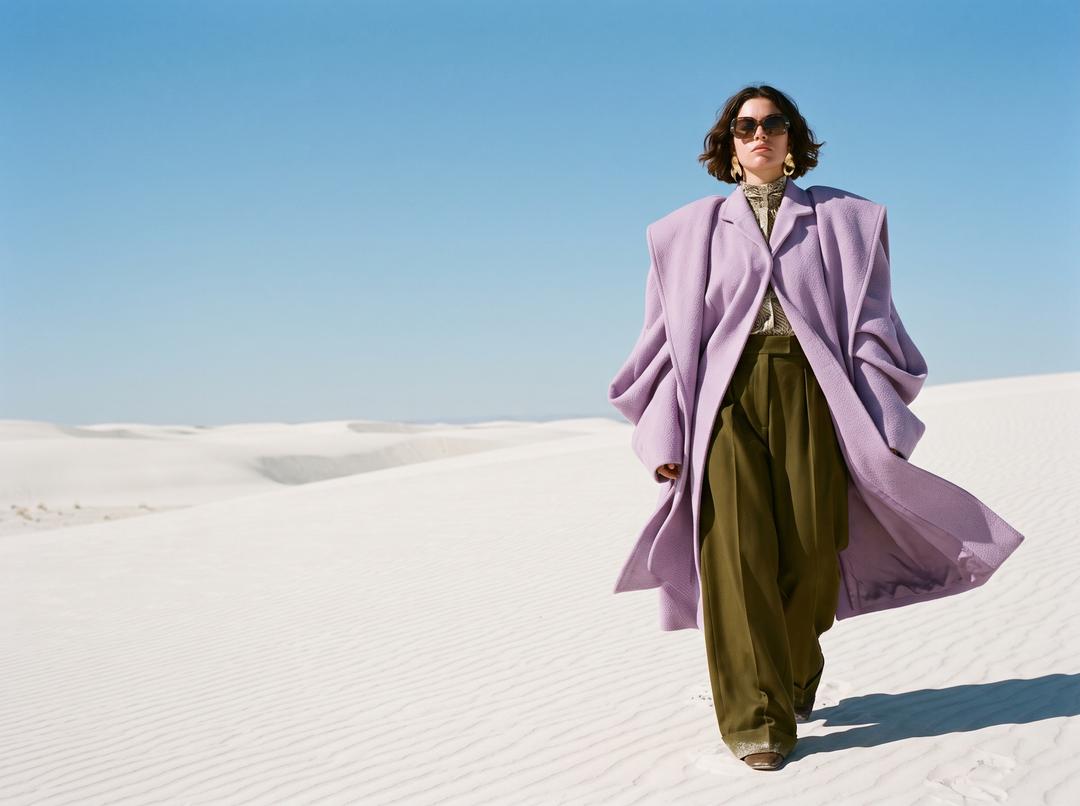
A real shoot gives a brand more than one picture. It gives a cast, a location, a light, a set of poses and angles that read as one story, and often a short clip for social. A tool that only puts a garment on a body gives you one image, and you still have to build the rest. This comparison ranks eight AI fashion photoshoot generators on how much of the shoot they replace: The New Black AI, Botika, WearView, Modelia, FASHN, Claid, Photoroom and Uwear.
If your only need is the model itself, our comparison of AI fashion model generators goes deeper on that single step.
Quick answer
- Best for replacing the whole shoot, from the model to the video: The New Black AI (our pick, we make it).
- Best for editorial shots and videos from a large model library: Botika.
- Best for a fixed monthly budget with your own saved model: WearView.
- Best for building shoots into your own app: FASHN.
- Best for an occasional shoot with no subscription: Uwear.
The 8 tools at a glance
Ordered by how much of a fashion shoot the tool covers on its published self-serve terms, as the next section explains. It is not a quality score.
| Tool | Best for | Starting price (checked) | Free option | Video |
|---|---|---|---|---|
| The New Black AI | The whole shoot: model, scene, angles, series, video | Starter, 15 dollars a month for 200 credits (Nov. 2026) | Free credits at signup | 5 to 30 s, 2.2 credits a second on Standard |
| Botika | Editorial shots and video from a model library | Personal, 20 dollars a month billed yearly (Nov. 2026) | 7-day trial | 5 s clip, 130 credits |
| WearView | A fixed monthly budget, your own model from Pro | Lite, 29 dollars a month or 24 billed yearly (Nov. 2026) | Free sample shoots, 14-day refund | From Pro, 20 credits in 1080p |
| Modelia | A consistent character in photos and short videos | Free, then Creator at 30 dollars a month (Nov. 2026) | Yes, watermarked | Image to video |
| FASHN | Shoots inside your own app, through an API | Basic, 19 dollars a month (Nov. 2026) | A few trial credits | 5 s clips |
| Claid | The shoot as one step of a product photo pipeline | See their site | No-cost plan to try | Yes, on web and API |
| Photoroom | Teams already editing product photos at volume | See their site (prices vary by region) | Free trial | From Max |
| Uwear | An occasional shoot, paid per credit | 0.10 dollar a credit, from 7 dollars (Nov. 2026) | Free preview of three products | Yes |
How this comparison was made, and how the order is set
We read each company's own site in November 2026: its pricing page, its home page and, where there is one, its page on AI photoshoots or AI models. The month is written next to every price. We did not buy a plan from any of the other seven companies and did not shoot our garments with their tools, so this page makes no claim about which one renders a garment best. Where a company does not publish something, we say so. Prices are in US dollars, billed monthly unless marked yearly.
We asked what a brand asks of a photoshoot:
- The garment: does it come back as photographed, print, colour and length included?
- The cast: can you choose the model, use your own, and keep the same person on every image of the series?
- The set: can you choose the setting and the light, or only pick from a library of scenes?
- The series: can you get new poses and angles of the same look, so a product page has a front, a back and a detail?
- The clip: is there video, what does a clip cost, and does it start from an image you already approved?
- The next step: does the shoot go to a store or a social account, or is it a download?
The order follows that list for one job: a fashion brand that shoots each new collection for its store and its social accounts. The New Black AI is first because it covers every line of the list in one account, and because we make it; we say so plainly so you can weigh it. For a different job, the How to choose section points to the tool to start with.
The tools, and what each fits best
The New Black AI: our pick for replacing the whole shoot, from the model to the video (we make it)
A shoot in The New Black AI follows the order of a real one, and each step is a workflow of the AI fashion photoshoot studio.
The cast. Product to Model takes a packshot, a flat lay, a hanger shot or a ghost mannequin, and puts the garment on a model you describe: gender, age, body shape, origin, a line for the pose. To shoot on someone you already work with, put their photo in the model slot, or use Virtual Try-On. A model image reused in every generation keeps the same person across the series, with nothing to train.
The set and the shot. The Framing row (full body, upper body, portrait, product detail worn), the Angle row (eye level, slightly above, slightly below, low from the ground), the scene and the format, from 9:16 for a story to 21:9 for a banner. A saved Visual style keeps the light, colours and mood of your brand on every image, so pictures made on different days read as one shoot. You can also start from an inspiration photo and let it fill the settings.
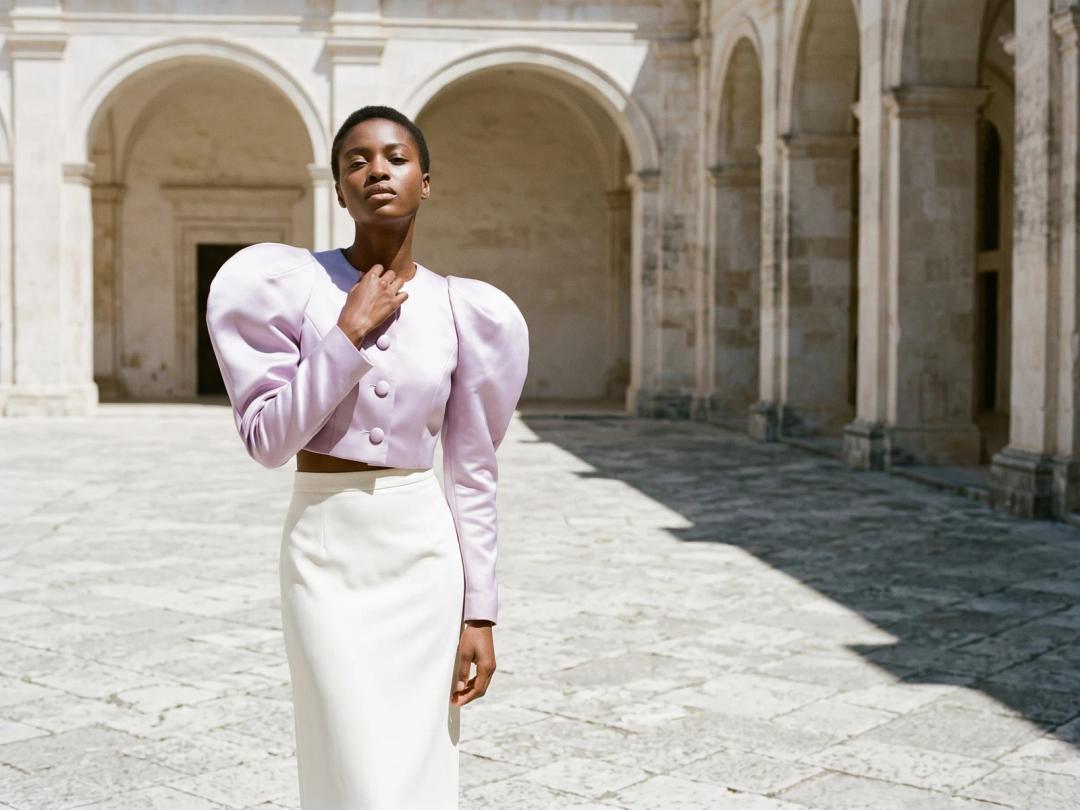
The image above is one frame of an AI photoshoot made in the studio: the jacket, the courtyard and the light were set once, then the rest of the series was built from it.
The series. Reimagine your Model puts the same look in a new pose, angle or scene, and Swap Model keeps the clothes and changes the person, for a second cast or another market.
The clip. The still becomes a model walk, a 360 turn or an editorial lookbook clip, 5 to 30 seconds, vertical, square or landscape.
The next step. The finished images go to a Shopify product page with publish to Shopify, or to your social accounts, from the same window. An AI agent included in every account can rerun the same shoot on each new product.
Price (Nov. 2026): a still is 1 credit on Standard, 3 on Pro and 7 on Ultra, the 4K level. Video is 2.2 credits a second on Standard (22 credits for ten seconds) and 4.4 on Pro. Starter is 15 dollars a month for 200 credits, Pro 35 dollars for 500, Business 65 dollars for 1,000, Enterprise 195 dollars for 3,000. Every workflow is open on every plan; 4K and bulk generation come with Pro.
Limit: there are more choices to learn than in a one-button tool, and every image still has to be checked against the real garment before it goes live.
Botika: best for editorial shots and video from a large model library
Botika turns a flat lay, hanger shot or ghost mannequin photo into on-model photos, editorial shots and five-second videos, with its full library of models, poses and backgrounds on every plan. Its home page says one garment can become a full campaign, consistent across every frame, and its Studio Director agent styles and shoots for you.
Price (Nov. 2026): plans are shown billed yearly, all credits upfront. Personal is 20 dollars a month (240 dollars a year) for 10,080 credits, Pro 48 dollars a month (576 a year) for 26,400, Max 80 dollars a month (960 a year) for 48,000. An on-model photo is 30 credits at Standard 2K and 40 at High 4K; an editorial shot is 40 credits at High 4K; a five-second video is 130 credits. So a year of Personal is about 336 Standard photos, or about 77 videos. Every plan starts with a 7-day trial.
Who it fits: a retailer that plans its shoots by season and is ready to pay for a year.
Limit: the models, poses and backgrounds come from its library on self-serve plans; your own models, API access and a quality guarantee are Enterprise terms.
WearView: best for a fixed monthly budget, with your own saved model from Pro
WearView makes on-model photos from one product photo in 7 photo studios, in HD, 2K or 4K, plus ghost mannequin editing and short videos with 16 motions from Pro. Pro adds 250 ready-made models, a model of your own with the same face every time, up to 4 images a generation and an AI agent that sets up whole shoots.
Price (Nov. 2026): Lite is 29 dollars a month (24 billed yearly) for 50 credits, Pro 49 dollars (40 yearly) for 200, Advanced 99 dollars (82 yearly) for 500. A photo is 2 credits in HD, 3 in 2K, 5 in 4K; a video 20 credits in 1080p and 40 in 4K. Failed images are refunded automatically, and the first plan can be refunded within 14 days.
Who it fits: a small brand with weekly drops that wants one clear monthly price.
Limit: Lite has no video and only 20 ready-made models; plan credits reset each month on Lite and Pro. Images are downloaded and uploaded to your store yourself.
Modelia: best for one consistent character in photos and short videos
Modelia has flat lay to model, mannequin to model, a Consistent Character to keep one person across shots, a background changer and a video generator from an image and a prompt. Its free plan lets you create one model of your own.
Price (Nov. 2026): the no-cost plan opens with 50 credits, then adds 20 a month, watermarked, up to 2K. Creator is 30 dollars a month for 150 credits, with 4K and the API; a standard image is 3 credits, so about 50 images a month. Atelier, 109 dollars a month, stops counting credits for studio work under fair usage and adds 10 model casting slots and 3 seats.
Who it fits: a small brand that wants to cast one character and keep it across photos and clips.
Limit: all self-serve plans are monthly, and cancelling deletes your saved models, backgrounds and poses from the workspace, as its pricing page says.
FASHN: best for building model shoots into your own app
FASHN offers models, virtual try-on, model swap, new angles and five-second videos, in a web app, a mobile app and an API. Its home page has tools to keep models consistent and to turn favourite images into video.
Price (Nov. 2026): Basic is 19 dollars a month (16 yearly) for 200 credits, Pro 49 dollars for 750 plus 50 a day, Agency 99 dollars for 1,500 plus 100 a day. Most tools start at 1 credit an image, more for higher resolutions and video, up to 4K. Unused monthly credits roll over up to three times the allowance. The API is 0.075 dollar a credit, from 7.50 dollars, and failed requests are not charged.
Who it fits: a developer or a product team that wants the shoot inside its own store, app or marketplace.
Limit: the art direction of a series (a saved set, a light, the order of shots) is yours to build, and app credits and API credits are separate.
Claid: best when the shoot is one step of a product photo pipeline
Claid lists an AI photoshoot, AI fashion models, AI backgrounds and video next to upscaling and background removal, on the web and through an API, with export presets for Instagram stories and Shopify products.
Price (Nov. 2026): the no-cost plan holds 50 credits for any operation, plus 50 API credits. Web plan prices did not display when we read the page, so see their site; an AI photoshoot generation uses up to 4 web credits and a five-second video up to 60. On the API, an AI fashion image is 2 credits. Web and API credits are separate pools.
Who it fits: an e-commerce team that processes many product images and wants the shoot inside the same pipeline.
Limit: a series that holds together (the same model, the same set, new angles of one look) is assembled step by step rather than planned as a shoot.
Photoroom: best for teams already editing product photos at volume
Photoroom is known for background removal, batch editing and listing photos. AI Fashion Models and video for ads and product pages are two of its AI tools, drawing on one monthly pool of AI credits.
Price (Nov. 2026): Pro, Max and Ultra are billed yearly at prices that vary by region, so see their site. Its page states the volumes: AI Fashion Models at 2K, up to 185 generations a month on Max and 555 on Ultra, none on Pro; video, up to 50 generations on Max and 150 on Ultra, none on Pro. Those maxima assume all credits go to one tool.
Who it fits: a team that already edits its listings in Photoroom and wants models and clips without another account.
Limit: it is general product photography: 2K models and video start on Max, and the AI credit pool is shared with every other AI tool.
Uwear: best for an occasional shoot, paid per credit
Uwear generates on-model photos and short videos from clothing photos, through a studio, an agent, an API and an MCP.
Price (Nov. 2026): 0.10 dollar a credit, no subscription or seat fee, credits never expire, from 70 credits (7 dollars); a photo costs from 2 credits depending on the image model. There is no free plan; you can paste your store link to receive photos and short videos of three of your products by email.
Who it fits: a brand that shoots a few times a year and does not want a monthly fee.
Limit: for a steady flow of shoots, a monthly plan elsewhere often costs less per image.
What an AI photoshoot really costs
A shoot is priced by the set, not by the image: the main image, the other angles, the details and the clip. So the useful number is the price of one finished look, with every shot it needs, on the plan you would really buy.
| Tool | One still | One short clip | Worked out from (Nov. 2026) |
|---|---|---|---|
| The New Black AI | About 0.07 dollar on Standard, 0.21 on Pro | 22 credits for 10 s, about 1.54 dollars | Pro plan, 35 dollars for 500 credits |
| Botika | About 0.71 dollar, Standard 2K | 130 credits for 5 s, about 3.10 dollars | Personal, 240 dollars a year for 10,080 credits |
| WearView | About 0.74 dollar at 2K | 20 credits in 1080p, about 4.90 dollars | Pro, 49 dollars for 200 credits |
| Modelia | 0.60 dollar | Priced per tool, see their site | Creator, 30 dollars for 150 credits |
| FASHN | About 0.095 dollar for a 1-credit image | More credits than a still | Basic, 19 dollars for 200 credits |
| Uwear | From 0.20 dollar | See their site | 0.10 dollar a credit |
| Claid, Photoroom | See their site | See their site | Prices not displayed on the pages we read |
The figures compare different settings: our Standard is our entry AI level, Botika's and WearView's stills are at 2K, and clip lengths differ (five seconds at Botika, ten in our example). No pricing page includes retakes. The fair test is one look shot on two or three tools, counting the images you would actually publish.
Worked example: a 12-look campaign shoot, priced
A brand shoots a 12-look capsule for its store and its social accounts. For each look it wants four stills (a hero image in the campaign setting, a back view, a second angle, a detail worn) and one ten-second clip for reels. That is 48 stills and 12 clips.
On The New Black AI, Standard AI:
- 48 stills × 1 credit = 48 credits
- 12 clips × 22 credits (ten seconds at 2.2 credits a second) = 264 credits
- Total: 312 credits. The Pro plan (500 credits for 35 dollars) covers it in one month, with 188 credits left for retakes.
On The New Black AI, Pro AI for the stills: 48 × 3 = 144 credits, plus 264 for the clips = 408 credits, still inside one month of Pro: 35 dollars.
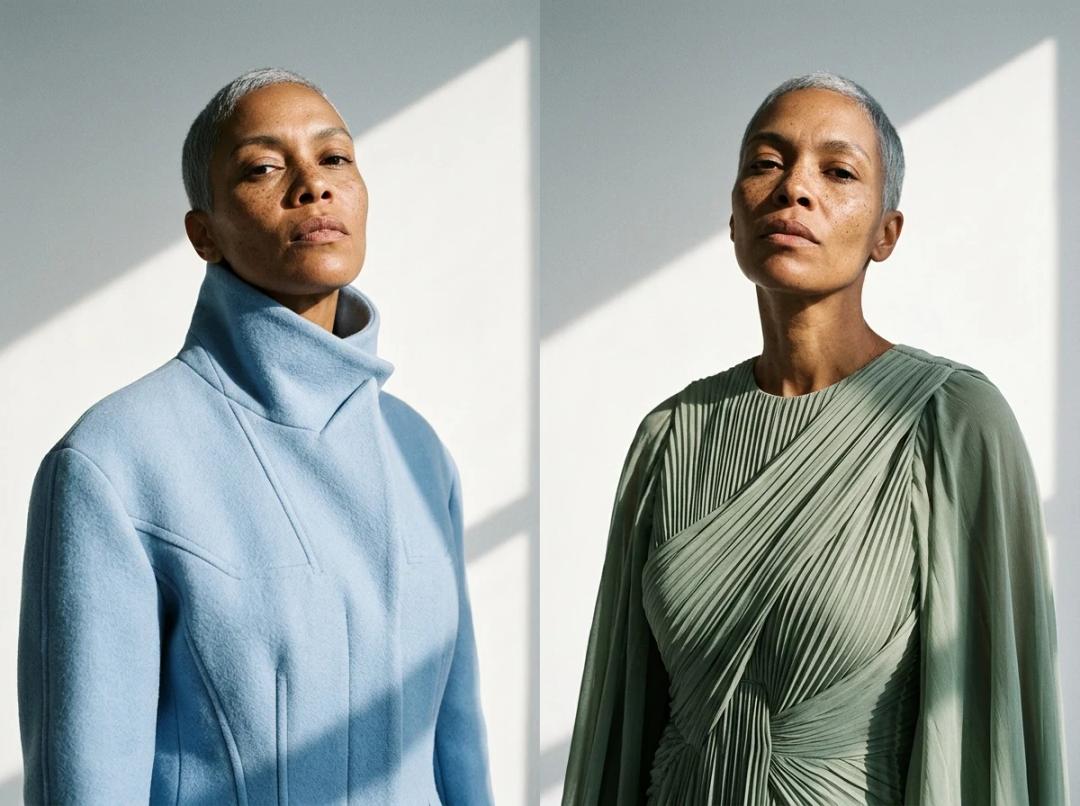
The two images above use one model image in the model slot: two outfits, the same face, the same hair. That is what keeps 12 looks reading as one campaign.
The same shoot elsewhere, at the prices above (Nov. 2026): on Botika, 48 Standard stills (1,440 credits) plus 12 five-second clips (1,560 credits) is 3,000 credits, about 30 percent of a year of Personal, so about 71 dollars of a 240-dollar yearly plan. On WearView, 48 stills at 2K (144 credits) plus 12 clips in 1080p (240 credits) is 384 credits, more than one month of Pro (200 credits): two months of Pro, 98 dollars, or one month of Advanced, 99 dollars. These are different resolutions, lengths and AI levels: the arithmetic shows the order of magnitude, a test on your own capsule shows the real price.
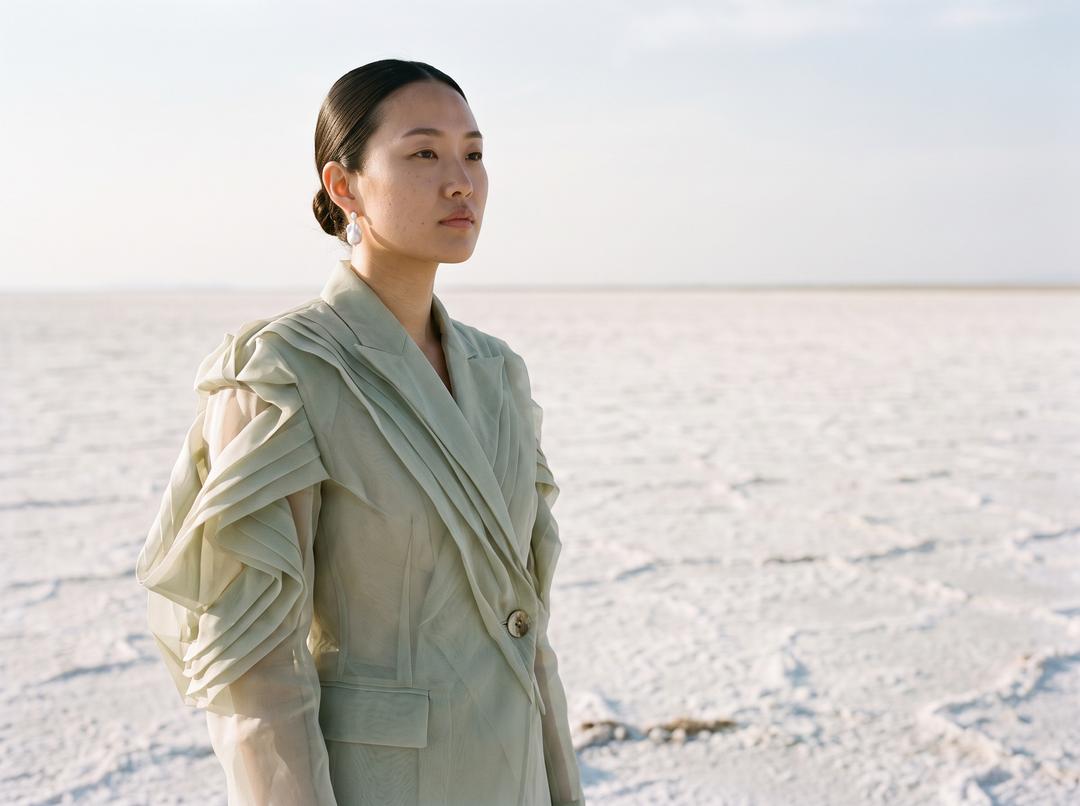
A hero image from a campaign setting made in the studio: the set, the light and the framing are saved, so the back view and the detail of the same look come out in the same place.
How to choose
You want to replace the whole shoot and publish it
Start with The New Black AI: the cast, the set, the series of angles, the clip and the publishing to Shopify or social accounts are all in one account, at 1 credit a still on Standard. Botika is the alternative if you prefer a model library and a yearly commitment.
A small brand with weekly drops and a fixed budget
WearView's Pro plan gives a known monthly price, a saved model with the same face and short videos. The New Black AI Starter plan is 15 dollars for 200 credits, enough for about 200 Standard stills a month, with free credits at signup to test first.
You shoot a few times a year
Uwear has no subscription: buy credits from 7 dollars when the season comes, and they never expire. On a monthly plan, unused credits matter less if the plan keeps them; on The New Black AI they carry over up to a cap set by the plan.
You need the same model on every image of the shoot
Use a tool where the model is an image you keep. The New Black AI takes one model image into every generation, WearView Pro saves your own model, Modelia has a Consistent Character, FASHN tools to keep models consistent. Shoot three looks on the same face before you commit.
You need video for reels and product pages
Compare the price of the clip you will post. A ten-second model walk on The New Black AI is 22 credits on Standard; a five-second Botika video is 130 credits; a WearView video is 20 credits in 1080p from Pro; on Photoroom, video comes with Max. Check that the clip starts from a still you already approved, so the garment does not change between the photo and the video.
You want the shoot inside your own app or store
FASHN's API is priced per credit with no subscription, and failed requests are free. Claid's API suits a pipeline with several image operations. The New Black AI exposes every studio workflow through a REST API, an MCP and a command line on the same credits.
You already edit product photos at volume
Photoroom or Claid, if your team lives in one of them already: models and clips are tools inside a general product photo suite.
Whatever the tool, a shoot is only as good as the photo of the product you give it. Lay or hang the garment fully in frame, in soft and even light, on a plain background, and photograph the back if it carries a print.
Sources
- The New Black AI, pricing, https://thenewblack.ai/pricing (checked November 2026)
- The New Black AI, API workflow catalogue, https://thenewblack.ai/clothing_fashion_api_integrations (checked November 2026)
- Botika, Botika pricing: AI fashion photography plans and cost, https://botika.io/pricing (checked November 2026)
- Botika, AI Fashion Model Generator: Flat Lay to On-Model, https://botika.io/ (checked November 2026)
- WearView, AI Fashion Model Pricing Plans and Credits, https://www.wearview.co/pricing (checked November 2026)
- Modelia, Modelia Pricing: Plans for AI Fashion Photos and Video, https://modelia.ai/pricing (checked November 2026)
- Modelia, AI Fashion Model Generator: Photos and Video, https://modelia.ai/ (checked November 2026)
- FASHN, Pricing, https://fashn.ai/pricing (checked November 2026)
- Claid, Pricing, https://claid.ai/pricing (checked November 2026)
- Claid, Claid API pricing and enterprise options, https://claid.ai/api-pricing (checked November 2026)
- Photoroom, Photoroom Pricing: Pro, Max, Ultra and Enterprise Plans, https://www.photoroom.com/pricing (checked November 2026)
- Uwear, Pricing, https://uwear.ai/pricing (checked November 2026)
Frequently asked questions
What is the best AI fashion photoshoot generator in 2026?+
For a fashion brand that wants the whole shoot (model, setting, angles, the same model across the series, video and publishing), our pick is The New Black AI, which we make. Botika suits retailers paying a year upfront for a model library, WearView a fixed monthly budget, FASHN an app built on an API.
Can AI replace a fashion photoshoot?+
For product pages, catalogues and social posts, largely yes: a garment photo becomes on-model stills, other angles and a short clip in minutes. A campaign that depends on a known face, a real location or a live event still needs a camera.
How much does an AI fashion photoshoot cost?+
On The New Black AI, a 12-look capsule with four stills and a ten-second clip per look is 312 credits on Standard, inside one month of the Pro plan at 35 dollars. From the November 2026 pricing pages, a still costs about 0.71 dollar on Botika Personal at 2K and about 0.74 on WearView Pro at 2K.
What is the cheapest AI fashion photoshoot tool?+
Per still, the lowest published prices we read are about 0.07 dollar on The New Black AI Pro plan (Standard AI) and about 0.095 dollar for a 1-credit image on FASHN Basic. With no subscription, Uwear starts at 7 dollars for 70 credits, from 2 credits a photo.
How do I keep the same model across an AI photoshoot?+
Keep the model as an image, not a description. In The New Black AI, put the same model image in the model slot of every generation and keep the Framing, Angle and Scene the same; WearView Pro and Modelia have their own saved models.
Can I choose the location and the light of an AI photoshoot?+
Yes on most of these tools, in different ways. The New Black AI takes a scene you describe, an inspiration photo or a saved Visual style that keeps light and colour across the shoot; Botika and WearView offer libraries of backgrounds and studios.
Can an AI photoshoot include video?+
Yes on every tool here. On The New Black AI, model walks, 360 turns and lookbook clips run from 5 to 30 seconds at 2.2 credits a second on Standard; Botika charges 130 credits for five seconds, WearView 20 credits in 1080p from Pro.
What photos do I need to start an AI photoshoot?+
One clear photo of the garment: a packshot, a flat lay, a hanger shot or a ghost mannequin. It should be fully in frame, well lit and not folded over its own details; photograph the back separately if it has a print.
Related articles
- 9 Best AI Lookbook Generators and Makers (2026)Nine AI lookbook generators compared: on-model photos, layout and an online book, prices read November 2026, and a 12-look seasonal lookbook priced.
- 10 Best AI Ad Generators for Clothing Brands (2026)Ten AI ad generators compared for clothing brands: what each fits, prices read November 2026, a month of fashion ads priced, and which ones run Meta and Google.
- 8 Best AI Fashion Video Generators in 2026 (Compared)Eight AI fashion video generators compared for clothing brands: what each fits, prices read November 2026, the cost of a 10 second clip, length and API.
- 9 Best AI Tools for Clothing Brands in 2026 (Compared)9 AI tools for clothing brands compared (Nov. 2026): design, tech packs, on-model photos, video and Shopify, with prices read on each site and a priced capsule.
- 9 Best AI Moodboard Tools for Fashion Designers (2026)9 AI moodboard tools for fashion designers compared in November 2026: what each fits, prices checked, free options, and a 12 look capsule priced.
- 9 Best Flat Lay to Model AI Tools for Brands (2026)9 flat lay to model AI tools compared, November 2026: flat lay, hanger and ghost mannequin input, price per photo read on each site, a 40-piece drop priced.
- 8 Best Photoroom Alternatives in 2026 (Compared)8 Photoroom alternatives for clothing brands, November 2026: who each fits, 2K and 4K fashion prices, API, Shopify and video, with a 60-piece season priced.
- 10 Best AI Tech Pack Generators and Software (2026)10 AI tech pack generators and tech pack software compared, November 2026: what each drafts, export formats, what is free and prices read on each site.
- 9 Best Claid Alternatives for Fashion Brands (2026)9 Claid alternatives for clothing brands, November 2026: who each fits, cost per on-model image, API, ghost mannequin, video and Shopify, a catalogue priced.
- 10 Best AI Fashion Studios for Brands in 2026 (Compared)10 AI fashion studios compared (Nov. 2026): what each holds (design, photos, video, tech packs, Shopify), team seats, prices, and a 20-piece month priced.