Consistent AI Model Across Your Photoshoots
A consistent AI model is the same person on every photo of your brand: the same face, the same body, the same presence, whatever the garment, the scene or the day of the shoot. In the studio you get it with a model reference, one photo of the model reused across Product to Model, virtual try-on and bulk generation, and a model profile that describes them in words. No training, no waiting: the model is set once and dressed as many times as you need.
Updated 17 October 2026
- 1Choose or create your model once
- 2Dress the same model with every product
- 3Keep the look consistent across shoots
How it works
Choose or create your model once
Start from one of the models in the library, or generate your own with Product to Model: describe the person in the model profile, hair, age, origin, a distinctive trait, and keep the image you like. That image is your model reference. A brand can keep several: one per line, one per market.
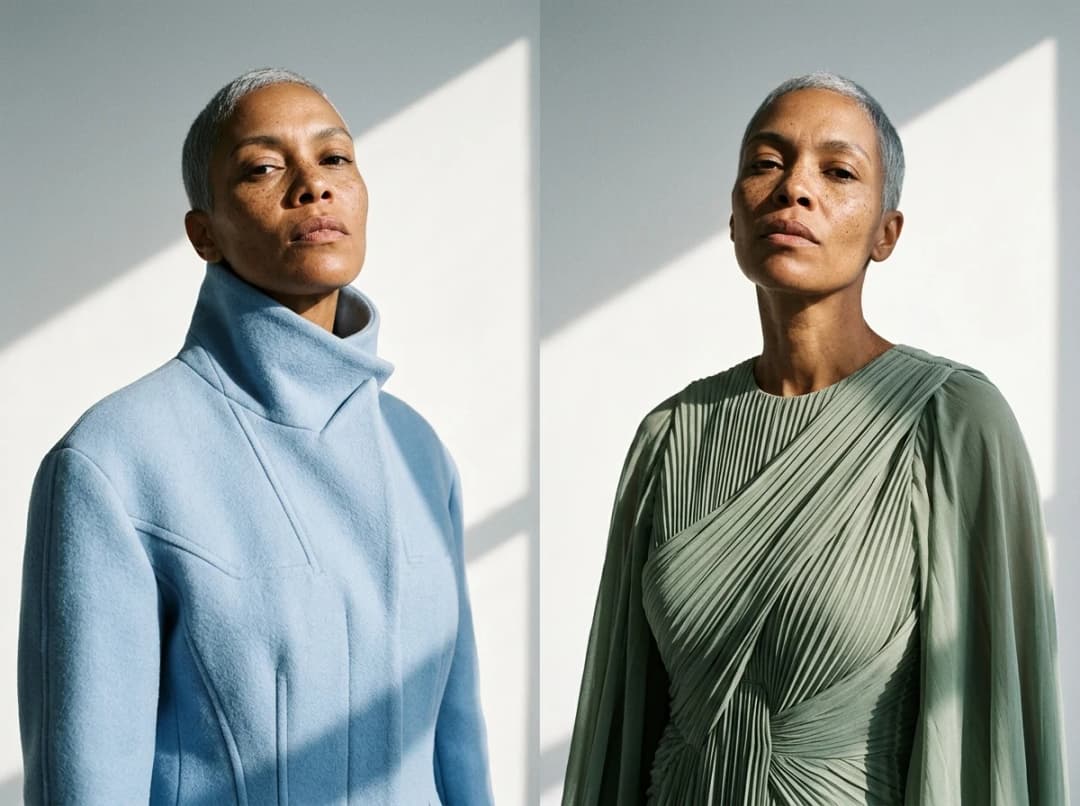
Dress the same model with every product
In Product to Model and in virtual try-on, add the model reference beside the product: the garment is worn by that person, with the framing and the camera angle you choose. In bulk generation, one model image is tried on every product of the batch, up to thirty at once, so a whole catalogue comes back on the same person.
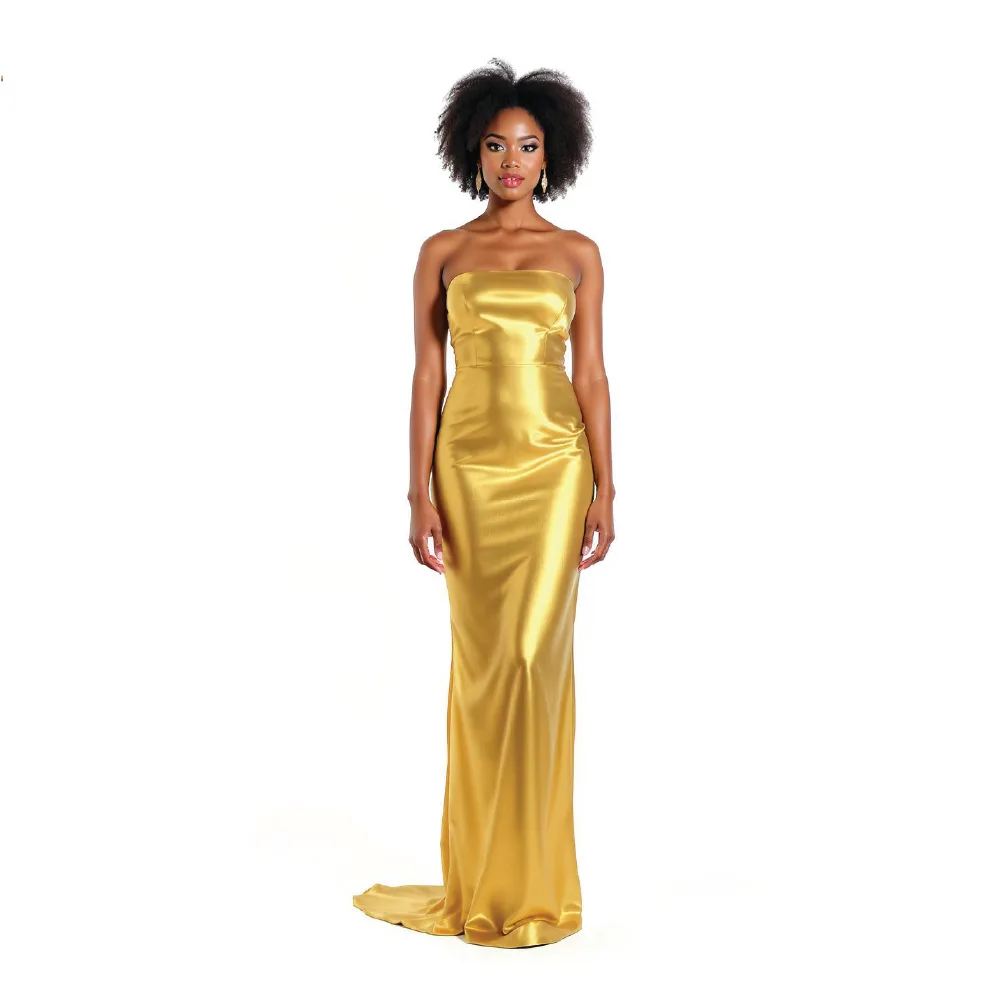
Keep the look consistent across shoots
The model profile carries the words that keep the person steady, pose and framing included, and the Visual style keeps the light, the colours and the mood of your brand on every image. To change the person and keep the outfit, Swap Model replaces the model in one pass. Every image lands in your studio, ready for the product page, a video or an HD upscale.
Why a consistent model matters
A shop where every product is worn by a different person reads as a marketplace; a shop where one model carries the collection reads as a brand. Consistency is also what makes comparison possible for the shopper: the same body in the same light, product after product, is a size guide in itself. And for a campaign, one model across ten looks is a story; ten models is a catalogue.
Create your consistent model
Open the Models studio, create or pick your model, and dress it with your first product. For a whole collection at once, use bulk generation with the same model reference; to change the person on an existing photo, use Swap Model.
Frequently asked questions
How do I keep the same AI model across photos?+
Set a model reference, one image of the model, and add it to each generation: Product to Model, virtual try-on, bulk. The model profile describes the same person in words, so the face and the body stay steady from one image to the next.
Do I need to train a model on my photos?+
No. There is nothing to train and nothing to wait for. One reference image and a profile are enough; the model is reused instantly on every product.
Can I use a photo of a real person as the model?+
Yes, if you have the right to use it: your own model, a founder, a customer who agreed. The reference image is used for that account only, and the results are yours to use commercially, on any plan.
Can I have several consistent models?+
Yes. Keep one reference per model, for a men's line and a women's line, for two markets, or for two campaigns, and pick the one you need at generation time.
What if I want the outfit kept and the person changed?+
Use Swap Model: the garment, the pose and the light stay, only the person changes. It is the reverse of the consistent model, for a lookbook that shows one piece on several bodies.
Try it yourself
Everything on this page was made in the studio. Your first designs are minutes away.
Open the studioRelated features
- AI Virtual Try On Necklace (Jewelry)Preview any necklace on a model with AI: upload a model photo and the necklace design, and see it sit on the neckline at the right chain length.
- AI Virtual Try On Bracelet (Jewelry)Preview bracelet designs on a real wrist with AI: upload a wrist photo and your bracelet, and get a lifelike worn shot with accurate scale.
- AI Virtual Try On BagsSee any bag on a model in seconds: upload a photo and a handbag or purse image, and the AI matches lighting, proportions, and perspective.
- Create Kid Fashion Clothing Models with AIUpload a kids clothing photo and get a child AI model wearing it in about 30 seconds: no casting, no studio, visuals ready for your store.
- Virtual Try On Head Accessories with AISee any hat, cap, or beanie worn before buying: AI fits the headwear to the face, the hairstyle, and the perspective of your photo.
- Create an AI Fashion Model for SocksUpload a sock photo, describe the model and the scene, and get visuals framed so the socks stay the point: no shoes, no photoshoot.
- AI Ghost Mannequin Generator: Invisible Mannequin PhotosCreate the ghost mannequin effect from one garment photo: the AI removes the model or mannequin and rebuilds the inner collar. Free to try, about 15 seconds an image, ready for your store.
- Reimagine Your Model in New ScenesCreate a back view, a side view or a close up of a fashion photo with AI: upload the original model and describe the angle you want to see.
- AI Virtual Try On ShoesSwap shoes on any photo with AI: upload a model and a new pair, and the original shoes are replaced with realistic proportions and lighting.
- AI Virtual Try On JewelryTry jewelry on any photo with AI: upload a model and a ring, bracelet, necklace or earrings, and see the piece worn with realistic scale and light.