Consistent AI Model Across Photoshoots: The New Black AI
Published 25 September 2026
A consistent AI model is the same generated person appearing on every product of a collection: same face, same body, same age, so a catalogue made over three weeks reads as one shoot. It is the first thing a brand asks after its first AI image, and the first thing early tools could not do. This guide explains the three ways The New Black AI keeps a model consistent, with the poses and framings that hold, and what still drifts.
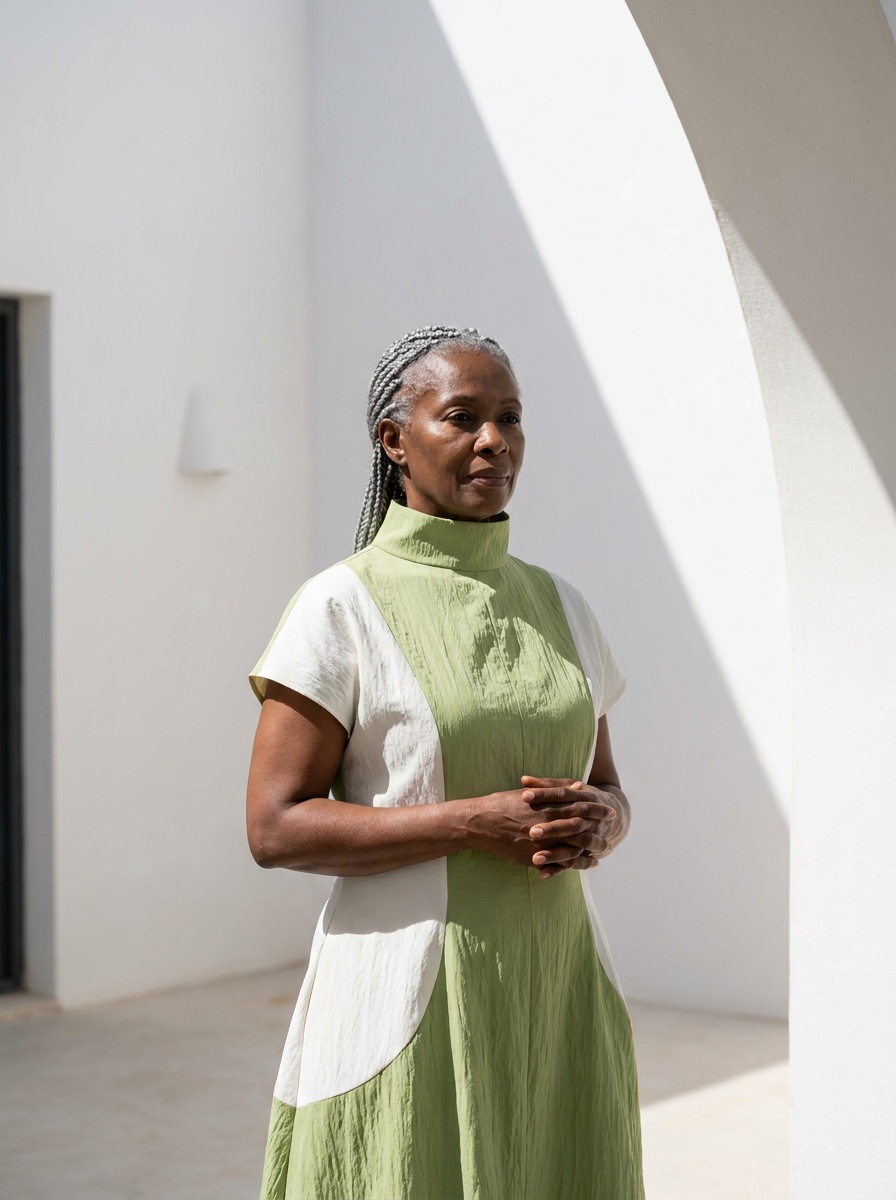
Why models drift
A generator draws from noise every time. Describe "a woman of thirty" twice and you get two women. Consistency has to be given to it: a description precise enough to converge, a reference photo to copy, or a brand memory that holds the look.
The three ways to keep the same model
1. A model profile, reused
In Product to Model and Virtual Try-On, the model profile is a set of choices: gender, age, body shape, origin, plus a sentence for the distinctive features and the pose. Keep the same profile and the same sentence across the range and the person converges: same age, same build, same features. This is enough for most catalogues, where the face is not the subject.
2. A model reference, one photo
Switch the model source from Text to Image and give a photo of the model you want, generated once or shot once. Every product is then put on that person: the face, the hair and the body come from the photo, the pose and the setting from your sentence. It works with a real model you have rights to, and with an AI model you generated and liked.
3. A Visual DNA, for the brand's look
The Visual DNA is trained on your references: your light, your palette, your framing. It does not fix the face; it fixes everything around it, so that two models still look like the same brand.
The poses and framings that hold
| Framing | Holds the identity | Use it for |
|---|---|---|
| Waist-up, front, eye level | best: the face is large and stable | the product page's second image, the lookbook |
| Full length, front | good: the body reads, the face is small | the main on-model image |
| Three-quarter, slight angle | good with a reference photo | ads, editorial |
| From behind | the body only; the face does not matter | back views, coats |
| Extreme close-up | the reference photo is required | beauty, jewellery |
Keep the same framing for the same slot across products: all main images full length, all second images waist-up. Mixing framings is what makes a catalogue look like several shoots even when the model is the same.
What still drifts, and what to do
Hair length and parting can change between images: say them in the sentence. Skin tone can shift with the light: keep the light in the sentence too, or in the Visual DNA. Accessories the model "wears" by default (earrings, a watch) can appear: say "no jewellery". And when one image is off, regenerate that one; do not restart the range.
The workflow, in order
1. Generate the model once with the first product, waist-up, front, the profile and the sentence written down. 2. Save that image as the reference and switch the source to Image for every following product. 3. Keep two framings, one for the main image, one for the second, and never change them mid-range. 4. Film the model with Model Walk or a ten-second clip from the same reference image; the video keeps the person too.
Frequently asked questions
Can AI keep the same model across a whole collection?+
Yes: a model profile reused, a reference photo of the model, and a Visual DNA for the brand's look. The reference photo is the strongest of the three.
Can I use a real model as the reference?+
Yes, with the rights to use their image. Give one photo; every product is put on that person.
Does the consistency hold in video?+
Yes: Model Walk, Model 360 and the ten-second clip start from the reference image, so the person is the same in motion.
What about different body types?+
One profile per body you sell to, each kept across the range: the catalogue then has three consistent models rather than thirty different ones.
Do I have to train a model to get consistency?+
No. There is no training step; the profile, the reference photo and the Visual DNA do the work.
What does it cost?+
Nothing extra: one credit per image on Standard AI, whatever the source of the model.
Why did the face change on one product?+
Usually the framing (an extreme close-up without a reference photo) or a sentence that changed. Give the reference image and keep the sentence.
Can the AI agents do this for me?+
Yes: the agents you hire hold the same Product to Model function, with the same model profile and reference, and can run a whole range with it.
Related articles
- Visual DNA: Train the AI on Your References: The New Black AIUpload reference images or give a web page, choose a focus (brand vibe, collection direction or product type), and every new design follows that creative direction instead of a generic one.
- Clothing Product Photography with AI: The New Black AIEvery image a clothing product page needs, made from one photo of the garment: packshot, ghost mannequin, on-model, colourways, video; the credits and minutes each costs, what still needs a camera.
- Bulk AI Generation for Fashion Catalogues: The New Black AISelect the images, pick the workflow, choose Standard or Pro, and every image goes through it: a catalogue of packshots onto models, backgrounds removed across a range, or a video per product.
- Swap the Model in a Video with AI: The New Black AIGive a clip and a photo of the new model: the video comes back with that person wearing the outfit, same walk, same setting, same camera.
- AI Lookbook Generator, Images and Videos: The New Black AIHow to make a lookbook with AI from the product images of a collection: one model, one setting, one light on every piece, the editorial register in images and ten-second videos, and the cost.
- Change Clothes Colour in a Photo with AI: The New Black AIHow to change the colour of clothes in a photo with AI: HEX code or a name, one garment and not the rest, the colourway workflow for a product page and its Shopify variants, and what to check.
- How to Design a Dress with AI: The New Black AIDesign a dress with AI step by step: the order of the description, three prompts for three dresses, then colourways, fabrics, a model, a video and the tech pack from the same design, with the credits.
- AI Fashion Models, How They Are Made: The New Black AIAI fashion models explained: how a product photo becomes an on-model image, what one image costs in credits, and when a brand should use them instead of a shoot.
- Camera Angle for AI Model and Try-On Shots: The New Black AIAn Angle row under Framing in Product to Model and Virtual Try-On: eye level, slightly above, slightly below, or low from the ground. With a scene image, the scene is re-rendered from that angle.
- AI Video Editor from One Sentence: The New Black AIUpload a clip, write what should change: make it night, add snow, put the model on a beach: and get the same video with that one change. Priced by the second.