Turn Fabric Print into Design with AI
A fabric photo is enough to get a clothing design out of the AI. Upload your textile or your print, and create a fashion design with a model wearing it or on its own. The feature also works the other way round: give it an existing photo plus a new fabric image, and it swaps the material on the garment already in the picture.
Updated 3 October 2026
- 1Start from a fabric pattern photo
- 2Get a design or an AI model back in seconds
- 3Run the whole fabric library through it
How it works
Start from a fabric pattern photo
Upload the picture of your fabric. Then describe the model you want, gender, age and country, and the clothing design you have in mind.
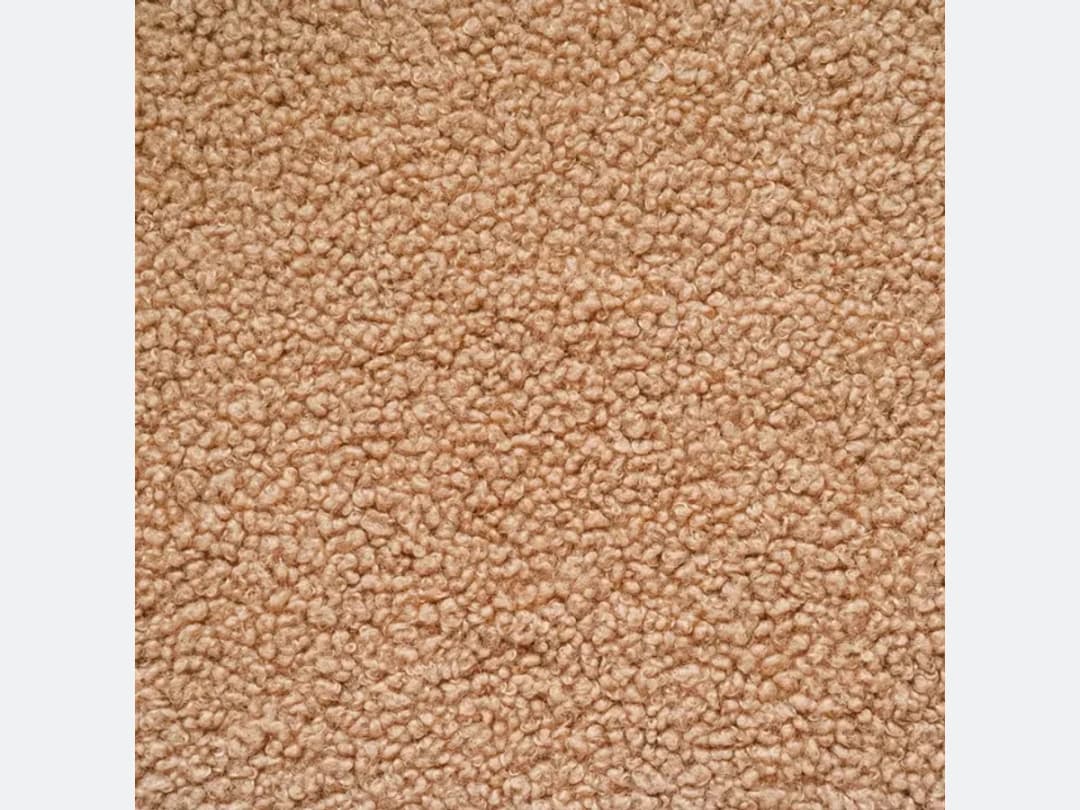
Get a design or an AI model back in seconds
From that single pattern photo the AI builds a fashion design, or a model wearing it, in seconds. It is the fastest way to see what a fabric actually looks like once it has been cut into a garment rather than laid flat.
Run the whole fabric library through it
Do the same with every print you have, and you end up with a set of designs to show your team or your clients. Each fabric can carry several garments, so one swatch is worth more than one image.
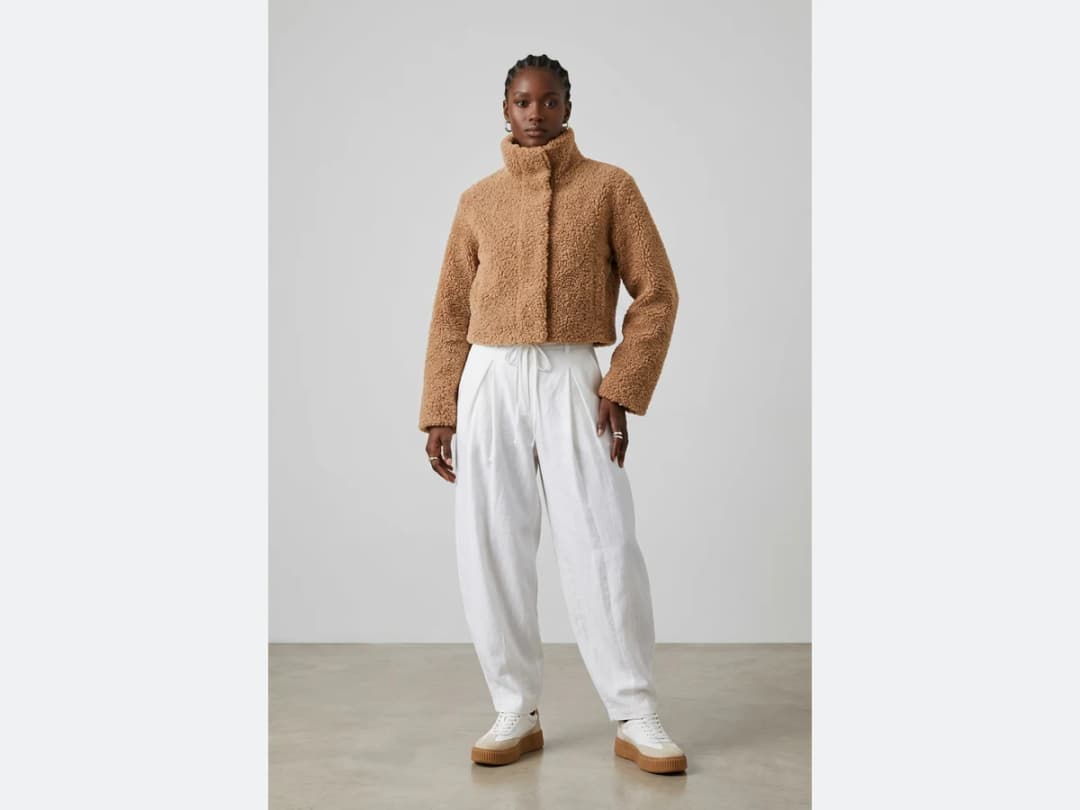
Is there a free way to turn a fabric photo into a dress?
An account opens with credits, so the first fabrics you try cost nothing beyond signing up. After that a design is one credit on Standard and three on Pro, charged per attempt rather than per fabric. The same swatch can become a dress, a coat and a pair of trousers for three credits, which is the point of working this way.
The word "dress" is worth taking literally here, though. The generator builds whatever garment you name from the material you supply, so the same upload answers "make this a summer dress" and "make this a tailored jacket" differently and correctly. What it will not do is invent a fabric you did not photograph: this workflow starts from your textile, and if you want the machine to invent the material as well, that is the design generator rather than this page.
How long a swatch takes to become a garment
Fast enough that a fabric library becomes a morning's work. Measured on our own platform in August 2026, an image comes back in about fifteen seconds.
Put that against the alternative and the change is not a saving, it is a different method. Cutting a real sample to see how a bouclé behaves as a cropped jacket costs metres of cloth and a day of somebody's hands; here it costs a credit, so the question stops being "is this fabric worth a sample" and becomes "which twelve garments shall we see it as".
What makes a good swatch photograph
The generator reads the material from your photo, so the photo is the design brief. Four habits produce noticeably better garments.
Shoot the fabric flat and filling the frame, in even daylight. A swatch photographed at an angle teaches the model a distortion that then appears in the garment. Include enough of the repeat for the pattern to be readable; a crop tighter than one full motif leaves the AI to guess how the print continues, and it will guess. Keep the colour honest, since an indoor bulb warms a fabric by more than most people notice until it comes back as a garment. And photograph the texture in raking light if the texture is the point: bouclé, ribbing and quilting only read when a shadow shows them.
Two limits worth knowing. A print is interpreted rather than reproduced pixel for pixel, so a licensed motif or an exact engineered placement is not what this is for. And sheer or very fine fabrics such as organza and fine lace render as an impression of transparency rather than an accurate one.
Try it with your own fabrics
Open the studio, upload a fabric photo, and describe the garment you want made from it. If the idea of designing this way is new to you, what AI fashion design is covers the ground first.
Frequently asked questions
What do I need to upload?+
A photo of your fabric or print is enough. Then describe the model you want, gender, age and country, and the clothing design you have in mind; the AI builds the design, or a model wearing it, in seconds.
Can it change the fabric on an existing photo?+
Yes, the feature works the other way round too: give it an existing photo plus a new fabric image, and it swaps the material on the garment already in the picture.
Can one fabric give several designs?+
Yes. Each fabric can carry several garments, so one swatch is worth more than one image. Run the whole library through it and you end up with a set of designs to show your team or your clients.
What happens to the designs afterwards?+
Every design lands in your studio grid, organised in projects, and stays reusable: put it on an AI model, run a virtual try on, or upscale it to HD for a presentation. The studio runs in the browser, and signing up comes with free credits.
Does the print scale stay true to my swatch?+
The scale is read from the swatch photo, so photograph it flat and evenly lit. If the repeat lands too large or too small on the garment, say so in the description, "smaller repeat", "oversized motif", and the next pass adjusts it.
Can one fabric carry a whole collection?+
Yes, rerun the same swatch across garment types: the dress, the shirt, the swimsuit, the lining of a jacket. The fabric stays constant while the silhouettes walk, which is exactly how a mill's client book presents a textile, and how a collection built on one signature print stays recognisably yours.
Can I run Fabric to Image on many photos at once?+
Yes, with bulk generation on the Pro, Business and Enterprise plans: upload up to 30 photos, choose Fabric to Image, set the garment, gender, age and country once for the whole batch, and every photo comes back processed. Each photo costs the same credits as a single run.
Try it yourself
Everything on this page was made in the studio. Your first designs are minutes away.
Open the studioRelated features
- AI Fashion Video from Reference ImagesPut your model, your garment and a place into one video: add up to three reference pictures, describe the scene, and get a 5 to 15 second fashion clip in 9:16, 1:1 or 16:9.
- Fashion Reel Templates & AI Motion DesignEighteen Motion Design templates for fashion reels: drop your photos or clips, edit the words, render a 10-second video in 9:16, 4:5, 1:1 or 16:9. One credit, every plan.
- AI Clothes Maker, Design Clothes Online: The New Black AIDesign clothes online with an AI clothes maker: describe the piece, see it worn in seconds, iterate, then send a tech pack to your factory. 1 credit per design.
- AI Image Generator for Fashion: Create or Edit Any ImageWrite what you want and get the image, or upload up to three references and describe the change: the free-prompt tool that creates or edits any fashion visual, in any format.
- Create Similar Outfits with AIUpload an outfit image and get close variations of it: same spirit, same silhouette, new pieces. The fast way to build a capsule around one look that works.
- AI Image Vectorizer for Fashion: Logo, Print and Artwork to SVGTurn a logo, a print or an illustration into a real SVG: colour shapes that scale to any size, ready for screen printing, embroidery, labels and Illustrator. 1 credit.
- Create an AI Video of a Fashion Model Turning AroundTurn a front and a back photo into a smooth AI turnaround video with Model 360: the model turns on the spot or the camera orbits, every detail of the outfit kept from every side.
- AI Fashion Design for Kids, Toddlers and BabiesDesign kids fashion with AI: pick the age, from toddler to teenager, describe the outfit and get original children's clothing concepts.
- Expand an Image with AI: Zoom Out or Change FormatExpand a fashion photo with AI: zoom out or change its format, your picture kept pixel for pixel and only the space around it painted, with an optional description of what goes around.
- Free AI Color Analysis: Find Your Personal Color PaletteUpload a natural light selfie and the AI reads your undertones, contrast and brightness to give you your seasonal color palette, free.