Change Fabric or Print on a Fashion Image
The AI fabric swap changes the material of a garment that has already been photographed. Upload a photo of your clothing piece, with or without a fashion model, add an image of the new fabric textile, and the AI replaces the original material with the new one. Experiment with textures, test seasonal fabrics, or build several variations of the same design: the idea becomes visible immediately, without a physical sample.
Updated 6 September 2026
- 1Upload your clothing image
- 2Describe the garment and upload the new fabric photo
- 3Explore endless fabric possibilities
How it works
Upload your clothing image
The photo can show the garment on a model or on its own. Both work.
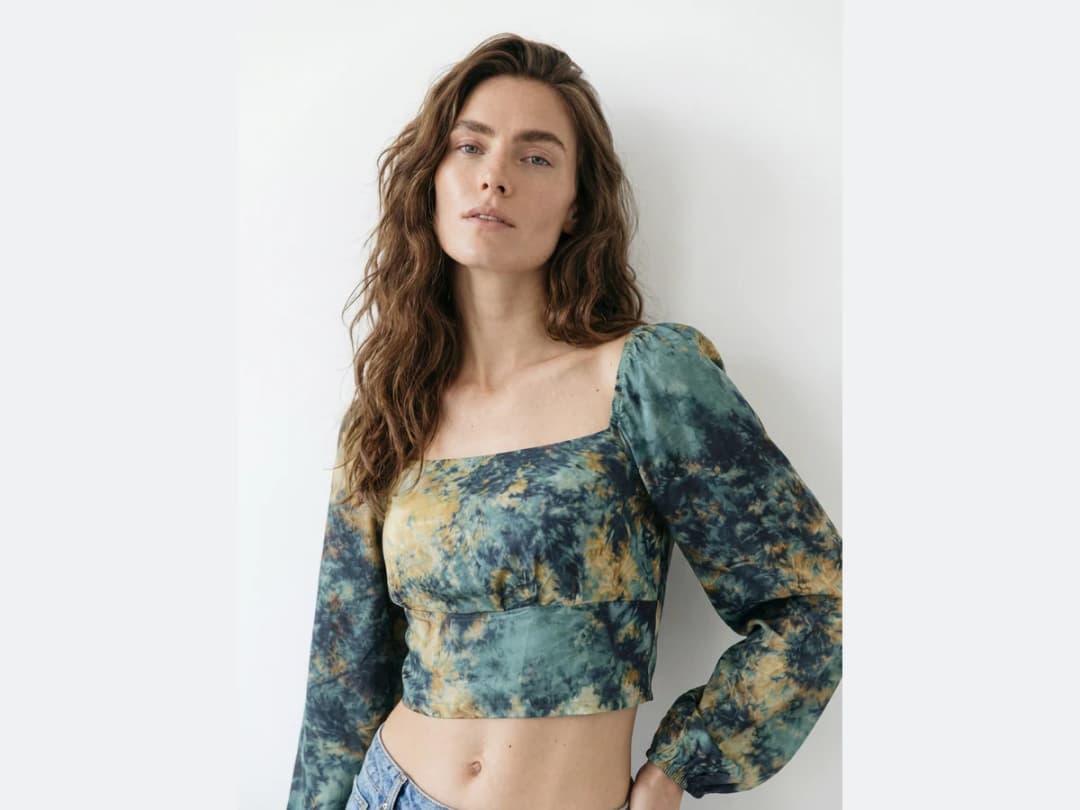
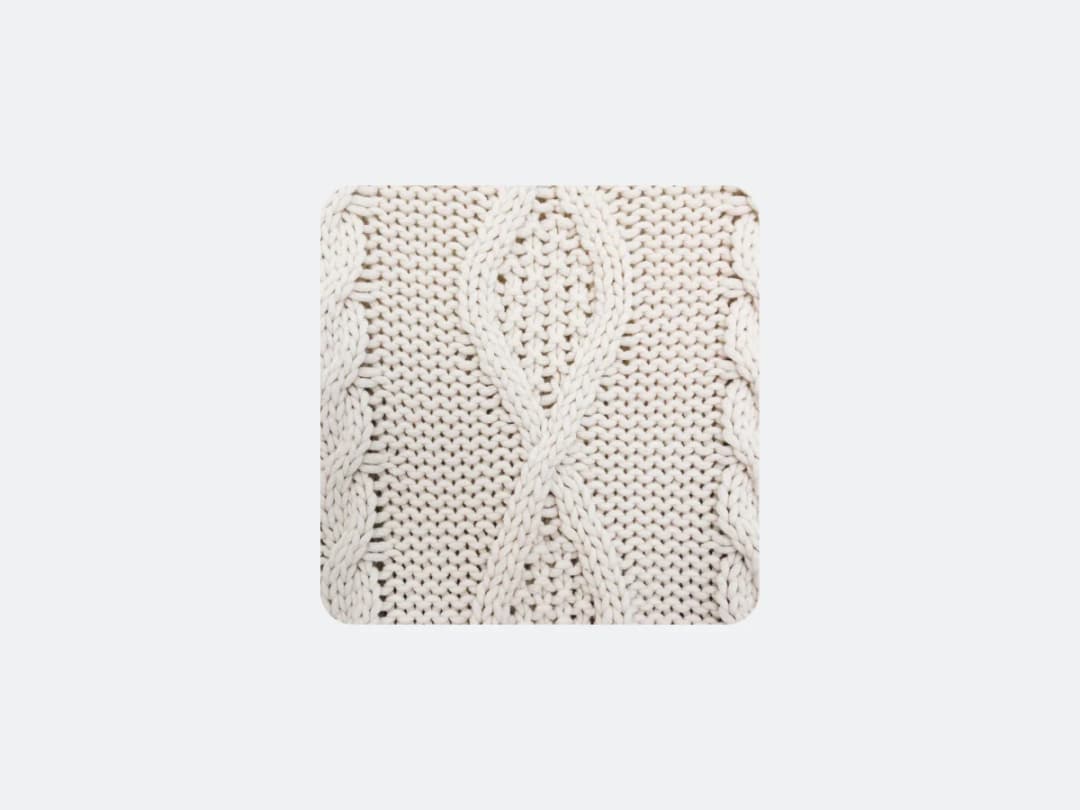
Describe the garment and upload the new fabric photo
Say briefly which garment in the photo should change, then upload the image of the fabric you want on it. The description is what tells the AI where the swap applies.
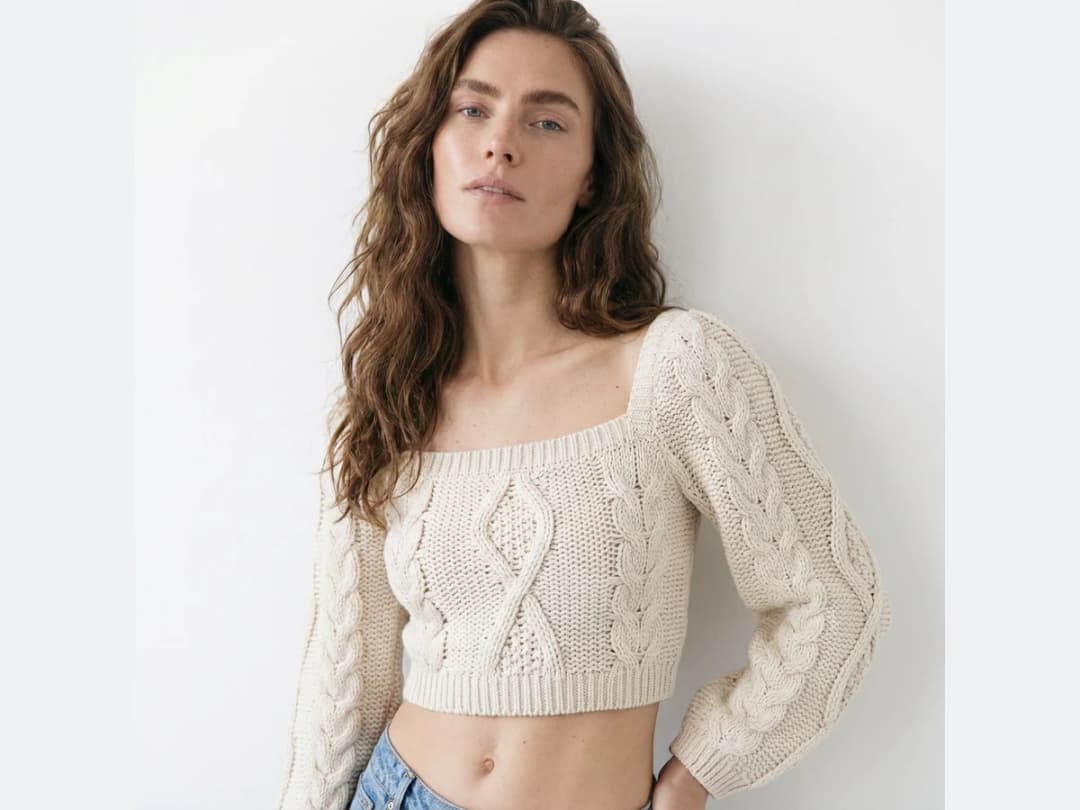
Explore endless fabric possibilities
Keep the photo, change the fabric, and compare. The same shot can carry a whole range of materials, which is what makes rapid prototyping and creative exploration realistic.
Frequently asked questions
Does the photo need a model in it?+
No. The garment can be shown on a model or on its own; both work. What makes this workflow different from the sketch version is that it starts from a photographed piece, so the new fabric inherits the real drape, folds, and light of the original shot.
How does the AI know which garment to change?+
You tell it. A brief description of the piece that should change, the cardigan or the jacket for instance, is what scopes the swap; everything outside that garment stays as photographed.
Can I compare several fabrics on one design?+
Yes, that is the intended use. Keep the photo, change the fabric, and compare: the same shot can carry a whole range of materials, which is what makes rapid prototyping and seasonal fabric tests realistic without a single physical sample.
What if my design only exists as a drawing?+
Then start one step earlier with fabric print on a sketch, which does the same mapping onto a flat sketch instead of a photo.
Where do the variations go, and can I sell with them?+
Each swap lands in your studio grid, organised in projects, and stays reusable in other workflows, including the HD enhancer when a variant needs print quality. The studio runs in the browser with free credits at signup.
Try it yourself
Everything on this page was made in the studio. Your first designs are minutes away.
Open the studioRelated features
- AI Fashion Video from Reference ImagesPut your model, your garment and a place into one video: add up to three reference pictures, describe the scene, and get a 5 to 15 second fashion clip in 9:16, 1:1 or 16:9.
- Fashion Reel Templates & AI Motion DesignEighteen Motion Design templates for fashion reels: drop your photos or clips, edit the words, render a 10-second video in 9:16, 4:5, 1:1 or 16:9. One credit, every plan.
- AI Clothes Maker, Design Clothes Online: The New Black AIDesign clothes online with an AI clothes maker: describe the piece, see it worn in seconds, iterate, then send a tech pack to your factory. 1 credit per design.
- AI Image Generator for Fashion: Create or Edit Any ImageWrite what you want and get the image, or upload up to three references and describe the change: the free-prompt tool that creates or edits any fashion visual, in any format.
- Create Similar Outfits with AIUpload an outfit image and get close variations of it: same spirit, same silhouette, new pieces. The fast way to build a capsule around one look that works.
- AI Image Vectorizer for Fashion: Logo, Print and Artwork to SVGTurn a logo, a print or an illustration into a real SVG: colour shapes that scale to any size, ready for screen printing, embroidery, labels and Illustrator. 1 credit.
- Generate AI Fashion in Bulk for Your CatalogGenerate a whole catalog in one run: upload up to 30 product photos, pick a workflow, write one brief for the batch, and get AI models, try-ons or videos for every item at once.
- Create an AI Video of a Fashion Model Turning AroundTurn a front and a back photo into a smooth AI turnaround video with Model 360: the model turns on the spot or the camera orbits, every detail of the outfit kept from every side.
- AI Fashion Design for Kids, Toddlers and BabiesDesign kids fashion with AI: pick the age, from toddler to teenager, describe the outfit and get original children's clothing concepts.
- Extend an Image to a New Ratio with AIChange the aspect ratio of any photo with AI. Pick a new format such as 1:1, 9:16 or 16:9 and the AI extends the scene to fill it, instead of cropping what is already there.