The New Black AI MCP: Best AI Fashion MCP for Claude
Published 20 July 2026
The distance between imagining a garment and seeing it rendered used to be measured in hours, briefs, and rounds of revision. That distance is collapsing. A Claude MCP integration lets a fashion team describe an idea in plain conversation and watch it become a visual in seconds, with no software switching and no skill bottleneck. The New Black AI connects design ideation directly to Claude, and to the wider set of connectors a brand already uses, so creation, editing, and publishing stay in one continuous flow.
The timing matters. The global AI in fashion market was valued at USD 2.47 billion in 2026, according to Research and Markets, and is projected to reach USD 9.45 billion by 2030. As adoption accelerates, the brands that win are the ones removing friction between idea and execution rather than adding another disconnected app to the stack.
Why a Claude MCP integration matters for fashion teams
The Model Context Protocol, or MCP, is an open standard that lets an assistant such as Claude connect securely to external tools and act on a brand's behalf. That is what makes this connection a meaningful step: the assistant no longer only talks about fashion, it produces it.
Consider the everyday reality of a small fashion team. Ideas arrive in conversation, in meetings, in quick messages. Each one then had to be re-entered into design software, re-explained through prompts, and refined through repeated exports. Connecting design ideation to Claude removes those handoffs. You describe what you want, and the thinking becomes a visual in real time.
The benefit is not only speed. It is the removal of the skill bottleneck between imagination and image. A founder with no design software expertise can take part directly in the creative process, describing intent in plain language while the output arrives campaign ready.
From a spoken idea to a finished visual

Picture a designer sketching a spring capsule out loud during a call. Instead of noting the ideas for later, the conversation itself produces the visuals: a silhouette, three colorways, a model wearing the piece. No translation step, no prompt engineering, no waiting on a separate render queue.
That continuity is the core difference. The connection joins conversation to a full studio suite, where you can generate AI fashion models from product photos, animate designs, and refine assets without leaving the flow. When a visual needs to become production documentation, the clothing tech pack generator turns the same design into factory ready specifications.
Because the assistant holds context throughout, creative intent does not drift between steps. The voice of the brand, the details of the concept, and the technical requirements stay aligned from first sentence to final export.
AI adoption in fashion is scaling quickly
The shift toward conversational design arrives as the wider industry commits to artificial intelligence. According to Business Research Insights, nearly 74% of fashion companies have adopted AI for trend forecasting and inventory management, in order to reduce waste and improve planning. Adoption is no longer experimental, it is operational.
Growth projections underline the momentum. A separate estimate from Fortune Business Insights places the market at USD 2.56 billion in 2026 and forecasts USD 40.81 billion by 2034. Research firms model different totals, yet the direction is consistent across all of them.
Barriers remain. Industry research notes that around 61% of fashion brands report implementation challenges tied to data privacy and a shortage of skilled AI talent. A conversational interface addresses part of that gap directly, because plain language lowers the technical skill needed to produce professional results.
Connecting The New Black AI to Claude
Setting up the connection is deliberately simple.
- In Claude, open the customization menu, select Connectors, and choose to add a new connector. Name it "The New Black AI" so it is easy to identify later.
- In the MCP URL field, enter the endpoint https://mcp.thenewblack.ai/api/mcp.
- Add your API key to authorize the connection between the assistant and the platform.
- To create that key, sign in to your account on The New Black, open the account section, select API / MCP, and choose to create an API key.
Once the key is in place, the assistant can generate and refine fashion visuals on your behalf. The full procedure, with the settings for Claude on the web, Claude Desktop, Claude Code and Cursor, lives on the MCP connector page. Teams that want guidance during onboarding can lean on our AI fashion services for the setup and the wider workflow.
MCP, CLI or API: which door
The connector is one of three ways into the same account. They suit three different places of work, and nothing is lost by switching between them: same key, same credits, same prices.
| Door | Where it fits | What it gives |
|---|---|---|
| MCP connector | A conversation: Claude on the web, Claude Desktop, Cursor | The studio while you talk, results shown and reusable in the chat |
| CLI | A project of code, an AI coding agent, a script, a cron, a CI job | A program already written: local files handled, results saved beside them |
| API | Your own backend, your own product | Routes you call from your own code |
The one to know about if you work with an AI coding agent is the command line: Claude Code, Codex and Cursor cannot make images on their own, and the tnb CLI gives them every workflow of the studio, one command each, with your local photos handled and the renders saved next to them.
One connection, an entire fashion ecosystem
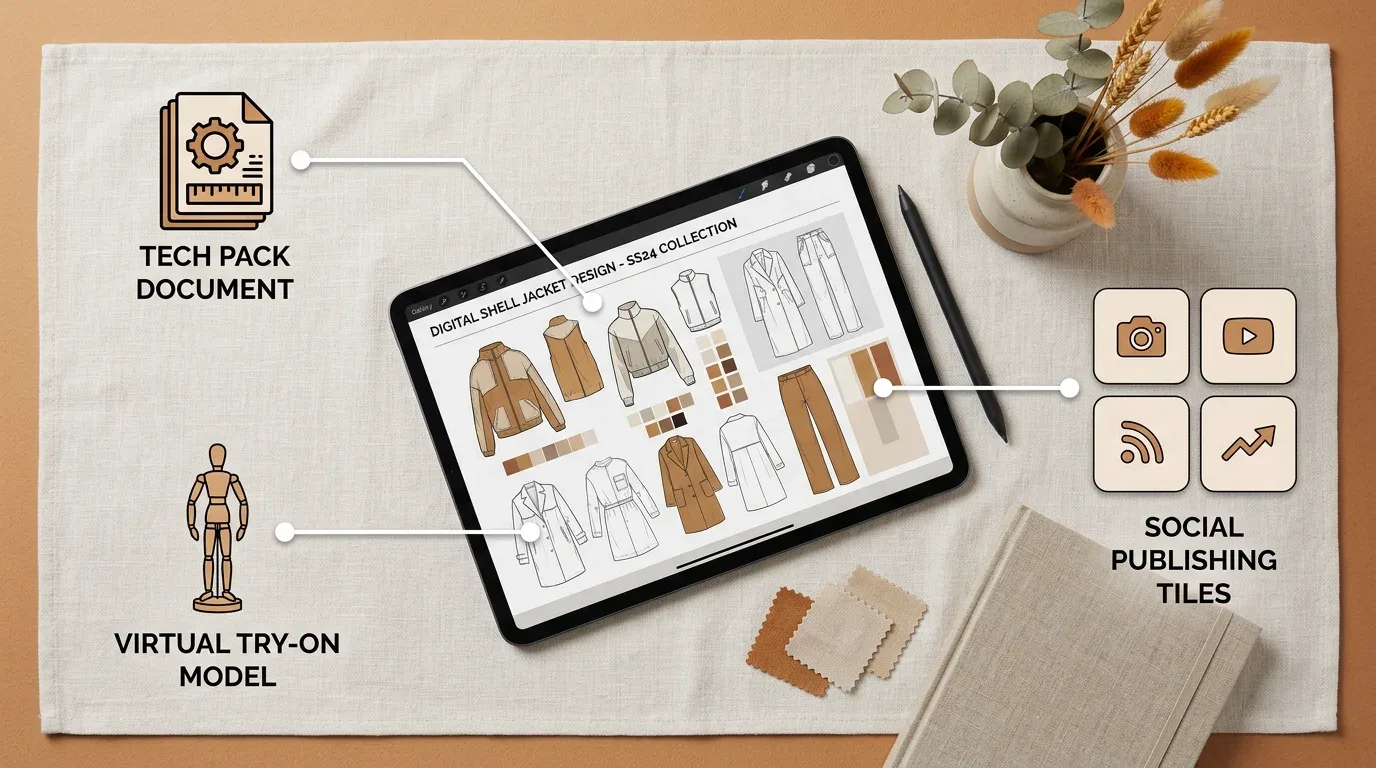
The value multiplies when the integration opens onto the connectors a brand already relies on. The same conversation that produces a visual can flow toward publishing on Shopify and the major social channels, or toward virtual try-on to preview fit across body types before a single sample is cut.
This matters because a design rarely lives alone. It becomes a catalog image, a tech pack, a social post, and a product page. Keeping those outputs in one workspace, driven by Visual DNA for consistent styling and by bulk generation of up to 30 visuals per run, keeps a catalog on brand at scale.
Set against the alternatives, the differences are concrete:
- Idea to visual. Real time through conversation, where standalone image tools need manual prompting per tool and a traditional photoshoot takes days to weeks.
- Tech packs. Factory ready and auto filled, where image tools include none and a conventional workflow runs a separate manual process.
- Virtual try-on. Built in across multiple body types, rarely available elsewhere.
- Publishing. Direct to Shopify and social, instead of exporting and re-uploading by hand.
- Team access. Seats come with every plan (unlimited from Business) and are never billed on their own, where per-seat pricing is the norm.
Common questions
What is a Claude MCP integration in fashion software?
The Model Context Protocol is an open standard that lets Claude connect securely to external tools and act within them. In fashion software it means the assistant generates and refines visuals directly from your conversation, rather than only describing what to do.
Do I need design software skills to use it?
No. The point of the connection is to remove the skill bottleneck between imagination and image. You describe an idea in plain language and the output arrives as a usable visual, so team members without technical design expertise can contribute directly.
Can the workflow do more than generate images?
Yes. The same connected workspace covers AI fashion models, virtual try-on, and factory ready tech packs, plus bulk generation of multiple visuals at once. It also publishes directly to Shopify and the major social channels.
The takeaway for forward looking brands
The advantage of connecting AI fashion software to Claude is not a single feature, it is the removal of friction across the whole creative chain. When a brand can think out loud and watch that thought become a visual, a tech pack, and a published asset without leaving the conversation, the time between imagination and market shrinks.
Start by mapping the handoffs that slow your team today, then let the connected workflow absorb the repetitive execution. Open the design studio to see what the connection produces, or browse the features catalog for the rest of the toolkit.
Related articles
- AI Agents for Fashion Brands: What They Do, What They Cost, How to Hire OneWhat an AI agent does for a fashion brand, in practice: catalogue visuals, weekly posts, tech packs from photos. Prices, plans, ceilings, limits, and how to run the first week without wasting credits.
- Generative AI in Fashion: What It Does, What It Does Not, and Where to StartGenerative AI in fashion, job by job: design, product imagery, video, tech packs and copy, what it does not do, and the one test a brand should run first.
- The Future of AI Fashion: AI Agents That Run Your Brand While You SleepAI agents on The New Black AI turn fashion workflows into hands: describe an outcome, the agent does the work, learns the brand, and runs on a schedule while you sleep. Where this goes.
- Best AI Fashion Studio for Brands in 2026: The New Black AIWhy The New Black AI is the best AI fashion studio in 2026: design, models, try-on, tech packs, Visual DNA and publishing in one workspace.
- What is Y2K Fashion: The New Black AIWhat is Y2K fashion: the style of the years around 2000, its key pieces, outfits for women and men, how it differs from the 90s, and how a brand designs a Y2K collection.
- Tech pack designer vs AI: The New Black AIHire a tech pack designer or make your tech pack with AI? What each delivers, what it costs, how long it takes, and how small fashion brands combine the two.
- Clothing Design Software: The New Black AIClothing design software explained: the five kinds of fashion design software, what each one does, how to choose, and where AI design tools fit from concept to tech pack.
- Online fashion lookbook maker: The New Black AIBuild an online fashion lookbook from your AI studio pictures: editorial page templates, your paper, typeface and logo, product links, published at its own address or your domain.
- Shopify Profit and Loss by Month: The New Black AIThe Store page of The New Black AI now shows a Profit & loss for a Shopify fashion brand: this month and the one before, net sales, cost of goods, ad spend, your own costs, profit and margin.
- AI Fashion Models, How They Are Made: The New Black AIAI fashion models explained: how a product photo becomes an on-model image, what one image costs in credits, and when a brand should use them instead of a shoot.