How to Create an AI Model For Your Bag Design
Published 3 February 2026
Accessories are presented differently now that AI has entered the workflow, and bags are no exception. With AI fashion models, a designer can show a bag in professional visuals without organizing a photoshoot. The approach lets brands rethink how their product photography gets made and build high end imagery faster. Here is how to work through it, step by step.
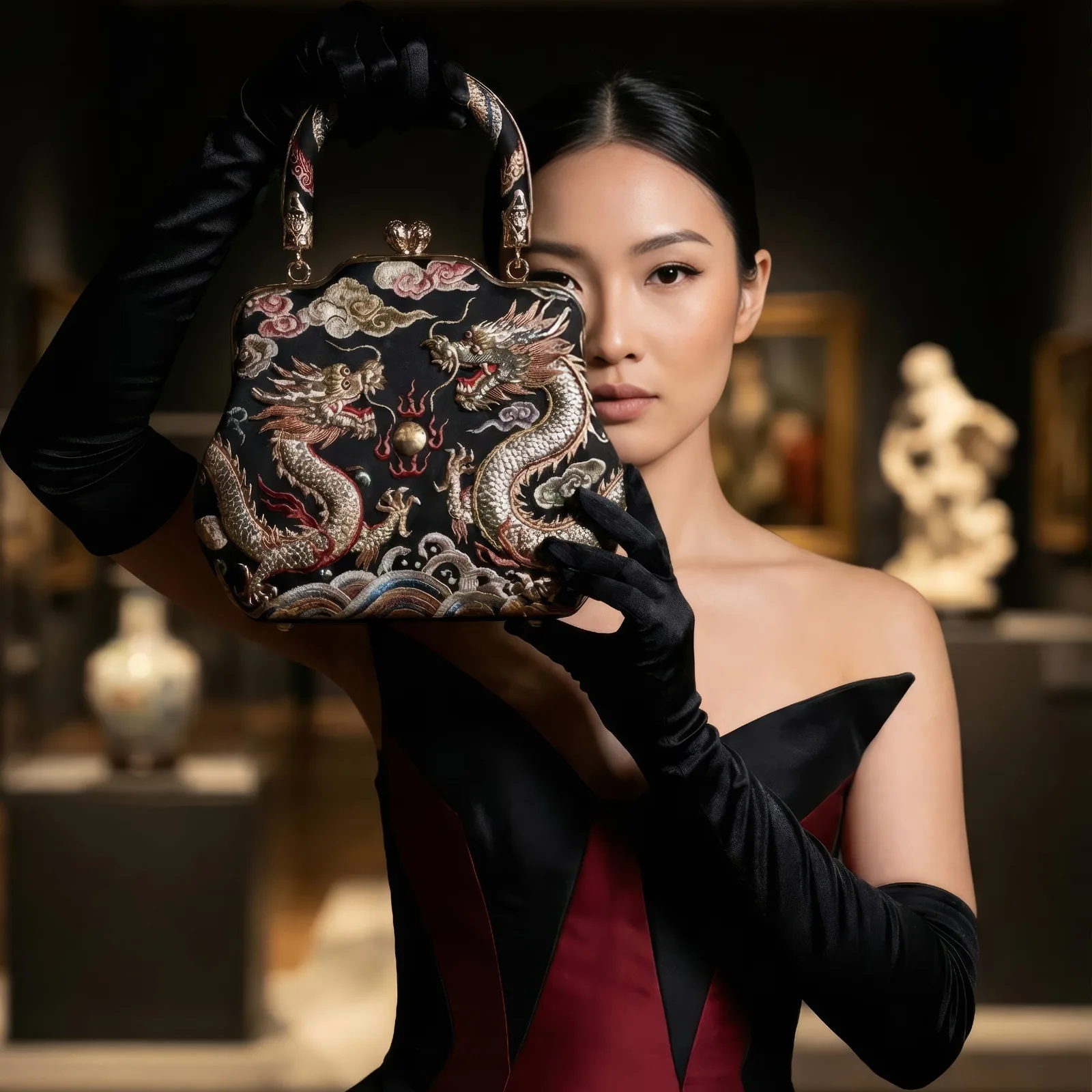
Define the bag and the visual style
Before generating anything, be clear about the bag itself: its design, materials, colors, and the details that matter. Then decide on the visual register you want, studio, lifestyle, or editorial. A clear direction is what makes the generated models reflect the brand image you have in mind, and it keeps results consistent from one visual to the next.
Prepare high quality bag images
Realistic results start with good inputs. Photograph the bag with clear lighting, a neutral background, and several angles. Well prepared source images make a real difference in how the model integrates the bag, and they are what keeps proportions and textures accurate rather than approximate.
Choose the right model type
Picking the right model matters as much as the bag image. Think about the pose, the body type, and the styling that will show the piece to its best advantage. AI generated models can be adapted for different markets, so the same bag can be presented for several audiences without reshooting anything.
Upload and position the bag correctly
Placement is where realism is won or lost. Upload the bag image and check that it sits naturally against the model's pose. Correct positioning is what makes the final output read as a photograph rather than a composite.
Adjust the prompt for realistic results
The text prompt shapes a great deal of the result. Be specific about lighting, mood, and styling rather than describing the bag alone. Detailed prompts are what produce visuals ready for marketing and e-commerce, and vague ones are what produce generic ones.
Refine for consistency
Consistency becomes the issue as soon as you need more than one visual. Review the outputs carefully and regenerate where the bag color, scale, or design has drifted. This step is what lets a campaign hold together, and consistent AI models are built for exactly that problem.
Export and use across channels
Once the set is right, export it and use it on your website, your online store, social media, and campaigns. Refreshing the content later is a matter of regenerating rather than rebooking, which is what makes it practical to keep a catalog current.
Put your bag on a model
Start with one product: upload a clear image of the bag and generate the first visual. Open the AI models studio, or read more about AI models for bags before you begin.
Related articles
- Design Smarter: How to Create AI Fashion Models for Your DressesCreate AI fashion models for your dresses: preview fabrics, folds, and fits on a virtual model, pick the pose and age, and publish without a photoshoot.
- AI Person Generator: Generating Consistent Human Models and CharactersAn AI person generator produces consistent images of the same model across outfits, poses and settings, for lookbooks, e-commerce and campaigns.
- Consistent AI Model Across Photoshoots: The New Black AIHow to keep the same AI model on every product of a collection: a profile reused, a reference photo, a Visual DNA, the framings that hold the identity, what still drifts, and the workflow in order.
- How to Design a Dress with AI: The New Black AIDesign a dress with AI step by step: the order of the description, three prompts for three dresses, then colourways, fabrics, a model, a video and the tech pack from the same design, with the credits.
- Visual DNA: Train the AI on Your References: The New Black AIUpload reference images or give a web page, choose a focus (brand vibe, collection direction or product type), and every new design follows that creative direction instead of a generic one.
- Create an AI Clothing Design or Even a Whole CollectionGenerate a single AI clothing design or a full collection from a sketch, a photo, or a text prompt, and prototype without physical samples.
- How to Create a Futuristic Design with AIDesign futuristic clothing with AI: test metallic fabrics, geometric patterns and avant garde silhouettes, then see them on different models.
- Edit Your Images with AI: A Step-by-Step GuideAdd or replace details on an image with AI: mask an area, type what belongs there, and get sunglasses, sneakers or gloves in seconds.
- Clothing Design Software: The New Black AIClothing design software explained: the five kinds of fashion design software, what each one does, how to choose, and where AI design tools fit from concept to tech pack.
- Clothing mockup generator with AI: The New Black AIMake clothing mockups with AI: your logo or print set into the fabric, following its folds, then worn by a model, as a ghost mannequin or flat lay. 1 credit a step.