AI Clothing Fashion Video Generator
The AI fashion video generator turns one fashion image into a short video clip. Upload a model shot, a campaign frame or a design you just made, write the motion in a line, and the garment you photographed is the garment that moves. Clothing brands use it for product pages, Reels and campaign teasers without booking a shoot.
Updated 13 November 2026
- 1Add the image to animate
- 2Describe the motion
- 3Pick the length and the resolution, then generate
How it works
Add the image to animate
In Video, keep Source on Image and choose Animate an image, then drop your photo in Start image. The clip keeps the frame of that picture, so a 9:16 still gives a 9:16 video. An End image is optional, for a clip that must land on a precise last frame.
Describe the motion
Write it in Prompt, in a short physical line: « the model walks forward », « the camera turns around the model », « slow push in on the fabric ». Audio carries the sound of the clip; the default keeps the natural sounds of the scene with no music.
Pick the length and the resolution, then generate
Time sets 5, 10 or 15 seconds and Resolution 720p or 1080p, and the price shows before you run. The clip lands in your studio grid next to the image it came from, ready to post or to run again with another motion.
Examples
Every clip below started from one of our own campaign photos, with the same motion line, « Fashion model poses. Real speed movements. Continuous shot. No cut », for 10 seconds in 1080p.
A campaign still that turns into a moving shot
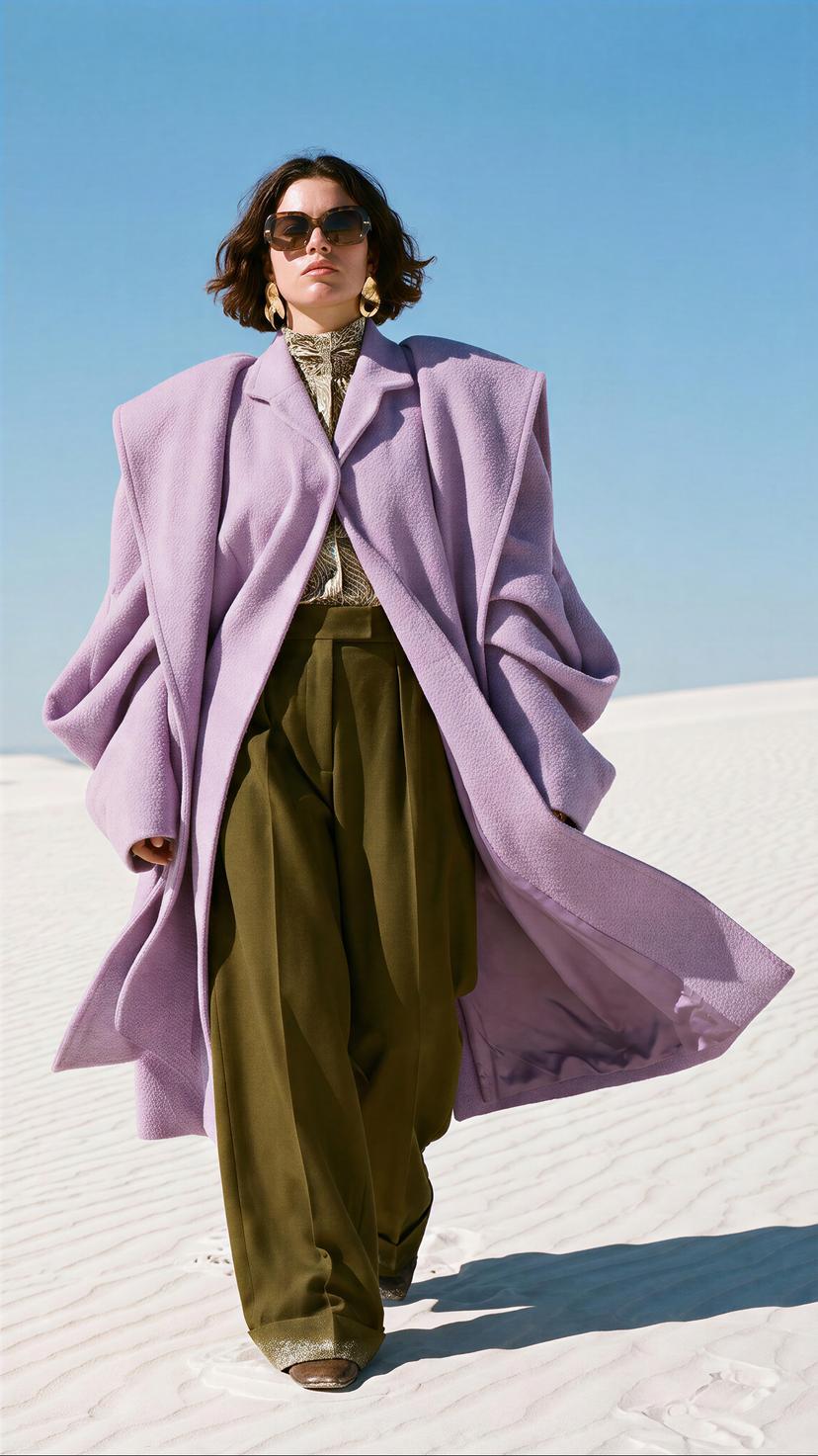
A model in an oversized lilac coat and olive trousers, walking on white sand under a blue sky. The clip keeps the coat, the light and the dunes, and adds the walk: the coat moves with every step.
The back of the garment, from a front photo
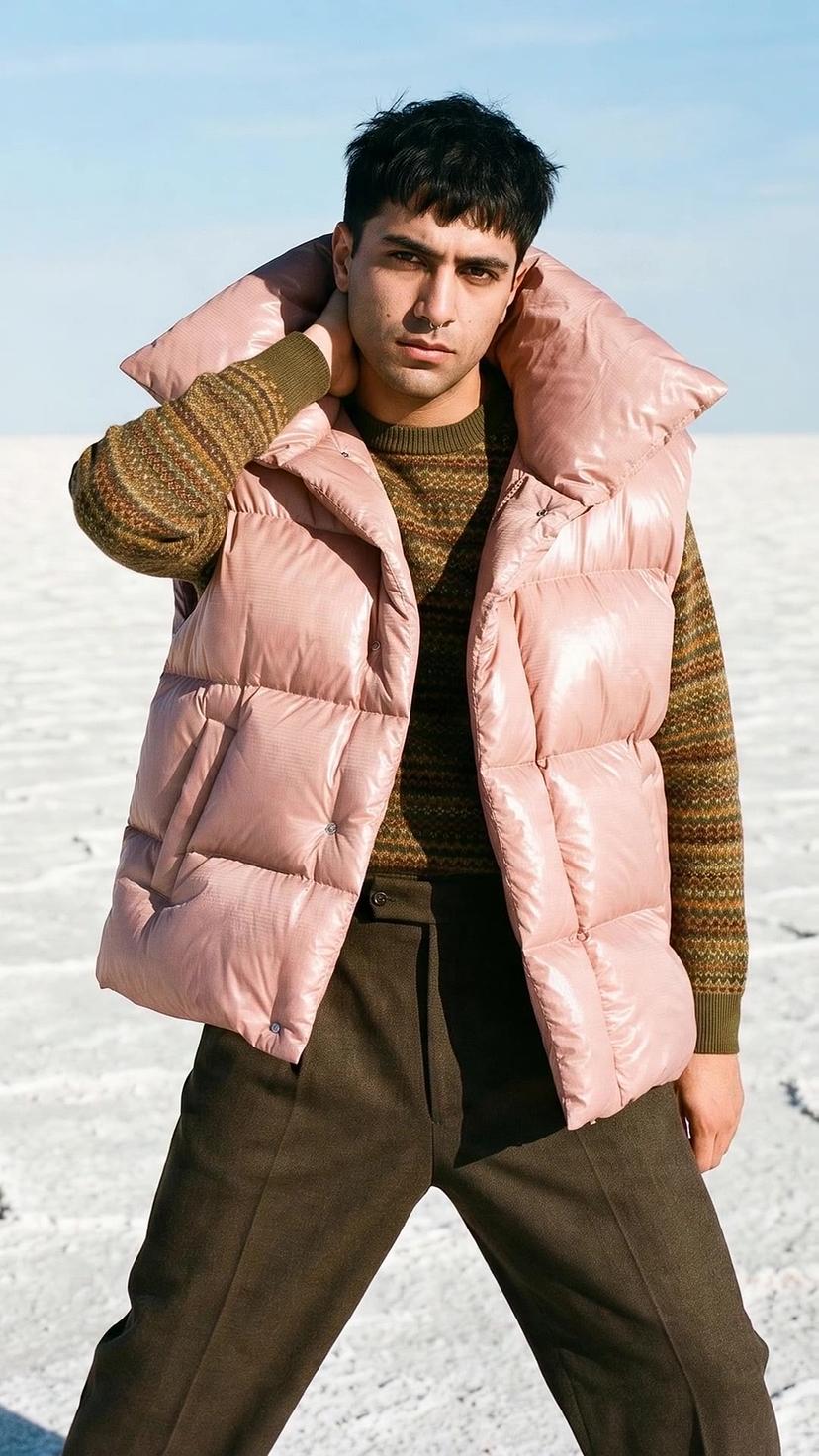
The photo showed only the front of a glossy pink puffer vest worn over a striped brown knit on a salt flat. In the clip the model turns, and the back of the vest, its quilting and its high collar appear without a second shoot.
Satin that moves
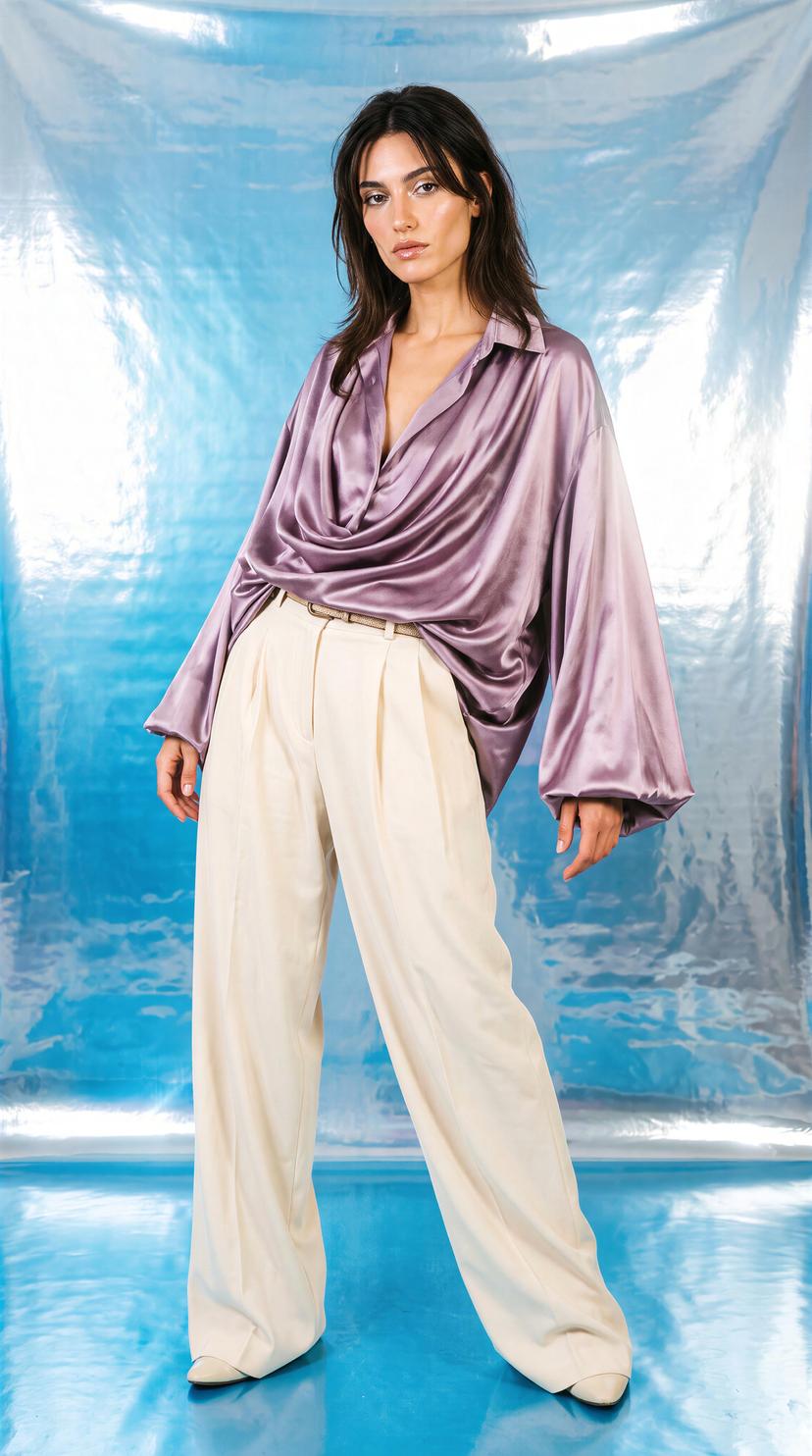
A draped lilac satin blouse and ivory wide trousers against a crumpled silver backdrop. A still photo flattens satin; in motion the folds slide, the sheen travels across the sleeves and the drape falls back into place.
Ten seconds from the face to the full look
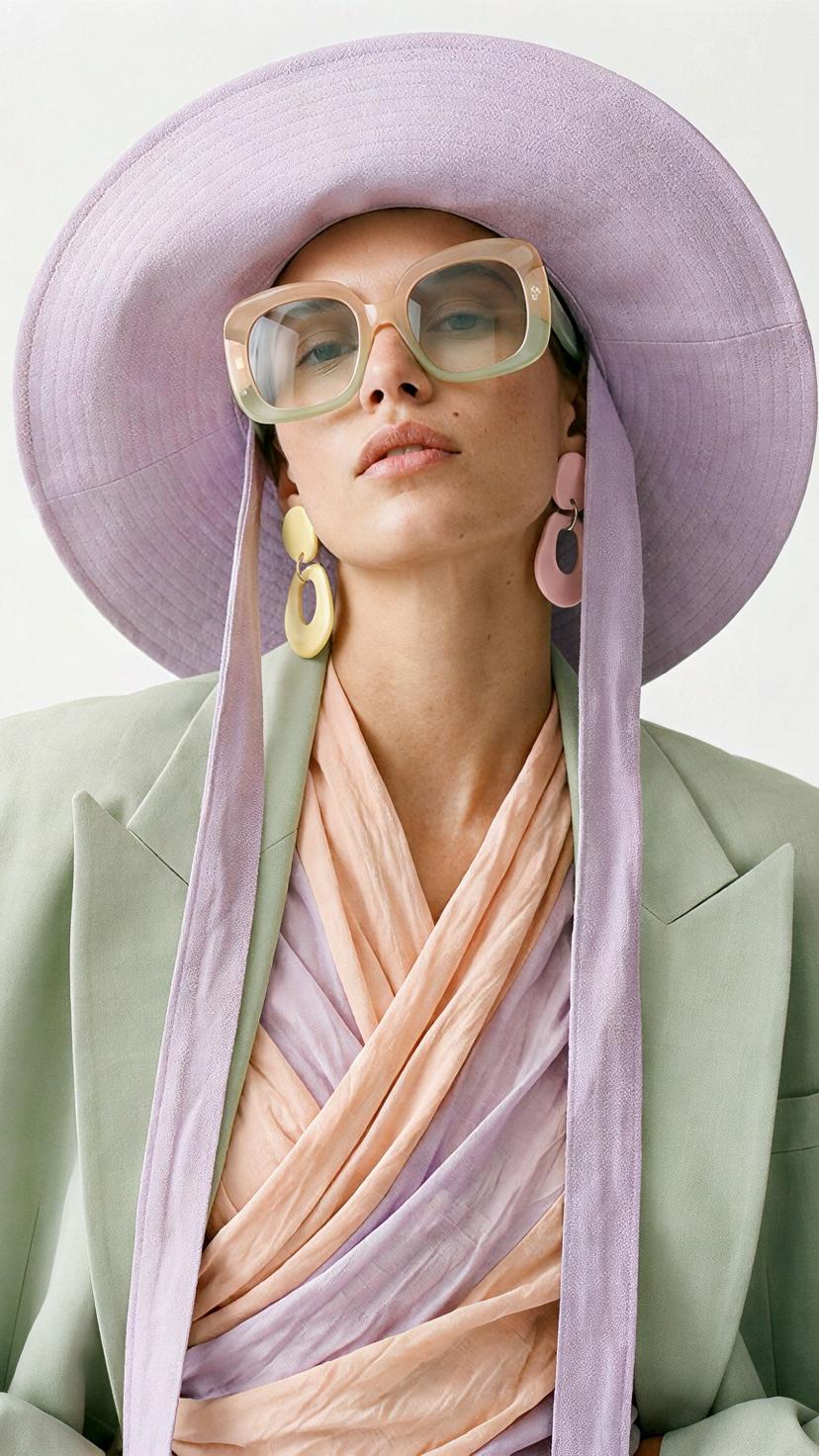
The start image was a tight portrait under a wide lilac hat with oversized glasses and a draped peach and lilac top. The model touches the brim, steps back, and the sage blazer and lilac trousers come into the frame.
The same motion line for a whole collection
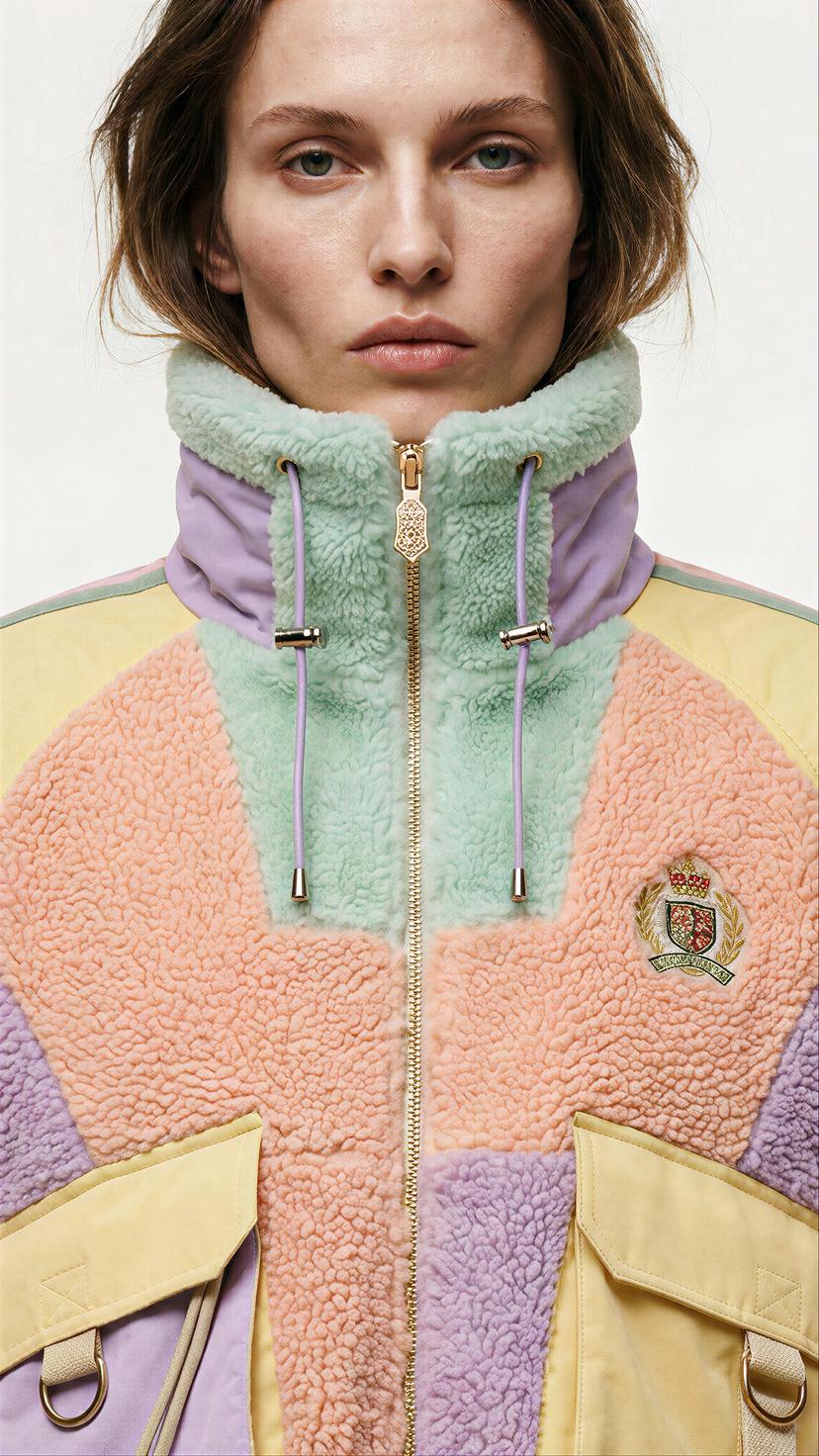
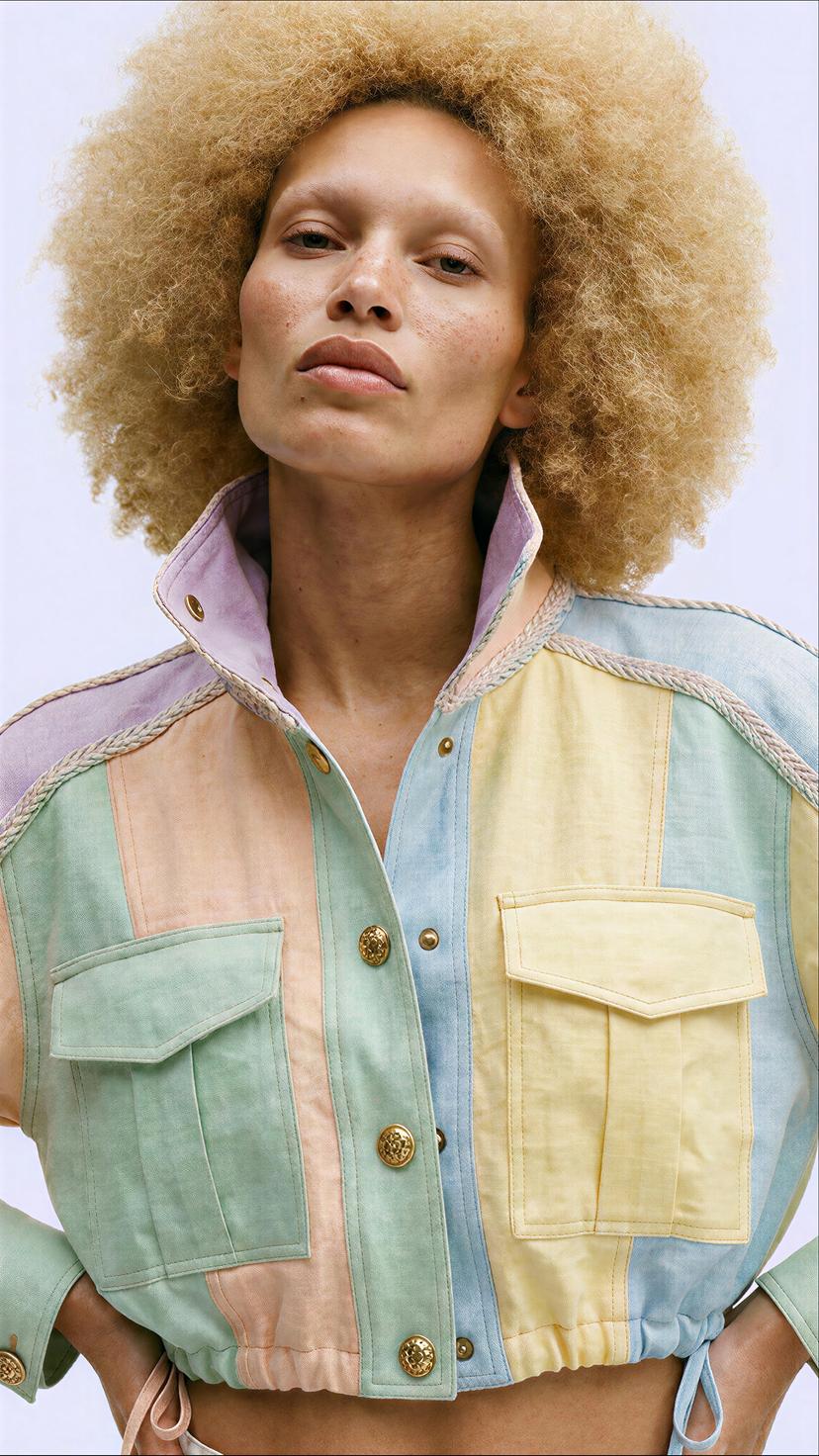
Two pieces of the same pastel patchwork collection, each photographed on its own model. Run with the same motion line, both clips come back in one style, ready to sit side by side in a feed or on a product page.
Three kinds of clip a brand needs
- A product or campaign shot that moves. That is this page: one image in, a short clip out, the garment exactly as it is in the picture.
- A trend reel. Outfit transitions, look switches, a model walking past a window, made from a photo of your model and pieces from your catalogue: see AI fashion reels.
- The same video in another outfit. When the clip exists and only the clothes should change, edit the outfit in a video keeps the person and the motion.
What animates well, and what it costs
Motion that belongs to the garment works best: fabric settling, a coat opening, a camera circling a still model. Long walks across a scene give legs and hands time to drift, printed text on a garment can reflow between frames, and two people interacting is more than one starting frame can carry. A shorter clip of a smaller movement is the safer brief.
A clip is priced by the second: 2.2 credits a second in 720p (11 credits for 5 seconds), 4.4 in 1080p, and 23 on Ultra AI, our best video model in 1080p. The exact cost is shown before you generate.
Frequently asked questions
What images can I turn into a video?+
Any fashion image: a photo you upload, or a creation you just made in the studio. Because video sits alongside the other workflows, an AI model shot or a fresh design can be animated straight away, without leaving the page it was generated on.
What do I control in the generation?+
The start image, an optional end image, the motion in Prompt, the Audio, the length under Time (5, 10 or 15 seconds) and the Resolution (720p or 1080p). Use references instead of Animate an image when the pictures should only guide a new scene rather than open the clip.
How fast is it?+
A clip takes about a minute, measured on our own platform. That is what makes a pre-order video for a brand new design practical, or a collection shown in several settings without a day of shooting.
Where do my videos end up, and can I publish them?+
Every video lands in your studio grid, organised in projects next to the images it came from, and can be posted from the social agenda. The generator runs in the browser with nothing to install, and free credits at signup let you try a first clip.
Which aspect ratio should I generate for each platform?+
The video keeps the ratio of the image it starts from, so decide at the image stage: 9:16 for Reels, TikTok and Stories, 1:1 or 4:5 for feed posts, 16:9 for a site header. Without a start image, you choose the format in the panel.
What if the motion isn't what I wanted?+
Rewrite the motion line and run it again: each attempt is independent and billed as one run, so directing the camera is an iteration, not a commitment. Short, physical instructions work best: "the model walks forward", "slow zoom on the fabric".
Can I make fashion videos in 1080p?+
Yes. Set Resolution to 1080p, at 4.4 credits a second, or use Ultra AI, our best video model in 1080p, at 23 credits a second. Details in 4K AI fashion images and 1080p video.
Can I change the clothes in a video online for free?+
Yes, with the free credits every new account gets at signup. Upload the clip to Edit Outfit in Video, describe the new outfit, and the person and the motion stay while the clothes change. It costs 3.3 credits per second in Standard and 4.3 in Pro, so 16.5 credits for a 5 second clip, on any plan.
Can I start from a video instead of a picture?+
Yes. In Video, the Source row offers Image to animate a picture or Video to change a clip you already have: describe the change, a new outfit colour or another background, and the clip comes back edited, priced by its length.
Try it yourself
Everything on this page was made in the studio. Your first designs are minutes away.
Open the studioRelated features
- AI Fashion Video from Reference ImagesPut your model, your garment and a place into one video: add up to three reference pictures, describe the scene, get a 5 to 15 second fashion clip.
- Fashion Reel Templates & AI Motion DesignEighteen Motion Design templates for fashion reels: drop your photos or clips, edit the words, render a 10-second video in four formats. One credit.
- Create an AI Video of a Fashion Model Turning AroundTurn a front and a back photo into a smooth AI turnaround video: the model turns on the spot or the camera orbits, every outfit detail kept.
- Create AI Generated Model VideosTurn a clothing photo into an AI model video: create the model, then bring the still to life with realistic motion, no photoshoot needed.
- Animate a Sketch with AI VideoAnimate a fashion sketch with AI: upload a drawing and get a short video where the illustration itself moves, for presentations and moodboards.
- AI Jewelry Video GeneratorTurn a jewelry photo into a video with AI: sparkle, macro detail and slow rotation from a single image, no product film shoot needed.
- AI Sunglasses VideoTurn a sunglasses photo into a video with AI: face turns, lens reflections and light play from a single image or a text description.
- AI Shoes and Sneakers VideoTurn a shoe or sneaker image into a video with AI: on foot movement, sole flex and turning angles from one photo or a text description.
- AI Bag Video GeneratorTurn a bag photo into a video with AI: carried movement, swaying hardware and true scale from one image, no product film shoot.
- Create Video from Text or Image: AI Fashion VideoTurn a still into a fashion clip, or make it from words alone: start and end image, format, 5 to 30 seconds, generated audio, 720p or 1080p.