Camera Angle for AI Model and Try-On Shots: The New Black AI
Published 20 September 2026 · Updated 24 October 2026
Framing says how much of the body is in the picture. Angle says where the camera stands. The New Black AI now asks both: in Product to Model and Virtual Try-On, an Angle row under Framing sets the camera at eye level, slightly above, slightly below, or low from the ground.
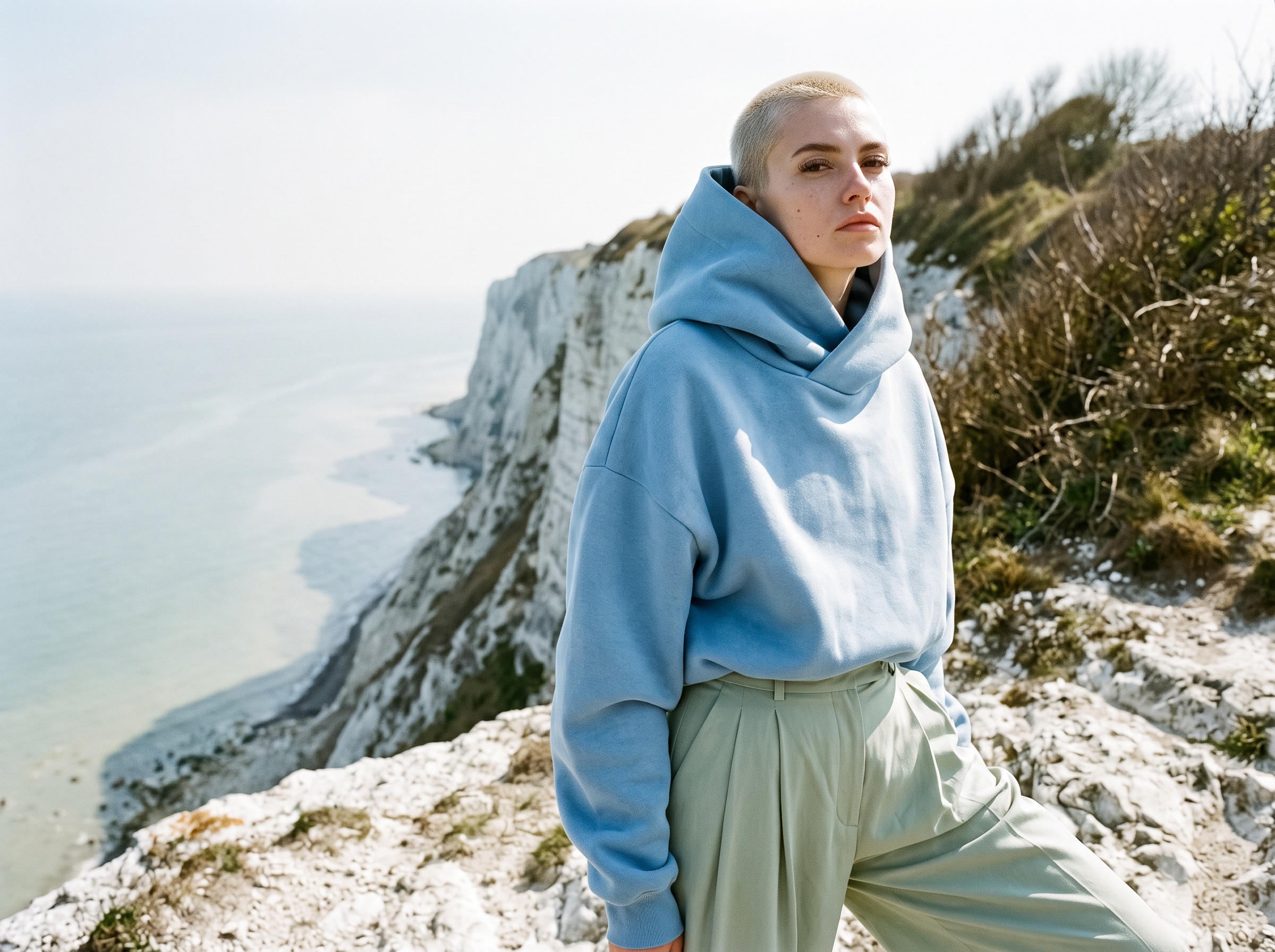
What the Angle row does
Auto lets the AI decide. Eye level is the catalogue standard. Slightly above flatters a face and a neckline. Slightly below and low from the ground give the editorial look: a longer figure, a dress that fills the frame, a shoe that becomes the subject. It works with a scene image too: the scene is re-rendered from that angle instead of staying a fixed backdrop.
How it works
- 1.Open Product to Model or Virtual Try-On.
- 2.Set the Framing, then the Angle just under it.
- 3.Generate. 1 credit in Standard, 3 in Pro, as before.
Why it matters for a brand
A product page wants eye level; a campaign wants a low angle; a lookbook wants both from the same product. Naming the angle means one product photo can produce the whole set, consistent across the range, without a second shoot per angle.
Details on the AI models and Virtual Try-On studio pages; a tutorial shows the row in use.
Frequently asked questions
Which angles are available?+
Auto, eye level, slightly above, slightly below, low from the ground.
Does it work with a scene image?+
Yes. The scene is re-rendered from the angle you chose.
Does it change the price?+
No.
Related articles
- AI Virtual Try-On Videos for Fashion: The New Black AIYour garment on the model you supply, in motion: the clip that answers the question a still cannot, whether the piece holds when the person moves.
- Clothing Product Photography with AI: The New Black AIEvery image a clothing product page needs, made from one photo of the garment: packshot, ghost mannequin, on-model, colourways, video; the credits and minutes each costs, what still needs a camera.
- Consistent AI Model Across Photoshoots: The New Black AIHow to keep the same AI model on every product of a collection: a profile reused, a reference photo, a Visual style, the framings that hold the identity, what still drifts, and the workflow in order.
- AI Fashion Models, How They Are Made: The New Black AIAI fashion models explained: how a product photo becomes an on-model image, what one image costs in credits, and when a brand should use them instead of a shoot.
- AI Product Detail Close-up Videos: The New Black AIThe camera moves in on the weave, the hardware, the finish: the shot that proves quality instead of claiming it, and the one small brands never budget for.
- 9 Best Flat Lay to Model AI Tools in 2026 (Compared)9 best flat lay to model AI tools compared, updated November 2026: flat lays, hanger and ghost mannequin shots on a model, cost per image, same model across a collection, Shopify.
- AI Product Photos for Shopify: The New Black AIAI product photos for a Shopify fashion store: the five shots a product page needs, how to make each from one photo, and how to publish them to Shopify without re-uploading.
- Best AI Virtual Try-On Tools 2026: The New Black AIEleven AI virtual try-on tools compared for brands and for shoppers: free tier, first plan, shoes and jewellery, video try-on, Shopify, prices read on 25 September 2026, and which one for which need.
- Best AI Fashion Model Generator in 2026: The New Black AIThe best AI fashion model generators in 2026 compared: The New Black AI, FASHN, Botika and Modelia, with prices per image, video credits, consistency and what happens after the image.
- AI Ad Creative with Your Headline: The New Black AIUpload a product photo, write your headline, give an art direction, and get a finished ad visual with the words set into the image. 1 credit in Standard, 3 in Pro.