AI Fashion Models, How They Are Made
Published 22 September 2026 · Updated 5 November 2026
AI fashion models are generated people wearing real products. A brand uploads a photo of a garment, a bag or a pair of shoes, describes who should wear it, and an image model produces a photograph of that person wearing that exact product, in a scene and a pose the brand chooses. The product is not redrawn: it is the same piece, kept as photographed, placed on a body that did not exist a minute earlier.
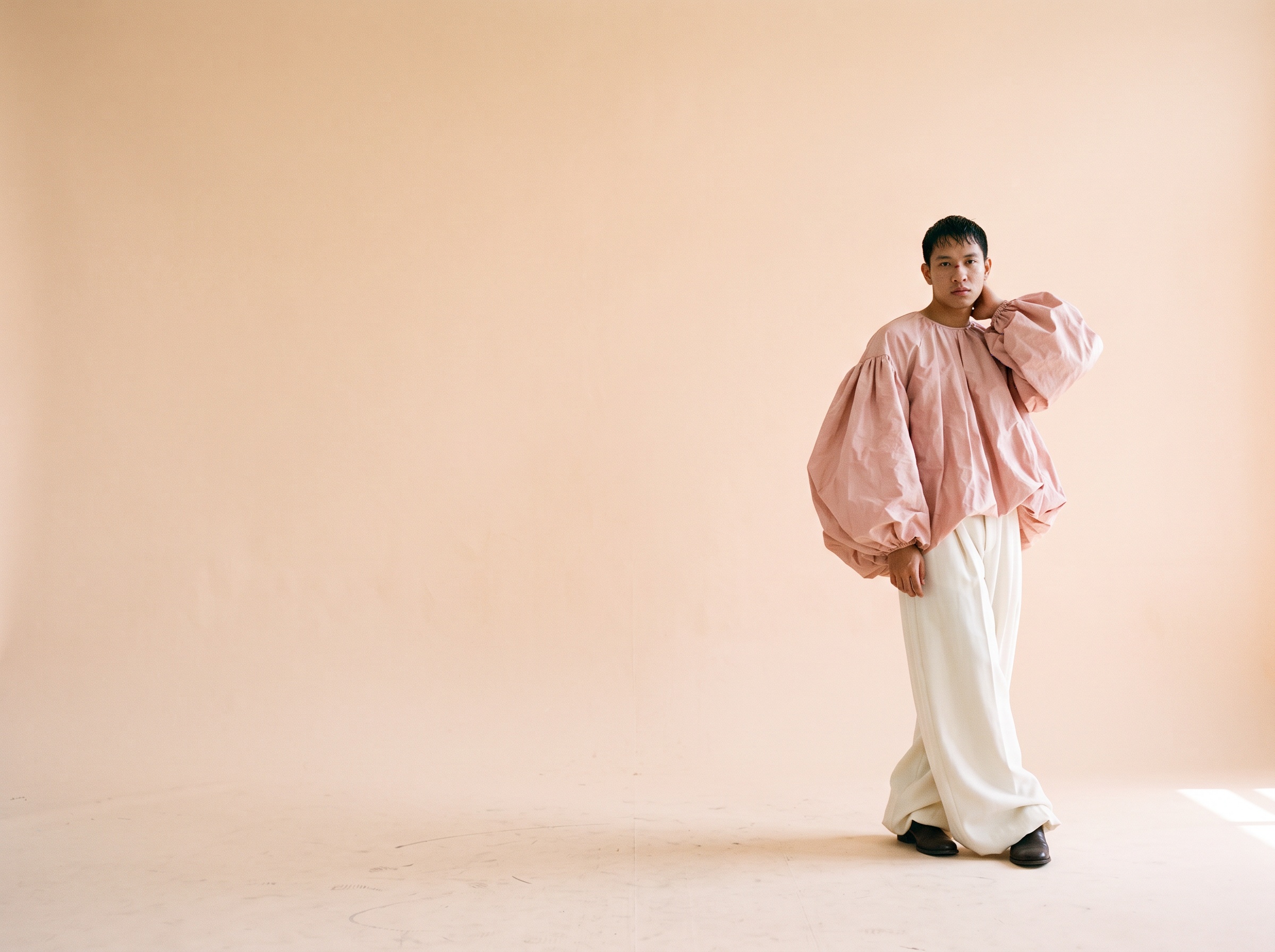
This article answers the three questions brands ask before they use them: how AI fashion models are made, what they cost, and when they are the right tool.
How are AI fashion models made?
An AI fashion model is made in three steps: a product photo goes in, a person is described, and the image is generated with the product kept intact.
In The New Black AI the workflow is called Product to Model, in the AI Fashion Models studio. The gestures are the same for a dress, a sneaker or a pair of earrings:
- The product photo. A packshot, a flat lay, a ghost mannequin shot or the piece worn by someone else. A clean background helps; a transparent PNG is accepted as is. What matters is that the product is fully visible: the model keeps every seam, print and colour it can see.
- The model profile. Woman or man, age, body shape, origin, and a few words on physical features and pose. This is where a brand chooses who its customer sees: a forty-year-old with grey hair, a size 16 body, a runner mid-stride.
- The framing and the scene. Full body, half body or close-up, the angle, and the setting: a studio wall, a street, a beach, a living room. Auto lets the AI decide.
- Generate. One image comes back in about a minute. Every generation is saved with its inputs, so the same product and the same profile can be rerun, and the same model can carry a whole collection.
What the AI does not do: it does not invent the product. The garment is a constraint, not a suggestion. If the photo shows a turquoise sneaker with an orange sole, the model wears a turquoise sneaker with an orange sole. When the result is wrong, it is almost always the input photo that was wrong: a product too small in its frame comes out oversized on the body, a cropped hem gets completed by guesswork.
What do AI fashion models cost?
On The New Black AI, one AI fashion model image costs 1 credit with the Standard AI, and the Starter plan gives 200 credits a month for 15 dollars. In practice, a full product page set (front, back, detail, lifestyle) costs a few cents per product.
| What you make | Credits | On the Starter plan (200 credits, 15 dollars) |
|---|---|---|
| One model image, Standard AI | 1 | about 7 cents |
| One product, four images | 4 | about 30 cents |
| A drop of 50 products, four images each | 200 | the whole month's credits |
| A ten-second video of the model in motion, Standard AI | 22 | about 1.65 dollars |
The Pro AI costs more per image and gives more control over faces and fabric; the price is written on the button before you generate, and unused credits stay on the account from one month to the next. Compare that with a photoshoot day: model fee, photographer, studio, retouching, and a fixed date the products must be ready for.
When should a brand use AI fashion models?
AI fashion models make sense when a brand needs on-model images faster, cheaper or more often than a photoshoot allows, and when the product itself is the point of the picture.
They fit these situations well:
- Product pages at scale. Marketplaces and Shopify stores that add products every week and cannot shoot each one. A flat lay becomes an on-model image, and the image can be published straight to the product page.
- Showing a piece on different bodies. The same dress on a size 6 and a size 18, on a twenty-year-old and a sixty-year-old, without booking six models. Customers see themselves.
- Pre-orders and samples. One sample exists, the drop is in six weeks. The sample is photographed once, then worn by as many models as the campaign needs.
- Accessories. Bags, sneakers, sunglasses, jewelry: small products that are expensive to shoot on a person and easy to place on one.
- A consistent face across a season. Swap Model keeps the outfit and changes the person; Reimagine keeps the model and moves her to another angle or another scene.
They fit less well when the picture is about the person rather than the product: a campaign built on a named face, a runway show, a collaboration with a real model whose likeness is the story. There, an AI model is a placeholder at best. The question of real models' rights is a real one, and worth reading before deciding: models and their rights.
What about video?
The same image can move. Create video from an image takes the generated model and animates it for five to thirty seconds, with sound: the model walks toward the camera, turns, the fabric moves. For a product page or a social post, a ten-second clip from one still is the usual format.
Which tool should a brand pick?
The generators differ mostly on three points: whether the product is kept exactly, how much control you have over the person, and whether the model image can go on to the next step (video, try-on, publishing) without leaving the tool. Our comparison of AI fashion model generators in 2026 goes through them one by one.
Frequently asked questions
Are AI fashion models legal to use in advertising?+
Yes. A generated person has no likeness rights, and the images you make with your own product photos are yours to publish. What you may not do is generate a recognisable real person without their consent, and platforms increasingly ask for an AI label on synthetic images; The New Black AI offers that switch on every post you publish to a connected account.
Can I keep the same AI model for a whole collection?+
Yes. Generate the model once, then use Swap Model to put each new product on that same person, or rerun the saved generation with a new product photo. The face, body and styling stay consistent across the collection.
Does the product stay exactly as photographed?+
That is the point of the workflow: the garment or accessory is kept as in the input photo. The quality of the result depends on the quality of the input. A well-lit product, fully in frame, on a plain background, gives the most faithful result.
How long does one image take?+
About a minute for a Standard AI image, a little more with the Pro AI. A ten-second video takes a few minutes.
Can I generate many products at once?+
Yes. Bulk generation takes a list of product images and one model brief, and runs the whole list in one go.
Related articles
- Clothing Product Photography with AIEvery image a clothing product page needs, made from one photo of the garment: packshot, ghost mannequin, on-model, colourways, video; the credits and minutes each costs, what still needs a camera.
- AI Fashion Video: UGC, Model Walk, Product 360Three guided video workflows from your photos: a UGC clip with a presenter and voice, a runway walk from one model image, a turntable from the front and the back. What each needs, costs and is for.
- Fashion TechnologyFashion technology explained by stage: design, development, production, materials, marketing, sales and operations, with what a small brand should adopt first.
- Cost to Start a Clothing BrandWhat it costs to start a clothing brand in 2026: budgets by model, every line from samples to photos, and what the design, tech pack and photo work costs with AI.
- AI Product Photos for ShopifyAI product photos for a Shopify fashion store: the five shots a product page needs, how to make each from one photo, and how to publish them to Shopify without re-uploading.
- Generative AI in Fashion: What It Does, What It Does Not, and Where to StartGenerative AI in fashion, job by job: design, product imagery, video, tech packs and copy, what it does not do, and the one test a brand should run first.
- AI Clothing Fashion Video Generator: Turn Any Image or Text into VideoTurn a product photo or a written idea into fashion video. How an AI clothing video generator works and where brands actually use the output.
- How AI Fashion Models for Jewelry Are Transforming the Jewelry IndustryAI fashion models for jewelry: turn one photo of a ring, necklace, bracelet or earrings into a realistic photoshoot, without a studio or a human model.
- Smart Automatic AI Fashion Image EditingDescribe the change you want and the AI edits the fashion image: faster iteration, consistent brand visuals, no photo editing skills required.
- Fashion Product DevelopmentFashion product development from brief to bulk: every stage with its input and output, the sample rounds, costing, and a 12 week calendar for a small brand.