AI Fashion Studio
One studio to design clothing with AI, photograph it on AI models, try it on anyone, and ship product photos and videos.
Try free
Go further in the studio
A design opens in the same workspace as everything below. These are what a piece goes through once it exists: change its fabric, recolour it, put it on a model, draw it flat, take it to HD or to video.




Add a Logo
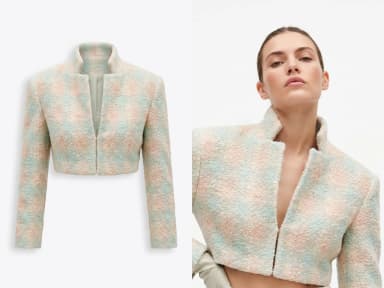
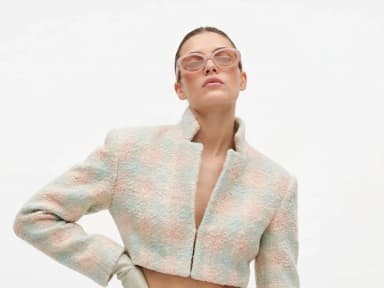
Place your logo on a garment: upload the clothing image and the logo as a PNG, the AI sets it into the fabric, following folds, texture and light.


Sketch to SVG
Vectorize a sketch into clean SVG lines: every stroke its own editable path — rework it on the canvas here, or in Illustrator.


Create Similar Outfits
Upload an outfit image and create a close variation.


Remove Background
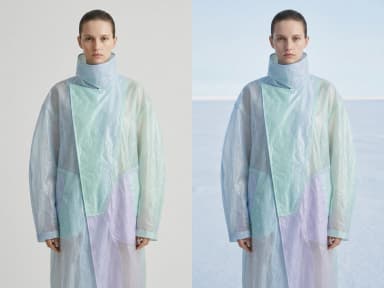
Cut the subject out and keep it on a transparent background.

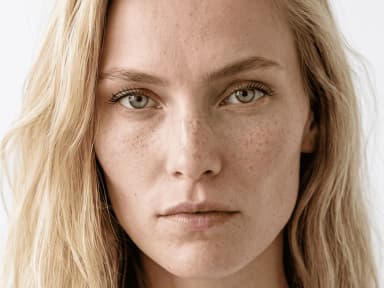
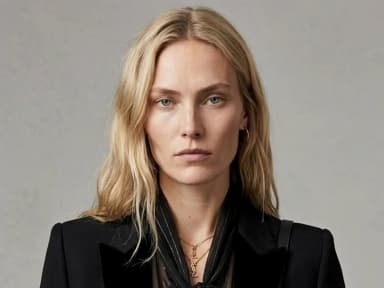
Extend Image
Extend a fashion image into a new ratio, and the scene continues instead of being cropped.
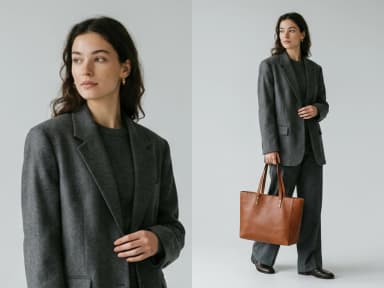
Retouch a Zone
Paint over part of a design and describe what should change there.
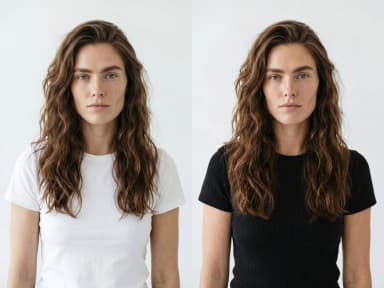
Create or edit images
Create or edit any image from a text prompt or reference images.


Learn
What is AI fashion design
The complete guide: how generative AI designs clothing, and the capabilities reshaping how garments are created.
ReadThe best AI fashion design tool
Fashion-trained generation, sketch to render, brand-aware outputs, and what each tool costs.
ReadNine tips for better clothing prompts
Purpose, style, garment type, colour, materials, references: how to write a prompt the AI can draw.
ReadHow to design a dress with AI
Step by step: type, usage, style, colours, fabric and features, reference images, and how much detail to give.
ReadWhat an AI fashion design generator does
It turns a description into a garment. You write the piece you have in mind, the studio returns it as a finished image, and the whole loop takes about as long as it takes to read the sentence you typed.
What that replaces is not the design. It is the distance between having an idea and being able to show it. A collection is normally argued over in words, or over a rough sketch that only its author can read, until somebody spends a day rendering one option. Here every option is rendered, so the conversation happens in front of pictures instead of in front of adjectives.
It is worth being exact about what the image is. It is a proposal, drawn at photograph quality, of a piece that does not exist. It is not a pattern, not a grading, and not a promise that the seams close. What it is very good at is the question a design meeting actually asks: does this work, and is it better than the other one.
What should I put in the brief?
Two halves, and only one of them is prose.
The garment is yours to describe, in your own words, and the specific beats the poetic. A type, a cut, a fabric, a colour and the two or three details that make the piece what it is will land more reliably than a paragraph of atmosphere. "Cropped bouclé jacket, stand collar, covered buttons, lilac" is a design. "Something soft and modern for spring" is a mood.
The person wearing it is not prose at all, it is a set of fields: gender, age from twenty to sixty in steps of five, body form from small through mid and plus size to pregnant, and a country. That matters more than it sounds, because a field is obeyed while the same words inside a sentence compete with everything else you wrote. And you choose the view: front, back, or both together, which is the setting people forget and then regenerate for.
There is one dial rather than a field, and it is the interesting one. It runs from restrained to extreme, and it decides how far the studio is allowed to travel from the obvious answer to your brief. Low is a commercial piece. High is the thing you would not have thought of, which is occasionally why you came.
Where a design can start
Text is one door. Most of this studio is the others, and they matter more in a real process, because a designer rarely starts from nothing.
A sketch becomes a finished design: the drawing you already made, rendered as the garment it describes. A fabric photograph becomes a garment cut from that fabric, which is the fastest way to find out whether a swatch is a coat or a dress. A design becomes a print, turned into a repeatable pattern you can put back into the loop. And a print can be laid onto a drawing you already have, so a flat you drew last month can be tried in six materials this afternoon.
Then a piece that works can be pushed sideways rather than regenerated: variations on the same design, outfits in the same family, a different colourway, a different fabric on the same cut, the same look on a model, or the same look with the background taken out.
How faithful is the fabric?
Material is what the studio reads best, and it is the reason a result looks like a photograph rather than an illustration.
Bouclé stays nubby, satin keeps its sheen, denim keeps its weave, a rib knit shows its rib, and leather takes light the way leather does. More usefully, weight behaves: a heavy wool falls into the folds a heavy wool makes, and a fine silk does not pretend to. That is the difference between a picture of a garment and a picture of the idea of one.
Two honest limits, and both are about specificity rather than quality. A named print is interpreted, not reproduced, so a licensed motif or an engineered placement is not what this is for. And fine hardware at full-body scale, a specific buckle or a logo plate, reads as an impression rather than as itself. If the hardware is the product, photograph it close and give it its own frame.
What it costs, and how long it takes
One credit on Standard, three on Pro, per attempt. Nothing is charged for typing a brief and nothing for looking at the result. A new account opens with three free credits, so the first designs cost nothing beyond signing up.
An image comes back in about fifteen seconds, measured on our own platform rather than estimated. At that price and that pace, exploring stops being a budget decision. The question changes from "which one shall we render" to "which twelve shall we look at", and the second question is the one that produces a collection.
Does it reach production, or stop at the concept?
This is where the honest comparison sits, because most tools in this category stop at the picture, and the articles that survey them say so.
A design here can be redrawn as a flat technical sketch, the line drawing with no shading and no model that a factory reads before it reads anything else. That sketch exports as SVG, so it opens in Illustrator and can be corrected line by line rather than redrawn. And it carries into the tech pack studio, where the measurements, the bill of materials, the construction notes and the annotated flats are built around it and exported as the document a manufacturer actually works from.
So the path is continuous: a sentence, a design, a flat, a tech pack. Nothing is retyped between those steps and nothing is redrawn, which is the part that usually costs a week.
What the studio does not decide
Three things it will not do for you, stated plainly because each one costs time if you find out late.
It does not grade. A design is one size, drawn on one body. The size run, the tolerances and the way a pattern is cut are a patternmaker's work, and the tech pack is where that conversation is recorded, not where it is invented.
It does not cost a garment. The image says nothing about what the fabric costs by the metre, how many minutes of machine time the construction takes, or whether the factory you use can make it at all.
It does not source. A bouclé that renders beautifully still has to exist in a mill's book, in your colour, at your minimum. The studio is very fast at proposing materials and completely indifferent to whether they can be bought.
None of that is a flaw in the tool, it is the boundary of what a picture can carry. What the picture does carry is the decision, and the decision is what everything else waits on.
Edit with smart creative tools
Refine your generated visuals with smart editing tools: crop, trim videos, add clips, text, filters and more.
Publish directly to Shopify and channels
Schedule or publish your images and videos directly to Shopify, Instagram, Pinterest, TikTok, YouTube, X, Threads, and more.
Create directly in Claude chat
Create faster with The New Black AI through our seamless Claude MCP integration.
ConnectInvite your team
Seats come with every plan, unlimited from Business. Work on projects, edit and publish together.