AI Generated Fashion Models from Your Product Photos
Create AI generated fashion models in seconds from nothing more than your product images. The model generator shows your creations, clothing, shoes, jewelry, accessories, worn by virtual models chosen to match your style and your audience. Teams use it to produce lifelike model shots for e-commerce, lookbooks, social campaigns, and product launches without the cost and the logistics of a traditional photoshoot, and to do it at the scale a catalog demands.
Updated 1 October 2026
- 1Upload your product photos
- 2Generate models in your brand's style
- 3Run the whole collection
How it works
Upload your product photos
Upload high quality photos of your products, with the shape and the details of the garment clearly visible. Good input matters more than anything else here: the sharper the product photo, the more faithful the model shot that comes back.
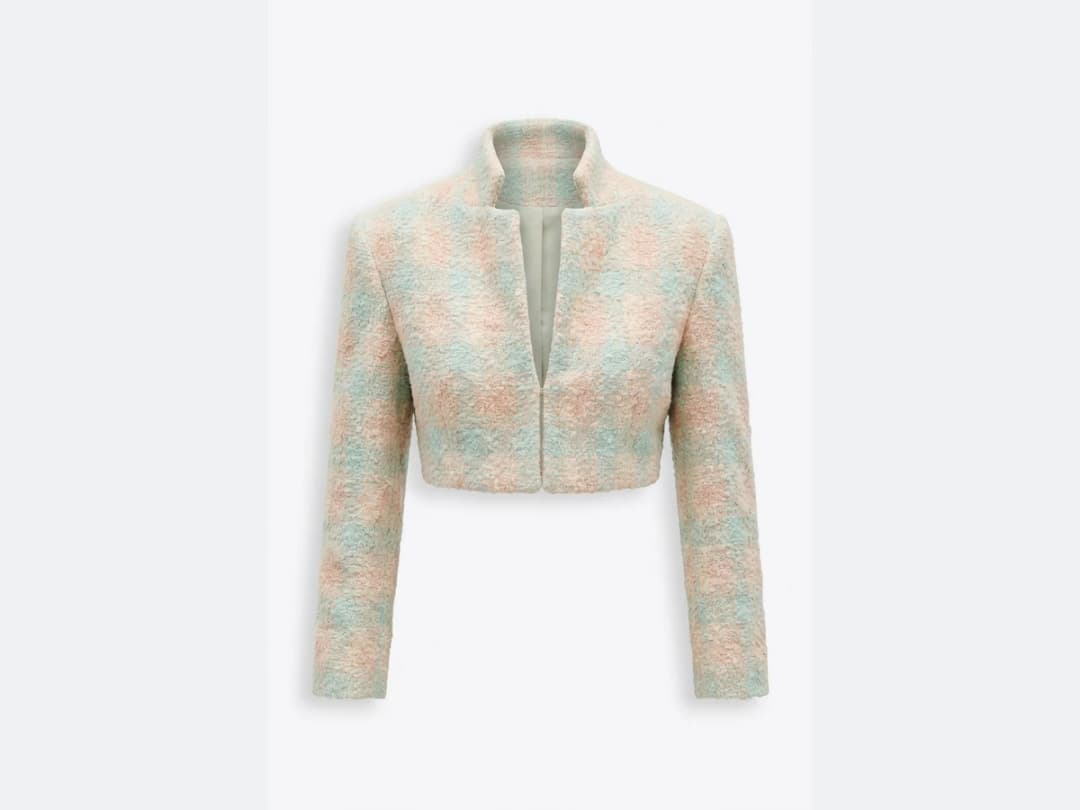
Generate models in your brand's style
The AI reads those images and produces models in your brand's style, from an elegant dress to a casual outfit, virtual models chosen to match your style and your audience. A lifelike model wearing your outfit takes minutes.
Run the whole collection
Because each shot takes minutes rather than a booked day, what is worth trying changes: a single dress, a casual look, or an entire clothing line all cost the same amount of effort. Work through the catalog and keep the shots that carry your style best.
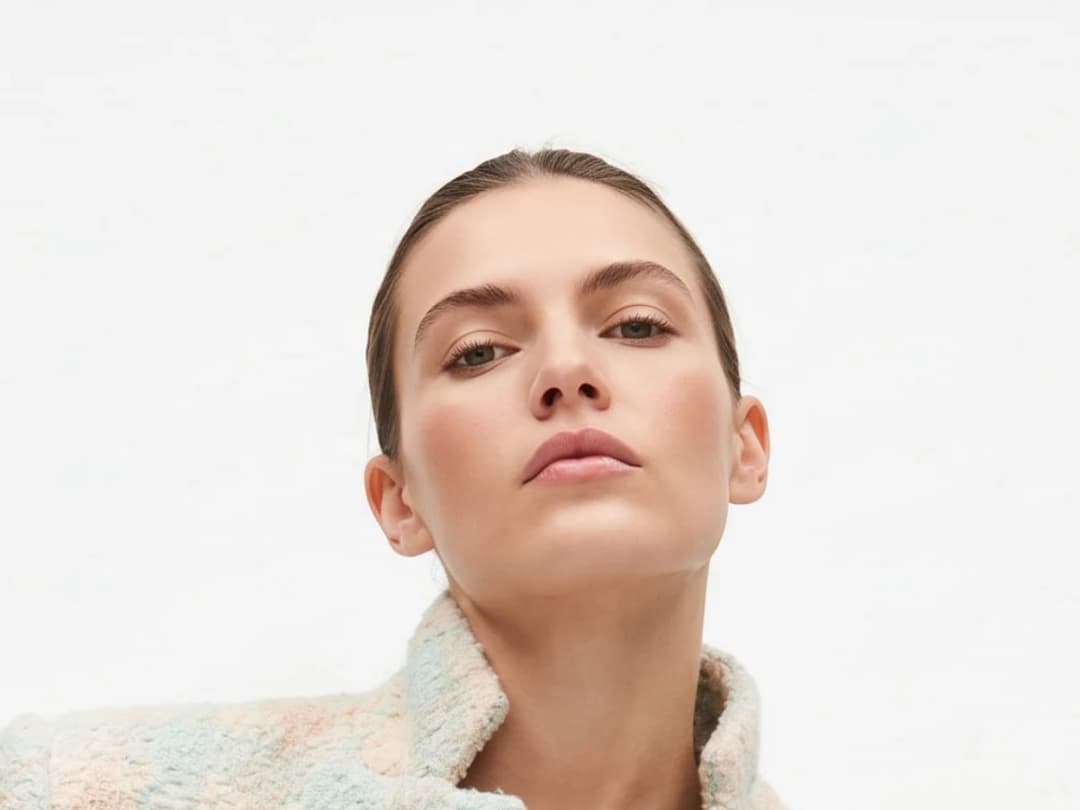
AI generated fashion models: what comes back
An AI generated fashion model is a person the studio makes so that your product can be photographed worn. You bring the piece, you say who should wear it, and what comes back is a photograph of that item on a body: the pose, the light, the way the fabric falls and the skin of a real shoot, without the shoot. Four things decide how usable the picture is.
- The product is yours, pixel for pixel. The model is generated around the garment you uploaded: the print, the seams, the colour, the buttons come from your photo, not from the model's imagination. That is the difference between an AI model shot and an AI fashion image.
- The person is chosen, not random. Age, origin, build, hair, expression, pose: name them in the brief, or let the studio pick a model that matches your audience. The same model can wear the whole collection, so a catalogue reads as one shoot.
- The setting follows the brief. A white studio for the product page, a street for the campaign, a beach for the summer drop. The light and the shadows follow the place.
- It moves on. A model shot is a starting point in the studio: send it to a model walk, a Model 360, a virtual try-on video, or upscale it to HD for print.
Where a real model brings a body and a day, the generated one brings a body and a minute. The brief, the product photo and the choice of who wears it are the work that remains.
AI clothing model generator: every choice on the panel
A clothes model, without the casting. The Product to Model workflow puts each decision a photographer and a casting director would make on one panel:
| Choice | Options |
|---|---|
| Who wears it | A model made from scratch, or your own model reference reused across the collection |
| Where | A scene you describe in words, or a scene image you upload |
| Gender and age | Woman, Man, Girl, Boy; from 3 to 60 years old |
| Body shape | Small size, Mid size, Plus size, Pregnant |
| Framing | Full body, upper body, portrait, close-up on the hand or the feet, product detail worn |
| Camera angle | Eye level, slightly above, slightly below, low from the ground |
| Format | Ten formats from 21:9 to 9:16 |
Camera angle is the newest row. Eye level is the classic e-commerce view; slightly above flatters the face and tops; slightly below lengthens the silhouette for an editorial look; low from the ground suits trousers, shoes and hero shots. With a scene image, the scene is re-rendered from the angle you chose.
Each shot costs 1 credit on Standard AI, 3 on PRO AI, and 7 on Ultra AI in 4K from the Pro plan.
What it changes for marketing and e-commerce
AI models are useful whenever a brand needs to show a collection and does not want to organize a shoot for it. Generating models wearing specific products removes the costly, slow part of the process and leaves the creative part. A new collection can be shown the week it is designed, and existing product listings can be refreshed without booking anything. The result is fast and inexpensive, and the audience still gets a proper visual rather than a flat packshot. How brands use the generator end to end is covered in this guide to the AI fashion model generator.
Frequently asked questions
What products can I put on an AI model?+
Clothing, shoes, jewelry, and accessories. This is the general purpose page of the family: the same generator has dedicated flows for bags, footwear, jewelry, and head accessories, each tuned to how that product is worn or carried.
What makes a good product photo?+
Sharpness, and a clearly visible shape with the details of the garment readable. The AI builds the model shot from what it can see in your image, so the quality of the input sets the ceiling for the output.
How is this different from virtual try-on?+
The model generator creates the person around your product. If instead you want the same product worn by a person you choose, on a photo you supply, that is virtual try-on.
Where do my model shots live?+
In your studio grid, organised in projects, next to everything else you generate. Each shot stays reusable in the other workflows: animate it as a video, or push it to HD with the upscaler, without starting over.
Can I use the shots for my store and campaigns?+
The generator runs in the browser with nothing to install, and free credits at signup are enough to see your first product worn.
Are AI generated fashion models realistic?+
Yes, at product page and campaign quality: skin, hair, hands and the fall of the fabric are rendered as in a photograph, and the garment is your own product, taken from your photo. Look at the hands and the seams before you publish; regenerate when one of them is off, it takes a minute. For a still that will be printed large, upscale it to HD first.
Are my uploads and my creations private?+
Yes. Everything you upload and everything you generate is private to your account, never shown to other users, never published without an action of yours, and never used to train any model, on any plan. Details on the Security page.
Can I use the models, garments and backgrounds provided in the studio commercially?+
Yes. The house templates are free for commercial use: your campaigns, your product pages, your lookbooks, with no separate licence and no attribution.
Can I choose the camera angle?+
Yes. Under Framing, the Camera angle row offers eye level, slightly above, slightly below and low from the ground, or Auto to let the AI decide. It works with a described scene and with a scene image.
Can the same AI model wear my whole collection?+
Yes. Choose a model reference instead of a model made from scratch: upload the person once and every product you run comes back on the same face and body, so the catalogue reads as one shoot.
Try it yourself
Everything on this page was made in the studio. Your first designs are minutes away.
Open the studioRelated features
- AI Virtual Try On Necklace (Jewelry)Preview any necklace on a model with AI: upload a model photo and the necklace design, and see it sit on the neckline at the right chain length.
- AI Virtual Try On Bracelet (Jewelry)Preview bracelet designs on a real wrist with AI: upload a wrist photo and your bracelet, and get a lifelike worn shot with accurate scale.
- AI Virtual Try On BagsSee any bag on a model in seconds: upload a photo and a handbag or purse image, and the AI matches lighting, proportions, and perspective.
- Create Kid Fashion Clothing Models with AIUpload a kids clothing photo and get a child AI model wearing it in about 30 seconds: no casting, no studio, visuals ready for your store.
- Virtual Try On Head Accessories with AISee any hat, cap, or beanie worn before buying: AI fits the headwear to the face, the hairstyle, and the perspective of your photo.
- Create an AI Fashion Model for SocksUpload a sock photo, describe the model and the scene, and get visuals framed so the socks stay the point: no shoes, no photoshoot.
- AI Ghost Mannequin Clothes from an ImageTurn any garment photo into a clean ghost mannequin image in seconds: the AI removes the model and rebuilds the hidden parts, ready for e-commerce.
- Reimagine Your Model in New ScenesCreate a back view, a side view or a close up of a fashion photo with AI: upload the original model and describe the angle you want to see.
- AI Virtual Try On ShoesSwap shoes on any photo with AI: upload a model and a new pair, and the original shoes are replaced with realistic proportions and lighting.
- AI Virtual Try On JewelryTry jewelry on any photo with AI: upload a model and a ring, bracelet, necklace or earrings, and see the piece worn with realistic scale and light.