Try on Earrings Virtually with AI
Published 13 January 2026
Choosing a pair of earrings is hard when you cannot see them on a real face. AI try on changes that: customers and brands can preview jewelry on a photo in seconds. With AI virtual try on jewelry, earring designs are visualized directly on model images, without photoshoots or prototypes, which cuts both time and production cost.
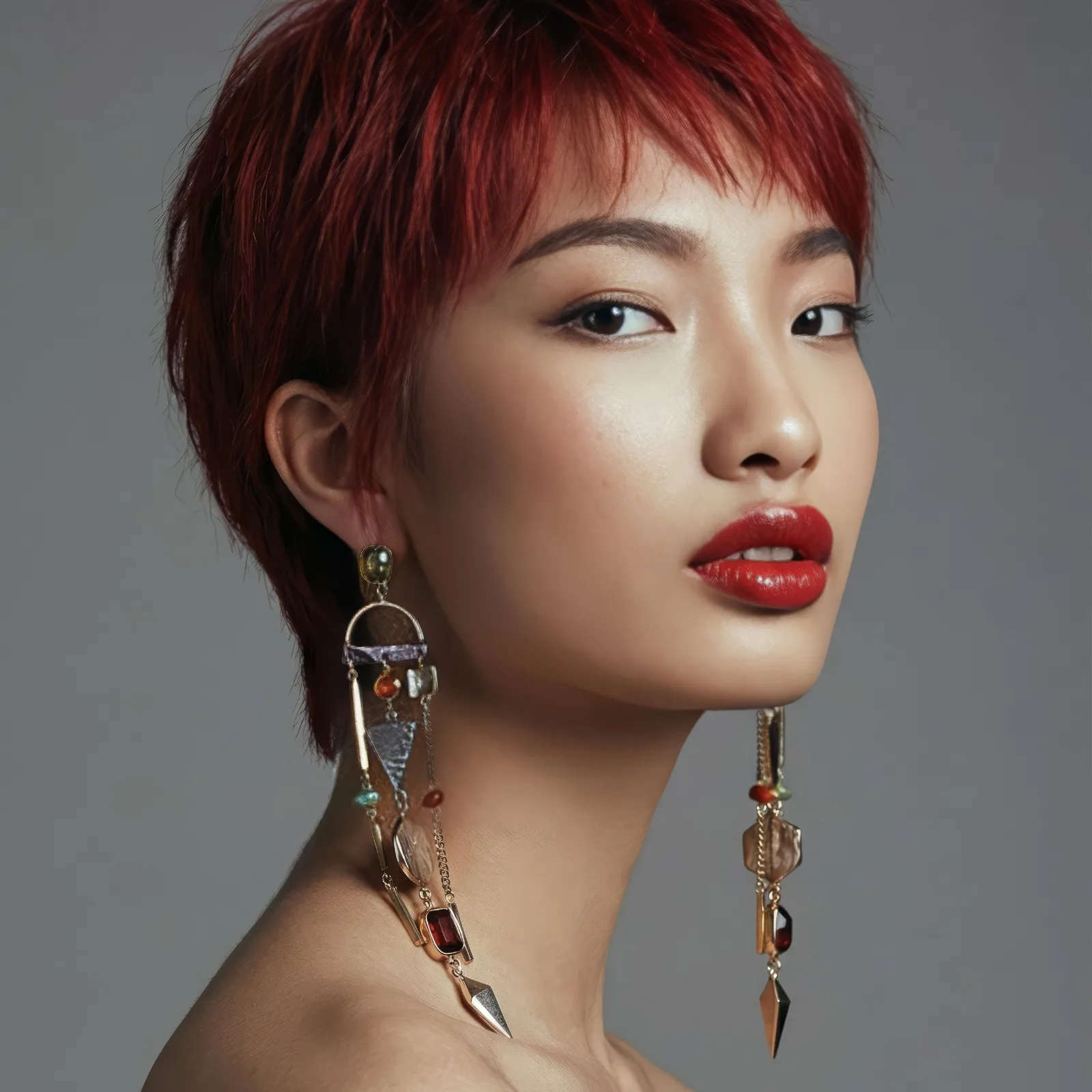
What AI virtual try on jewelry is
It is a digital solution that places earrings onto a model or customer photo using artificial intelligence. The AI adapts to face shape, head position, and lighting so the preview looks plausible rather than pasted on. Brands and shoppers get to see how a style will look before any physical product exists.
How virtual earring try on works
The process is short. Upload a photo or pick a model, then choose an earring design. The AI reads the facial features and the position of the ear, then places the jewelry naturally in the image. Within seconds you have the design shown on a real face, with accurate scale and placement.
What jewelry brands gain
Collections can launch faster because there is no traditional photoshoot to schedule. Marketing visuals are created instantly, without photoshoots or prototypes, which lowers cost while still producing professional product imagery for websites, ads, and social media.
A better shopping experience
Customers feel more confident when they can see how earrings suit their face shape and their style. Virtual try on removes some of the uncertainty, helps shoppers decide faster, and leads to fewer returns and higher satisfaction.
Content without physical samples
Designers can test new earring concepts before anything is manufactured. Show a concept on a model photo, adjust the size or the style, and validate a trend without producing a sample. Product development becomes more flexible and carries less risk.
Try on for e-commerce and social media
Online stores use AI virtual try on jewelry to improve conversion. On social platforms, brands show multiple styles on different models quickly, which keeps content fresh without organizing a new shoot each time. The same logic applies across accessories: see virtual try on for clothes and accessories for the wider picture.
Where digital jewelry presentation is heading
As these tools improve, virtual try on will become a standard feature for jewelry brands. Presenting earrings realistically, directly on model images, without photoshoots or prototypes, is going to shape how customers discover and buy accessories online.
Try it on your own collection
Pick one pair and one model photo, and see the result before committing to anything. Open the try on studio, or put a full collection on a model made for jewelry.
Frequently asked questions
Do I need a model photo, or can the AI make one?+
Either works. Upload a portrait you already own and the earrings are placed on that person, or start from a generated model when you have no shoot and no permission to clear. Brands usually do both: a generated face for the catalogue grid, a real customer photo for the piece that gets shared.
What kind of earring photo should I upload?+
A packshot on a plain ground, shot straight on, with the whole piece visible, the same file you would put on a product page. A photo of the earring already worn is harder to reuse, because the tool then has to separate the jewel from the ear it is sitting on.
Does it keep the metal and the stones as they are?+
That is the whole point of the pass: the shape, the finish and the stones are carried over, and what changes is only where the piece sits and how the light falls on it at that angle. A hoop keeps its thickness, a drop keeps its length.
What does one try-on cost?+
One credit on the standard model, three on the pro one, and new accounts open with free credits, so a first collection can be tried before anything is decided. The result lands in your creations, ready to publish or to run through another workflow.
Related articles
- AI Fashion Models, How They Are Made: The New Black AIAI fashion models explained: how a product photo becomes an on-model image, what one image costs in credits, and when a brand should use them instead of a shoot.
- Camera Angle for AI Model and Try-On Shots: The New Black AIAn Angle row under Framing in Product to Model and Virtual Try-On: eye level, slightly above, slightly below, or low from the ground. With a scene image, the scene is re-rendered from that angle.
- AI Virtual Try-On Videos for Fashion: The New Black AIYour garment on the model you supply, in motion: the clip that answers the question a still cannot, whether the piece holds when the person moves.
- How AI Fashion Models for Jewelry Are Transforming the Jewelry IndustryAI fashion models for jewelry: turn one photo of a ring, necklace, bracelet or earrings into a realistic photoshoot, without a studio or a human model.
- Swap Face AI: What Face Swapping Brings to FashionSwap Face AI in fashion: diverse representation, virtual prototyping, cheaper campaigns, and marketing content that feels made for the viewer.
- Best AI Virtual Try-On Tools 2026: The New Black AIEleven AI virtual try-on tools compared for brands and for shoppers: free tier, first plan, shoes and jewellery, video try-on, Shopify, prices read on 25 September 2026, and which one for which need.
- AI Model Walk Video from One Photo: The New Black AIOne photo of your model, one sentence about the movement, and the look walks. From 5 to 30 seconds, so a whole line can move instead of three pieces.
- YouTube Analytics for Fashion Brands: The New Black AIYour channel inside your Store: views, watch time, subscribers and traffic sources against the period before, next to the products the videos were made for.
- AI Fashion Video: UGC, Model Walk, Product 360Three guided video workflows from your photos: a UGC clip with a presenter and voice, a runway walk from one model image, a turntable from the front and the back. What each needs, costs and is for.
- How to Make a 360 Product Video From Two Photos With AIHow to make a 360 product video from two photos with AI: shoot the front and the back, describe the rotation, get a turntable clip in the setting of your photos. No turntable, no studio.