AI Virtual Try On Jewelry
The AI virtual jewelry try on puts a piece on a person without a shoot. Upload a photo of yourself or of a model, choose the piece of jewelry, and the AI lays the chosen item onto the original photo while keeping proportions, lighting, and angles believable. For brands and designers, it is a fast way to show a product or a prototype on a real wrist, neck, or ear.
- 1Upload your jewelry model photo
- 2Upload your new jewelry photo
- 3Try on different jewelry with AI
This demo was recorded in our previous interface — an updated video of the new studio is on its way.
How it works
Upload your jewelry model photo
Pick the photo according to the piece you want to try. For earrings, upload a model whose ears are clearly visible. For a bracelet, the wrist has to be in frame. The part of the body that will wear the piece is the part the AI needs to see.
Upload your new jewelry photo
Add the photo of the piece itself. It can be a ring, a bracelet, a necklace, earrings, or sunglasses. From there the AI jewelry try on model does the work.
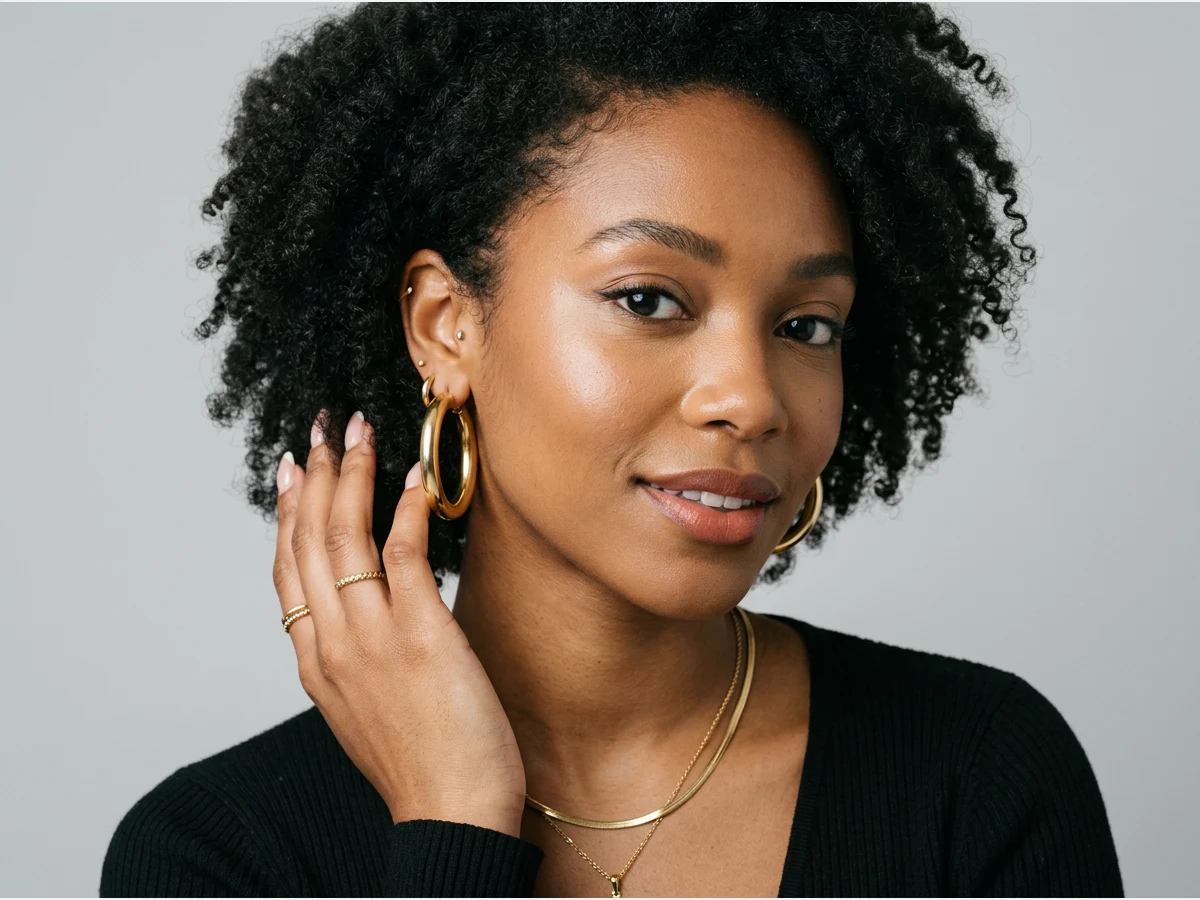
Try on different jewelry with AI
The same photo can carry a whole collection. Swap in another piece, run it again, and you have a second visual with the same model, the same pose, and the same light.
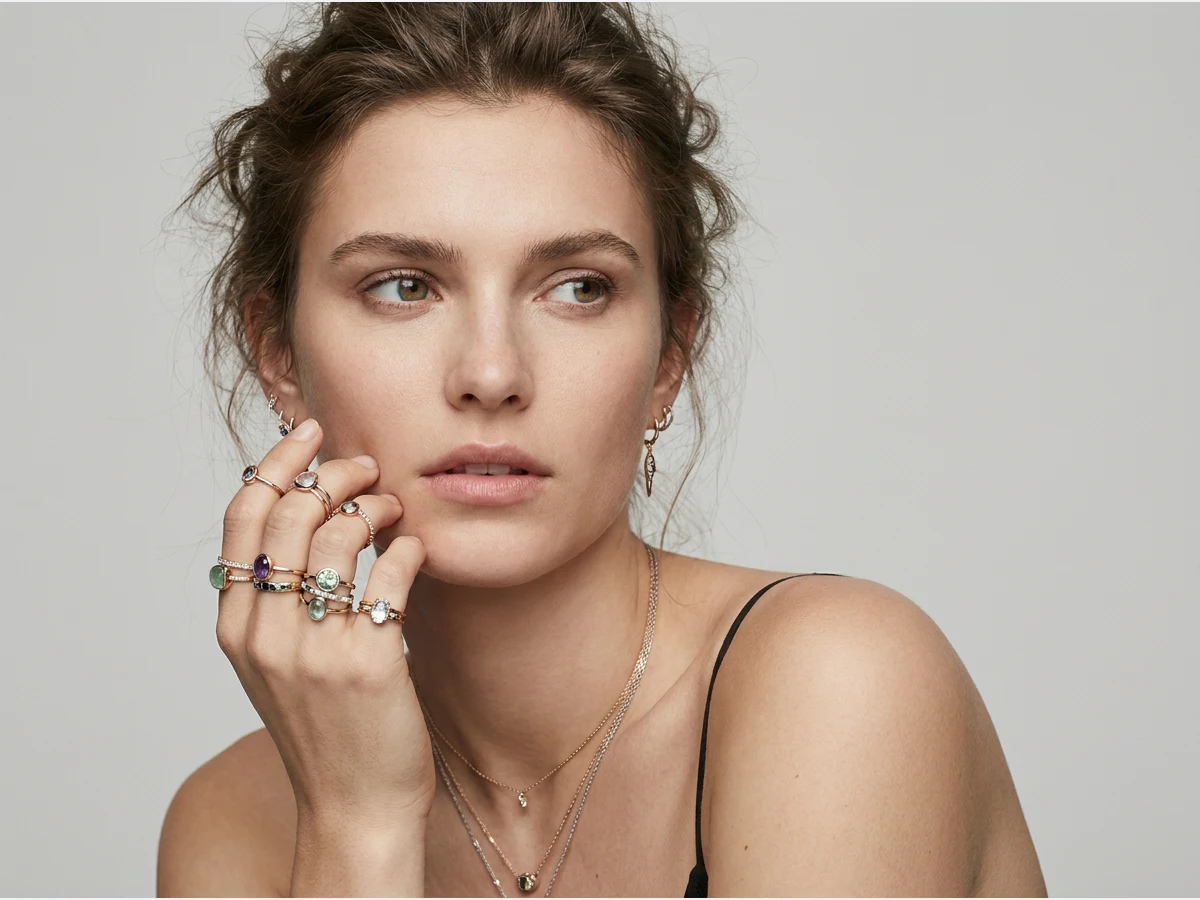
Can you try jewellery on virtually with AI?
Yes, from two photographs: one of the person, one of the piece. The AI places the jewellery onto the body part it belongs to, keeping the pose, the skin and the light of the original picture. Jewellery and jewelry are the same tool here: spelling changes nothing about what the generator does.
The distinction worth drawing is against the mirror-style try-on people know from phones. A camera filter tracks a face live and pins a shape to it; it is fun, it is approximate, and nothing it produces is a photograph you could put on a product page. This works the other way round: it starts from a real photograph and returns another one, which is why the output belongs in a catalogue rather than in a story.
Both matter for jewellery specifically, because a piece is bought on how it sits. A hoop reads by the distance it hangs from the lobe, a cuff by where it stops on the wrist, a pendant by the length of its chain against a neckline. None of that is visible on a white background, and all of it is what a customer is trying to work out before buying.
What each piece needs from the photograph
The rule is simple: the AI needs to see the part that will wear the piece, clearly and unobstructed. In practice that means a different photograph per category.
Earrings need the ear visible, so hair tucked back and a head turned enough to show the lobe. A necklace needs the neckline and the collarbone in frame, without a scarf or a high collar competing for the space. A bracelet or a watch needs the wrist separated from the body rather than pressed against a hip. A ring needs the hand open and reasonably close. A hand at full-body scale is a few dozen pixels, and no model can place a ring convincingly on that.
The piece itself transfers best as a clean product shot on a plain ground, photographed from the angle it will be worn at. A necklace shot coiled flat is a harder starting point than the same necklace shot hanging.
The limits, and the pace that makes them cheap
Three things to expect. Existing jewellery in the source photograph does not always leave. If the model is already wearing hoops, the safest path is a photograph without them. Reflections in polished metal are recreated plausibly rather than physically, so they will not match the room the photo was taken in. And a precise chain length or ring size is not something an image can promise: what comes back is the look, not the measurement.
Against that, the cost of trying is small enough to make the whole catalogue worth passing through. A try-on is one credit on Standard, three on Pro, and an image comes back in about fifteen seconds, measured on our own platform in August 2026. One model photograph plus twenty pieces is twenty consistent visuals in about five minutes of machine time: the same model, the same pose, the same light, which is exactly what a collection page needs and what twenty separate shoots never quite deliver.
Frequently asked questions
What does the model photo need to show?+
The part of the body that will wear the piece. Jewelry sits directly on skin, which is what makes the photo choice matter more than for clothing: for earrings, upload a model whose ears are clearly visible; for a bracelet, the wrist has to be in frame. Give the AI the ear, the wrist, or the neck it will work on.
Which pieces can I try on?+
A ring, a bracelet, a necklace, earrings, or sunglasses. You upload the photo of the piece itself, and the AI lays it onto the original photo while keeping proportions, lighting, and angles believable at jewelry scale.
Can one photo carry a whole collection?+
Yes, and that is the efficient way to use it. Swap in another piece, run it again, and you have a second visual with the same model, the same pose, and the same light, which keeps a collection page looking like one shoot.
Who is this for?+
Brands and designers who need a product or a prototype shown on a real wrist, neck, or ear without a shoot, and anyone who wants to see a piece on their own photo before deciding. The same studio also covers footwear with AI virtual try on shoes.
Can I use the visuals commercially?+
Yes, on any plan: everything you generate is yours to sell, print and publish. Each try-on lands in your studio grid, organised in projects and reusable in workflows like video or HD upscale, and it all runs in the browser with free credits at signup.
Will earrings and necklaces sit in the right place?+
Placement follows the anatomy in the model photo — ears, neckline, wrists — which is why a clear view of the area matters more than resolution. If a piece lands oddly, a photo where the area is unobstructed almost always settles it on the second try.
What makes a good jewelry product photo for this?+
The same thing that makes a good listing photo: the piece sharp, well lit, on a plain ground, filling the frame. A packshot from your store works as-is; a lifestyle photo with the piece half-hidden gives the model less to carry over.
Try it yourself
Everything on this page was made in the studio. Your first designs are minutes away.
Open the studioRelated features
- Edit a Video with AIChange a video with a sentence, in your own words: the light, the setting, the mood, a garment. The instruction goes to the model as written; the clip keeps its length and its sound.
- AI Background Remover for Fashion and Product PhotosCut the subject out of any fashion or product photo and keep it on a transparent background: a model, a garment, a bag, a shoe, in one click, ready for your shop or your layouts.
- AI Image Generator for Fashion: Create or Edit Any ImageWrite what you want and get the image, or upload up to three references and describe the change: the free-prompt tool that creates or edits any fashion visual, in any format.
- Change the Background of a Video with AIPut the model of a video somewhere else — a street, a studio, a beach — with a sentence. The person, the outfit and the movement stay; the setting, the light and the shadows change.
- Edit the Outfit in a Video with AIChange the clothing in a video with a sentence: a new colour, another print, a different garment. The person, the movement and the setting stay as filmed.
- Model 360: a full turn from a front and a back photoTwo photos of your model, front and back, become a full-turn video: the model turns on the spot, or the camera circles around them. Every detail of the outfit kept, from every side.
- Reframe a Video to Any Format with AITurn a landscape clip into a vertical one, or a vertical into a square, without cropping: the subject is recentred and the missing edges are generated. One clip, every channel.
- Remove the Background of a Video with AICut a model or a product out of any video and keep it on a transparent, white, black or green background — no green screen. The clip keeps its length and its shape.
- Swap the Model in a Video with AIAnother person in the same video: give a photo of the new model, and the outfit, the movement and the setting stay exactly as filmed. One shoot, several faces.
- UGC Video: your product presented to cameraTurn a product photo into a short UGC-style clip: a presenter shows the piece and speaks to camera, smartphone feel, with voice.