AI Moodboard Generator
A moodboard is one surface where images and words sit together until a direction appears: the palette, the fabrics, the silhouettes, the references a collection starts from. In The New Black AI it is called Canvas: a board in the browser where you place pictures and videos from your studio, add words, create the missing image on the board itself, export the whole board as a PDF, or send it back to the studio as a picture.
Updated 24 October 2026
- 1Open a board
- 2Place images and words
- 3Create the image you are missing
- 4Preview and export
How it works
Open a board
A new canvas opens in 16:9. Beside its name, pick its format: Free for a moodboard of any shape, or a fixed ratio, 9:16, 1:1 or 4:5, when the board is meant to become a social post. It saves as you work, and it is filed in your projects next to your creations and tech packs.
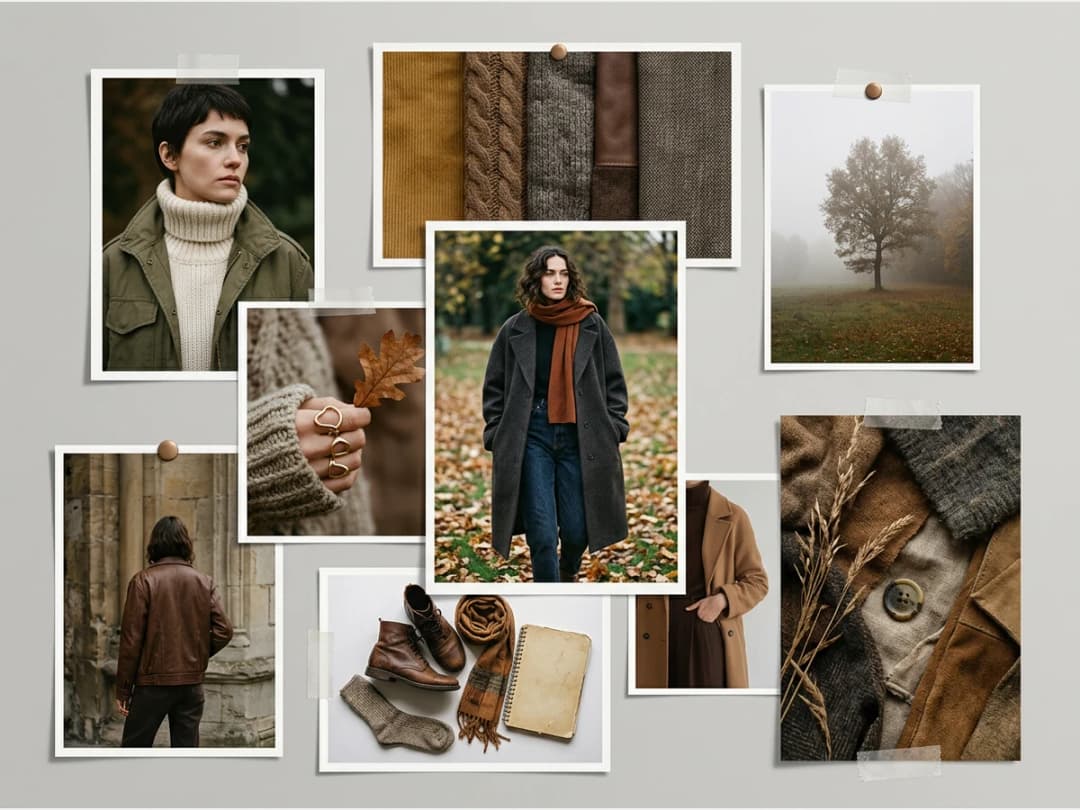
Place images and words
Open the library over the board and place your studio creations, or the pictures you uploaded to your studio. Videos go on the canvas too: they play muted, in a loop, and you move and size them like a picture. Add text for the story, the names, the colours. Move, resize and layer everything freely.
Create the image you are missing
Create an image works on the board itself: write a prompt, optionally give a reference picture, choose Standard or Pro, and the image appears where you are composing.
Preview and export
Preview shows the board as it will print, and exports it as a one-page PDF at the board's own size, ready to send to a team, a factory or a client. Add to the studio, in the same Preview, turns the canvas into a picture among your creations, ready to animate, enhance or run through any workflow.
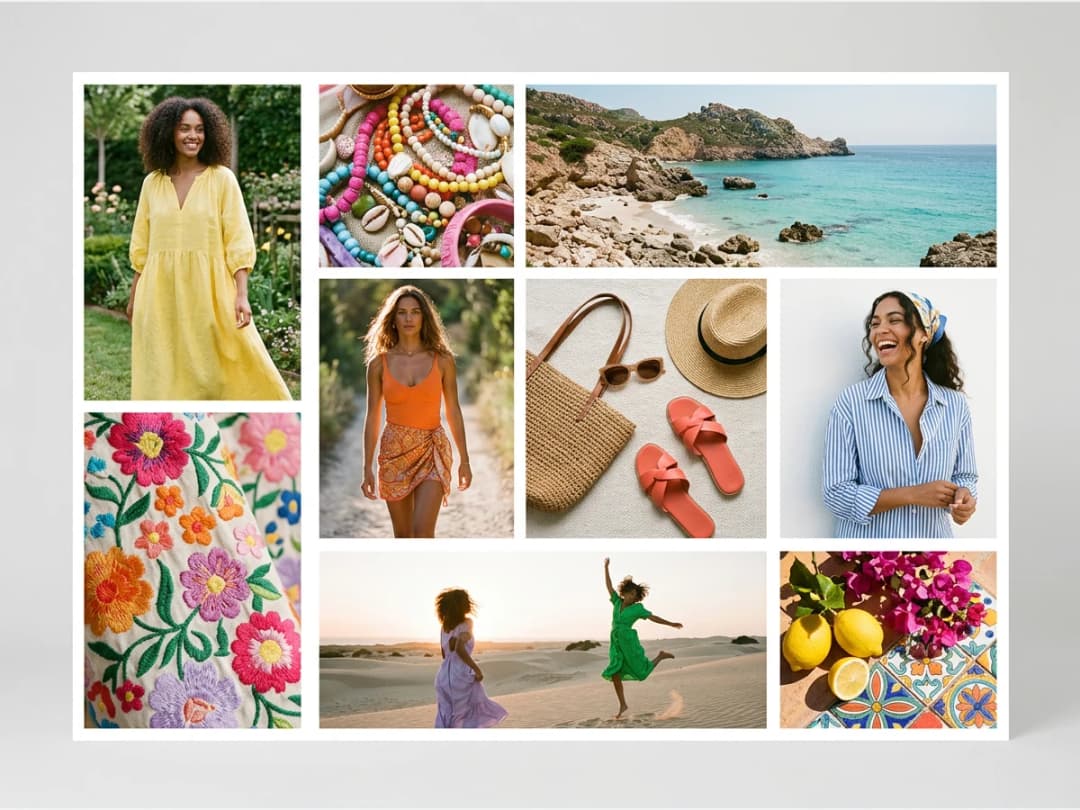
How to make a fashion moodboard, step by step
1. Write the brief in one line. A season, a customer, a feeling: *summer resort, a woman in her thirties, sun-bleached and easy*. Everything on the board has to serve that line. 2. Collect more than you need. Your own creations, photos you uploaded, a fabric you shot on your phone. Place them all on the board first and judge later. 3. Pull out the palette. Four to six colours taken from the strongest images, written on the board as words or swatches, so the team names the same colours. 4. Add texture and fabric. A close-up of the knit, the linen, the satin: a moodboard that shows only finished looks says little about how the garment will feel. 5. Cut hard. Remove every image that could belong to another brief. A board of twelve strong images reads better than forty good ones. 6. Fill the gap with AI. When the board is missing the one picture that ties it together, the exact silhouette in the exact light, create it on the board with Create an image instead of searching for it. 7. Name it and send it. A few words of copy for the story, then export the PDF for the team, the factory or the client.
What goes on a fashion moodboard
| Element | What it tells the reader |
|---|---|
| Key images | the mood, the light, the attitude of the collection |
| Colour palette | the exact colours, named, that the pieces will use |
| Fabrics and textures | weight, surface and hand of the materials |
| Silhouettes and details | the shapes, the necklines, the trims to develop |
| Words | the story, the customer, the season |
| A reference look or two | how the pieces are styled and worn |
From moodboard to social post
Because a canvas can take the exact shape of a feed, 9:16 for a story or a reel, 1:1 or 4:5 for a post, it is also where a post gets composed: a product shot, a detail, a short clip and two words of copy on one board. Send it to the studio with Add to the studio and it becomes a picture like any other, which you can animate into a clip or publish from the social agenda.
| Format | Made for |
|---|---|
| Free | moodboards, mood walls, collection boards of any shape |
| 16:9 | presentations, the default for a new canvas |
| 9:16 | stories and reels |
| 1:1 and 4:5 | feed posts |
What it costs
| Action | Credits |
|---|---|
| Create a canvas, place images, videos and text, export the PDF, add it to the studio | Free |
| Create an image on the board, Standard | 1 credit |
| Create an image on the board, Pro | 3 credits |
Where a moodboard leads
A board is usually the step before the garment. The direction it sets goes straight into Create a Product to draw the pieces, then into the tech pack that goes to the factory. The moodboard itself opens on the moodboard page.
Frequently asked questions
What is a fashion moodboard?+
A fashion moodboard is one page of images, colours, fabrics and words that fixes the direction of a collection before anything is designed. It keeps a designer, a team and a factory looking at the same idea.
How many images should a fashion moodboard have?+
Usually between eight and twenty. Fewer and the direction is vague; more and nobody can tell which images matter.
Is there a moodboard template?+
Every board starts blank in the format you choose: Free, 16:9 for a presentation, 9:16, 1:1 or 4:5 for social. The steps above are the structure most fashion boards follow.
Is the AI moodboard generator free?+
Composing is free: create boards, place images and text, and export the PDF without credits. Only the images you generate on the board cost credits, 1 on Standard or 3 on Pro.
Can I use my own pictures?+
Yes. Upload them to your studio; they appear in the board's library and are placed like any creation.
Can the AI create an image directly on the board?+
Yes. Create an image takes a prompt and an optional reference, and places the result on the board.
How do I export a moodboard?+
Preview, then export: the board becomes a one-page PDF at its own size.
How many moodboards can I create?+
As many as you like; each is filed in your projects and can be renamed, duplicated or deleted.
Do I need to be a designer?+
No. A board is a blank surface where you place pictures and words; nothing to install, it runs in the browser.
Why is the moodboard now called Canvas?+
Because it does more than a moodboard: it takes videos as well as pictures, it can take the exact format of a social post, and a finished board goes back to the studio as a picture. The tool is the same, with the same boards; only the name and the formats are new.
Try it yourself
Everything on this page was made with the moodboard generator.
Open the moodboard generatorRelated features
- Multi-Brand Workspaces for Agencies and GroupsManage several fashion brands from one account: each brand gets its own Shopify store, brand kit and creations, on the same plan and credits. Switch in a click. Enterprise plan.
- AI Fashion Reels: Trending Outfit Transition VideosMake trending AI fashion reels from one photo: outfit transitions as people pass, as your model walks, at a finger snap, after a jump, and more. 10-second 9:16 videos for Reels, TikTok and Shorts.
- AI Fashion Video from Reference ImagesPut your model, your garment and a place into one video: add up to three reference pictures, describe the scene, and get a 5 to 15 second fashion clip in 9:16, 1:1 or 16:9.
- Publish Fashion Posts to Threads from the StudioConnect Threads in Connectors, then post or schedule your fashion images and videos to Threads from the Brand Manager's social agenda, next to Instagram and TikTok.
- AI Voice Over for Fashion VideosAI voice-over for fashion videos: write a text, choose one of 14 voices and get an MP3 to put under a product video or an ad. About half a credit for a 30-second script.
- Remove or Extract the Sound of a VideoRemove the sound of a video, extract it as an MP3 or replace it with your own music, in one Audio button. Remove and extract are instant and free with a plan or a credit pack.
- Fashion Reel Templates & AI Motion DesignEighteen Motion Design templates for fashion reels: drop your photos or clips, edit the words, render a 10-second video in 9:16, 4:5, 1:1 or 16:9. One credit, every plan.
- Google Shopping Free Listings: Impressions, Clicks, Approved ProductsThe Store's Google Shopping view reads a Shopify brand's free listings from Merchant Center: impressions, clicks, click-through rate, approved listings and a product-by-product table.