Create an AI Model for a Ring Easily With AI
Published 27 January 2026
AI is changing how brands and designers present what they make. Generating models for fashion items, jewelry included, means a design can be shown realistically without a traditional photoshoot. For a ring in particular, an AI model gives brands and agencies a fast, credible way to visualize the piece and put it to work in marketing and product presentation.
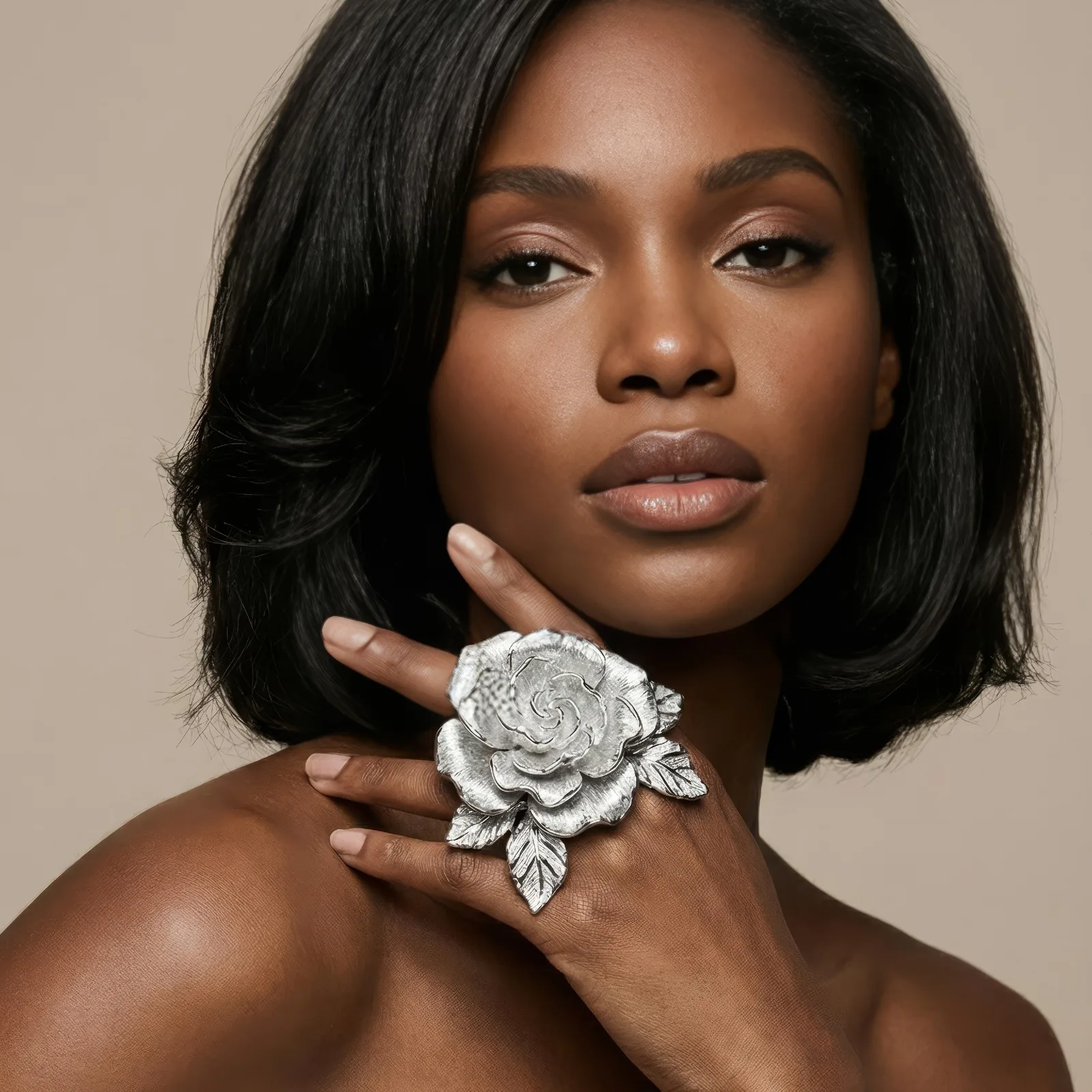
1. What AI models for jewelry are
AI models for jewelry are digital representations of a fashion item generated by artificial intelligence. For a ring, that means simulating how it looks on a hand, with the texture, the shine, and the color intact. The result is a product shown in a realistic and visually engaging way, from a single input image.
2. What brands get out of it
The advantages stack up quickly. Photoshoot costs go down, content production speeds up, and different styles and designs can be tried without a physical sample existing. A ring can be shown on various hand types and in various settings, which is something a single shoot would never have covered.
3. Better product visualization
AI models let customers and designers see a product from several angles. A lifelike ring model carries accurate reflections, shadows, and proportions, and that level of detail is what earns a buyer's confidence. Engagement improves because the image answers questions instead of raising them. The jewelry model feature is built around this.
4. Creating the model quickly
The process is short. Upload a high quality image of the ring, and the AI generates a detailed model you can use in a campaign or in a virtual try-on experience. There is no extensive photography session in the middle of it.
5. For agencies and retailers
Agencies and retailers benefit from being able to present many products in a short window. AI models for jewelry help them visualize apparel and accessories inside a campaign and hand clients clear, professional presentations without waiting on production schedules. When the catalog is large, bulk generation covers the volume.
6. Virtual try-on integration
Ring models also feed into virtual try-on. A customer can see how the piece looks on their own hand, which closes part of the gap between shopping online and shopping in a store. See the jewelry try-on feature for how that works in practice.
7. Where fashion marketing is heading
Using AI models for jewelry is a preview of how fashion marketing will operate. Products launch faster, collections can be visualized before they are produced, and experiences can be personalized for a customer. For any brand trying to move quickly on apparel and accessory visuals, these models are becoming standard equipment.
Create your ring model
One product photo is enough to see what this produces. Open the AI models studio and upload your ring.
Related articles
- AI Ad Creative with Your Headline: The New Black AIUpload a product photo, write your headline, give an art direction, and get a finished ad visual with the words set into the image. 1 credit in Standard, 3 in Pro.
- Consistent AI Model Across Photoshoots: The New Black AIHow to keep the same AI model on every product of a collection: a profile reused, a reference photo, a Visual DNA, the framings that hold the identity, what still drifts, and the workflow in order.
- AI Fashion Models, How They Are Made: The New Black AIAI fashion models explained: how a product photo becomes an on-model image, what one image costs in credits, and when a brand should use them instead of a shoot.
- AI Video Editor from One Sentence: The New Black AIUpload a clip, write what should change: make it night, add snow, put the model on a beach: and get the same video with that one change. Priced by the second.
- Clothing Product Photography with AI: The New Black AIEvery image a clothing product page needs, made from one photo of the garment: packshot, ghost mannequin, on-model, colourways, video; the credits and minutes each costs, what still needs a camera.
- How AI Fashion Models for Jewelry Are Transforming the Jewelry IndustryAI fashion models for jewelry: turn one photo of a ring, necklace, bracelet or earrings into a realistic photoshoot, without a studio or a human model.
- AI Product Photos for Shopify: The New Black AIAI product photos for a Shopify fashion store: the five shots a product page needs, how to make each from one photo, and how to publish them to Shopify without re-uploading.
- Change Clothes Colour in a Photo with AI: The New Black AIHow to change the colour of clothes in a photo with AI: HEX code or a name, one garment and not the rest, the colourway workflow for a product page and its Shopify variants, and what to check.
- Visual DNA: Train the AI on Your References: The New Black AIUpload reference images or give a web page, choose a focus (brand vibe, collection direction or product type), and every new design follows that creative direction instead of a generic one.
- Camera Angle for AI Model and Try-On Shots: The New Black AIAn Angle row under Framing in Product to Model and Virtual Try-On: eye level, slightly above, slightly below, or low from the ground. With a scene image, the scene is re-rendered from that angle.