Clothing mockup generator with AI: The New Black AI
Published 29 September 2026
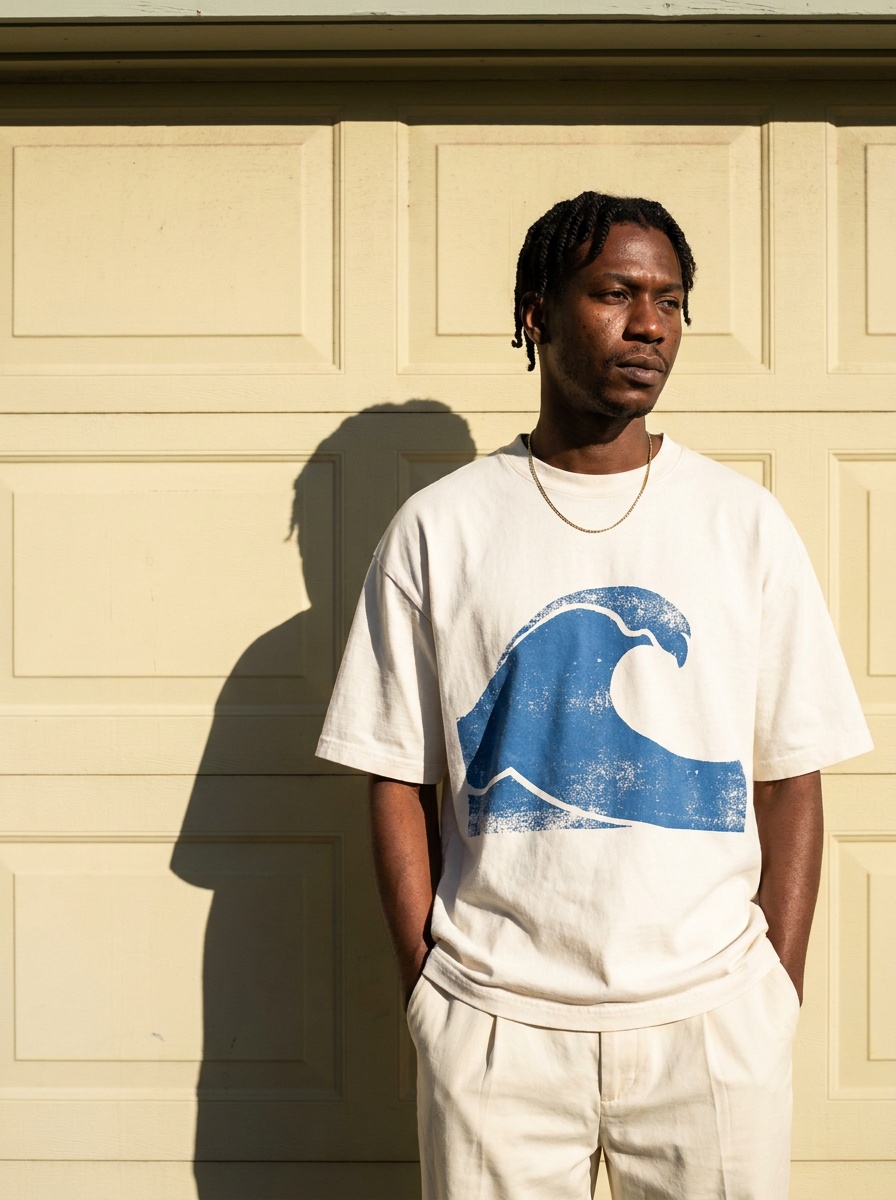
A clothing mockup shows a design on a garment before the garment exists: the logo on the tee, the print on the dress, the new colourway on the jacket. Most mockup generators paste your artwork onto a template photo, and the result looks pasted. In The New Black AI, the design is set into the fabric by AI, following its folds, texture and light, and the garment can then be worn by a model, shot as a ghost mannequin or laid flat, so the mockup looks photographed.
Which workflow for which mockup
| You have | You want | Workflow |
|---|---|---|
| A garment photo and a logo (PNG) | The logo on the garment, small, medium or large, where you say | Add a Logo |
| A garment photo and a print or fabric | The same garment in your print | Swap Fabrics |
| A sketch and a print | The sketch filled with your print | Insert Fabric on Sketch |
| The mockup garment | Worn by a model | Product to Model |
| The mockup garment | Without a body, for the product page | Ghost mannequin or flat lay |
Each step costs 1 credit with Standard AI or 3 with Pro AI.
How it works
1. Start from the garment: a photo of a blank, a sample, or a design made in the studio. 2. Add the design: your logo as a PNG in Add a Logo, or your print in Swap Fabrics. The AI places it where you say (on the chest, a sleeve, the back, a pocket), at the size you choose, and bends it with the fabric. 3. Show it the way you will sell it: on a model you describe, as a ghost mannequin, or as a flat lay. 4. Use it: download it, add it to a Shopify product, or send the design into a tech pack for production.
Why it matters
A mockup is how a brand decides, pre-sells and briefs a factory before paying for a sample. A pasted logo tells the buyer it is a mockup; a print that follows the fold of a sleeve lets them judge the piece. When the same place also puts it on a model and into a tech pack, the mockup is the first step of the product instead of a throwaway picture.
More on logos in Add a logo on clothing with AI; on prints in Printable textile patterns from text.
Frequently asked questions
What is a clothing mockup generator?+
A tool that shows your design, a logo, a print or a colour, on a garment before it is produced, for a product page, a pre-sale or a factory brief.
Can I put my own logo on a t-shirt mockup?+
Yes. Upload the garment photo and your logo as a PNG in Add a Logo, choose small, medium or large, and say where it goes; the AI sets it into the fabric.
Does the print follow the folds of the fabric?+
Yes. The design is rendered into the fabric, with its folds, texture and light, instead of being pasted flat on top.
Can the mockup be worn by a model?+
Yes. Send the result to Product to Model and describe the model; or make it a ghost mannequin or a flat lay for the product page.
Do I need a blank garment template?+
No. Any garment photo works, a sample, a blank or a design made in the studio.
How much does a mockup cost?+
1 credit per step with Standard AI, 3 with Pro AI; a logo placed and then worn by a model is two steps.
Related articles
- Clothing Product Photography with AI: The New Black AIEvery image a clothing product page needs, made from one photo of the garment: packshot, ghost mannequin, on-model, colourways, video; the credits and minutes each costs, what still needs a camera.
- Ghost Mannequin Photography Guide: The New Black AIGhost mannequin photography three ways: the studio and its equipment, the retouching and its cost, and the AI that makes the hollow shot from one photo in fifteen seconds, with a comparison table.
- AI Lingerie Generator for E-commerce: The New Black AIHow a lingerie brand designs a piece, puts the real set on a model of any body shape, makes the listing on white and the colourways from one photo, and what the generator will not do.
- How to Design a Dress with AI: The New Black AIDesign a dress with AI step by step: the order of the description, three prompts for three dresses, then colourways, fabrics, a model, a video and the tech pack from the same design, with the credits.
- Change the Outfit in a Video with AI: The New Black AIMake the jacket red, change the print, replace the top: the clothing in your video changes with a sentence and the person, movement and background stay as filmed.
- Image to SVG Vectorizer with AI: The New Black AIA logo, an illustration or a print becomes a true vector file made of colour shapes: scalable to a shop window, editable in Illustrator, Figma or Inkscape. One credit.
- AI Lookbook Generator, Images and Videos: The New Black AIHow to make a lookbook with AI from the product images of a collection: one model, one setting, one light on every piece, the editorial register in images and ten-second videos, and the cost.
- Online fashion lookbook maker: The New Black AIBuild an online fashion lookbook from your AI studio pictures: editorial page templates, your paper, typeface and logo, product links, published at its own address or your domain.
- Shopify Variant Images per Color: The New Black AIThe New Black AI adds a Variants tab to the Shopify product window: every variant with its price, SKU and picture, set from your creations, a file, or a creation's tile with Use for a variant.
- Best AI Fashion Model Generator in 2026: The New Black AIThe best AI fashion model generators in 2026 compared: The New Black AI, FASHN, Botika and Modelia, with prices per image, video credits, consistency and what happens after the image.