AI Clothes Changer and Dress Changer, Free to Try
An AI clothes changer, or AI dress changer, replaces the clothing in a photo you already have. You upload the picture, you say which garment you want instead, as a photo of it or in a few words, and the outfit is changed in about fifteen seconds. The person, the pose, the face, the light and the background stay exactly as they were. Only the clothes change.
Updated 1 November 2026
- 1Upload the photo
- 2Choose the new clothes
- 3Generate, compare, download
How it works
Upload the photo
Any picture where the person is clearly visible, ideally full length and evenly lit. Everything you are not changing is kept: the pose, the face, the hands, the background. Only the clothing is rewritten.
Choose the new clothes
Two ways, and both work. Upload a photo of the garment you want on the person, or describe it in words: a leather jacket, a red slip dress, a full winter outfit. You can change one piece or the whole look, and the replacement does not have to exist yet.
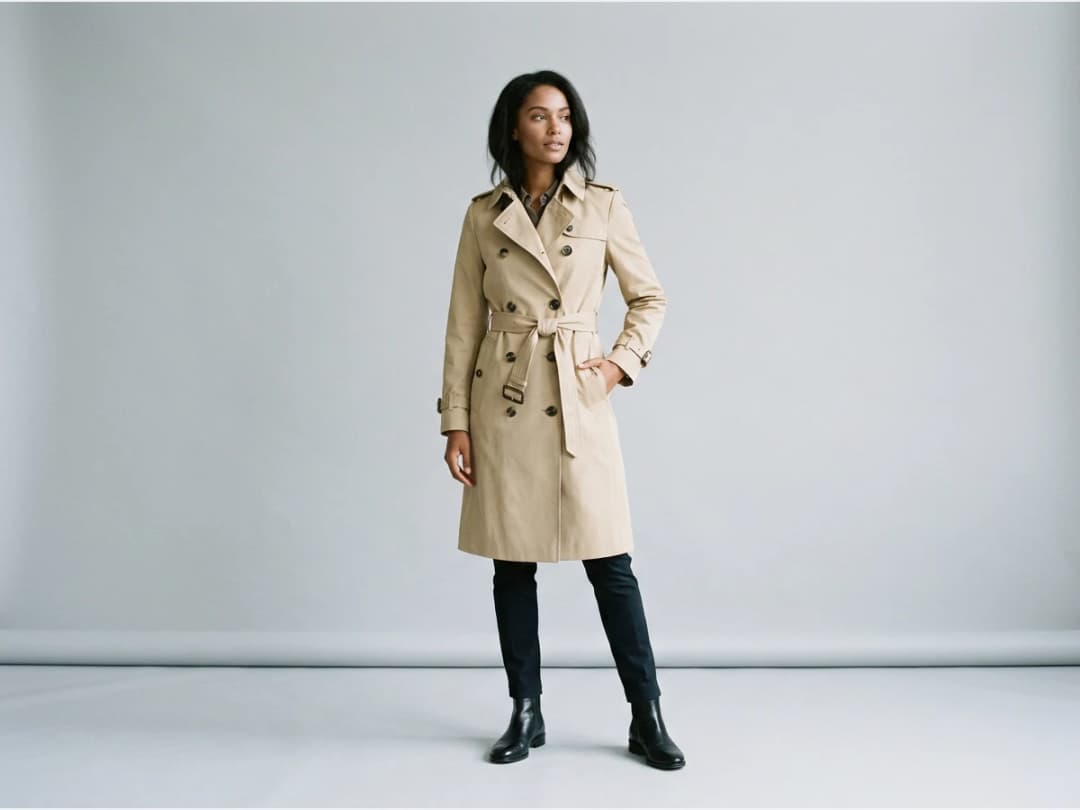
Generate, compare, download
One generation, a few seconds, and the outfit is changed. Run it again on the same picture to compare two garments, then download the one you keep, or send it to another tool: upscale it to HD, animate it into a short video, or publish it to your store.
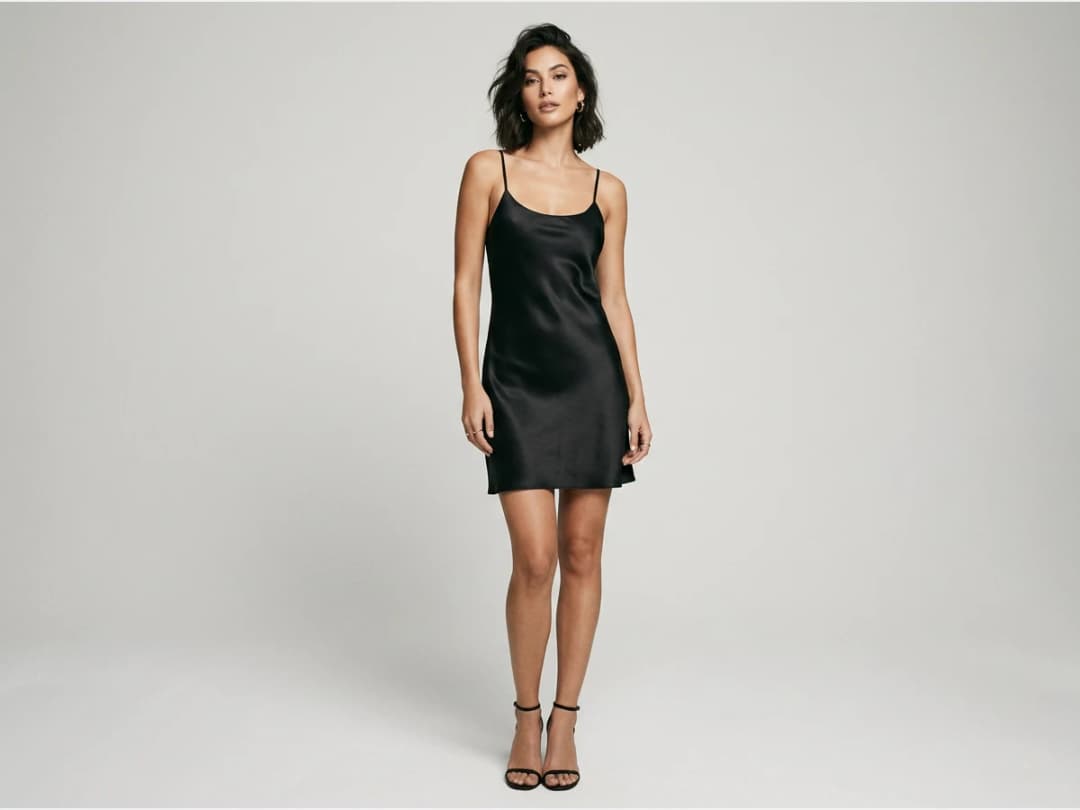
What an AI clothes changer is good for
A photograph you already own is a shoot you have already paid for. Changing the clothes in it keeps the model, the location and the light you chose, and costs one generation instead of a day. Brands use it to dress one shoot in a whole season, to show a garment in every colourway from a single photo, and to test a new piece on an existing campaign image before it is even produced. Shoppers use it to see a garment on themselves before buying.
The clothing is what changes; nothing else moves. That distinction is the whole tool. An editor that also relit the scene or shifted the pose would produce a different photograph, not the same one wearing something else.
AI clothes changer vs virtual try-on: which one do you need?
They look similar and answer different questions. A clothes changer starts from a photo of a person and swaps what they wear, from a description or a product photo. A virtual try-on starts from your product and puts it on a model, yours or one generated for you, to make the product image itself. If you have the photo and want different clothes in it, use the clothes changer. If you have the product and want it worn, use try-on. To change only the colour of a garment and keep everything else, the AI color changer does it in one pass.
AI dress changer: change a dress in a photo
The dress is the garment people most often want to change, and there are three ways to do it here, depending on what you have.
- You have the new dress as a photo: upload it as the garment. The person keeps their pose and face, and the dress comes back with its own print, cut and fabric.
- You only have the idea: describe it. "A floor-length red satin slip dress", "the same dress with long sleeves", "a shorter hem, above the knee". Length, neckline, sleeves and fabric all follow the words.
- You want the same dress in another colour or fabric: the AI color changer recolours it in one pass, and Change fabric puts a new textile on the same cut.
For a hero image, Ultra AI renders the change in 4K for 7 credits, from the Pro plan.
Is there a free AI clothes changer?
Yes, for your first photos. A new account opens with free credits, and each change then costs one credit on Standard or three on Pro. Nothing is charged for uploading or for looking. The meter runs on generations, so comparing four jackets on the same picture costs four.
Free tools for this exist and mostly do something narrower: they recolour a garment, or paste a flat cut-out over the body. The test to apply to any of them, including this one, is the shadow. If the new garment does not carry the same light as the face above it, the picture reads as a montage. That is the part that costs compute, and it is the reason this one is metered.
What survives the change, and what should not
Everything except the clothing is meant to stay: the pose, the face, the hands, the background, the direction the light falls from. When it works, the photograph is the same photograph. When it fails, it usually fails by changing something it was not asked to.
So check three places before accepting a result. The hands, because they sit against the garment and are where an edit gives itself away. The shoulders and the neckline, where the new piece meets the body that was already there. And the shadow on the ground or the wall, which must belong to the new silhouette rather than the old one.
Some photographs are simply harder. A person standing square to the camera, full length, evenly lit, changes cleanly almost every time. A tight crop, crossed arms, motion blur, or a garment that already blends into the background give the model less to work from, and the honest answer there is to change the source photo rather than to fight the tool.
How fast a comparison actually is
Fast enough that comparing beats deciding. Measured on our own platform in August 2026, an image comes back in about fifteen seconds. A brand can dress one shoot in six looks in under two minutes of machine time, and a shopper can see the same coat in three colours before choosing one.
Change the clothes in a video, not just a photo
Most clothes changers stop at the still image. The same idea works on a clip you already have: Edit Outfit in Video takes the video and one sentence, "make the jacket red" or "replace the top with a black leather biker jacket", and changes the clothing on every frame. The person, the movement, the setting and the sound stay as they were. It is priced by the second of the video you upload, Standard or Pro.
Change your first photo
Open the studio and change the clothes on a picture of your own. The rest of the toolset is in the features catalog.
Frequently asked questions
How do I change clothes in a photo with AI?+
Upload the photo, add the garment you want as an image or a description, and generate. The clothing is replaced in about fifteen seconds; the person, the pose and the background are kept.
Can I change the dress in a photo to another dress?+
Yes. Name or upload the new dress and only the dress is replaced. The same works for a jacket, trousers, a skirt, shoes, or the entire outfit, one run at a time. Whatever you leave unnamed is preserved exactly.
Can I swap the clothes between two photos?+
Upload the photo of the person and the photo of the garment you want on them. The garment is read from the second picture and placed on the first, with the fit, the drape and the light of the original photo.
What photo works best?+
Sharp, evenly lit, and showing enough of the figure, head to foot if you have it. The more of the figure the editor can read, the more of the wardrobe it can rewrite.
Is the AI clothes changer free?+
New accounts open with free credits, so the first edits cost nothing. Afterwards it draws on credits like every other tool here, and there is nothing to install: it all happens in a browser tab.
Where do the edited photos go, and are mine kept?+
Your photo and the result stay in your private account, filed in your creations, ready to be pushed through another tool, animated, or enlarged to print size.
May I use the edited images for my brand?+
Yes. Every image you create on The New Black AI is yours, with a full licence to use it as you wish within the law. It is how labels and shops turn a single afternoon of photography into an entire season of storefront imagery.
Are my uploads and my creations private?+
Yes. Everything you upload and everything you generate is private to your account, never shown to other users, never published without an action of yours, and never used to train any model, on any plan. Details on the Security page.
Can I change the clothes in a video?+
Yes, with Edit Outfit in Video: upload the clip, write the change in one sentence, and the clothing is replaced on every frame while the person, the movement and the sound stay. It is priced by the second of the video.
Try it yourself
Everything on this page was made in the studio. Your first designs are minutes away.
Open the studioRelated features
- AI Virtual Try On Necklace (Jewelry)Preview any necklace on a model with AI: upload a model photo and the necklace design, and see it sit on the neckline at the right chain length.
- AI Virtual Try On Bracelet (Jewelry)Preview bracelet designs on a real wrist with AI: upload a wrist photo and your bracelet, and get a lifelike worn shot with accurate scale.
- AI Virtual Try On BagsSee any bag on a model in seconds: upload a photo and a handbag or purse image, and the AI matches lighting, proportions, and perspective.
- Create Kid Fashion Clothing Models with AIUpload a kids clothing photo and get a child AI model wearing it in about 30 seconds: no casting, no studio, visuals ready for your store.
- Virtual Try On Head Accessories with AISee any hat, cap, or beanie worn before buying: AI fits the headwear to the face, the hairstyle, and the perspective of your photo.
- Create an AI Fashion Model for SocksUpload a sock photo, describe the model and the scene, and get visuals framed so the socks stay the point: no shoes, no photoshoot.
- AI Ghost Mannequin Generator: Invisible Mannequin PhotosCreate the ghost mannequin effect from one garment photo: the AI removes the model or mannequin and rebuilds the inner collar. Free to try, about 15 seconds an image, ready for your store.
- Reimagine Your Model in New ScenesCreate a back view, a side view or a close up of a fashion photo with AI: upload the original model and describe the angle you want to see.
- AI Virtual Try On ShoesSwap shoes on any photo with AI: upload a model and a new pair, and the original shoes are replaced with realistic proportions and lighting.
- AI Virtual Try On JewelryTry jewelry on any photo with AI: upload a model and a ring, bracelet, necklace or earrings, and see the piece worn with realistic scale and light.