AI Bag Design Generator
A bag is a small piece of architecture: a body, a handle, hardware, and the proportions between them decide everything. The AI bag design generator builds those objects from a description, from a clean geometric tote to a sculptural clutch, for professional designers and anyone who wants to design a bag with style.
Updated 3 October 2026
- 1Describe the bag
- 2Push the materials
- 3Rework your own designs
How it works
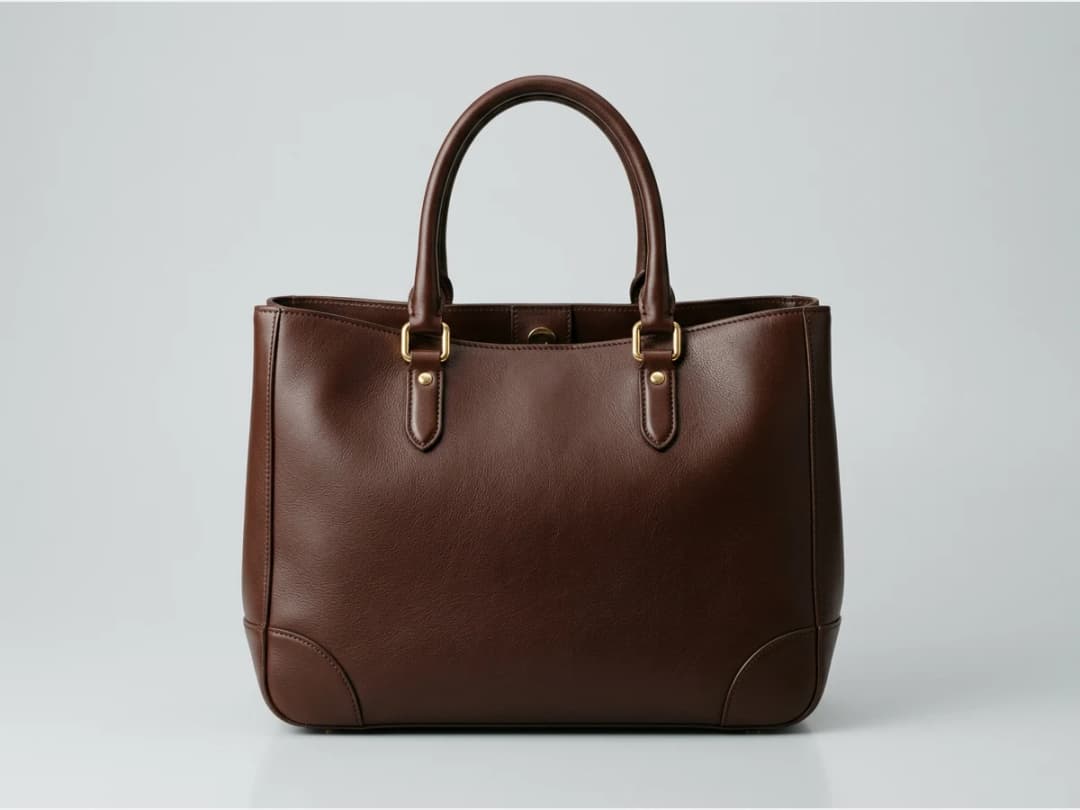
Describe the bag
Start with the shape and the carry: a structured top handle, a soft shoulder bag on a thin strap, a rigid clutch. Add keywords for the fashion style, the colors, the type and the gender, and generate.
Push the materials
Bags reward material experiments more than any garment: faceted surfaces, molded shapes, open structures. Describe the texture you want and the generator renders it with the hardware and seams that make it believable.
Rework your own designs
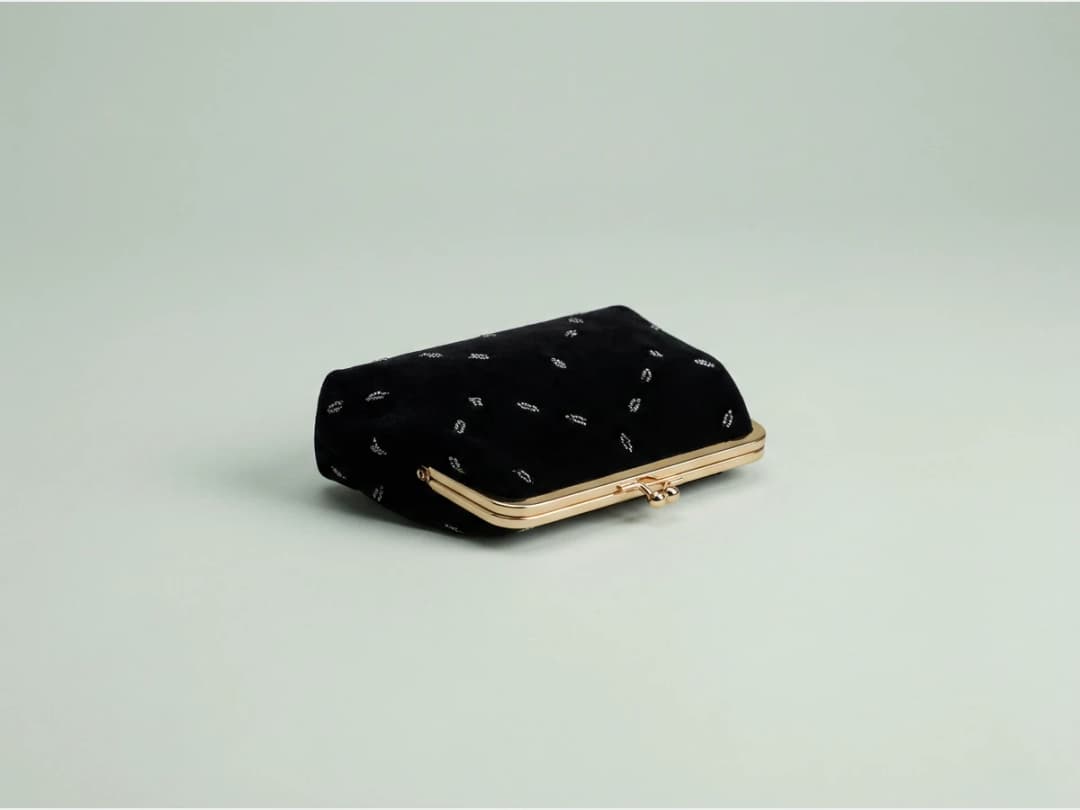
Upload a bag design you already have and modify it with four main functions: Retouch, Modify, From sketch and HD. A photo of a sample or a hand drawn sketch both work as starting points.
Is there a free AI bag design generator?
You can start without paying: an account opens with credits, and a bag design spends one of them on Standard, three on Pro. There is no separate licence for the tool and no trial clock. When the free credits are gone, designs are metered one at a time, which suits how bag work actually goes. A collection is a fortnight of intense exploration and then months of nothing.
It is a design generator rather than a bag maker, and the difference is worth being plain about. What comes back is a product image good enough to decide with, present to a buyer or hand to a workshop as a reference. It is not a pattern, not a technical drawing, and not a bill of materials. The people who get the most out of it are the ones who used to spend two days rendering the same three ideas to find out which was worth building.
Describing a bag so the generator hears you
Bags respond to a specific vocabulary, and it is not the one most people reach for first. Three words carry nearly all the information: the structure (rigid, soft, collapsing), the carry (top handle, shoulder, crossbody, clutch) and the material (grained leather, patent, raffia, moulded resin). Give those three and the result lands close; give adjectives about mood instead and it wanders.
Hardware is the fourth word and the one that repays precision most, because it is what makes a bag look designed rather than generated. A description that names the closure, whether a magnetic flap, a turn lock or an exposed zip with a leather pull, comes back looking like an object somebody chose to make. Proportion is worth stating in relative terms too: "wider than it is tall", "deep enough for a laptop", rather than centimetres, which an image generator has no reliable way to honour.
The pace lets you use all of this badly at first and well by the fourth try. Measured on our own platform in August 2026, an image comes back in about fifteen seconds, so the vocabulary is learned by generating rather than by reading.
What it will not give you
Three limits are worth knowing before they cost you an afternoon. A named brand's hardware or silhouette is not reproducible and should not be attempted. Describe the shape you want in your own words instead. The interior is decoration: pockets, linings and card slots appear because bags have them, not because the model has designed a functional layout. And embossed logos and lettering come back as texture rather than legible type, so a bag whose selling point is its wordmark needs that added afterwards.
Bag design ideas: six shapes to start from
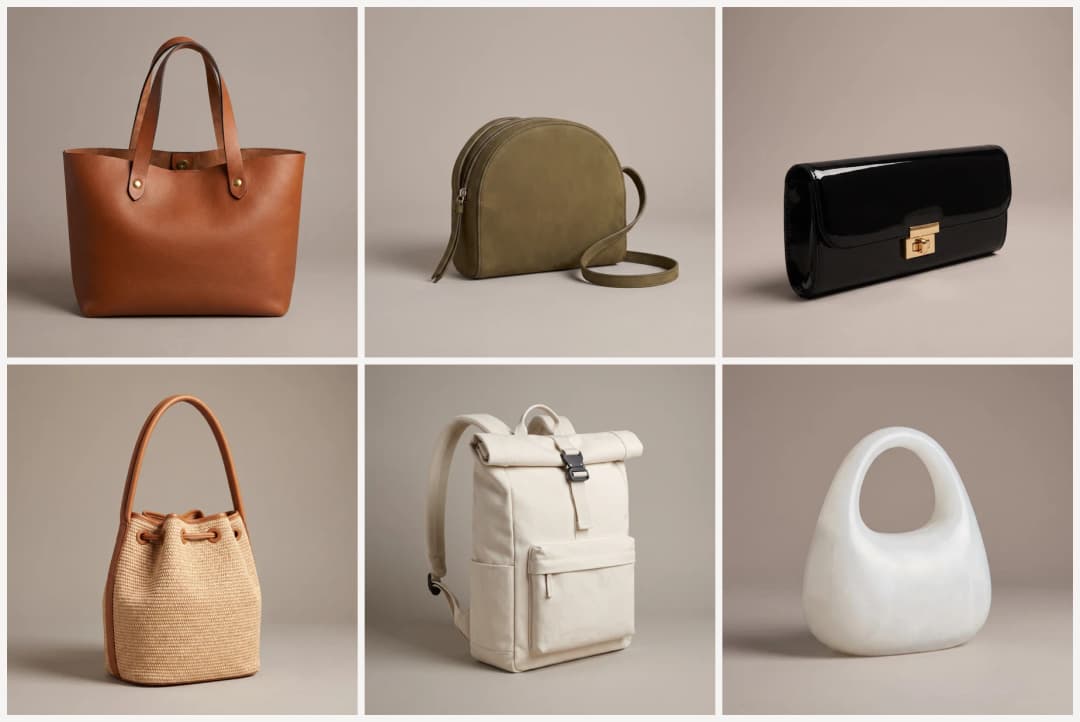
Six concepts generated with The New Black AI, each from one description (they are pictured in step 2 above). Copy a description, change one word (the leather, the colour, the hardware), and you have your own starting point.
| Shape | The description that made it | What to change first |
|---|---|---|
| Tote | Structured tote in cognac grained leather, wider than tall, two flat top handles, raw painted edges, a brass rivet at each handle base, magnetic snap | the leather and the edge paint |
| Crossbody | Small soft half-moon crossbody in olive nubuck, thin adjustable strap, curved exposed zip with a leather pull | the zip, exposed or hidden |
| Clutch | Rigid evening clutch in black patent leather, long rectangle with rounded corners, gold turn lock centred on the flap | the turn lock, the finish |
| Bucket bag | Natural woven raffia with tan leather trim, drawstring through leather eyelets, one rolled leather strap | the weave, raffia to leather |
| Backpack | Minimalist backpack in off-white technical canvas, roll-top with a black buckle strap, one flat front pocket | the closure, roll-top or zip |
| Sculptural top handle | Pebble-shaped body in glossy moulded resin the colour of milk glass, a thick arched handle in one piece with the body | the material, resin to leather |
Each description names the three words that carry a bag, structure, carry and material, plus one piece of hardware. That is the whole method: the shape comes from the first three, the sense that someone designed it comes from the fourth.
How to design a bag, from idea to prototype
Bag design follows the same six steps whether you sketch by hand or with AI; the AI shortens the first three.
1. Write the brief. Type (tote, crossbody, clutch, backpack), size, who carries it, the price point. 2. Generate concepts. In Create a Product, choose Bag and describe it: shape, leather or canvas, hardware, closure. Run ten directions in a few minutes and keep two. 3. Fix materials and hardware. Regenerate with one change at a time: the grain of the leather, the colour of the zip, the shape of the handle. 4. Draw the technical flat. Image to Sketch turns the chosen concept into a clean line drawing to annotate. 5. Build the tech pack. Dimensions, gusset, strap drop, linings and the bill of materials go into a tech pack a factory can quote from. 6. Sample with a maker. The prototype is still physical: the files above are what you send with it.
| Step | Tool in the studio | Credits |
|---|---|---|
| Concepts | Create a Product, type Bag | 1 Standard, 3 PRO |
| Bag carried by a model | Create a Product, On model | 1 Standard, 3 PRO |
| Technical flat | Image to Sketch | 1 Standard, 3 PRO |
| Tech pack | Tech pack tool | Free to fill by hand; AI reading from 1 credit |
From concept to product page
When a design is settled, AI models for bags puts it on a shoulder so the scale and the handle drop read true, and bag virtual try on swaps it into an existing photo.
Frequently asked questions
What kinds of bags can I design?+
All of them: totes, shoulder bags, clutches, purses, from commercial shapes to sculptural pieces. Keywords let you set the style, the colors, the type and the gender the bag is designed for.
Can I start from a bag I already have?+
Yes. Upload your design and use the four functions, Retouch, Modify, From sketch and HD, to change it. A rough sketch can become a rendered bag, and an old sample can become the base for a new colorway.
How do I judge the size of a bag on screen?+
Generate a model wearing it. Scale is the one thing a packshot hides, and AI models for bags shows the bag against a body, strap length and proportions included.
Where can I find bag design ideas to start from?+
The six shapes above, a tote, a crossbody, a clutch, a bucket bag, a backpack and a sculptural top handle, each come with the description that generated them. Change one word at a time, the leather, the colour, the hardware, and the concept becomes yours.
Can I use the designs commercially?+
Yes, on any plan: everything you generate is yours to sell, print and publish. Your creations stay in your studio grid, organised in projects, ready for other workflows like HD upscale.
Can I see the bag carried by a model?+
Yes, send any design into the model and try-on workflows: the same bag on a shoulder, in a hand, against a campaign background. The product render answers "what is it"; the worn shot answers "who is it for", and both come from the one design.
How do I get exact hardware and materials?+
Name them the way a spec sheet would: "brushed gold hardware", "saffiano leather", "tonal topstitching". The generator rewards precision, vague words return generic bags, and material words return their textures. A reference photo of hardware you already use narrows it further.
What are the steps to design a bag?+
Brief, concepts, materials and hardware, technical flat, tech pack, then a physical sample. The studio covers the first five: concepts in Create a Product, the flat with Image to Sketch, and the tech pack in the tech pack tool.
Try it yourself
Everything on this page was made in the studio. Your first designs are minutes away.
Open the studioRelated features
- AI Fashion Video from Reference ImagesPut your model, your garment and a place into one video: add up to three reference pictures, describe the scene, and get a 5 to 15 second fashion clip in 9:16, 1:1 or 16:9.
- Fashion Reel Templates & AI Motion DesignEighteen Motion Design templates for fashion reels: drop your photos or clips, edit the words, render a 10-second video in 9:16, 4:5, 1:1 or 16:9. One credit, every plan.
- AI Clothes Maker, Design Clothes Online: The New Black AIDesign clothes online with an AI clothes maker: describe the piece, see it worn in seconds, iterate, then send a tech pack to your factory. 1 credit per design.
- AI Image Generator for Fashion: Create or Edit Any ImageWrite what you want and get the image, or upload up to three references and describe the change: the free-prompt tool that creates or edits any fashion visual, in any format.
- Create Similar Outfits with AIUpload an outfit image and get close variations of it: same spirit, same silhouette, new pieces. The fast way to build a capsule around one look that works.
- AI Image Vectorizer for Fashion: Logo, Print and Artwork to SVGTurn a logo, a print or an illustration into a real SVG: colour shapes that scale to any size, ready for screen printing, embroidery, labels and Illustrator. 1 credit.
- Generate AI Fashion in Bulk for Your CatalogGenerate a whole catalog in one run: upload up to 30 product photos, pick a workflow, write one brief for the batch, and get AI models, try-ons or videos for every item at once.
- Create an AI Video of a Fashion Model Turning AroundTurn a front and a back photo into a smooth AI turnaround video with Model 360: the model turns on the spot or the camera orbits, every detail of the outfit kept from every side.
- AI Fashion Design for Kids, Toddlers and BabiesDesign kids fashion with AI: pick the age, from toddler to teenager, describe the outfit and get original children's clothing concepts.
- Extend an Image to a New Ratio with AIChange the aspect ratio of any photo with AI. Pick a new format such as 1:1, 9:16 or 16:9 and the AI extends the scene to fill it, instead of cropping what is already there.