AI Outfit Generator & Stylist
An outfit generator and a stylist in one: dress the person in your photo for any occasion — your style, your colours, a full outfit on the same body and face.
Start free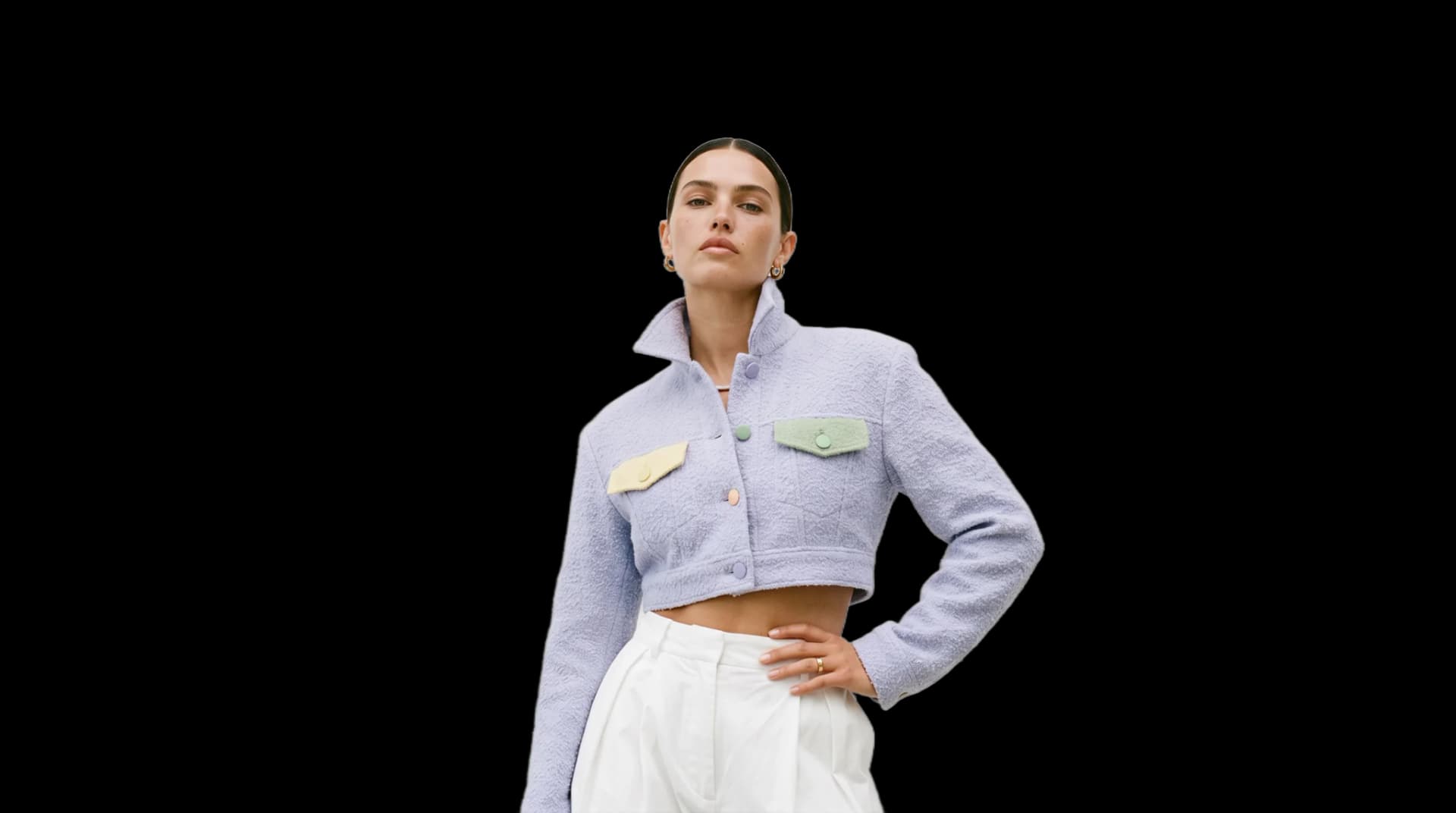
Go further in the studio
The stylist opens in the same workspace as everything below. Once an outfit exists on you, it can travel: take the look to HD, put it in another scene, or turn it into a short video.
AI Stylist
Upload your photo and get dressed for any occasion — in your style, in your colours.


Snap Freeze
The trending stop-and-snap reel: a raised palm stops your model, the camera explores the first piece, a finger snap switches it to the second, and they walk on. From a photo of your model and two of your pieces.

Motion Design
An animated video from your words and your photos: type, product pictures and shapes set in motion.
Edit video
Change a video with a sentence, in your own words: what you ask is what the model does, nothing added, nothing kept back.


UGC Video
A presenter shows your product and speaks to camera, smartphone style, with voice.

Model 360
Your model seen all around from a front and a back photo: the model turns on the spot, or the camera circles around them.


Add a Logo
Place your logo on a garment: upload the clothing image and the logo as a PNG, the AI sets it into the fabric, following folds, texture and light.

Text to Sketch
A technical flat sketch or a fashion designer's sketch of a garment, from a description.


Sketch to SVG
Vectorize a sketch into clean SVG lines: every stroke its own editable path — rework it on the canvas here, or in Illustrator.

Vectorize Image
Turn a logo, an illustration or a print into a real SVG: colour shapes you can scale to any size and edit in Illustrator.


Ad Creative
An editorial fashion ad around your product — worn by a model, or by your own model from a photo — in the scene you describe.


Extend Image
Extend a fashion image into a new ratio, and the scene continues instead of being cropped.
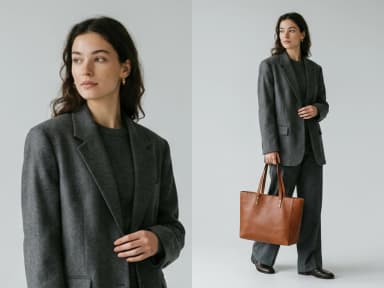
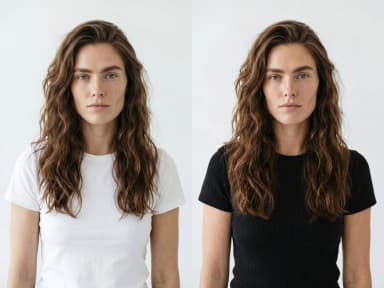


Editorial Lookbook
Your model in a slow, magazine-style shot: wind, light, a subtle camera move.

Remove Video Background
Cut the subject out of a video and keep it on a transparent, white, black or green background — the clip keeps its length and its shape.

Outfit Drop
The trending reel: your products fall into the frame, your model jumps and lands wearing them. From a photo of your model and two of your products.

Passer-By Transition
The trending street reel: passers-by wipe the frame and reveal your model in the next look, a few steps further down the street. From a photo of your model and two of your garments.

Reframe Video
Change a video's format without cropping: the subject is recentred and the missing edges are invented, the clip keeps its length.

Look Switch Walk
The trending crosswalk reel: your model walks toward the camera and every beat switches the look. From a photo of your model and two of your garments.

Change Video Background
Put the model of a video somewhere else: the person, the outfit and the movement stay, the setting is described in words.

Edit Outfit in Video
Change the clothing in a video with a sentence: a new colour, a new print, another garment — the person, the movement and the setting stay.

Hanger Switch
The trending hanger reel: your model holds up two hangers and is instantly wearing both pieces — layered or top and bottom — then two more. From a photo of your model and two pairs of garments.

Swap Model in Video
Another person in the same video: give a photo of the new model, the outfit, the movement and the setting stay.

Window Walk-By
A fixed shot through a tall window: your model walks in from the left, poses, walks out right — and comes back in the next look. From a photo of your model and two garments.

Detail Zoom Rush
A fast detail reel: the camera rushes in on one detail of the look, pulls back and rushes in on the next, in one move. From a photo of your model in the outfit.

Outfit Morph
A fixed shot on your model as one look morphs into the next, with no cut. From a photo of your model and three garments.

Create a Soundtrack
Compose an original track from a prompt and an optional picture, or lay a soundtrack on one of your videos.

Create a Voice-over
Write a text and choose a voice: it is read aloud and saved as an MP3, ready for a video, an ad or a product page.

Collection Panorama
Six cut-out looks stand in a row on a studio backdrop; the camera travels along them and back, the close-up passing in front, a title at each end of the path. Give it photos or videos with a transparent background.
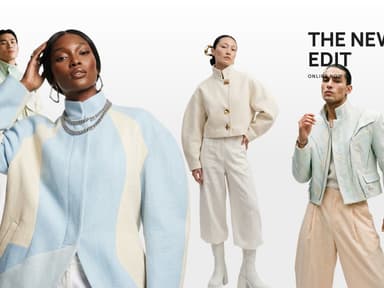
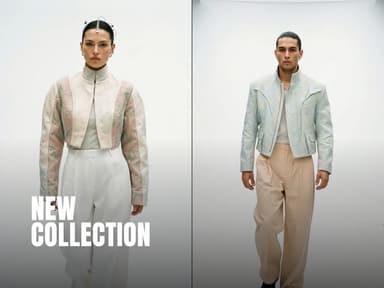
Split Reel
Two halves wipe through your four photos or clips while a headline, then a second one and a small line, rise letter by letter. Made for launches and drops.
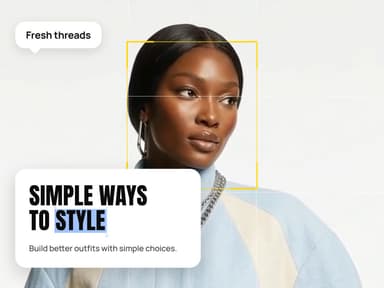
Style Post
One photo or clip framed like a camera, a speech bubble, then a card whose headline rises word by word and highlights its last word. For tips and new-in posts.
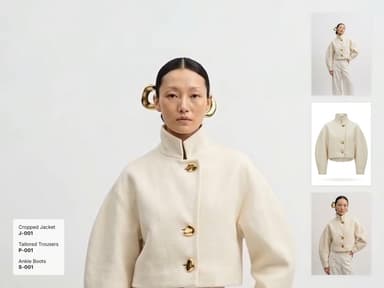
Look Film
Your look in motion, full frame, with three photos or clips of it in a column beside it and the pieces worn listed below. For drops and new-in posts.
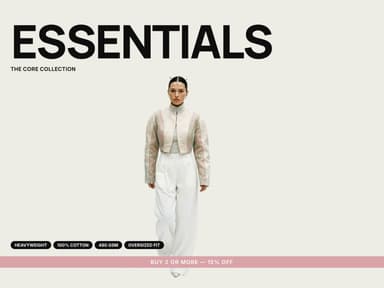
Colour Drop
A big word, then each look slides in on its own colour: the band, the tags and the line at the bottom take it. For a range in several colourways. Cut-out photos or clips (transparent background).
Phone Promo
Your look playing in a phone, three product cards beside it, a sale badge and a call to action. For promotions and drops.
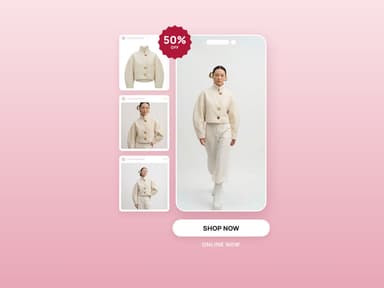
Cut Montage
Hard cuts in the rhythm of a campaign film: full frame, punch-in close-ups, the look framed in a colour panel, opened and closed by a word. Three to six clips or photos.
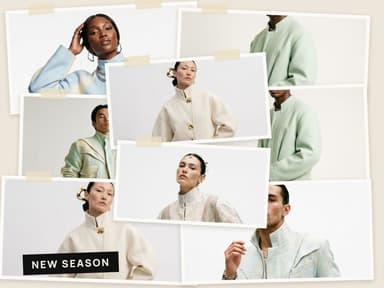
Paper Collage
Prints taped on a paper ground, pinned one over the other; once the board is full the pictures trade places in quick cuts, like a moodboard being reworked. Four to eight pictures.
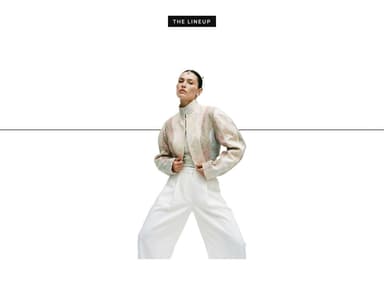
Lineup
A white page and a thin line: one look at a time takes the centre, each change a short glitch; then the whole line steps in, two looks close in front. Cut-out photos or clips (transparent background).
Character Select
Columns of garments and full looks roll like a slot machine, stop and roll again, then a line asks to choose. Three garments and three looks, cut-out (transparent background).
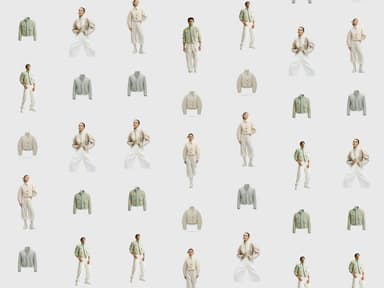
Grid Mosaic
One look cut into a grid drawn in one colour: two small portraits and a large one above, the full look and two crops of the legs below. The cells open one by one and trade places on the beat. A portrait and a full look.
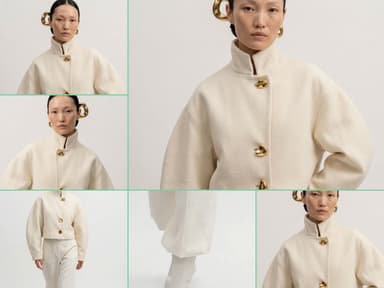
Ways to Wear
One piece, several ways to wear it: each look fills the frame and the next pushes it out behind a straight edge, while one line stays across the middle. Three to six clips or photos.
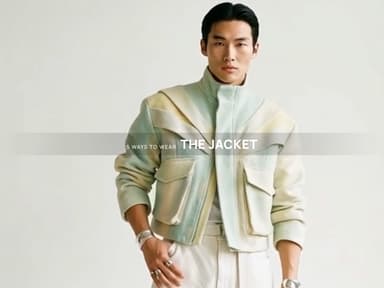
Detail Study
A look in full under a spaced name, then the camera goes close: the face in black and white, the fabric, the waist, the hands. Each cut arrives out of a blur, and the film ends on the last look in full. One to three clips or photos.
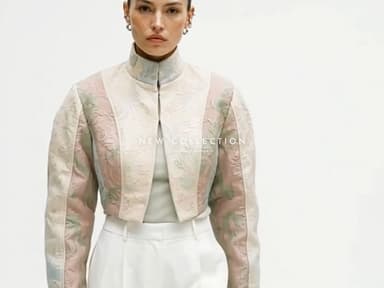
Signature Film
Slow, quiet shots of the collection (full length, three-quarter, close) joined by short dissolves, a thin spaced name across the first ones, and the name alone on a dark card to close. Two to four clips or photos.
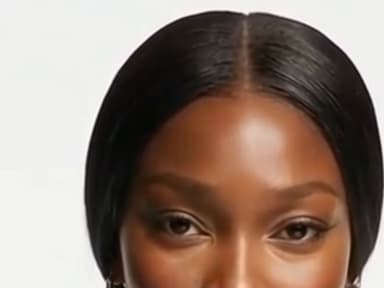
Outfit Picker
A look stands in the studio with the others in small cards at its feet. A pointer goes to the next card, clicks, and the look changes, like choosing a player. Two to four cut-out photos or clips (transparent background).
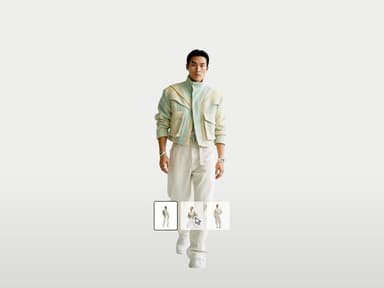
Beat Cut
The studio wall and the looks cut on the beat: wide, close, wide again, one look then the next, faster and faster, the way a campaign teaser runs. Two to four cut-out photos or clips (transparent background).
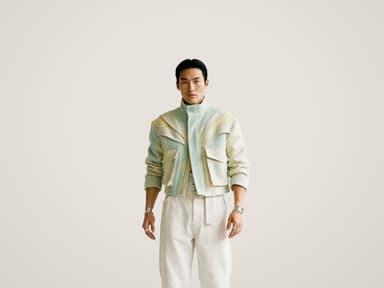
Bold Word
One heavy word across the looks while they change on the beat, facing one way then the other, with a small line under the word. Two to four cut-out photos or clips (transparent background).
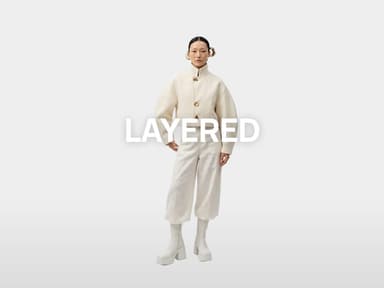
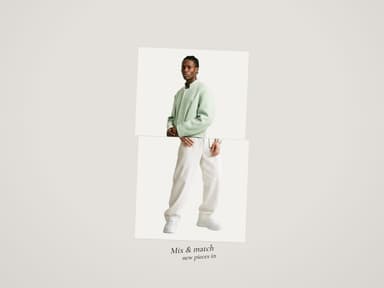
Mix & Match
Each look printed and cut in two at the waist, the top and the bottom on two paper cards. The tops change, then the bottoms, so every pairing passes, with a handwritten line under the cards. Two to six cut-out photos (transparent background).
Learn
Free AI colour analysis
Upload a natural-light selfie and the AI reads your undertones and contrast to give you your seasonal palette.
ReadHow to chat with an AI fashion assistant
A practical guide: how to set it up, phrase your requests, and turn its answers into outfits.
ReadWinter outfits, instantly
Describe the concept, pick a style, name the fabrics and prints, and let the AI dress the look.
ReadChange the outfit in your own photos
Upload an image, set your style preferences, and try new outfits on yourself with an AI clothes changer.
ReadWhat an AI outfit generator actually does
An AI outfit generator shows you a photograph of yourself wearing clothes you do not own. You upload a photo, say what you want to wear — or let the stylist propose it for the occasion — and the picture that comes back is you: your face, your hair, the room you were standing in, all untouched. Only the outfit has changed.
That last sentence is the whole product, and it is worth reading twice, because most tools with this name do something weaker. Some dress a generic model and leave you to imagine the transfer. Others return shopping lists — links to products, arranged into a "look" you still cannot see on yourself. This one edits your photograph. The question it answers is the one you actually stand in front of a mirror with: not "is this a nice jacket" but "what does this jacket look like on me, with my shoulders, at my height, in my hallway".
It also makes the stylist part mean something. A recommendation you can immediately see on your own body is advice; a recommendation next to a stock photo is a guess.
Outfit generator: from your wardrobe, or from a description?
An outfit generator answers one of two questions. The first: what do I wear with what I already own? That is a wardrobe app — you photograph your clothes piece by piece, and it assembles looks from them. The second: what would this look like on me? That is this studio — you describe the outfit, or let the stylist propose it for the occasion, and it comes back worn by the person in your photo, in your colours, ready to judge in a glance.
If you are sorting a closet, a wardrobe app is the right tool. If you want to see a look before buying it, shooting it or posting it — on yourself, or for a brand, on a model wearing your own pieces — the outfit is generated here, from words and from your photo, in about fifteen seconds.
How do I use it?
Three facts about you, posed once, and then one question per visit.
The facts: your photo, your style, your colours. You upload a clear picture of yourself standing — it is remembered on your profile, so this happens once. You write your style in a sentence, "quiet luxury, clean lines, warm neutrals", or borrow one from the suggestions. And you set your colour palette, either by picking one of the twelve seasons directly or by letting the analysis read it from your face.
The question, each time you come back: what is the occasion? The list runs from a casual weekend to a wedding, a day at the office, a date night, a festival, winter holidays — twenty-seven of them. Pick one, press for a recommendation, and a complete head-to-toe look arrives in the description box, bent to your style and your palette: pieces that answer each other, shoes included. Edit any word of it, or replace it entirely with your own idea, then generate. The result is you, dressed for it.
What photo should I start from?
The photo decides most of the result, and the rule is short: you, standing, clearly lit, outfit visible.
Natural light is the friend here — a photo taken by a window beats one taken under a warm ceiling bulb, because the stylist matches the new clothes to the light of your picture, and light that flatters the room flatters the outfit. The background does not need to be plain, since it is kept exactly as it is; a hallway, a street corner or a bedroom wall all work, and staying in your own setting is part of what makes the result read as a photograph of you rather than a catalogue page.
What costs you is anything that hides the body being dressed: a heavy coat over everything, a crop at the knees when the look includes shoes, another person leaning into the frame. Give the stylist your silhouette and it dresses it; make it guess and the guess is what you will notice.
How does the colour analysis work?
Some colours light your face up and some drain it, and which is which is not taste — it follows from your undertone, your hair and your eyes. Stylists formalise this as the twelve seasons: three springs, three summers, three autumns, three winters, each a family of colours that agree with a certain colouring.
The studio offers the whole list openly. If you know you are a Soft Summer, pick it and its palette shows as swatches. If you do not, upload a photo of your face in natural light and the analysis reads your undertone and points at your best match in that same list — it costs one credit, and the result is saved on your profile. From then on, one switch dresses you only in colours from your palette, and the recommendations respect it too: the same occasion produces a different look for a True Winter than for a Warm Autumn, which is exactly the point.
Can it learn my style, not just my size?
Style is the part most people can recognise instantly and describe badly. The stylist accepts both forms.
The direct form is a sentence on your profile — written once, edited whenever, respected everywhere. "Old money, heritage fabrics, muted tones" and "sporty chic, technical fabrics, crisp white" produce genuinely different wardrobes for the same wedding.
The indirect form, for those who collect pictures rather than words: on an active plan, hand the stylist a few fashion images you love — saved editorials, moodboard finds, outfits that stopped you mid-scroll — and it reads the through-line: the silhouettes, the materials, the colour families they share. What comes back is that same one-line sentence, landed in the box where you keep the last word. Nothing is decided for you; the images simply say what you meant.
What it costs, and how fast it is
One credit on Standard, three on Pro, per generation — the Pro tier runs the heavier model for the occasions that deserve it. The colour analysis is one credit, once, and its result is kept. A new account opens with three free credits, so the first look, or the analysis, costs nothing beyond signing up.
An image comes back in about fifteen seconds, measured on our own platform rather than estimated. That pace changes how the tool is used: you do not deliberate over one attempt, you generate the recommendation, then your own idea, then the same look in your palette, and compare photographs instead of guesses.
What it is not
Honesty about the edges, because a tool you trust on yourself has to earn it.
It is not a shopping engine. The outfits are generated, not linked to a store's inventory — what you get is the look on you, which is the decision most purchases actually hinge on, but finding the pieces remains yours. It is not a body editor either, by design: the stylist dresses the body in the photo rather than reshaping it, and keeping your face, your hair and your background identical is a promise the prompt makes explicitly, every time.
And your photo is yours. It lives on your profile so you never re-upload it, it is used to generate your images and for nothing else, and your creations stay private unless you decide otherwise.
Edit with smart creative tools
Refine your generated visuals with smart editing tools: crop, trim videos, add clips, text, filters and more.
Publish directly to Shopify and channels
Schedule or publish your images and videos directly to Shopify, Instagram, Pinterest, TikTok, YouTube, X, Threads, and more.
Create directly in Claude chat
Create faster with The New Black AI through our seamless Claude MCP integration.
ConnectInvite your team
Seats come with every plan, unlimited from Business. Work on projects, edit and publish together.